Anytype Desktop 0.45.0 Released!

Hello Anytypers! We’re excited to share a major update you’ve been eagerly awaiting. Version 0.45.0 introduces Web Publishing, a Raycast extension, RTL support, and a host of quality-of-life improvements—all inspired by your requests and feedback. Thank you for helping us shape Anytype into a friendlier, more powerful tool for everyone.


Highlights

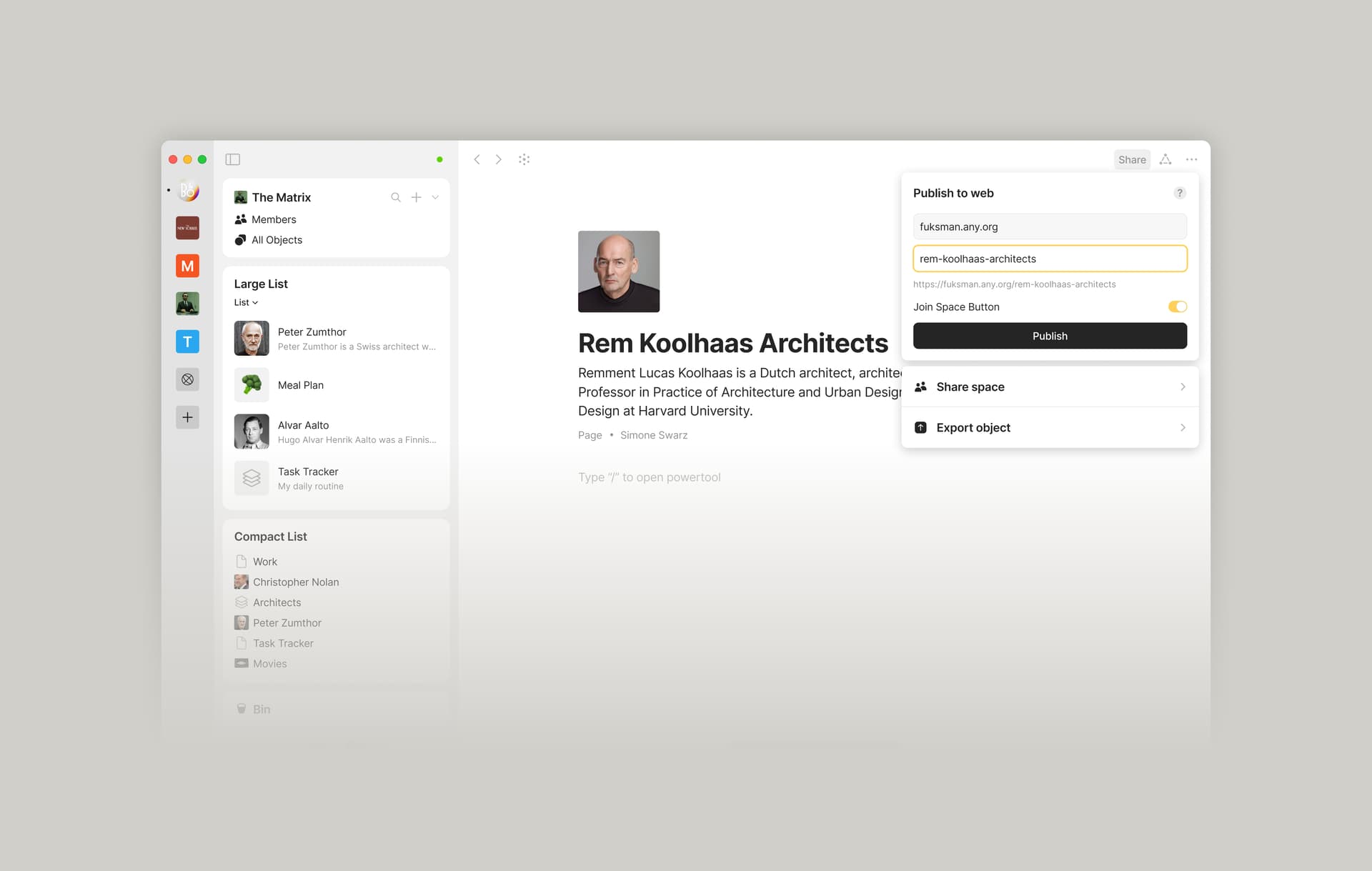
Web Publishing

You can now publish Objects as static web pages (HTTPS links) on your personal subdomain if you have *any name. These pages are uploaded to our servers as unencrypted HTML files.

This is an early version—linked Objects, and blocks like Sets and Collections aren’t supported yet. Multi-page publishing and other enhancements are on the way, and we’d love your feedback to guide these improvements.

Here’s the first-ever web-published version of our release notes
Redesigned Space Panel & Navigation

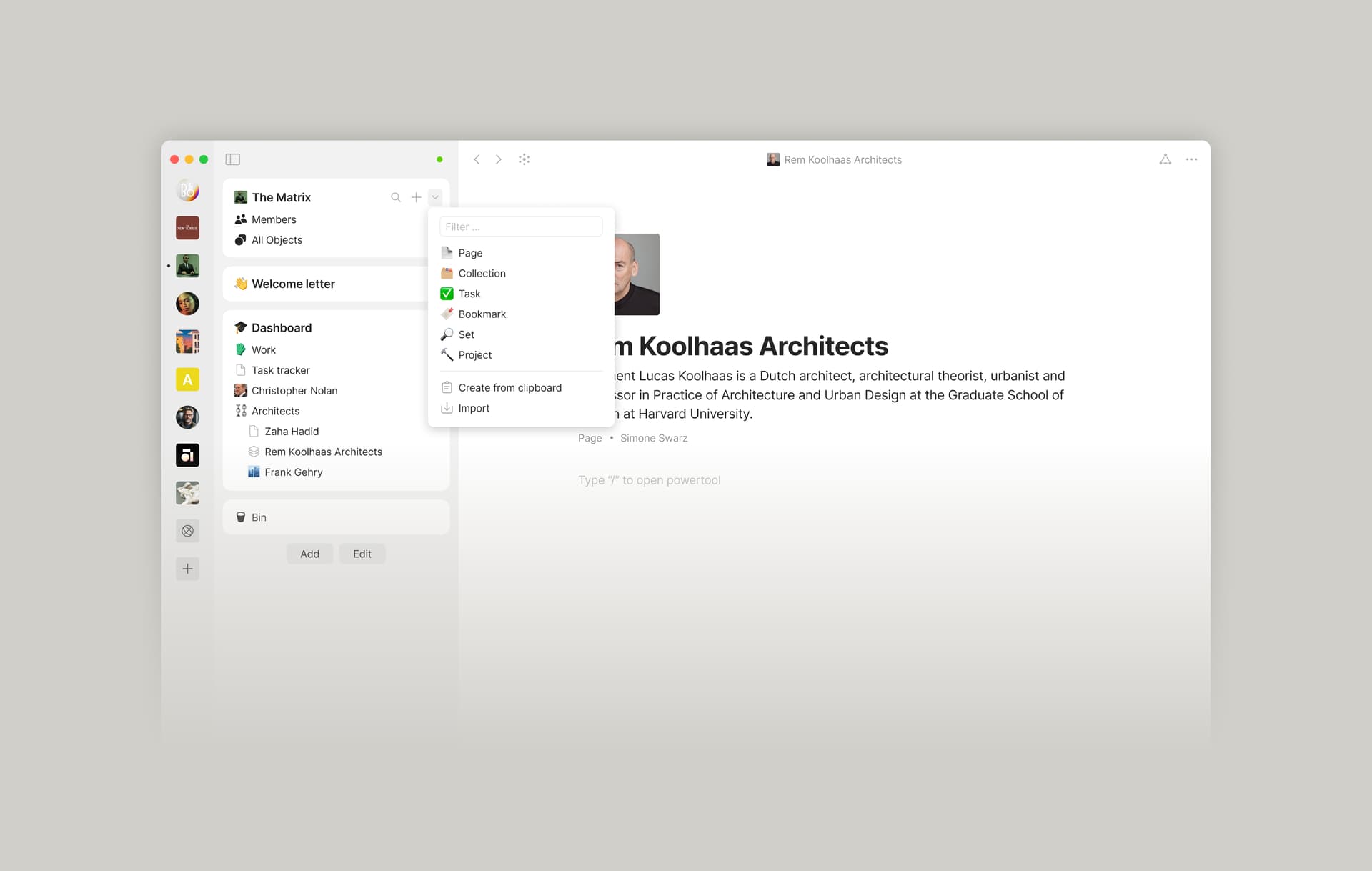
We’ve relocated the navigation controls to the Space Panel for a smoother experience. You can now navigate back and forth, search for Objects, and create new ones from a familiar place.

Pro tip: If your sidebar is hidden, press ⌘ + S to open Global Search or ⌘ + N to create a new Object.
Raycast Extension (macOS)

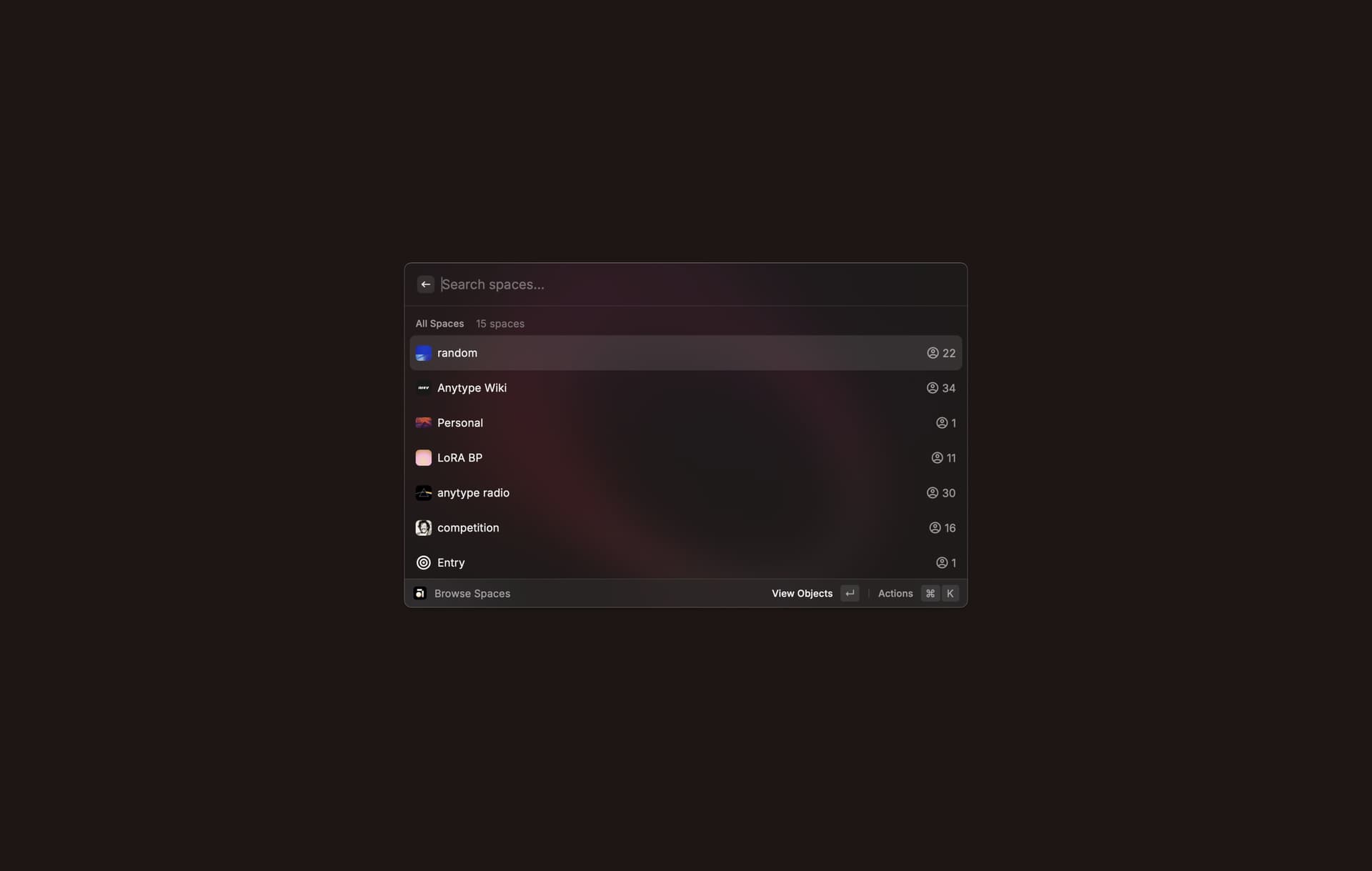
Our long-awaited API is beginning to take shape! The first step is Raycast integration, allowing you to create, read, and delete Spaces, Objects, and Types, as well as search across them, all from Raycast on macOS.

While this initial version focuses on a basic set of features, we’re laying the groundwork for an open API that will eventually support bulk import and export, NoCode tools, and more integrations. We’re excited to see what you’ll build!

Install the Raycast Extension here
RTL Support

We’re happy to introduce right-to-left language support! This first iteration might need some extra polish, so your feedback is invaluable. Let us know what works and what needs a bit more attention.


Quality-of-Life

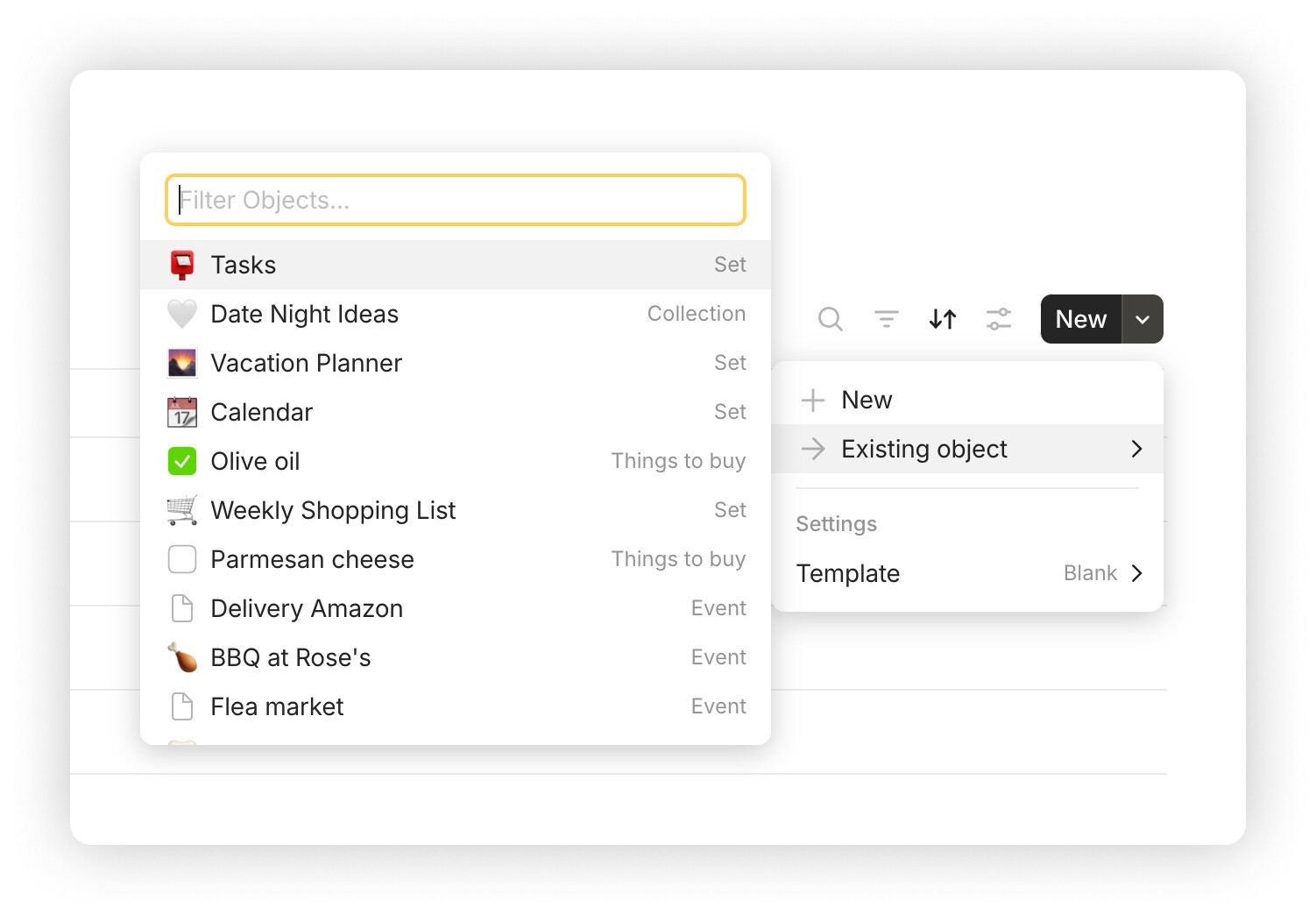
Add Existing Objects to a Collection
We’ve added an option to add existing Objects into a Collection. Look for it in the updated arrow menu alongside other content settings.
Horizontal Alignment in Grid Layout
Columns in the Grid layout can now be aligned left, center, or right.

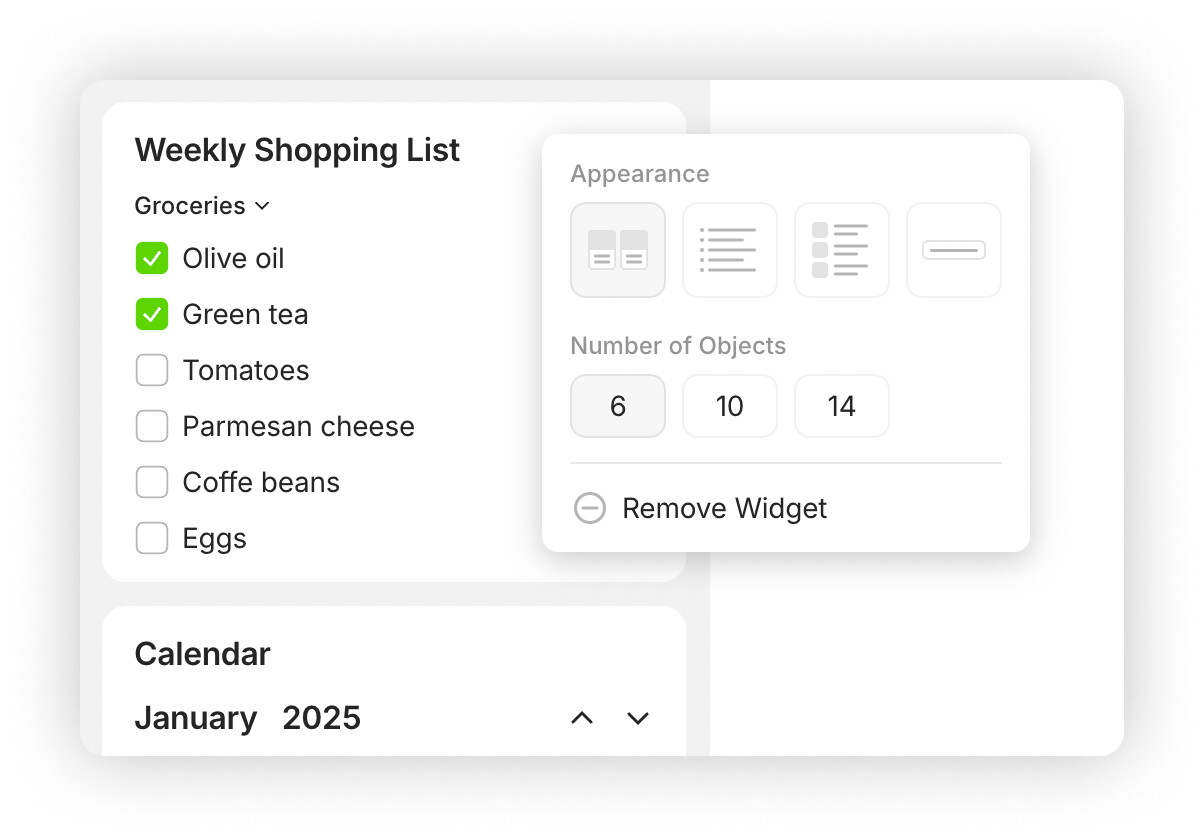
Simplified Widget Settings Menu

Clickable Links in Kroki Diagrams
Kroki embed blocks now support links within diagrams. Thanks to @siousu for the suggestion!

Improved Dark Mode Text Selection
We tweaked the selection color for better visibility. Shout-out to @kermit_frog for flagging this!

Inline Set Header Resize Adjustments
Inline Set headers now adapt when resizing to keep controls from overlapping neighboring blocks.

Better Image Pasting on macOS Safari
Images copied from Safari will now paste into the object editor as files instead of URLs.

Standardized QR Code Appearance
All QR codes in Anytype now follow a consistent style.

Improved LaTeX Support
Inline LaTeX is now rendered in the Table of Contents block and in link blocks, including titles and descriptions. Thanks to @mewald!


Bug Fixes

  • Making changes to Kanban in the Version History is now disabled. Thanks, @HeavensRegent!
  • Resolved an issue that could cause the App to freeze.
  • Dragging headers in the Grid to rearrange columns no longer highlights the text of other headers. Thanks, @Code-Jack!
  • Fixed keyboard navigation in the Command menu. Thanks, @Code-Jack!
  • Bin Search works correctly, without causing Objects to be filtered out.
  • Relations containing angle brackets (e.g., <abc>) are saved correctly. Thanks, @CoolGuy!
  • Input to Date type relations works correctly. Thanks, @flypenguin!
  • Removed the option to paste YouTube channel links as Embed. Thanks, @Code-Jack!
  • Fixed an issue where pasting with all blocks selected in the object editor would wipe out content without pasting from the clipboard. Thanks, @sky1!
  • Copy-pasting relations between Objects using Ctrl+C and Ctrl+V works correctly. Thanks, @RichardZ!
  • Improved behavior of the Command menu when using non-English language with IME. Thanks, @C.c and @Lipiesu!
  • Filter and Search functions now work correctly with non-English IMEs. Thanks, @vennetong!
  • Resolved an issue with Tag creation when typing non-English characters. Thanks, @crimx!
  • “Text” option in the Relation Type menu is highlighted when the cursor is hovered over. Thanks, @PianoMacPower!
  • Toggle Block works correctly when pressing Enter to insert new lines. Thanks, @Code-Jack!
  • Template Type is no longer displayed in the right-click menu under the “Change type” option.
  • Fixed PDF export for Simple Tables. Thanks, @BIG艺术家!
  • Fixed an error that occurred when switching from Flow to an Object. Thanks, @krst!
  • The order of Space icons remains properly arranged. Thanks, @siousu!
  • Hovering over “Move to” in the right-click menu no longer causes the page to scroll up.
  • Duplicating a locked relation no longer causes a popup in the corner.
  • Fixed the Filter menu in Sets.
  • Fixed an issue where ⌘ + A and ⌘ + V in an overlay affected the underlying Object. Thanks, @krst!
  • Date window in the Command menu no longer freezes when the cursor is moved away.
  • Fixed keyboard up navigation in the Command menu.
  • Fixed the behavior of the Enter key when creating a new Vault.
  • Adjusted the layout of Types to display the dates without cropping.
  • Default Object Type remains set. Thanks, @zma17!
  • Fixed an issue with fast-clicking on inline object links. Thanks, @aytigra!
  • Fixed an issue that could prevent title input in newly created Objects. Thanks, @reachar!
  • Webclipper’s authorisation process has been reworked to eliminate issues with pop-ups.
  • The selection rectangle now correctly toggles off when selecting text.
38 Likes

Thanks team for the update and bug fixes.
Are there any information on the api’s privacy policy and data sharing? I already installed Raycast extension but want to know how it works with Anytype first, before actually using it.

Oh no. Mostly all my collections and sets are now just empty after this update. Newly created collections and sets don’t display existing objects. The objects can’t be added to a collection. I’m really confused how am I going to work today :astonished: It’s just empty. Looks like the objects are ok themselves. Please any advice

First thanks for the update,

I just updated it trough Anytype and lost access to the content of my collections as well as the graph view, what’s weird is it happened only on my main space :thinking:

If anyone has a tip to get my collection content as well as the graph view that would be swell.

Sets seems to work fine, only collections are not working anymore. Thankfully on my not updated mobile app collections still works.

We’ll make a hot fix asap. All data is safe, don’t worry.

3 Likes

Thanks a lot for the update! I really, really like Raycast API and the new sharing function! Congrats to the team :+1: Awesome work. Anytype keeps getting better each new release :partying_face:

I’m using 0.44.23-beta up to now without the issues mentioned above. Is it safe to update to the release version? Or recommended to wait for the hotfix?

It is safe if you won’t switch from pre-release to release channel.

1 Like

Are there any information on the api’s privacy policy and data sharing?

@C.c hey! the api is running locally on your machine, works without internet connection and requires authentication for a client (eg. raycast extension) to retrieve & access data.

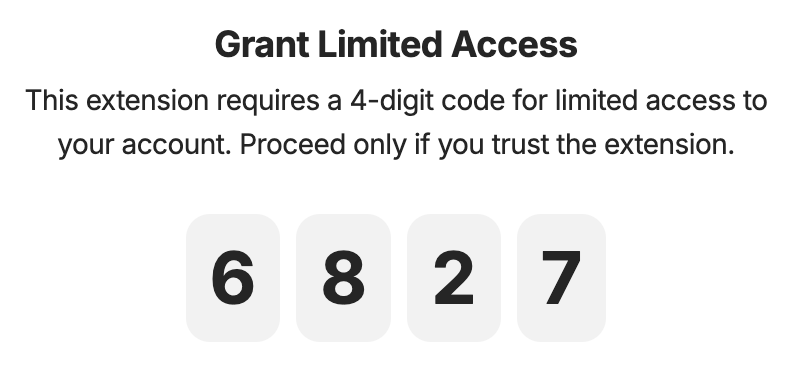
to do so, raycast initially pairs with app through the 4 digit pop-up. this will notify you about giving the extension limited access to your account:

the api key is stored in encrypted local storage of the extension and will be used to fetch data from the app - to then display spaces, objects etc. in raycast

therefore, no other applications than authorized ones can access your data through api

6 Likes

Anytype is not opening anymore since update on Linux Mint 21.3 Cinnamon. Tested with appimage and debian package, same problem.

Which problem exactly?

Check this thread please Anytype no longer starts after update to 0.45.0 · Issue #1218 · anyproto/anytype-ts · GitHub

Great works Anytype team!

Is this tools like Webflow, Framer etc, or something else?

Btw, that’s crazy domain you got, any.org

check please 0.45.1 hotfix

1 Like

The collections as well as graph generation are fixed in 0.45.1. Thanks for the hotfix.

My quick feedback, mainly on Raycast extension:

  • I am surprised to be able to search objects across all spaces, when we couldn’t do that in Anytype search pane itself yet :sweat_smile: (I have already created a feature request for this.
  • A few points I mentioned in the feature request:
    – I wonder why this fundamental function is implemented as api, not in Anytype itself…
    – Opening object from Raycast override the object which I am already using (as opened in first instance/window of Anytype). This disrupts my workflow…

UI/UX improvements are probably needed in Anytype in general but recent updates make me feel like they are small positioning adjustments where team put a lot of effort into… I imagine this happens only because I don’t know the big plans which team is going to build from the UI… e.g. All objects Widget in place of original library, so it is possible to have a new Library (but this might just be my imagination)

In short, I like this update, but also not that much that I could incorporate this into my daily workflow… this is how I feel so far with since v.0.36.0.:sweat_smile:

Anyway, keep the chin up and I will continue to support and hope for future updates. :muscle:

Resolved

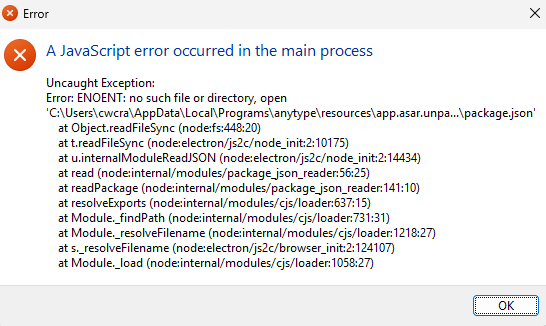
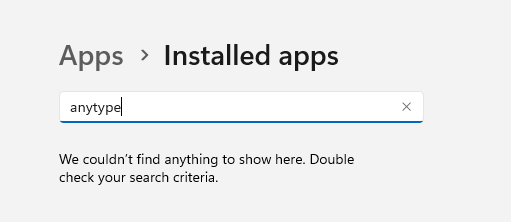
This update crashed my app and now I can’t open it and windows can’t find the app in order to uninstall.

This is what I get when trying to open Anytype:

Update: I tried installing Anytype even though I can’t uninstall it and the fixed the issue of Windows recognizing the app.

However, even after successfully uninstalling and reinstalling the latest version, the app opens to a black screen that is unusable.

Update: This was resolved by repeatedly uninstalling and reinstalling until it worked!

Debug → Devtools, is there anything in the console?

Thanks for the update. Always exciting to have a new release - especially with the introduction of web publishing.

So I wanted to capture the What’s New to paste into Anytype to have a proper read through and annotate with my thoughts - FYI copying and pasting from the What’s New window didn’t work, so I had to go from the community post. No worries.

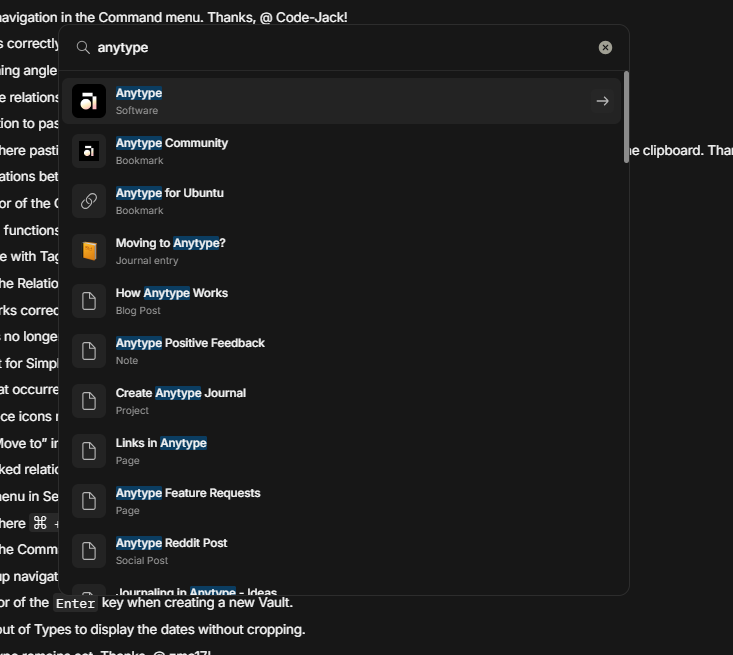
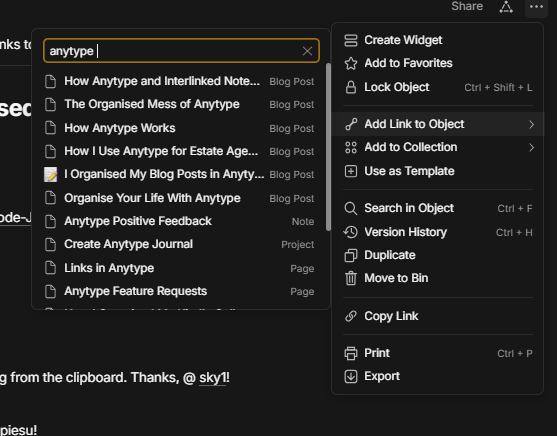
I pasted in as a personal Article object and went to link it to a Software object which is named Anytype. Searching for Anytype via Link to Object, didn’t return the object I needed to link to. Tried it via Global Search, and it was the first result. I even tried adding the space after the text query, as it’s been a workaround for search not always returning what you’re looking for. But it still didn’t work. (See screenshots).

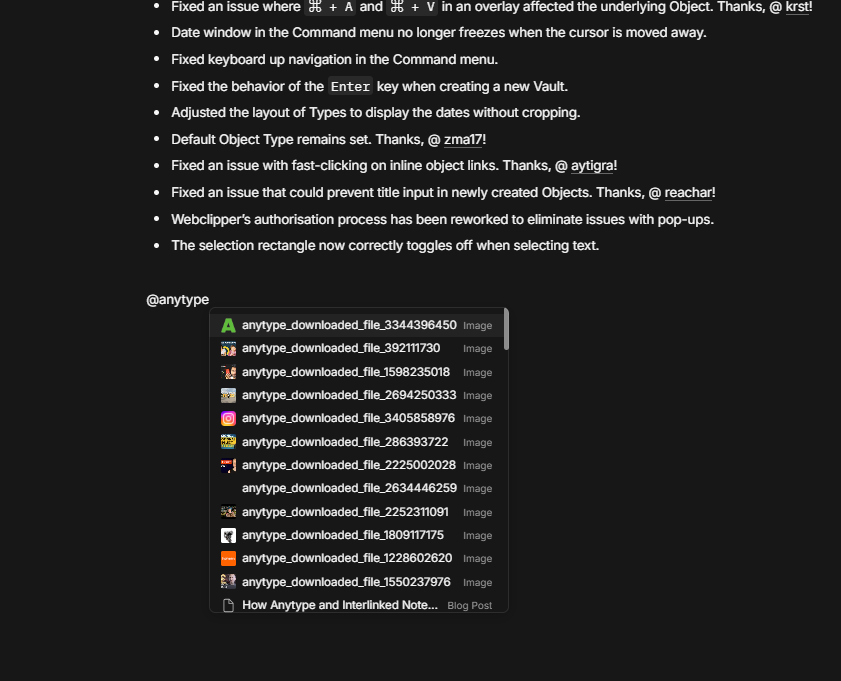
After I while, I figured maybe I should just reference it with @. So searched for Anytype and I get image after image, and scrolling through that very long list, I couldn’t find it there either.


I feel search is a fundamental function of Anytype. The whole idea of interlinking information just breaks if the search doesn’t work.

When it does work, it’s sublime - capture notes, link them to the relevant area/topic/project - done! This way of working with information is changing the way I work. Whilst I’m not fastidiously linking every single object in Anytype, I am gradually trying to link my objects in a meaningful way that facilitates easy retrieval and this usually starts just after I’ve created an object while it’s fresh in my mind. Without this ability to easily link to other objects, I feel my vault/space will just become disorganised.

It’s worse on Android.

I know the team are pushing ahead adding features, but please could a working search be a real priority going forward.

Sorry for having a moan, I’m a massive fanboy and use Anytype daily. Thank you.

I’m having this same issue on linux, only I don’t even get a blank screen. I only see the error because I’m launching from the terminal.

MacOS the update worked fine.