Unable to create Chinese Tag at Pinned Tag relation

What’s The Bug?

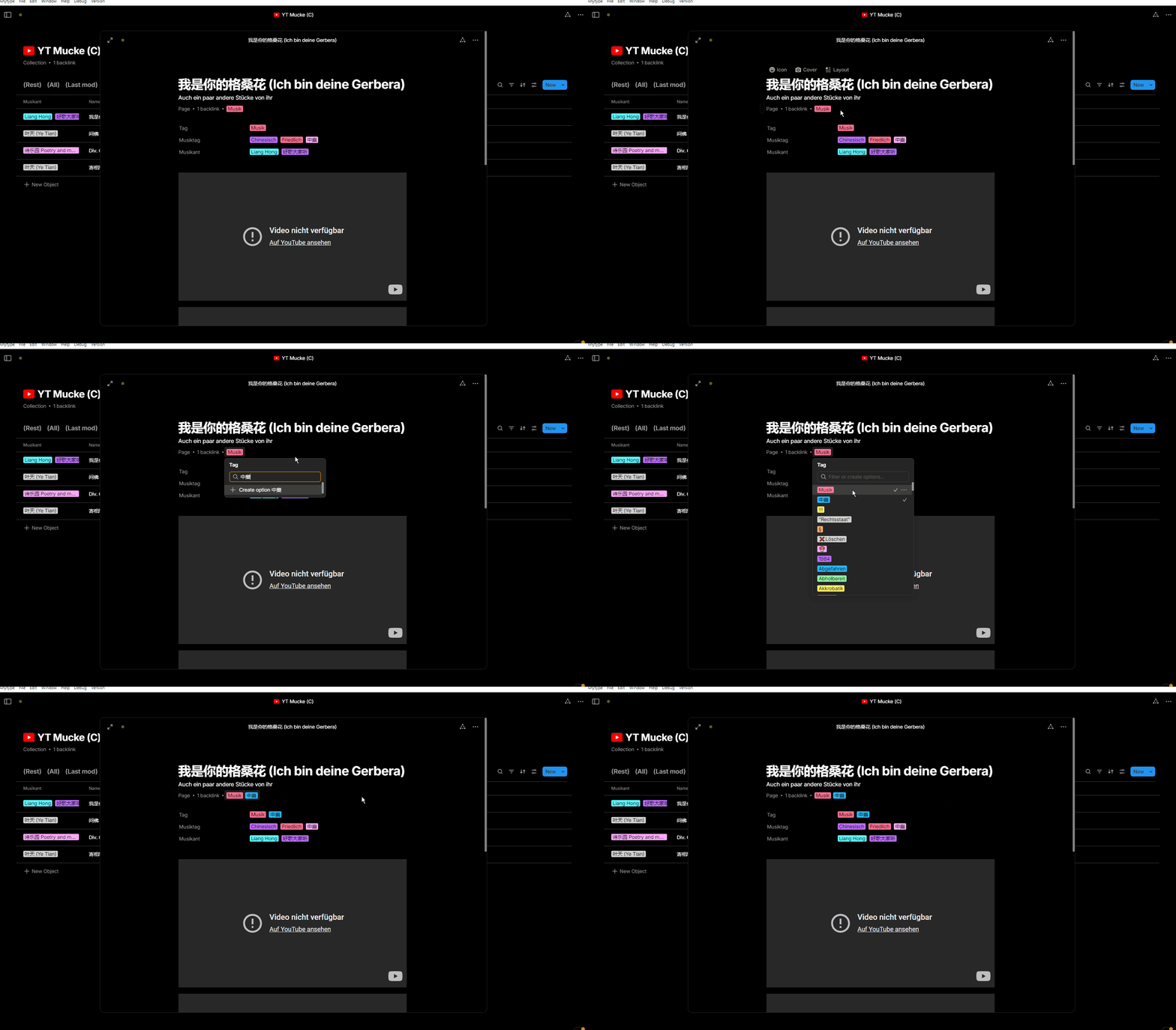
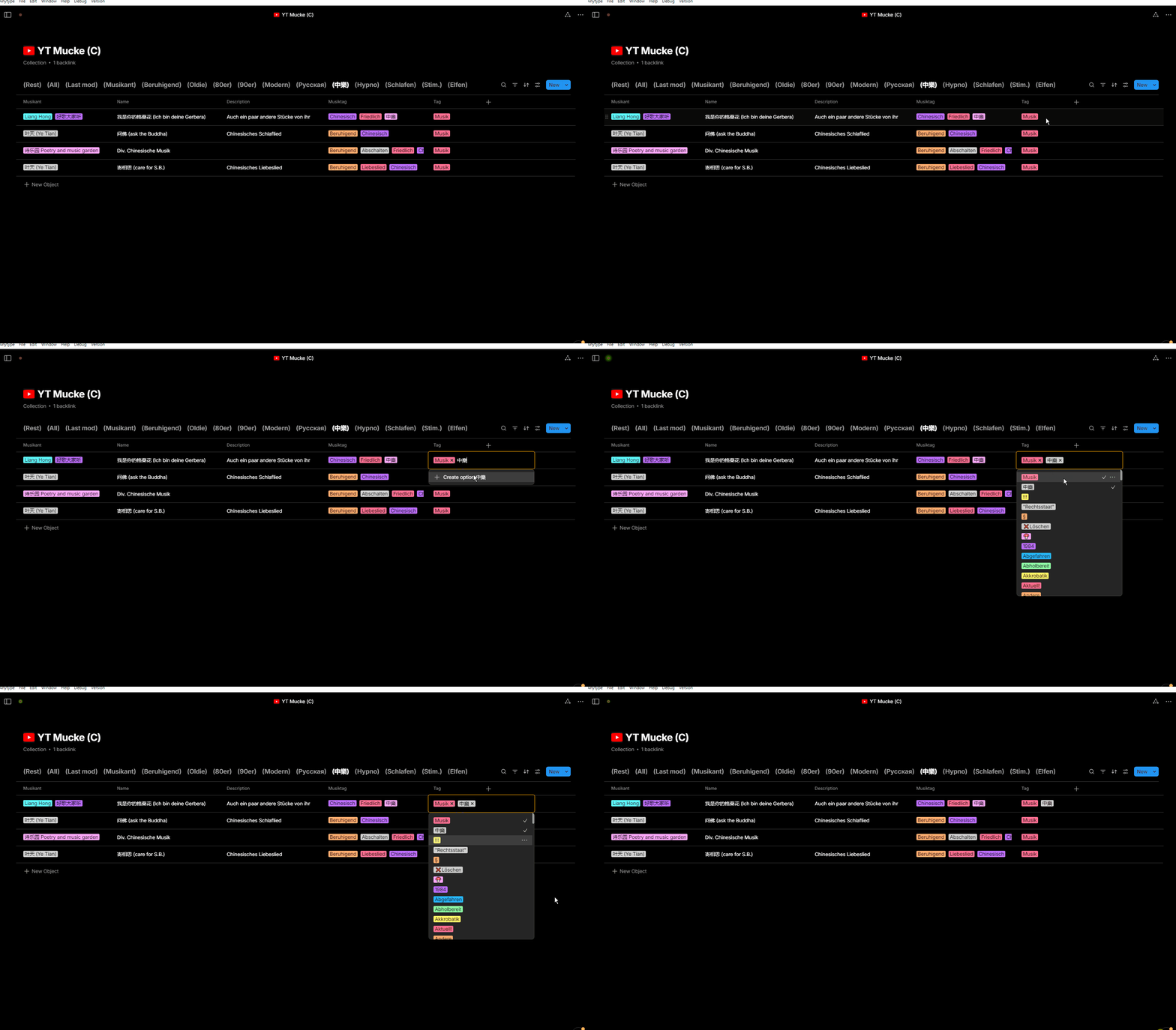
Unable to create non-English Tag

How To Reproduce It

  1. Open a Page
  2. Click Tag under the title
  3. Type Non-English character in “Filter or create options…”

Image or Video

The Expected Behavior

Should show Create Tag button at the bottom

Additional Context

If I paste the words(English or non-English) from clipboard it works fine.

anytype-ts/src/ts/component/menu/dataview/option/list.tsx at 59ce35d2424252470059f6cb1ee91fefc298c1ab · anyproto/anytype-ts · GitHub This line of code looks like the culprit. It updates the state imperatively after each keydown instead of watching the filter value change reactively.

Device

MacBook Pro 2021

OS

Sonoma 14.6.1 (23G93)

Anytype Version

v0.42.4

Network Mode

AnySync

Technical Information

OS version: darwin arm64 14.6.1
App version: 0.42.4
Build number: build on 2024-08-14 14:52:25 +0000 UTC at #926fe517a6a07b59730087ca356da38292556697 (dirty)
Library version: v0.35.3
Anytype Identity: AABfgdtLLB7odpPjQnbCW48nkjc1RdLd5kZGnqUzFruC3Weq
Analytics ID: b59fbefe-f862-4f52-b13d-c24358238f42
Device ID: 12D3KooWGeXCGGPGgc99YLMHWxyx8GPKgWbz1MMRVMzu6tUF1m3B

I can’t reproduce it for Chinese characters under Win 10 in v0.42.5

Chinese Tag 2

.

Chinese Tag

But sometimes the effect you show in your recording happens indeed, also for English Tags.
I’m yet not sure under what circumstances it happens.

I would say: there seems to be a bug, but it has nothing to do with Chinese.

You are right. If I paste the words(English or non-English) from clipboard it works fine.

anytype-ts/src/ts/component/menu/dataview/option/list.tsx at 59ce35d2424252470059f6cb1ee91fefc298c1ab · anyproto/anytype-ts · GitHub This line of code looks like the culprit. It updates the state imperatively after each keydown instead of watching the filter value change reactively.

Hi @crimx

Could you please update your report to correspond with @Code-Jack and your latest findings? Thank you!

OP demonstrated input with two characters, which might or might not be related to how Anytype handle multiple character selection.

Different to OP, I can confirm this bug happens on v.0.42.5 on MacOS with Traditional Chinese (Chanjie) and under the following circumstances: After a character has been selected, but suggested character is still awaiting for selection or cancellation. Anytype doesn’t think the input has been completed.

My explanation of the cause to this bug for both my scenario and OP’s.

This bug happens with IME selection. Anytype couldn’t understand if the input of characters has been finished, thus doesn’t prompt creation.

Current resolution

Input a space (spacebar) after the name of tag and it should return to normal. The prompt will display. Then the extra space can be deleted if preferred.

Additional information

Similar behaviours with IME input method had been reported for search pane and library. (Although I can’t find them now)
This report has been added to our issue tracker and received by the Development Team.

This issue has been fixed by the Development Team and will be implemented in an upcoming release.