Hey, Anytype Community!
Last cycle, we focused on improving Import and Export. This time around it’s all about polish. We’ve been working through the app, focusing on stability and improvements, including a surprising number of scroll-related bugs (who knew scrolling could be so dramatic?)
This release is packed with fixes that should make your daily flow noticeably better. As always, a huge thanks to all of you who reported issues, we seriously couldn’t do this without you.
Meanwhile, we’re also putting the final touches on something big. Some of you might already know what’s coming… Stay tuned!
TL;DR: List View with properties on the right, new ToC menu in the sidebar, 18 quality-of-life improvements and 68+ bug fixes across 16 categories.
Highlights
Polished List View
We’ve given the List View some well-deserved attention. It’s a simple and practical way to manage your objects, and now it’s smoother to use:
- Properties now appear on the right by default, making them easier to scan.
- You can also place properties before the object name, if that suits your workflow better.
- In-place editing lets you click a property to edit it on the go, speeding up multi-object workflows.
- Visual refinements bring a cleaner, more consistent layout.
Table of Contents
A new ToC menu on the right side of the Editor makes it easier to navigate and manage long pages. For a steady overview while editing, you can also open it in the sidebar.
Thanks for the contribution, @CamilleHbp!
Quality of Life Improvements
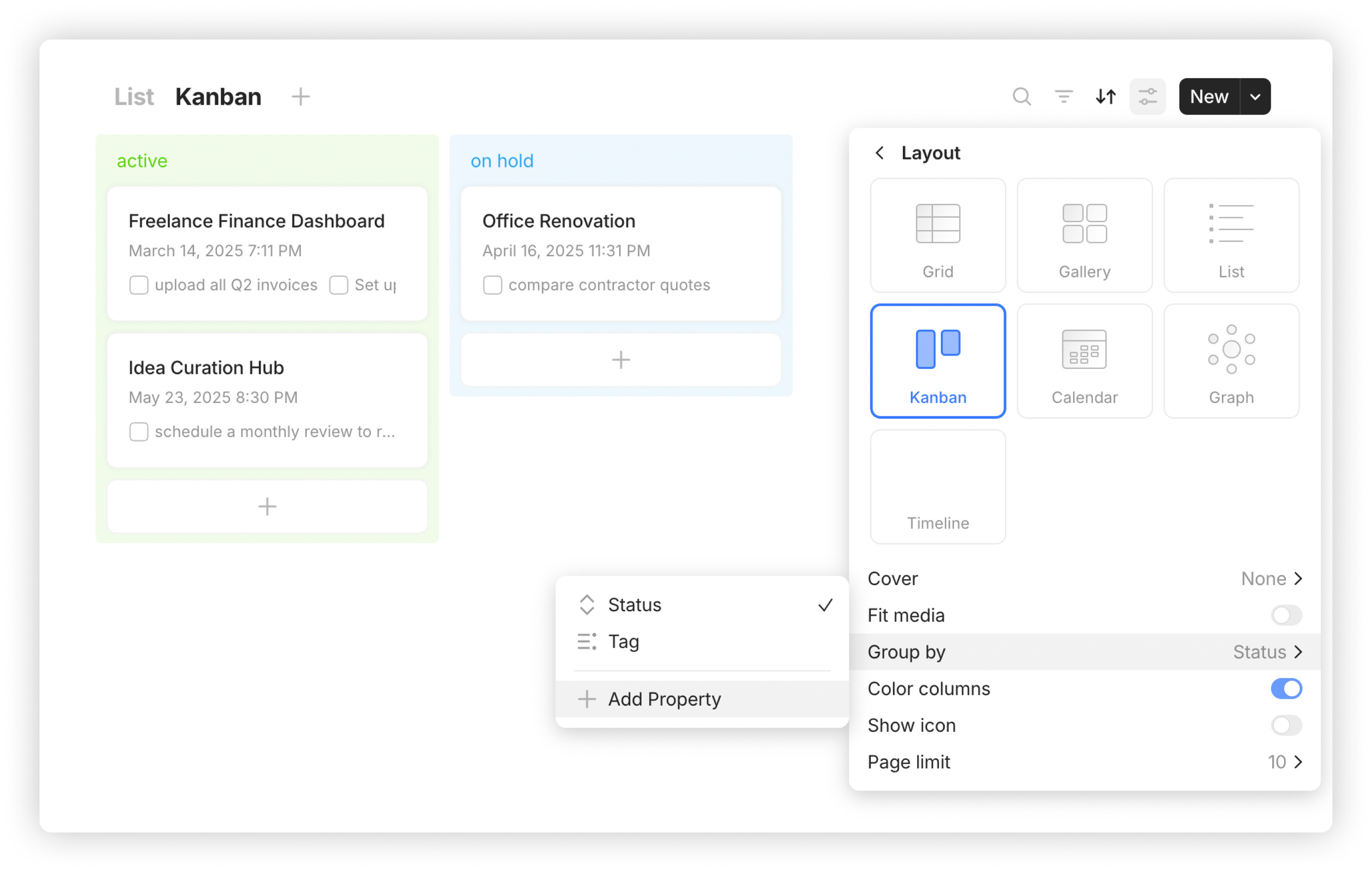
Add Properties in Kanban and Calendar Views
You can now quickly add a new property directly from the Layout menu when configuring Group by in Kanban or Date Property in Calendar view.
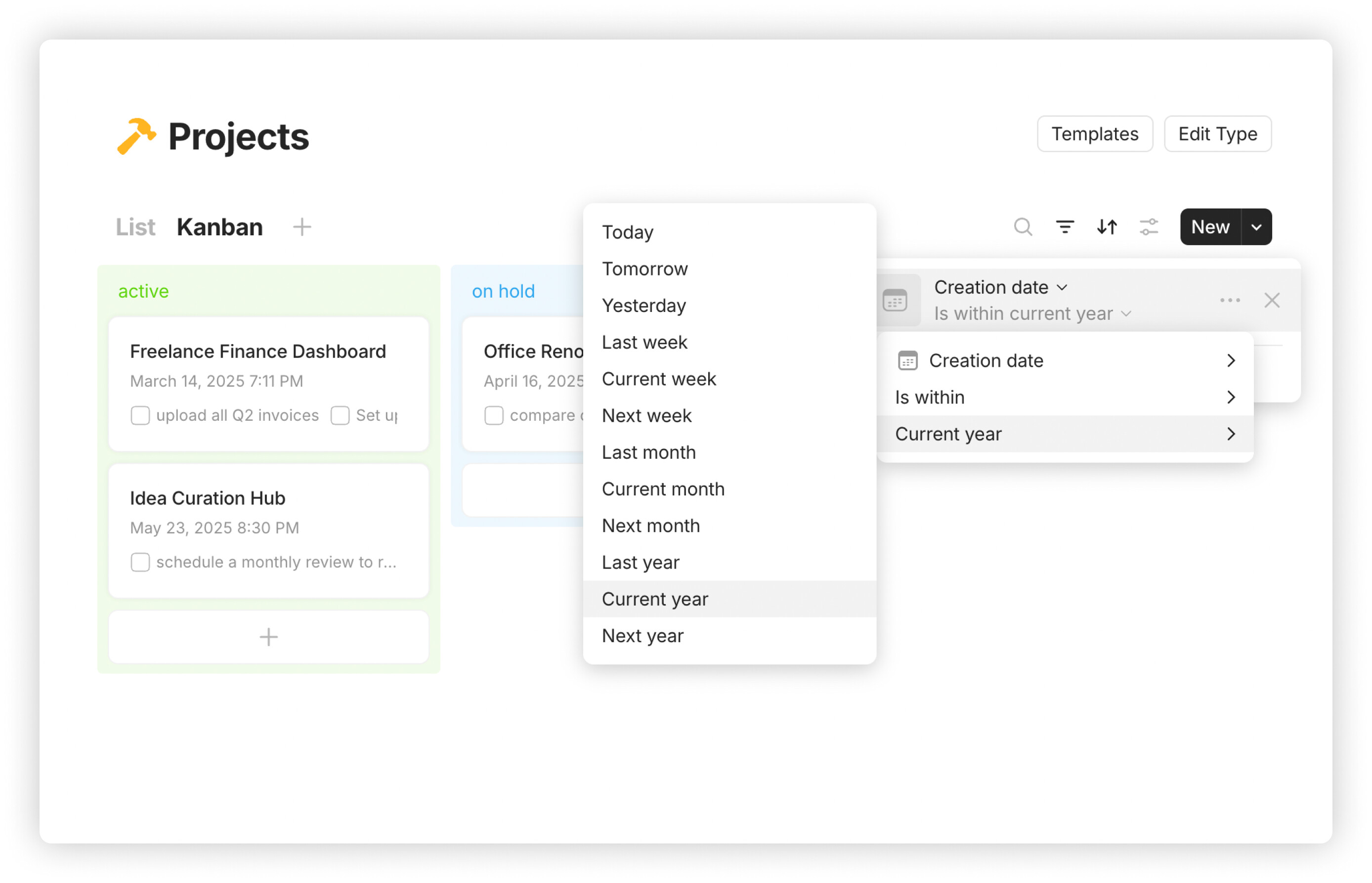
Year Filters for Date Properties
When working with projects across years, you can now filter by Last Year, Current Year or Next Year – no need to manually enter date ranges.
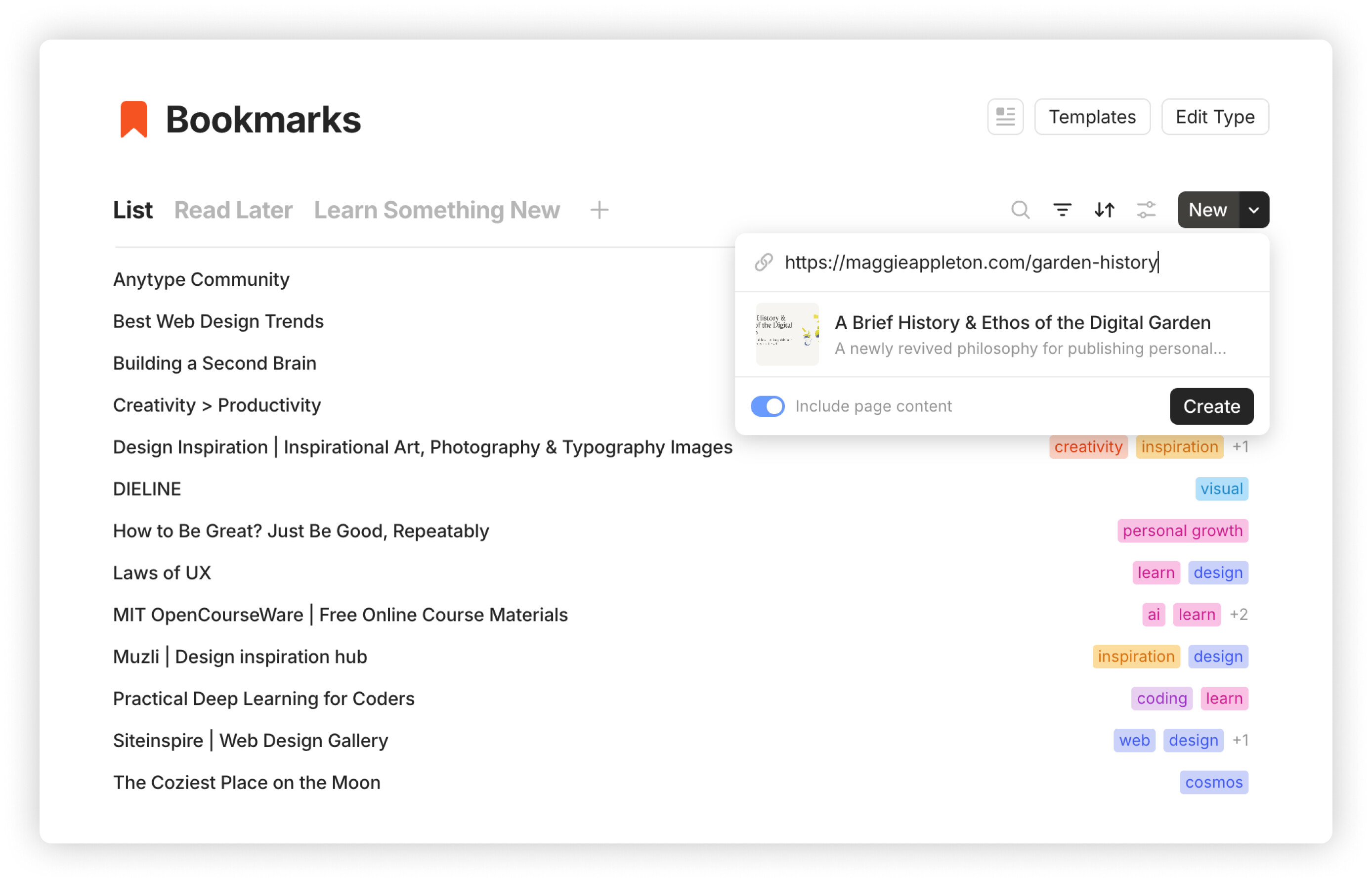
Bookmark Preview Before Creation
When adding a bookmark, you’ll now see a preview of the link and have the option to include page content. This helps ensure you’re saving what you expect.
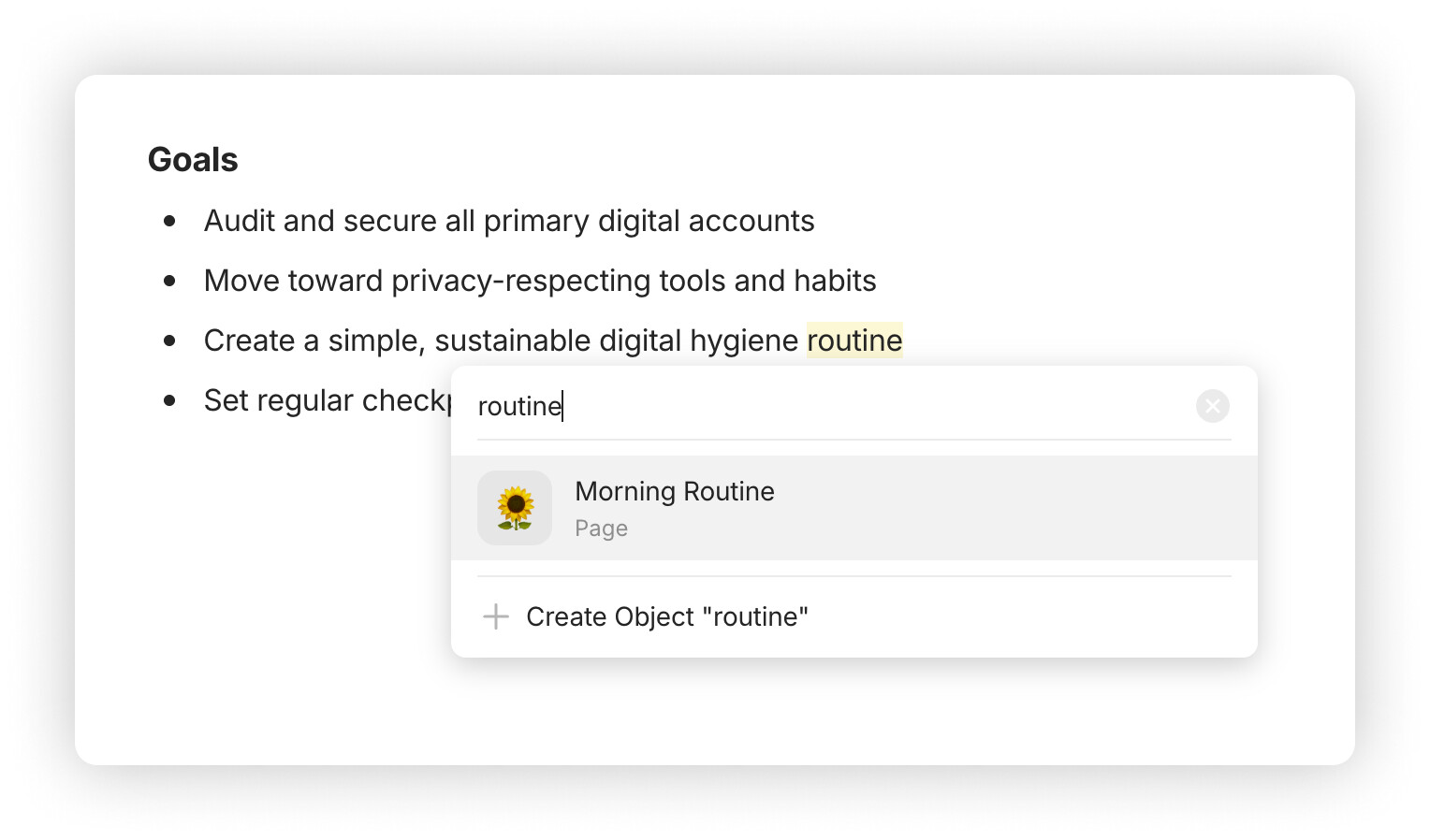
Auto-Filled Link Input with Selected Text
When you create a link with text selected, the selected text now pre-fills the input field, making link creation much faster. Thanks to @sturdily & @C.c!
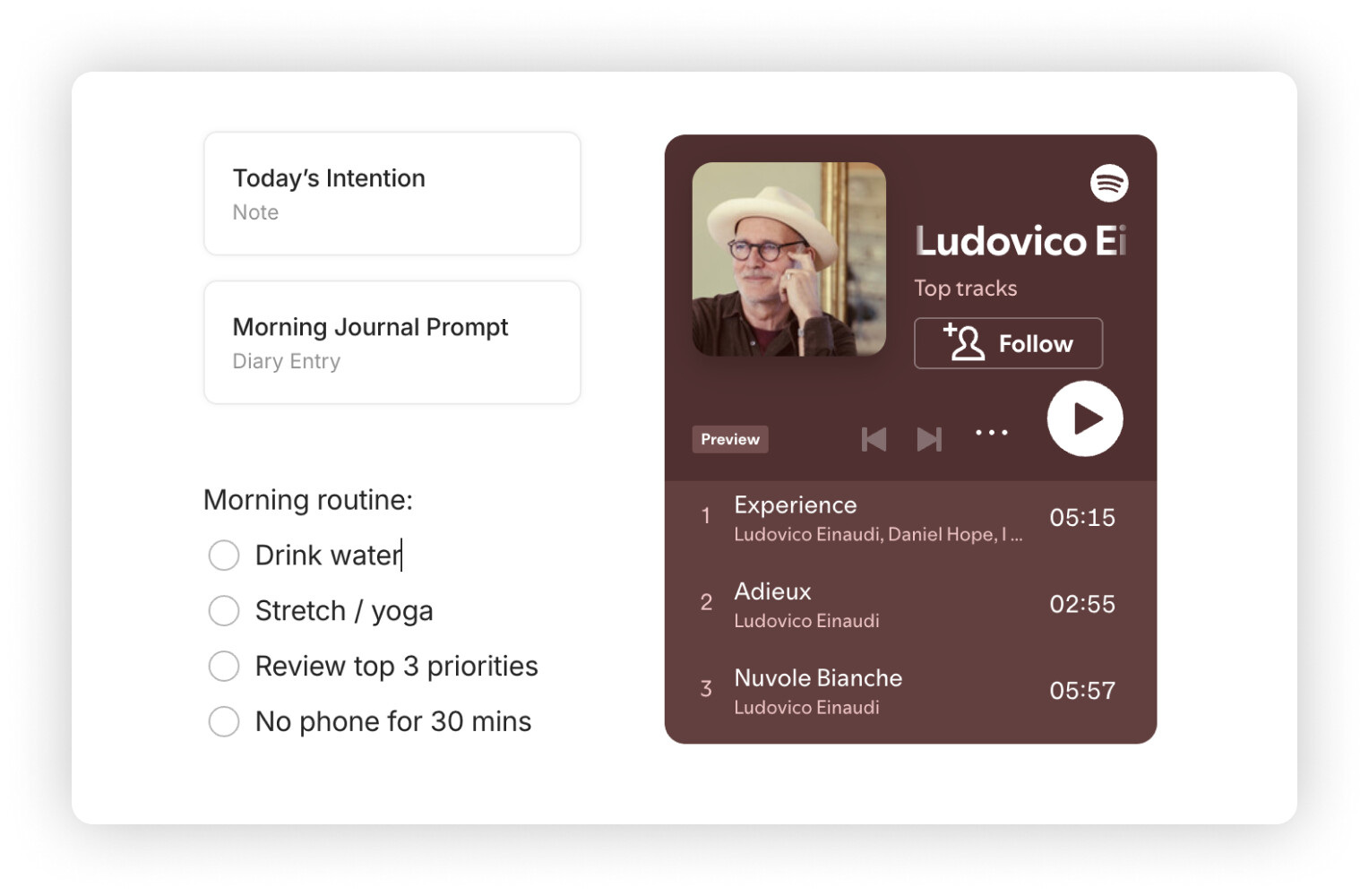
Spotify Embeds
You can now embed a fully playable Spotify player in your pages using the new embed block.
Thanks for the contribution, @phil-gru!
Sticky Space Widget During Scroll
The system Space Widget now remains visible when scrolling through widgets. This ensures the most important actions stay accessible.
Thanks to @VisualNotes for the suggestion!
Add Widget Context Menu: Create Objects Instantly
When no matching results appear in the Add Widget search, you can now create a new object directly from your input, and a widget will be added for it right away.
Pin Spaces in the Vault
Keep your most important Spaces at the top of the Vault for quicker navigation. Right-click the icon of a Space to open the pin/unpin option, and drag to reorder them as needed.
Jump to a Space Shortcut
Quickly switch between your first 9 Spaces using ⌘ + 1–9 (or Ctrl on Windows/Linux).
Keyboard Shortcuts for Text Color & Highlight
Cycle through color and highlight options using new shortcuts: ⌘ + ⇧ + C for text color and ⌘ + ⇧ + H for highlight (reassignable in settings).
Thanks to @LarsB24!
Improved Sorting on Manual Reordering in Collections
Manually reordering objects in a Collection now removes existing sorting rules upon confirmation. This ensures the new order is preserved and avoids conflicts in the sorting logic.
Default Sorting by Creation Date
When no sort is applied in a View, new objects are now automatically sorted by their creation date in descending order.
Updated Accent Colors
We tweaked our accent color palette for improved consistency across light and dark themes.
Auto-Open File Picker When Inserting Media
When you use the / command menu to add an image, file or video block, the correct system picker will now open automatically, skipping an extra click.
New Shortcut for Copying Deeplinks
You can now assign a custom shortcut to copy an object’s deeplink from anywhere in the app.
Thanks to @siousu!
Improved LaTeX Handling in Text
LaTeX formatting is now more precise: accidental use of $ symbols won’t unexpectedly trigger math mode.
Thanks to @Snomstor!
YouTube Links from Embeds
Clicking the YouTube logo in an embedded video now opens the video in your browser, making it easier to switch to YouTube when needed.
Thanks to @Khang!
Updated Figma Embed Interface
We’ve repositioned the Edit button in Figma embed blocks so it no longer overlaps with the Fullscreen button.
Thanks to @Obe and @Felipe!
Bug Fixes
Editor
-
The text tools menu no longer appears while holding
Shiftto select multiple lines, preventing it from blocking your view. Thanks to @Code-Jack! -
Selecting a block to insert no longer causes the menu to scroll erratically. Thanks to @VisualNotes!
-
Cancelling a drag-and-drop operation no longer causes glitches or block duplication.
-
No part of an object title remains selected after using
Ctrl+X. Thanks to @Code-Jack! -
Double-clicking or pressing Enter while creating a mention no longer results in duplicated text or mention blocks.
-
Locked pages now correctly block edits. Thanks to @danddinh!
-
Fixed an issue where editing a page body and then reselecting the same page via a widget would erase the recent changes.
-
Ctrl + Shift + Up/Downnow properly reorders rows in simple tables. Thanks to @Code-Jack! -
Pasting a URL before a mention no longer breaks the formatting or duplicates the content. Thanks to @Alan71!
-
Deleting a block no longer scrolls the page back to the top.
-
Fixed a bug where moving a block between columns could cause it to become unresponsive.
-
Resolved an issue where rapidly switching pages caused Chinese input to be lost. Thanks to @4thHydro!
Performance
-
Fixed a crash caused by recursive widget structures when loading complex pages.
-
Resolved a freeze that occurred when opening notes with embedded audio recordings. Thanks to @Miguel.Vo!
-
Optimized loading of large collections so that RAM usage and load times stay consistent, even after repeated access.
-
Opening a page with an embedded FLAC audio file in a modal window no longer causes the app to freeze. Thanks to @VisualNotes!
Workspace Management
- Removed users no longer retain access to a space if it was open at the time of removal.
Navigation
-
Fixed an issue where the previously opened space couldn’t be reopened after visiting App Settings.
-
Fixed issues with keyboard navigation and scrolling after DnD actions in Filter, Sort and Group settings menus in List and Kanban views.
-
The
Backbutton works correctly when returning from Preferences. Thanks to @Code-Jack! -
Fixed unresponsive top navigation buttons (Back, Forward, Graph) after clicking a link to another object. Thanks to @cameronray!
-
Fixed an issue where arrow key navigation in the
/command menu didn’t scroll to the bottom of the list.
Links
-
Fixed an issue where links to local files or folders on macOS would break if the path contained spaces.
-
Dragging and dropping an object link onto itself no longer creates a self-link. Thanks to @siousu!
-
Paste as linkis no longer hidden behind the formatting pane when pasting URLs. Thanks to @Salsa! -
Editing multiple links on the same line no longer causes some of them to disappear. Thanks to @Ming_anytype!
-
Fixed
file://links with special characters (like é, à) so they now open correctly. Thanks to @thibaudba! -
Fixed an issue where links containing
<or>characters broke formatting due to incorrect parsing.
Shortcuts
-
Zoom in/out via shortcut now works correctly on German keyboards. Thanks to @Code-Jack!
-
Fixed several broken keyboard shortcuts, including
Ctrl + N,Ctrl + KandCtrl + Alt + O. Thanks to @Code-Jack!
Views
-
After creating a new object via built-in type Queries, the cursor now appears in the title field. Thanks to @sandyeggo!
-
Changing a column’s width in a Query no longer causes it to move position.
-
Scrolling a table in Grid layout no longer clears unsaved input. Thanks to @spiffytech!
-
Opening a modal window from a card in Gallery view no longer causes the background to scroll. Thanks to @VisualNotes!
-
Converting a Note to another type in a modal window no longer causes the background to scroll. Thanks to @Code-Jack!
-
Menus in Grid and List views no longer overflow over the sidebar when scrolling horizontally.
Search
-
Fixed a visual glitch where the placeholder text in the search bar would overlap the first typed character.
-
Fixed an issue where search in the Gallery view didn’t return expected results.
Widgets
-
Fixed inconsistent behavior where hovering over
Create new Objectand moving the cursor below could close the widget creation popup. -
The space widget now prevents overlapping text from other widgets while editing.
-
Fixed a bug where creating a new object via the Object Widget resulted in duplicated block IDs. Thanks to @VisualNotes!
-
Newly created objects within the Collection Widget correctly appear in the related collection. Thanks to @krst!
Sidebar
-
Sidebar scrolls automatically when dragging and dropping widgets.
-
Resizing the sidebar while auto-show/hide is enabled no longer causes it to close unexpectedly.
Types
-
The layout width slider now displays and updates values correctly when adjusted. Thanks to @VisualNotes!
-
Type icons from the “Icon” category update and display properly in settings.
-
Fixed an issue where object types couldn’t be viewed or changed while editing a Type with Properties set to List view. Thanks to @vizou!
-
Removed the
Edit Typebutton for Templates and Space member Types. -
The Save button now works correctly when setting an image as a type icon in Type Settings.
Properties
-
Fixed a problem where renaming a tag would cancel the input mid-edit, especially when typing slowly. Thanks to @Code-Jack!
-
After pasting a valid date into a property, the picker now closes properly once the value is accepted. Thanks to @Code-Jack!
Sync Status
-
Scroll no longer breaks in the sync status menu.
-
The sync status menu properly displays both files and other syncing items objects.
Sorting
-
Fixed improper alphabetical sorting of properties options that contain numbers.
-
Times set to 00:00 are now correctly ordered within date/time property sorting. Thanks to @C.c!
-
Fixed inconsistent behavior when sorting by the “Done” property.
Settings
-
Fixed an issue where drag-and-drop didn’t behave correctly when changing the Default Object Type.
-
Improved scroll behavior in Remote Storage settings. Thanks to @telmob!
-
The pin code settings window now updates correctly after disabling the pin code.
-
For accounts created in Local-Only Mode, the Vault Deletion section has been removed from Settings, since this action isn’t relevant in local-only use.
TOC
-
Clicking a Table of Contents entry now correctly jumps to content inside closed toggles. Thanks to @Code-Jack!
-
Fixed an issue where the Table of Contents popup didn’t appear next to Inline Queries using Grid or Kanban layouts. Thanks to @Jimlaurie!
Embeds
-
Links to SVG embeds like Drawio work as expected. Thanks to @Shampra!
-
Codepen embeds now render correctly in iframe blocks.
-
Figma links now open in your browser as expected. Thanks to @Obe!
Media
-
Downloading an image now saves the original resolution.
-
Fixed an issue where bookmark thumbnails appeared in search but couldn’t be deleted or located in Queries or the Bin. Thanks to @dxn0!



 ), but one of the big, long-awaited requests (preferably one that I’m waiting for, but hey…
  ).
).