WHAT DO YOU RECOMMEND?
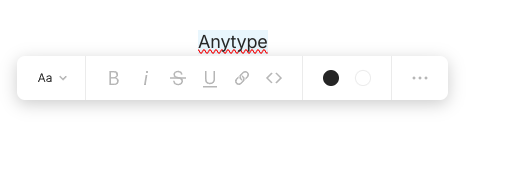
Small UX improvement for linking texts to objects, via the cmd/ctrl+k or link from text style menu.
The current workflow is like this:
- Type in the text
- Highlight the text
- cmd/ctrl+k
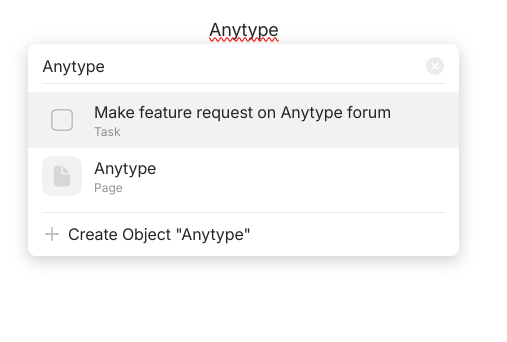
- Search for an object
When the text typed in step 1 is the same as step 4, it takes twice the typing to reach for the required results.
The lesser redundant actions we need, the smoother the thinking process is.
HOW COULD IT BE DONE?
- Since activating link menu with highlighted texts, there are already words selected, use these highlighted words as the first string of search.
- Auto-populate the highlighted words into the search box
- But keep the words highlighted, so if users don’t need to use those texts, they can still easy replace the words by continuing to type.
REAL WORLD USE CASES
Cmd+k is useful for keeping the inputted text as (it) is, instead of @mention, which might or might not be changed in the future. Thus, when writing essay or any texts that are meant to be displayed as it is, cmd+k is accurate way to go.
In comparison, the workflow of using @mention to link in another object is really quick, despite its current indexing issues.
RECOMMENDED ALTERNATIVE
- Another symbol to activate cmd+k mode directly, so linking object is possible directly after typing the texts. Related request: Use @ for both inline and block links
- Incorporate object alias.