Folks, this is the one we’ve been waiting for. This release, in which creating trusted networks with your friends, family and communities in Anytype becomes a reality, is the culmination of nearly five years of R&D.
What does this mean for you? Now you can share what matters, with those you care about, knowing that what you share is encrypted and owned by you. Nobody, not Anytype nor any other force in the world, can peek inside or deny your access.
From today onward, we warmly welcome you to begin testing out shared spaces, starting with the small things: idea boards, shopping lists, projects, and wikis.
As you’re trying it out, please kindly note that this is v1 of multiplayer, representing the first step towards full-fledged collaborative experiences. We’ll be enriching this experience with more features in the coming months, so your feedback is, as always, warmly welcomed.
If you need inspiration, you can always check the Multiplayer Experiences newly added to the Experience Gallery for communities, teams, families, neighbors and digital creators.
We can’t wait to see what you’ll create, and look forward to this new, networked era of Anytype.
HIGHLIGHTS OF THIS RELEASE💎
Multiplayer! Sharing! Collaboration! is LIVE!
To experience local-first collaboration for yourself, first create a new space using the space navigation menu. In the Space Settings menu, you’ll now see the option to Share Space. By clicking here, you can generate an invite link for the Space, which can be sent to anyone.
Once they click the link and request to join your Space, you’ll receive a notification prompting you to add this person as an Editor, Viewer, or to reject the request entirely. Editors have edit access to all objects within the Space, while Viewers have read-only access to all objects within the space.
As a Space owner, it is possible to share up to three Spaces at this time. You can manage the roles of guests you have invited to your Space, or remove them altogether. Guests who have been removed from a space will receive a notification that they have been removed from the Space, and will see an option to export the contents of the Space.
Memberships
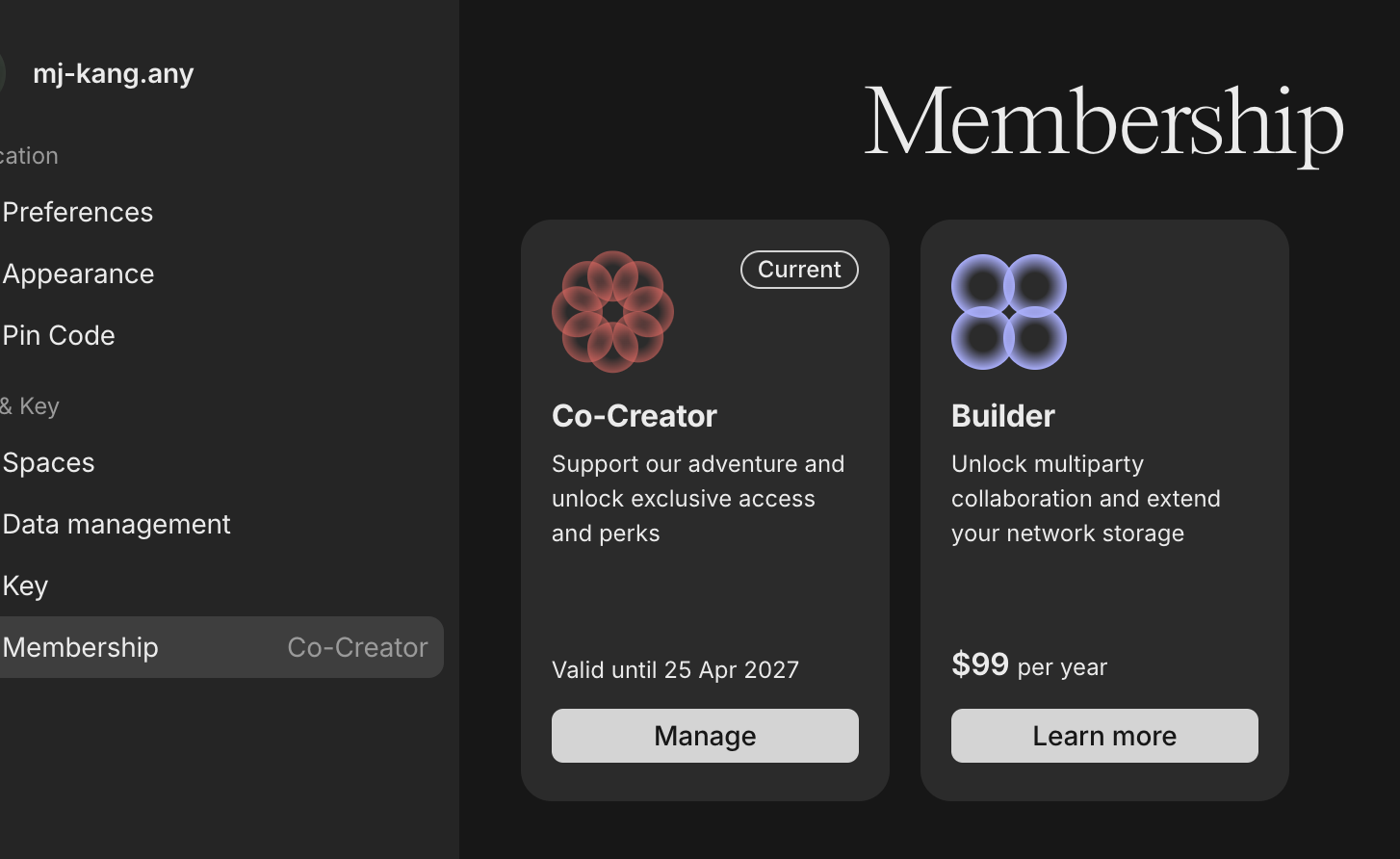
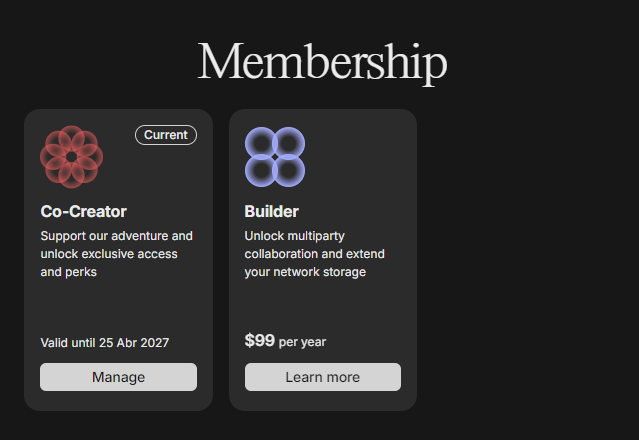
For those of you who’ve inquired how to support Anytype’s development and growth, we’re pleased to share that the time has come! Memberships in the Anytype network are now live. You can check your Membership status at any time by clicking on the new Memberships tab in your Profile Settings.
If you joined Anytype prior to this release, you should see the either the Explorer or Beta User tier activated in your account, according to the following:
- If you had storage rewards 10-50GB: “Beta User” (Benefits of Explorer + extended storage limits)
- If you had storage rewards of 1GB: “Explorer” (Benefits of Explorer)
If you would like to upgrade your membership, select your desired plan and follow the on-screen instructions to submit the Name you would like to purchase on the Anytype network. Then, complete the transaction in Stripe. Once your payment has been confirmed, your membership plan will update in the app.
 Don’t forget to use these limited, launch-edition discount codes for special membership pricing!
-
For 20% off 1-year Builder Plan:
BetaBuilderPreOrder2024(limited to first 250 orders) -
For 20% off 3-year Co-Creator Plan:
BetaCoCreatorPreOrder2024(limited to first 250 orders) -
EDIT: The 2-for-1 builder plan is now sold out, and the link to purchase is deactivated
Note: If you’re an active contributor of Anytype (according to this list), you are eligible for a partially or fully-subsidised Builder membership.
Please write to us at [email protected] to request your discount code or let us know if you believe you should be on this list.
Custom Storage Location
When creating a vault, it’s now possible to select the storage location on your hard drive. If your vault has already been created, you can also change the location and retrieve the data from the network. To do so, first logout, then tap the settings wheel on the black login screen.
Please be cautious when using local-only mode, as your data can only be transferred to a second device via peer-to-peer (P2P) connection.
QUALITY-OF-LIFE IMPROVEMENTS 
Updated Preferences Options in Profile Menu
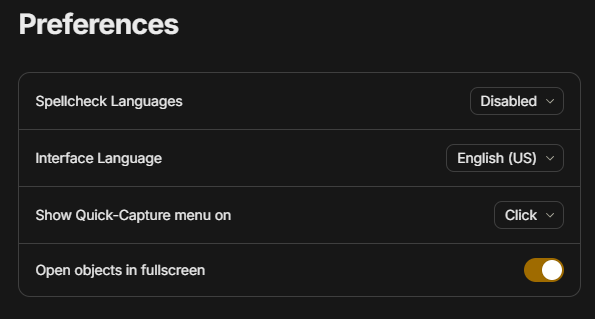
With this release, we also introduce greater customization over UX patterns. When clicking on your Profile > Preferences, you’ll see new options for personalizing your account including Quick Capture Menu display settings, and whether Objects open in Full-Screen view.
‘Graph’ Added as Layout View to Sets & Collections
For those of you who’ve longed for more precise graph filters, this release brings us one step closer. As a new layout option in Sets & Collections, you’ll now see an option for ‘Graph’. By selecting it, you’ll be able to visualize filtered view of your graph which contains objects that match your Set or Collection criteria. This would allow you to use your graph to view for instance, all objects with Priority: High, or all objects with Type: Book.
Files & Media Relation Formats added to Set Filter Menu
When filtering Sets that use File and Media relations, the Set filter menu now includes options to filter according to relations with type: File and Media. This means you can, for instance, filter for .png attachments, or videos with a certain name.
Design Improvements in Widgets
Border radiuses on widget select and hover menus have been adjusted for better visual consistency.
System Tray & Menu Settings Renamed on Windows & Linux
For better consistency with OS naming conventions, System Menu has been renamed to Menu Bar, and Menu Bar has been renamed to System Tray on Windows and Linux versions
Use Uploaded Images as Object Icons
You can now set an object icon by reusing an image that has already been uploaded to the space.
TECH 
- Electron updated to 29.1.6
- Debug logs for Middleware were split into different flags
FIXES 
-
Brave Browser automatic pairing issue resolved (Thanks, @anicholslcsw!)
-
Maximum relation menu height corrected so set filters are no longer cut off (Thanks, @Henri!)
-
Experience Gallery links now open Experience page, rather than list of experiences
-
Inline Kanban sets no longer overlap with editor content (Thanks, @zma17!)
-
Clipboard paste for large amount of content has been greatly optimized
-
Rendering of \newling, \aqrt, \vec in LaTex now fixed to display correctly (Thanks, @BioLinua!)
-
When creating link blocks or inline links, first item in Link selection menu no longer being skipped on when using downward arrow key (Thanks, @siousu!)
-
Source relation now opens correctly from featured relations
-
Relation filter in Graph fixed to display Objects connected by Relation only (Thanks, @Code-Jack!)
-
Text select with keyboard command now includes last character in selection (Thanks, @milindpadia and @Code-Jack!)
-
Contents inside closed toggles now being selected when copying or moving (Thanks, @yuriy144!)
-
Content can now be dragged and dropped into empty toggles
-
Link and bookmark cards no longer resizing when leaving and returning to an object (Thanks, @nathan.connor!)
-
Inline set & collection titles no longer being cut-off (Thanks, @Lixz!)
-
Cursor no longer jumping when using backspace in lines that contain inline @mentions (Thanks, @tomshreds!)
 But the price is a bit expensive for me.
 Feel slight strange though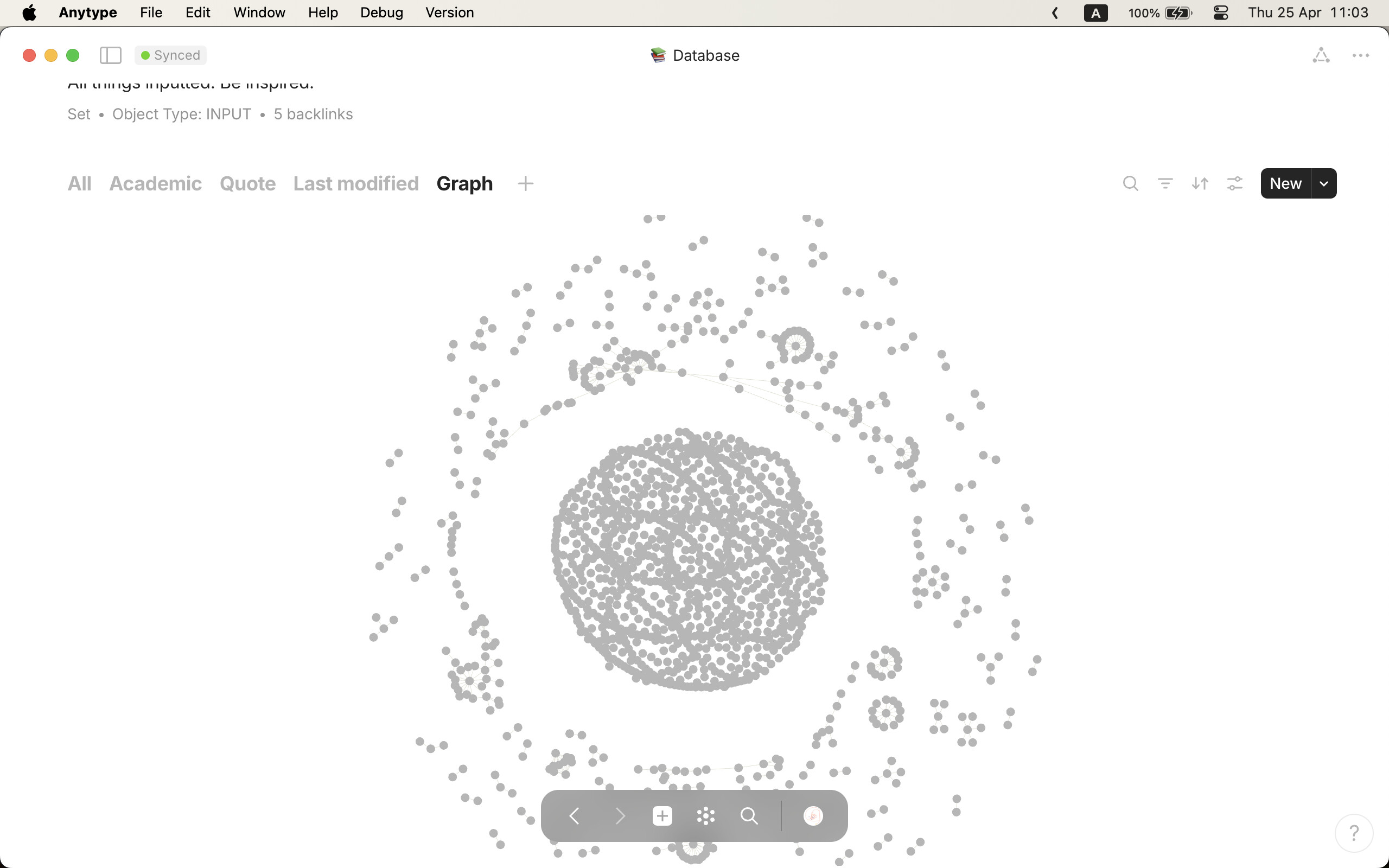
 give me many many many credits!!!




 That would be awesome! Thanks!