What’s The Bug?
If the relation I want to filter is too high up in the list, I can’t either find it by name of by scrolling
How To Reproduce It
- Go to filter in a set of a type with 30 or so relations
- Try to select a relation that is high up in the list and you won’t see it or be able to look for/scroll for it.
- Hack around it. Either switch to Android for this task
Or unlink then link again the relation in the type to push it to the bottom of the list, making it available in the filter-relations-selector-box.
Image or Video
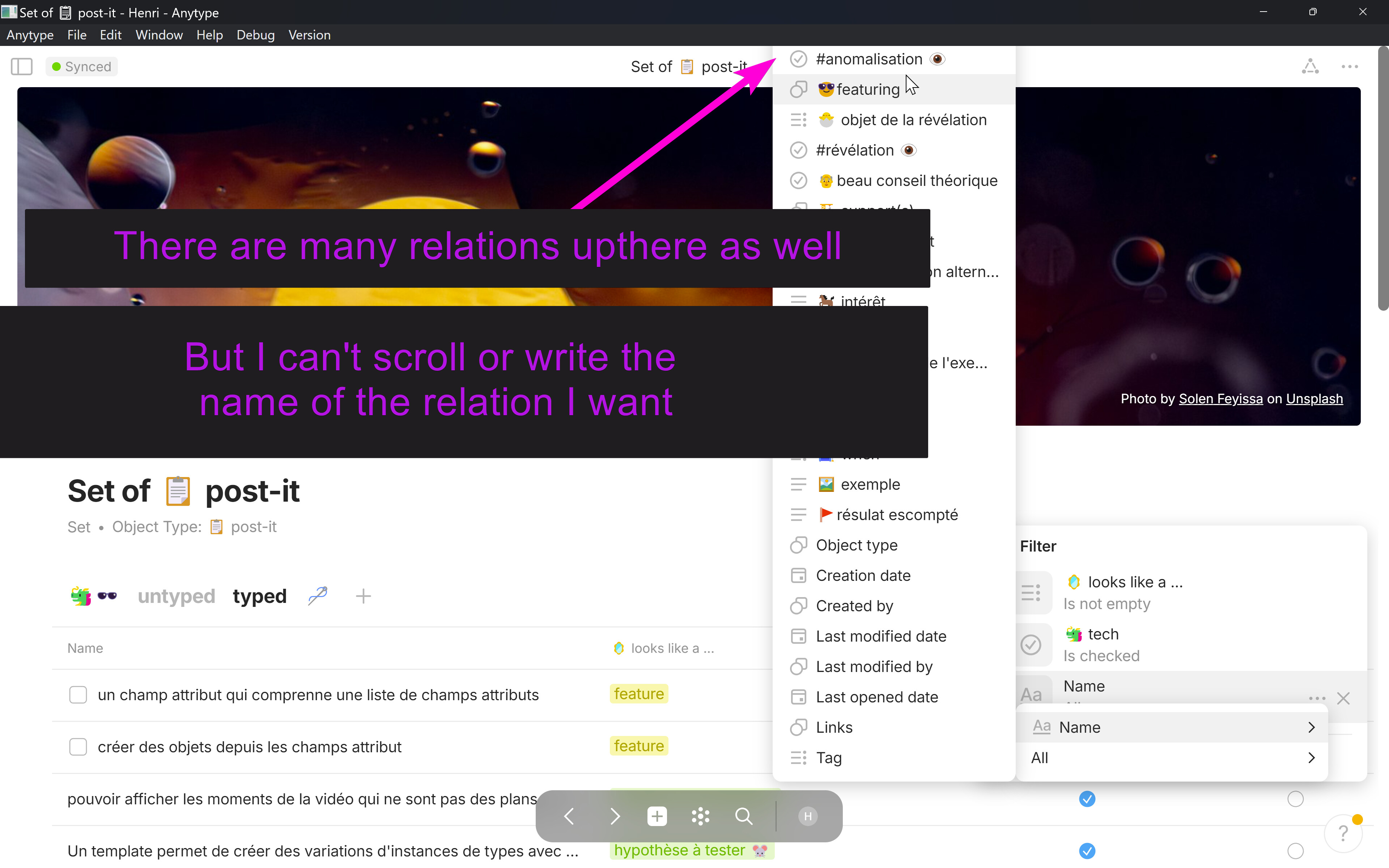
The Expected Behavior
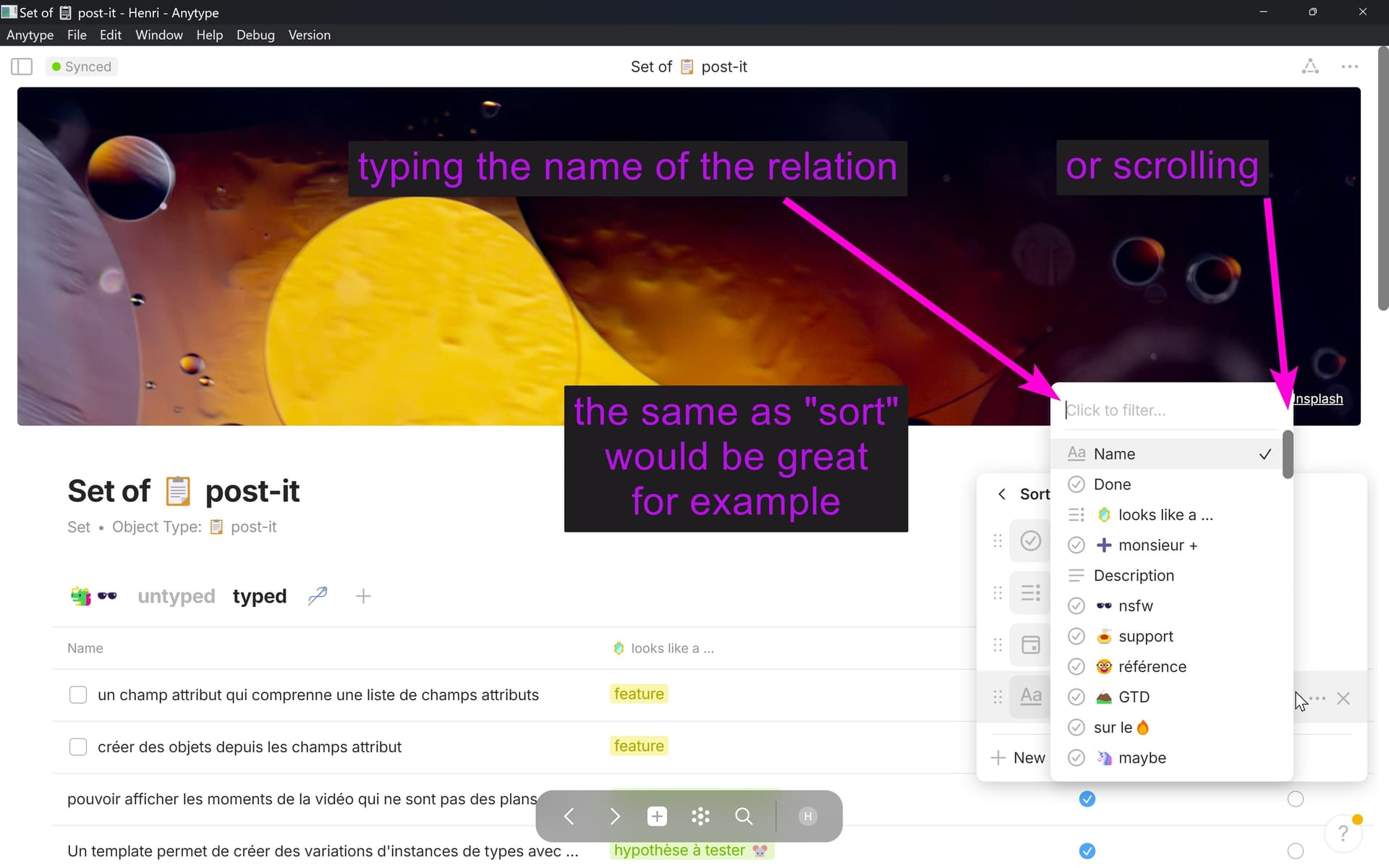
cf screenshot under 
I should be able to select a relation in the context of a filter as easily as it’s done in the context of the sorting view.
Device
Dell laptop
OS
Windows 11
Anytype Version
0.39.0
Technical Information
OS version: win32 x64 10.0.22631
App version: 0.39.0
Build number: build on 2024-03-05 15:37:42 +0000 UTC at #a7986fffadcc2031b1eb3372265db5dda05f4c6d (dirty)
Library version: v0.32.1
Anytype Identity: A8RRf3zeWkYpWmZyqVqC1fvLkbCEuHEeiogHjfdnKpX8QTWc
Analytics ID: 513291a6-aa99-4a6a-8a95-f36329d94b0c
Device ID: 12D3KooWFvMkJNZVZJrR2Ux3mEoJZZ4GZokAu1QZtLtBiPS2dvHD