What’s The Bug?
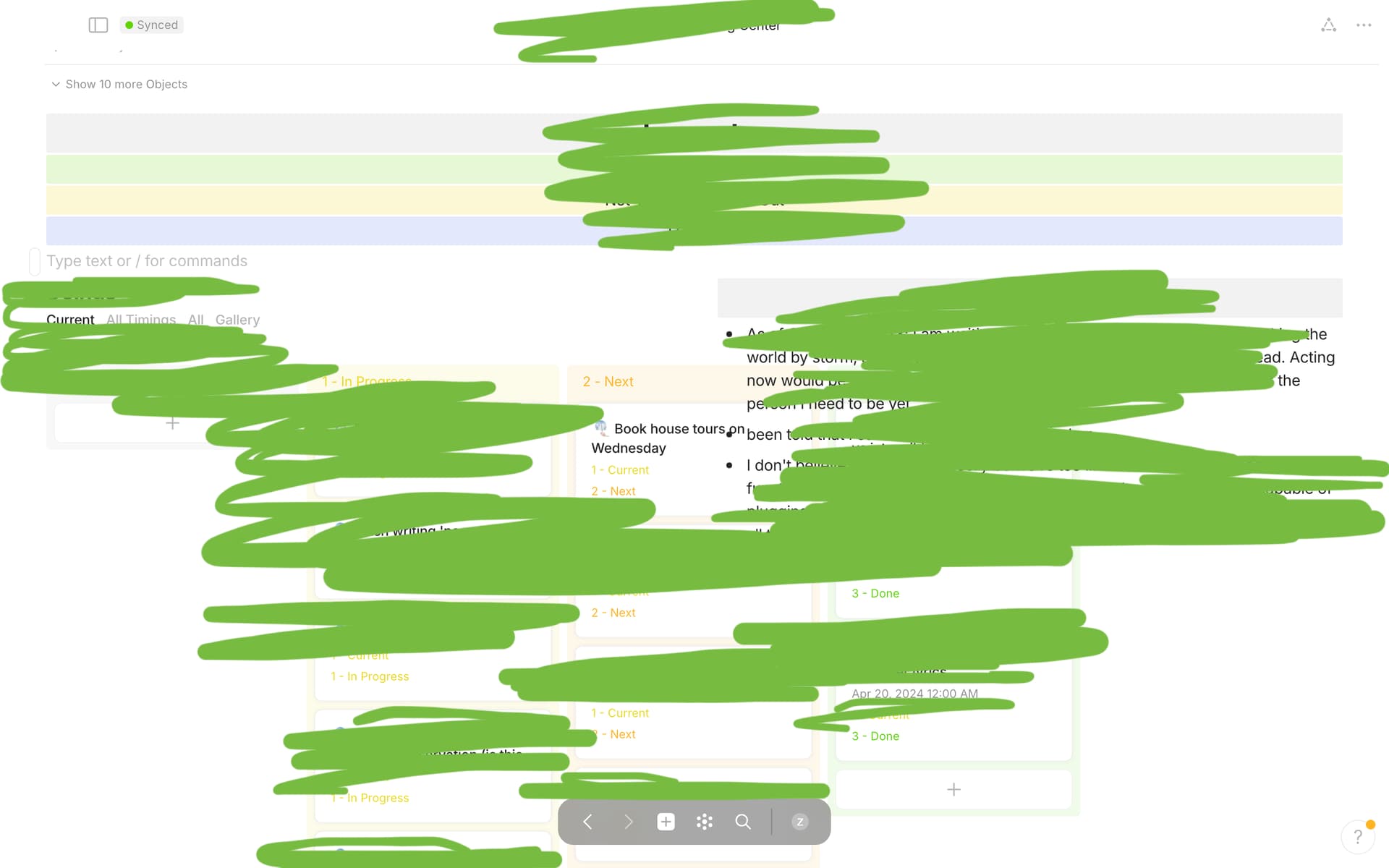
I searched to the best of my ability and haven’t found that this has already been reported. Essentially, Kanban view bleeds over the text already on the page.
How To Reproduce It
- Create a Set
- Choose Kanban View for the set
- Go to another page, a page in which you only have text
- Link an inline set and choose kanban view
- Move set to the right or left of the pre-existing text
Image or Video

The Expected Behavior
I would expect for the kanban view to respect the barriers usually created between two columns when one block is moved to the right or left of another one. I expect to scroll left and right to access all the columns in the kanban view, not for all of them to be displayed over other text.
Device
Macbook 13-inch, M1, 2020
OS
Sonoma 14.0
Anytype Version
Version: 0.39.0
Technical Information
OS version: darwin arm64 14.0.0
App version: 0.39.0
Build number: build on 2024-01-23 17:45:05 +0000 UTC at #c71c64146c6e721ac39e01d450f38db5e6963f2e
Library version: v0.30.12
Anytype Identity: A7JGAn8YT1NKSJaNSMMzsKCyxZvE6JW33nsax4z9VkndkrRC
Analytics ID: ae233490-9c4e-4e20-a986-0cc255483c70
Device ID: 12D3KooWGvxLFJE1Scdm2B98M1vjfmNiy7X2Yb6jHKP2fk7uSggk
 much appreciated, Anyteam
 thanks, Angelo!