 For whom?
This topic is directed towards Notion users who are considering transitioning to Anytype and wish to know about the missing Essentials from The Databases only that could be bothering, and for the Anytype team, I know most of these features/Essentials could be on the radar, acknowledged, or currently in progress. since it has been spoken in Anytype Town Hall - Feb 2024
 Introduction
Hey there! I’d like to focus this topic on what’s missing elements or could be improved in Anytype’s collections and sets. As someone who uses Notion a lot, I’m hoping to move over to Anytype soon, so I’m really interested in these areas.
First, I posted a poll on the main subreddit to see which software people used before Anytype or wanted to move from. Notion had the advantage, followed by Obsidian. This poll is not accurate because only a tiny portion voted, but I believe most people are transitioning from Notion to Anytype. This seems obvious since Anytype has made a blogpost comparing their product with Notion, and currently, there’re an import/export option from Notion’s service only.
Given that databases are the most powerful and important feature shaping Notion, and that the majority of users rely heavily on them for nearly everything, I would like to address some essential aspects. These are not necessarily features within the databases, but rather elements that are currently not in Collections/Sets.
 The current Version I use is 0.38, I will update this Topic regularly adding
  emoji of every one that has been implemented in Anytype, And for Notion users Relation as like Properties to not get confused. without further ado get your coffee
  and let’s begin.
Priority high to low from my personal opinion
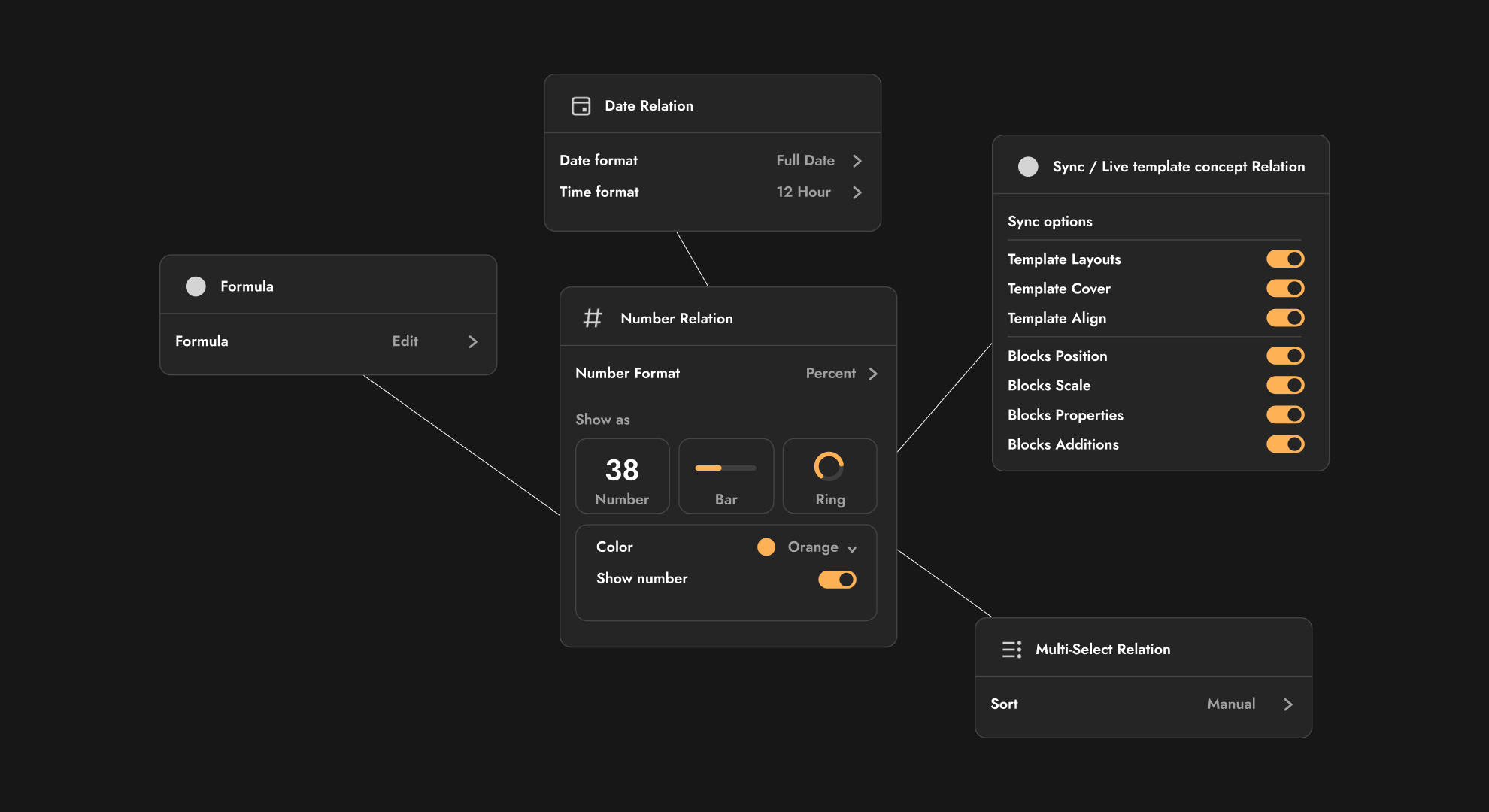
1.  No Options to tweaks in Relations?
I’m slightly disappointed that the Relation type can’t be adjusted. For instance, in Notion, I can create a number property called ‘Goal Progress’ and display it as a bar, which I can then divide by a limit number such as 1000. If I input 500, it shows the bar as half full. Additionally, I have the option to change the format to percent, currency, and others. same for the other relations too.
The only type of relation that have solid options to tweak is
Object relation for now
2.  Group by Object/Relation
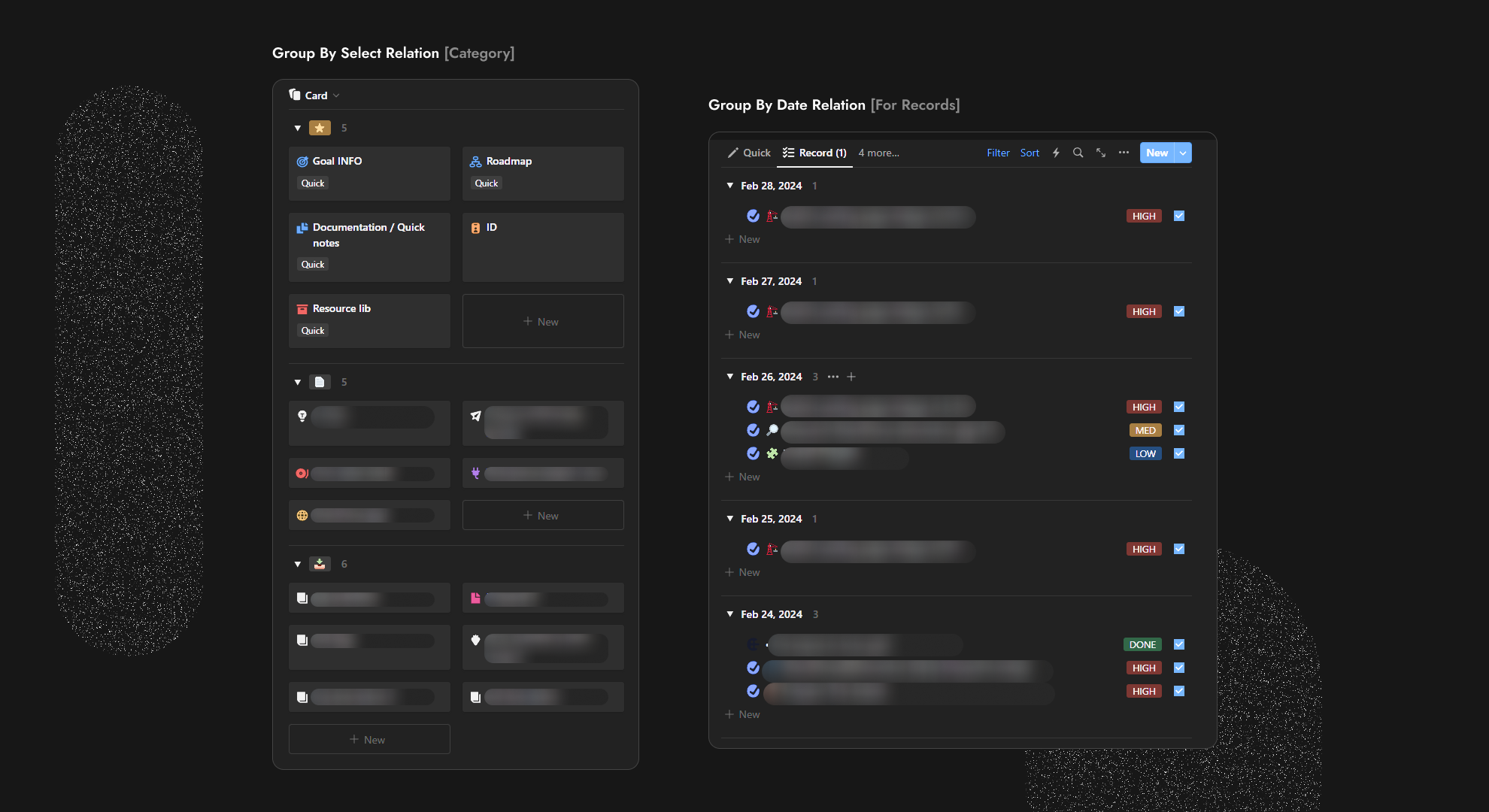
This is one of the features I desire the most in anytype, as I find myself using it in every database and every view. ‘Group by’ is one of the key features that can organize your lists in any view, with the option to drag items from one group to another, like in these examples. In the left example, there is an inline database that I use in my goal dashboard, which is grouped by Status from ‘Favorites’, ‘Documents’, and ‘Archive’. I always group my documents in this manner and appreciate the ability to drag or create my documents such that their Status updates immediately.
And because I assume you can group objects both in a collection and a set by relation, it will be the best thing ever for Anytype to do. For example, making a set for recently edited and grouping by objects such as tasks, notes, and journal logs, so I can see which objects have been edited. The possibility is unlimited.
3.  Batch Editing for objects relations.
There isn’t much to note here, but editing and updating relations in Anytype is time-consuming. I hope this feature can be implemented as quickly as possible.
4.  Formulas
It’s kind of self-explanatory, I know that anytype team working on formulas, I wish them all the best. /:

5.  General Enhancements in Filters + (or)
I knew this would be implemented as it was in the 2024 Q2 roadmap. However, I hope the filters, in general, will be improved from UX standpoints, as I find it a bit overwhelming. Additionally, the ability to group is also an important feature to add.

6.  Simple Automation For relation
Simple automation
For example, the first simple step when editing a journal log template is to automatically set the date field relation to today’s date, there’re many of These are typically highlighted in blue in Notion.
 Essential automation.
Secondly, and most importantly and find myself confused to explain and I didn’t find a workaround for Anytype, and it’s related to both automation and filters. For example, when I create a Project template, and in this template, there are two inline sets for the Document obj and Task obj, I want a filter to relate the tasks in the view of the template. This means any object that is created by the template will be the related object for tasks, similar to in Notion, I suggest something called ‘template origin’. So, when I create an object relation called ‘related to Project’ and link the project object to the Template, it should link automatically; that would be cool. I will try it to explain furthermore if not already clear.

7.  Sub Objects, (Sub-Tasks)
Sub-objects are important feature to have in anytype using object relation it will be good to have for sub tasks and Sub Recourses, I guess!
I would like to be integrated in as many views as possible, such as grid and list view.
8. Recurring objects (Recurring tasks)
I personally use this feature in Notion to schedule recurring entries in my journal every day at 12:00 AM. This way, I’m prepared to write immediately. In Notion, you can set pages to recur daily, weekly, monthly, or even annually. For example, I can create a yearly recap, set to be generated once a year at a specific time and date, using a specific template.

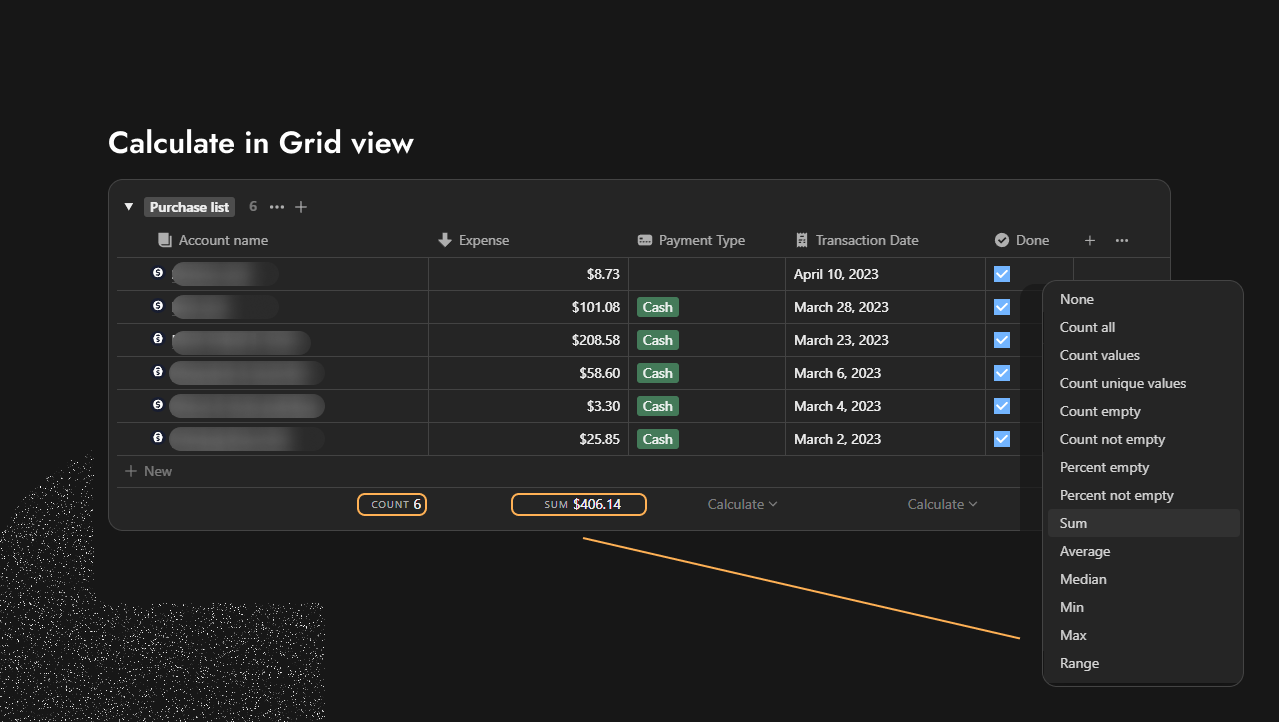
9.  No Calculate Cell in Grid view
This’s dealbreaker for me since I use finance tracker to track my income and expenses. why there’s not Calculate cell underneath every relation. to Calculate by Sum, Average, Count all or the others.
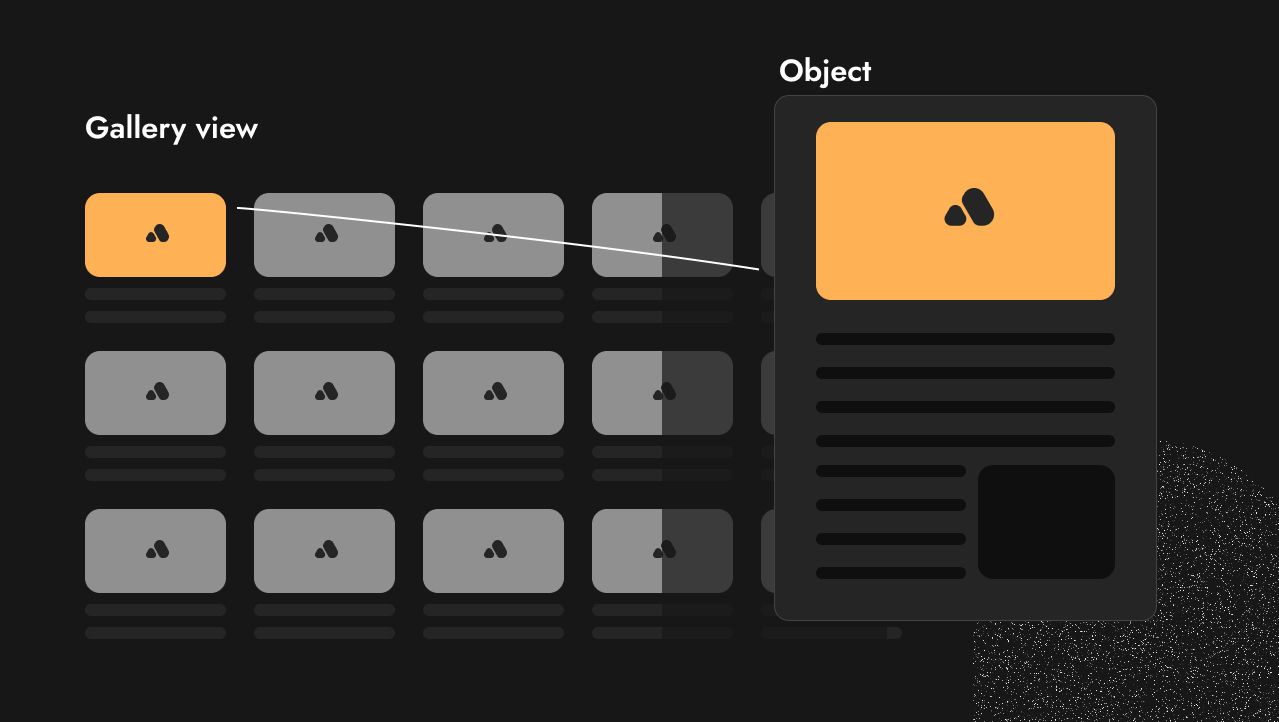
10.  First Image as a cover option
In Notion, you can choose between displaying the page cover or the first image for a card preview. However, since the option to show the first image for the card preview is not yet available in Anytype, this has disappointed me. because in my hundreds of journal log pages, I set a picture as the first block on every page in my journal database. Particularly I like this because I don’t find it suitable to the cover to stretches, so I instead I set a picture. This is also useful for other things.
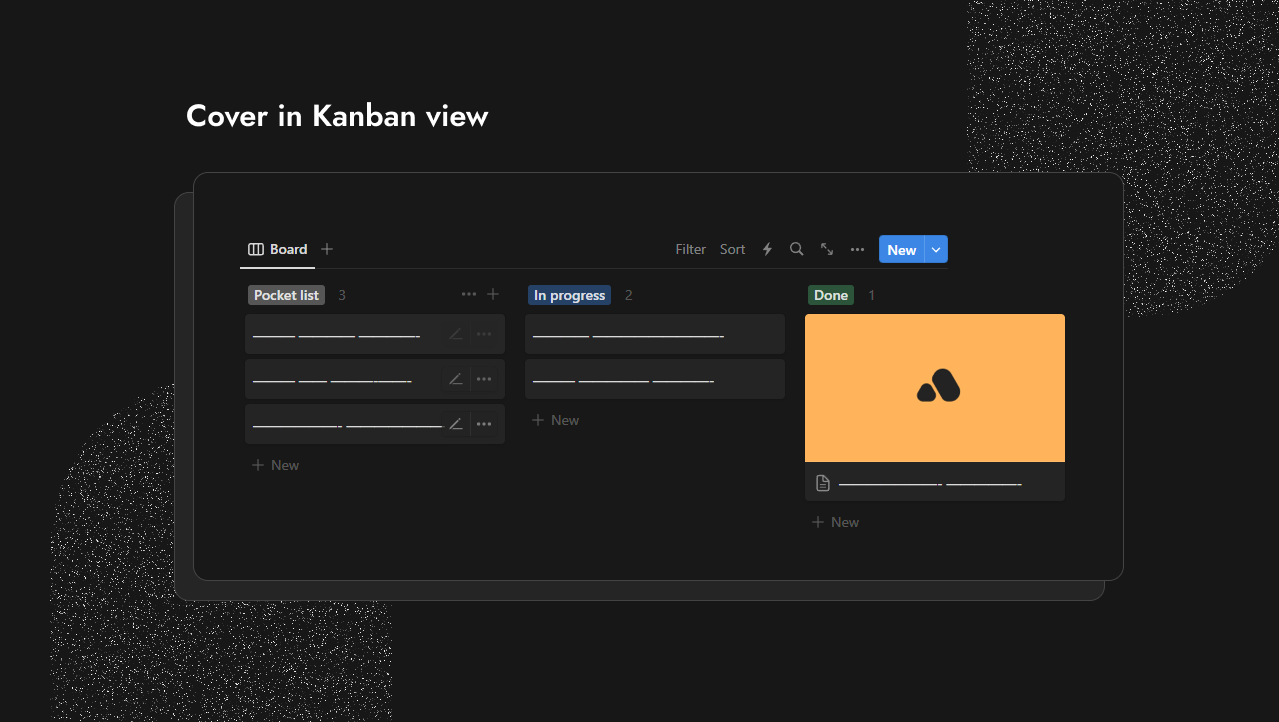
11.  No Cover in Kanban view
Card preview whether First image or cover need to be in kanban view.
12.  Wrapping in view
Adding the ability to wrap tables.
13.  Hiding Inline title
Still yet you can’t hide the title in both inline Collection/Set. it will be better even if I can lock the inline view.
14.  Easy drag and drop between Collections/Set
I wish it were easier to drag and drop between inline collections or sets (which should be the same). Furthermore, implementing a feature to copy from one Anytype window to another would be beneficial.
15.  Common issues to import inline view
Common issues such as inline databases not appearing occur when importing Notion databases. However, this isn’t a problem for me currently if you implement the concept of Sync relation. “Live Template” - An Idea for a New Relation Concept. since you can fix all in once using it with some tweaks you need to do yourself unfortunately
16.  Roll-up Relation*
Mentioned by @Dzlg
Roll-up works simply To Pull up Information from another related/linked objects.
For example, suppose you have a ‘Journal Set’ with a relation called ‘Related Tasks’. This allows you to display the related tasks for each journal log. However, suppose you wish to display additional information from your ‘Task Set’, such as Priority, Status, or the projects linked to each task. This is where the roll-up comes in. It not only retrieves this additional information, but it can also count the number of related tasks for each journal. instead of implementing in the traditional way check this Multi-dimensional relations by @Dzlg

17.  Global and Local view*
Mentioned by @sofalakatino
This is something similar to Notion. You would want a global view that maintains attributes from another view, such as the main set or collection, or inline. Additionally, there’s an independent local view that you can transform to Global. It would be nice to copy these views and add them elsewhere like the main set or inline view.
18.  Calendar update*
Still, in the Calendar view, you cannot easily create an object by hovering over the day cell and creating an object and dragging it to another day.
Additionally, the ability to right-click and clear the date relation is not yet available.
 In the End
There’s one barrier that still prevents me from transitioning to Anytype, and it’s the Collection and Sets. As a Notion user, the most important elements are the Databases. I use them extensively, and I find that the Collection and Sets feel incomplete, which is understandable since it’s a beta product.
I don’t mind if certain blocks are not yet in the editor, nor plugins and the others. The only thing I need to be in place is the fully functional Collection and Sets, so I can float in the boat and enjoy the rest. Big thanks to the Anytype team for all their hard work.  ’
’
Feel free to give me feedback so I can add it in the topic.
And yeah, if the Database was one face of the coin, the other side of the coin would be the Editor experience. make sure to check this topic If you want to give Anytype team genuine feedback of the editor. “Basic editor experience. Help needed! - Any Talk / Consult the Community


