Hi dear Anytypers!
We’re thrilled to announce a major update and introduce a fundamental shift in Anytype’s core organizing structure. We’re streamlining our user experience by eliminating the current behavior and bringing a clearer, more intuitive way to use Types.
The new Anytype reimagines Types. Now, you can define layouts and properties within a Type and all associated objects will automatically inherit these settings.
Along with this transformation, we’ve included many new improvements and bug fixes.
Meet the new Anytype
-
Relations are now called Properties.
-
Sets are now called Queries.
-
Types are now the primary structure of objects, determining all attached properties.
-
Properties that were previously set at the object level are now defined by Type, including both featured properties, such as backlinks or tags, and specific ones, such as date or source.
-
Templates will now focus only on the content of objects, primarily organizing blocks. Adding blocks, setting a cover or assigning an icon are now key aspects of creating a template. Properties are managed separately at the Type level. Changing a property at the Type level will affect all objects of that Type.
-
Layout of an object is also defined by its Type. For example, all Task objects will follow the same layout, and you won’t be able to customize them individually. If you need a different layout with a center header position or increased width, you should create a new Type.
Queries for Types
Each Type page now comes with a built-in inline Query, making it easier to access and organize related objects.
Templates for Queries and Collections
You can save and reuse your configurations, including view settings, applied filters, cover and icon. Just like with regular objects, select “Use as Template” from the three-dots menu or add templates via the Query or Collection Type page.
Right Sidebar and Set Up Menu
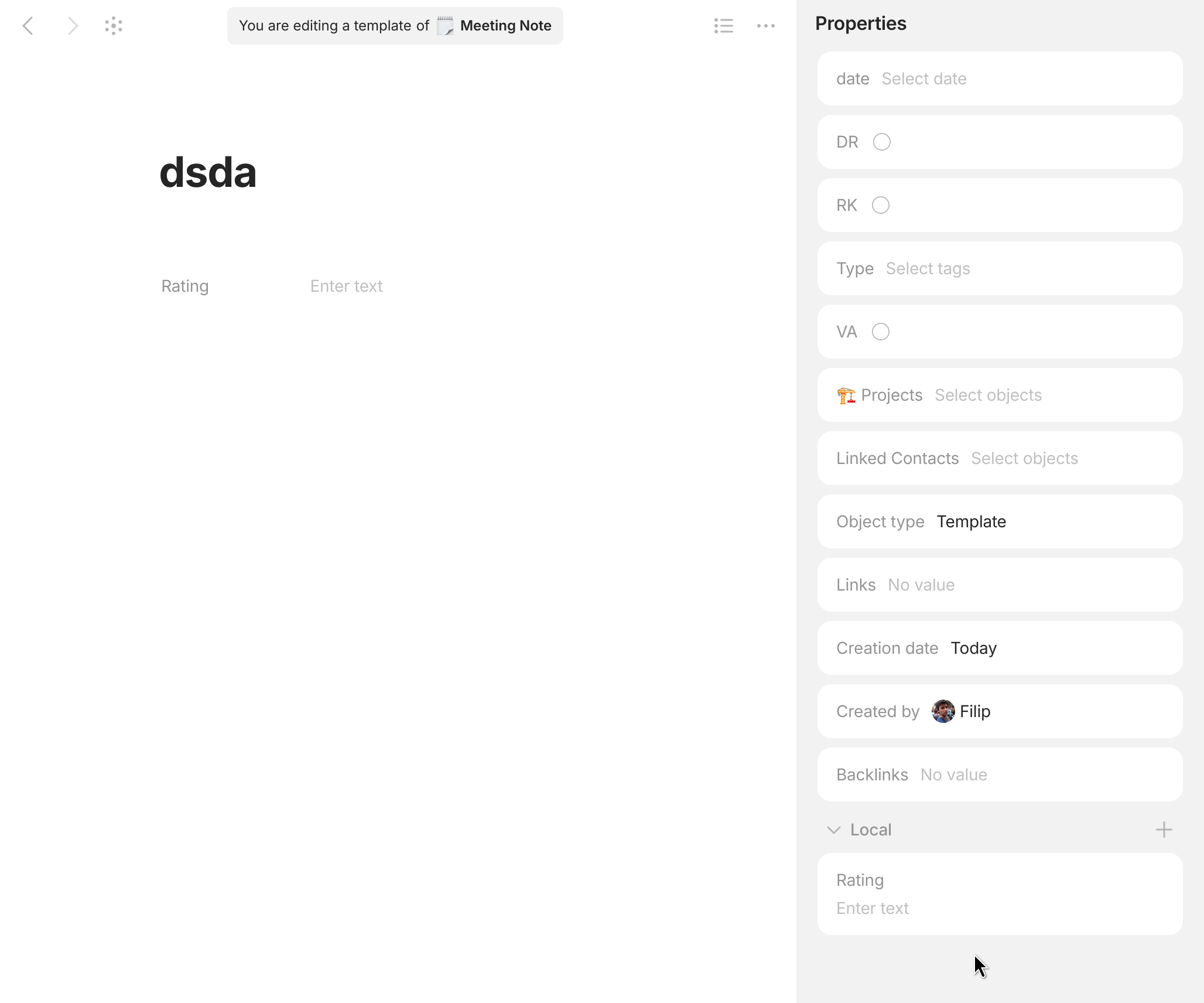
The Properties icon lets you view, add and remove values to the properties of a specific object. The Edit Type button allows you to manage the properties of its Type. From there you can add, remove and organize them into different sections.
-
Header properties appear in the header part of every object of that Type.
-
Sidebar properties are the ones you choose to show in the Properties panel.
-
Hidden properties live under the “Hidden” toggle.
-
Local properties: After updating to the new version or when changing an object’s Type, some properties (formerly relations) might not match the new Type’s predefined structure. Properties that were once unique to individual objects will now appear as local properties. You can either unify them by adding them to the Type or create a new Type, if you need.
Check out our short video to see how the new Anytype works in action.
Quality of Life Improvements
New Icons for Types
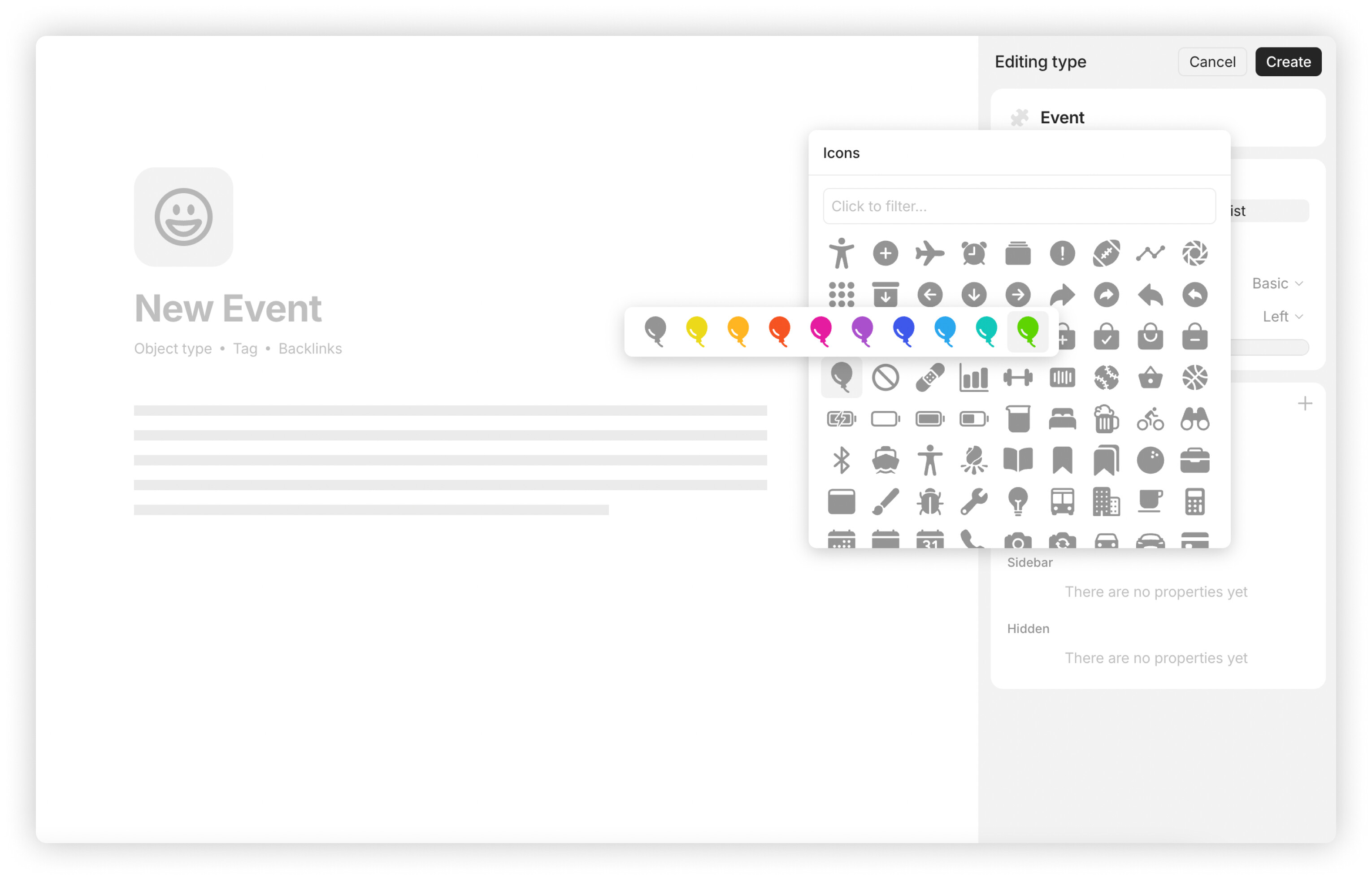
Custom icons can now be assigned at the Type level, making it easier to identify whether you are working with Types or Objects. You can now choose from a dedicated collection of hundreds of fresh icons for a consistent and structured look.
Type Widgets
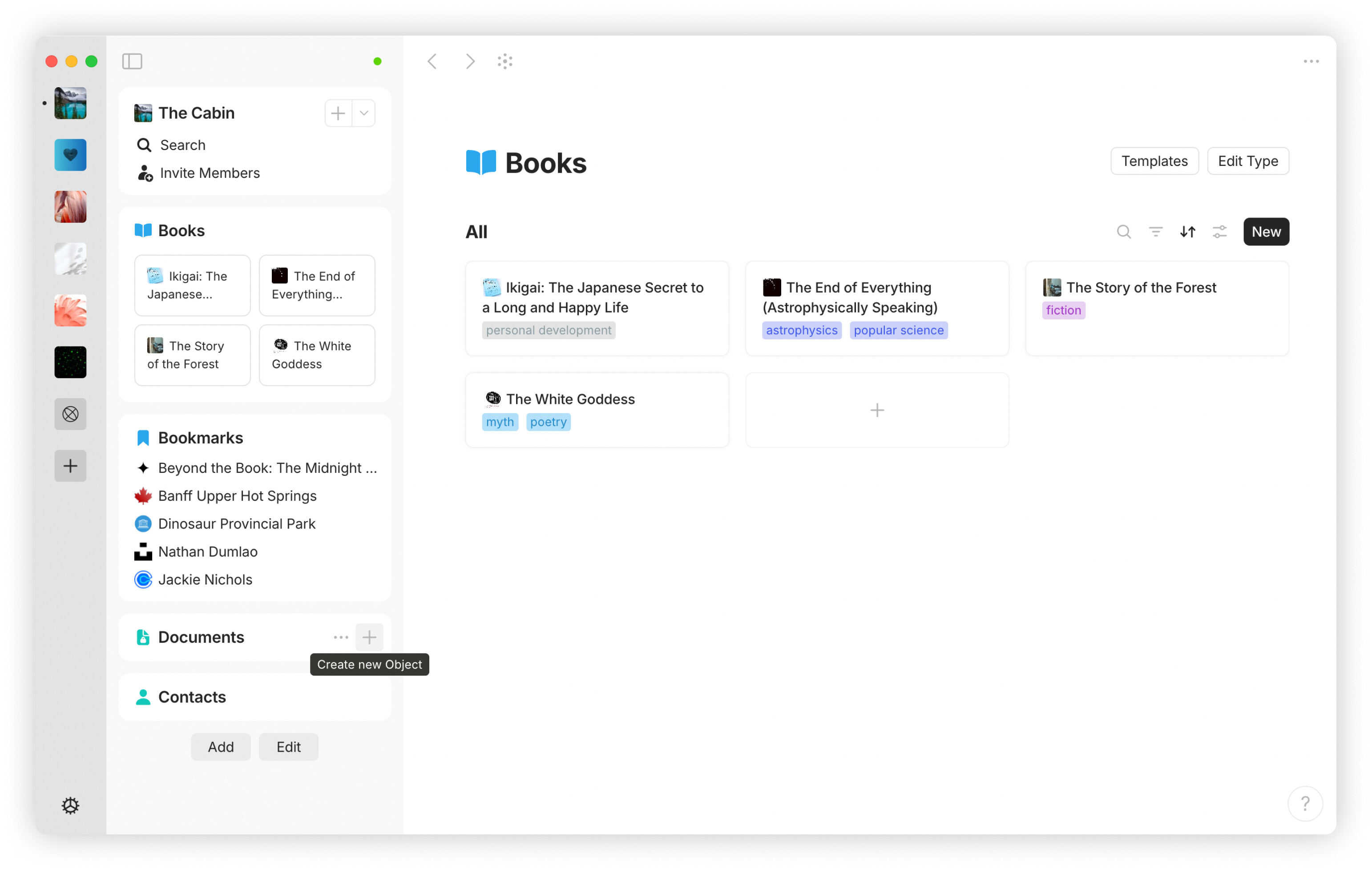
You can now add widgets based on object Types, making it easier to organize and display relevant content. We’ve also introduced Automatic Widget creation to help users seamlessly discover and adopt widgets, creating a more personalized and intuitive workspace.
-
When you create the first object of a Type, a dedicated widget is automatically added to your sidebar. This widget displays all objects of that Type within the space, giving you quick access without any extra setup.
-
Automatic Widgets are optional – you can remove any widget at any time via “Edit” button or by right-clicking. Once removed, they won’t reappear unless manually added. Automatic widget creation can also be disabled in Settings.
Settings Update
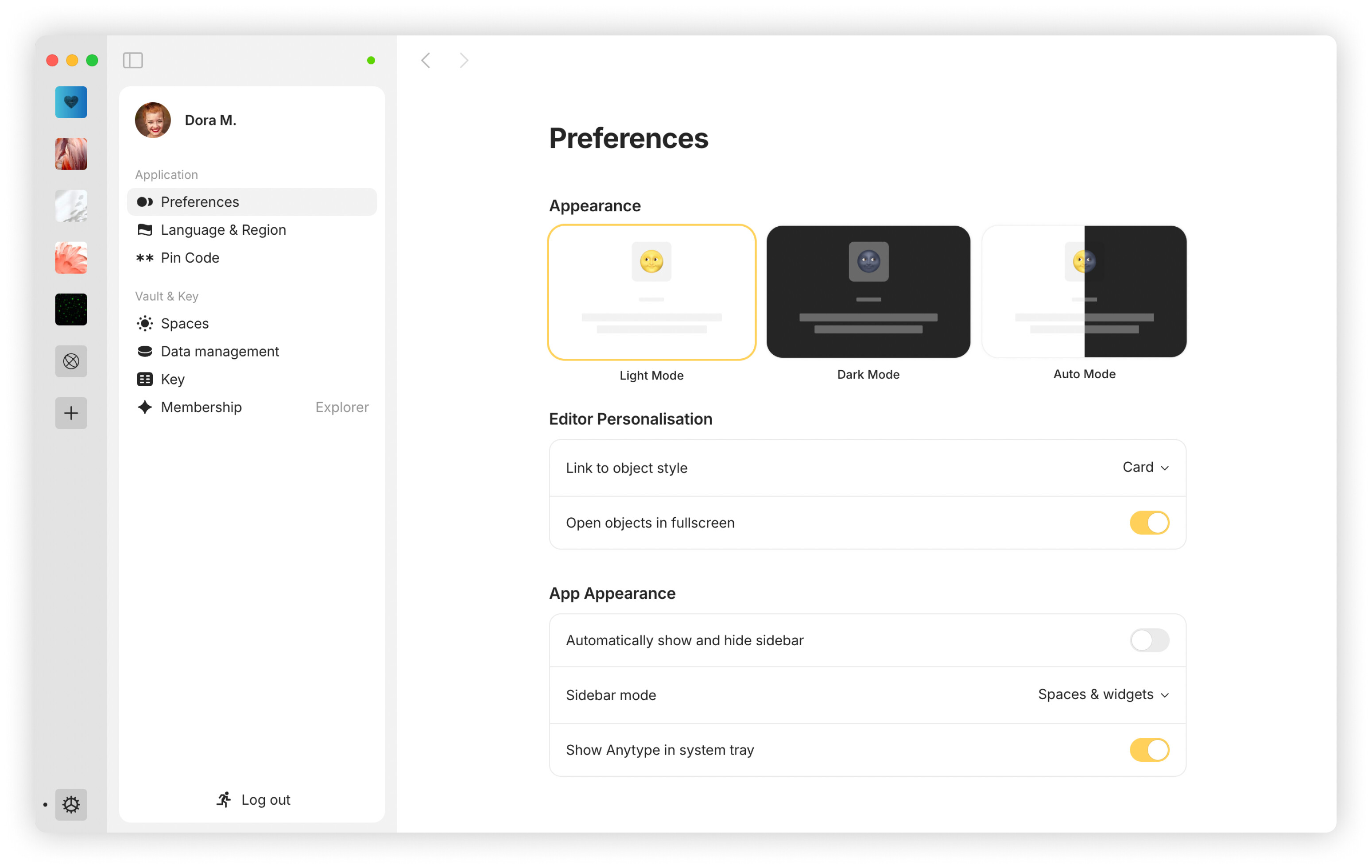
Both General and Space Settings have been updated to a full-page layout instead of a pop-up, with sections now located in the left sidebar.
As part of this update, Types and Properties now live in your Space Settings, bringing everything related to your space configuration into one place.
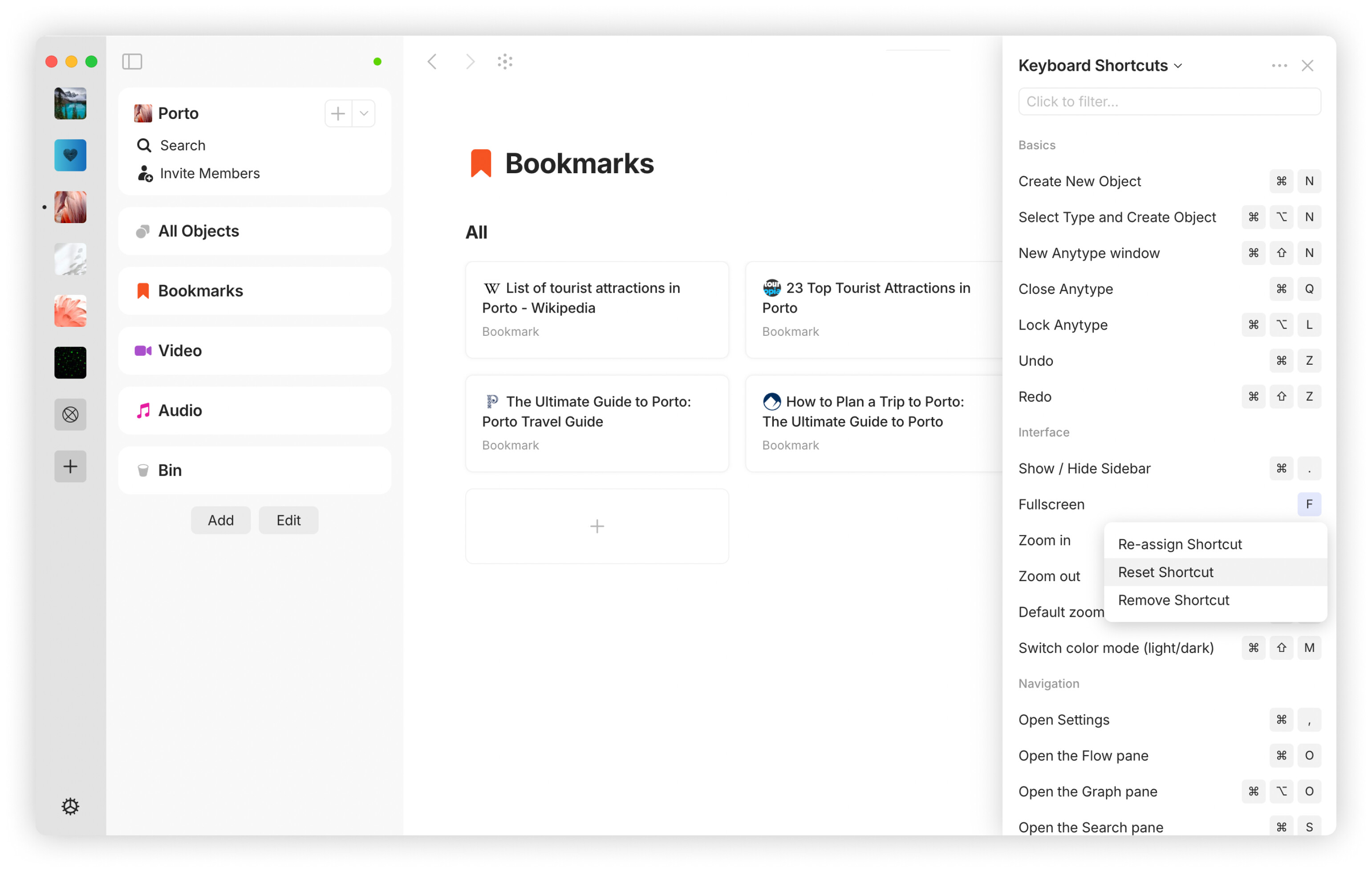
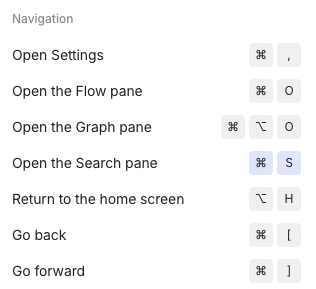
Custom Shortcuts
We’ve expanded the number of actions available for keyboard shortcuts, giving you more capabilities than ever before. Most shortcuts are customizable, and certain actions support two different key combinations for more flexibility.
Raycast Extension Updates
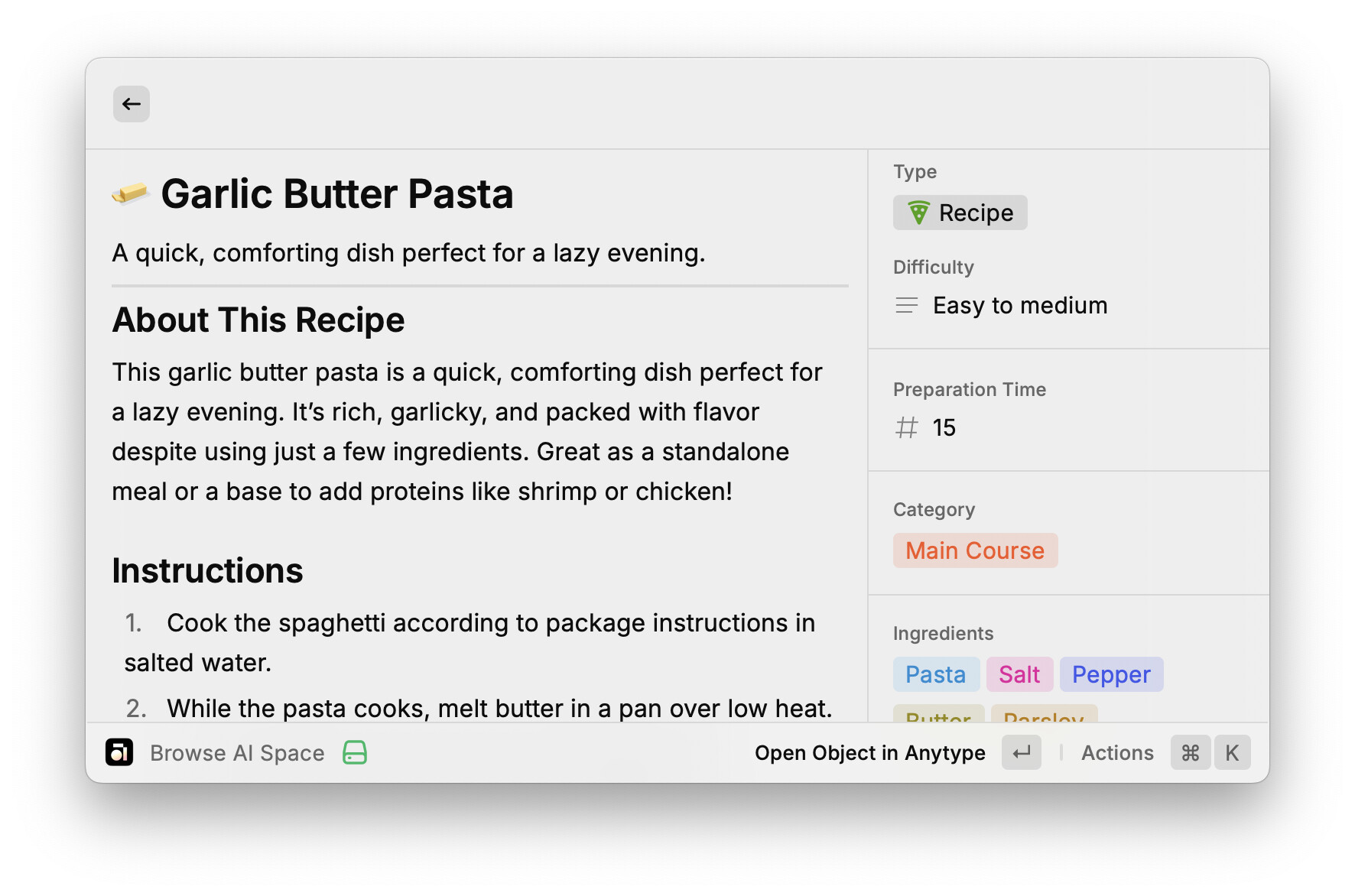
We’ve introduced several enhancements based on your requests and feedback, plus Anytype for Raycast is now an AI Extension – search through spaces and objects using natural language or create new ones just by instructing @anytype.
-
Improved Pinning & Navigation: Pin objects, types, members and spaces for quicker access. Objects of a certain Type now appear below their templates for better organization.
-
Better Collection Management: Create objects directly within collections and browse collection items with ease.
-
Customization & Visibility: Choose “Open Object in Anytype” as the default action, show custom properties in the Detail sidebar, toggle metadata in object details and apply templates when creating new objects.
Choose your Week Start Day
You can now choose whether your week starts on Sunday or Monday. Head to your updated settings to make the switch in the date picker.
All Objects as a System Widget
The All Objects section is now available as a system widget that can be added or removed from the sidebar. While core functionality like sorting and search remains the same, Types and Properties are now managed from your Space Settings.
Use [[ to Link in Editor
The editor now supports the [[ syntax for linking. This Markdown pattern works similarly to @mention, allowing you to reference other objects.
HTTPS Links for Objects
You can now copy an HTTPS link for any object via the three-dots menu by selecting Copy Link. Users without the Anytype app can click on these links to download the app and access the object after installation. When opened inside the App, these links directly open the object without any redirection.
Web Publishing Updates
We continue to refine and optimize the rendering process and have also improved support for layouts including alignment, width and featured properties to align with the new structure.
Alert when Switching to the Release Channel
To prevent confusion when switching the release channel, an alert has been added. This alert clarifies that changing the release channel will store data in a separate sub-directory, which may cause unsynced files or objects to become inaccessible.
Drag-to-Select on Graph Page
Added a drag-to-select feature to the graph page, making it easier to select multiple items at once. Now you can grab and move a bunch of objects with just a simple drag. Many thanks for the contribution to @ShirayukiRin!
Type Filters in Graph
In addition to existing clustering by Type, you can now filter the Graph to display only selected object Types – helping you focus on exactly what you need.
fa-IR Language
Added support for Persian (fa-IR) language as part of our right-to-left language expansion.
Bug Fixes
-
Multiple open windows no longer revert to the login screen or display a black screen after the device resumes from suspension. Thanks to @krst & @C.c!
-
Default Object Type remains set. This issue was detected again and resolved after fixing the initialization problem. Thanks for the heads-up, @zma17!
-
Fixed an issue where the cursor keys could stop working after editing templates in Sets.
-
The pop-up menu when adding a widget closes correctly.
-
Fixed the Grid’s sum function to prevent unnecessary decimal places from appearing in calculations. Thanks for the feedback, @Code-Jack!
-
Fixed an issue where checking a checkbox would remove LaTeX formatting within the block. Thanks, @personnotman!
-
Inline LaTeX now correctly renders
$\mathbb R$, which previously did not display while other letters worked. Double thanks, @personnotman! -
The “Show menu bar” setting works correctly. Thanks, @AndCycle!
-
Command + Wnow correctly closes only the active window on Mac. Thanks, @Kite! -
Files added to Favorites are properly displayed in the widget.
-
Embed Kroki Graphs now scale correctly, preventing them from being cut off. Thanks, @bartl!
-
The “Create new Object” button in the list view widget for Kanban boards is now working correctly. Thanks, @Self-Perfection!
-
The nested long table, when moved inside a column, now displays correctly.
-
Fixed the “Back to Dashboard” button on deleted Objects.
-
Fixed hyperlinks in PDF export.
-
Embedded links in Bookmarks are now parsed and rendered correctly when an Object is exported to PDF.
-
The Audio Player timeline is now resized properly in exported PDF.
-
Tables in multiple-column layouts align properly in resized windows without overlapping adjacent columns. Thanks to @cpobharat!
-
All Objects panel now remembers the last scroll position when reopened. Thanks, @Code-Jack!
-
Corrected forward navigation in All Objects to be consistently clickable.
-
Horizontal scrolling in All Objects tabs works consistently with external mice.
-
All Objects correctly display the selected tab when opened.
-
Fixed filters in Graph, ensuring Objects with bi-directional links or relations are displayed correctly when the corresponding “Show on Graph” option is enabled. Thanks for catching this, @HoneycombGlasses!
-
Moving a block out of the Anytype window no longer causes the view to scroll upwards.
-
The “Create Object” button in the widget now correctly links the newly created object to the target one.
-
Relations are not displayed anymore after they have been moved to the Bin in the relations panel. Thanks for contributing, @ShirayukiRin!
-
The Drag-to-Select box has been improved to ensure it displays correctly in sets and collections. Additionally, it now appears when selecting a single block in the editor. Thanks again, @ShirayukiRin!
-
Fixed incorrect input direction switching on Armenian keyboard.
-
Deleted objects are correctly displayed in the Bin. Thanks, @boots!
-
The last active Space opens when launching the App and after refresh. Thanks for flagging this, @C.c!
-
Exporting to PDF now consistently reflects the current color scheme in dark mode. If you need an object to be exported as a standard PDF document with a white background while dark mode is enabled, you can use the Printing option instead. Appreciate your report, @DennisG!
-
The calendar selection menu no longer moves when switching months. Thanks to @Magiccheese1!



 :
: