Hey,
I would like to know happy you are when using Anytype with the keyboard?
I’m often using the mouse to navigate. Yes, there are quite a few shortcuts for navigation, but I couldnt get used to them by now.
But once I’m in an object I find myself using the mouse more than I would like to. From my other note taking applications I’m used to do everything with the keyboard.
I dont only mean shortcuts. I also mean, that some things cant be done with keyboard only or some things feel unintuitive, at least for me.
@All: How is the (keyboard) workflow for you?
@Team: How low or high is the (keyboard) workflow part in the list of priorities in the moment?
Or is that something for later?
i think too that the keyboard workflow especially when editing and writing in an object is still not very fluent, since for every relation you want to type something into, you cant seem to use your keyboard, you always have to move your mouse and click the input field, which i find very hindering.
Yes, not being able to move from one block to the next with the down arrow makes editing on the iPad veeeery cumbersome and slow. I mean, you get the Magic Keyboard because you want to avoid ‘gorilla arms’ - avoid having to use your fingers as a mouse, as if you were in an app that’s been badly translated from desktop!
I absolutely need this - a full keyboard workflow. It just bugs me that this action works better as mouse click and that functions works better with keyboard; then both don’t work as smooth anyway. It takes me another thought to reach for what I really need.
I would like everything to be done at cursor or command palette or line. For example:
I can / slash and change current object type. ← this will supports functions like sub-type and things similar to tana’s supertag
Multiple actions continue with enter, at cursor and within one line e.g. create relation → name → enter → content of relation; FR bookmark and cursor
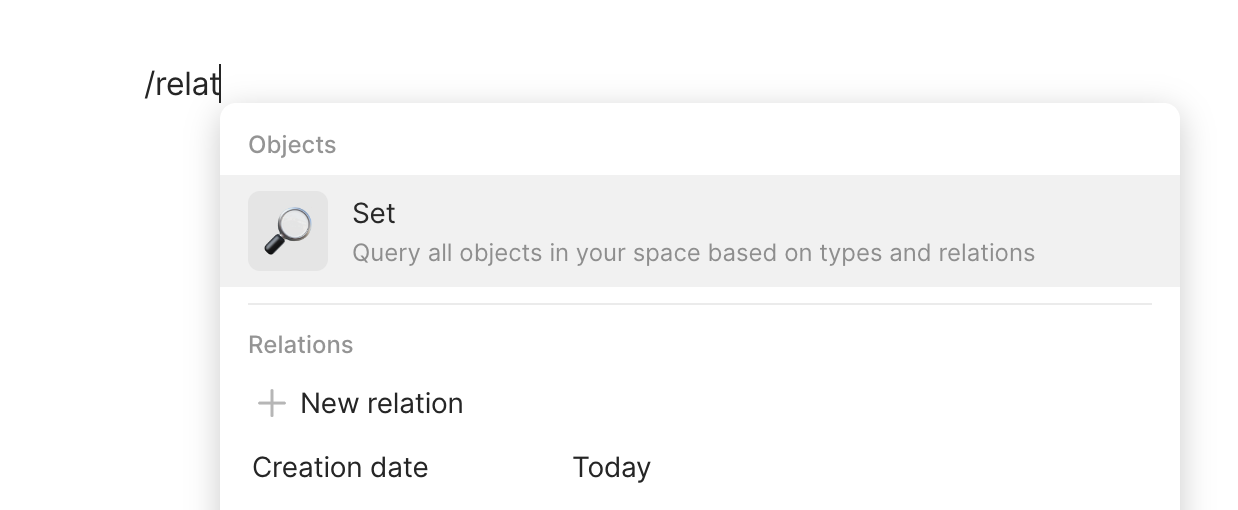
Most similar option always comes first e.g. relation comes first with /relat instead of set
Shortest keystrokes for the most obvious/visible option and select that option with a simple enter (doesn’t require clicking arrows). e.g. Creation of relation: search/input text and select with enter → choose first option instead of creating new object
UI/IX requirement: Display cursor location across all blocks and relations e.g. relation and divider or orange/accent colour highlight (I just can’t tell where I am at)
Markdown:
I miss auto brackets [[ or (, and system gives me ]] Or ), as well as **
Being unable to see markdown symbols I always have to ✕ shift highlight the words and then choose text style - that’s shift and hold and arrow and keyboard shortcut (even with sticky keys, it is not smooth) Rather than ✓ seeing and arrowing then adjusting the start and end of the style. But this probably contradicts with the ‘codeless’ design of Anytype.
P.S. Keyboard access is one big category of my hiccups.