I do not agree with you. Please do a proper research on Keyboard navigation of some other block based Apps like Notion, Craft, Logseq and similar. It is a very common way of navigating by keyboard, using escape key to dive out of “navigation layers”.
Even the keyboard navigation in many Graphic Softwares as Affinity (Designer, Publisher, Photo), Adobe Illustrator, Photoshop etc. All those applications have a keyboard navigation concept where you dive out of a selection / block / layer / anything → hitting esc key.
Here an example in Affinity Designer:
When you would hit escape again it will unselect the object at all. So one higher layer of navigation.
It’s basically just a fact that escape key is widely used to navigate between layers of editing modes in a big variety of applications… whether you like it or not. For me it feels very intuitive.
Therefore I would even go as far and say:
Anytype has currently not a proper concept for keyboard navigation.
I’ve found some similar requests in the forum:
https://community.anytype.io/t/keyboard-navigation-issue/9460/2
In all those threads the missing thing is a proper keyboard navigation concept. Therefore I’m renaning the title of this Request to: “Missing Keyboard navigation concept - Block Edit mode, Text edit mode, Highlights”
My suggestion would be as following:
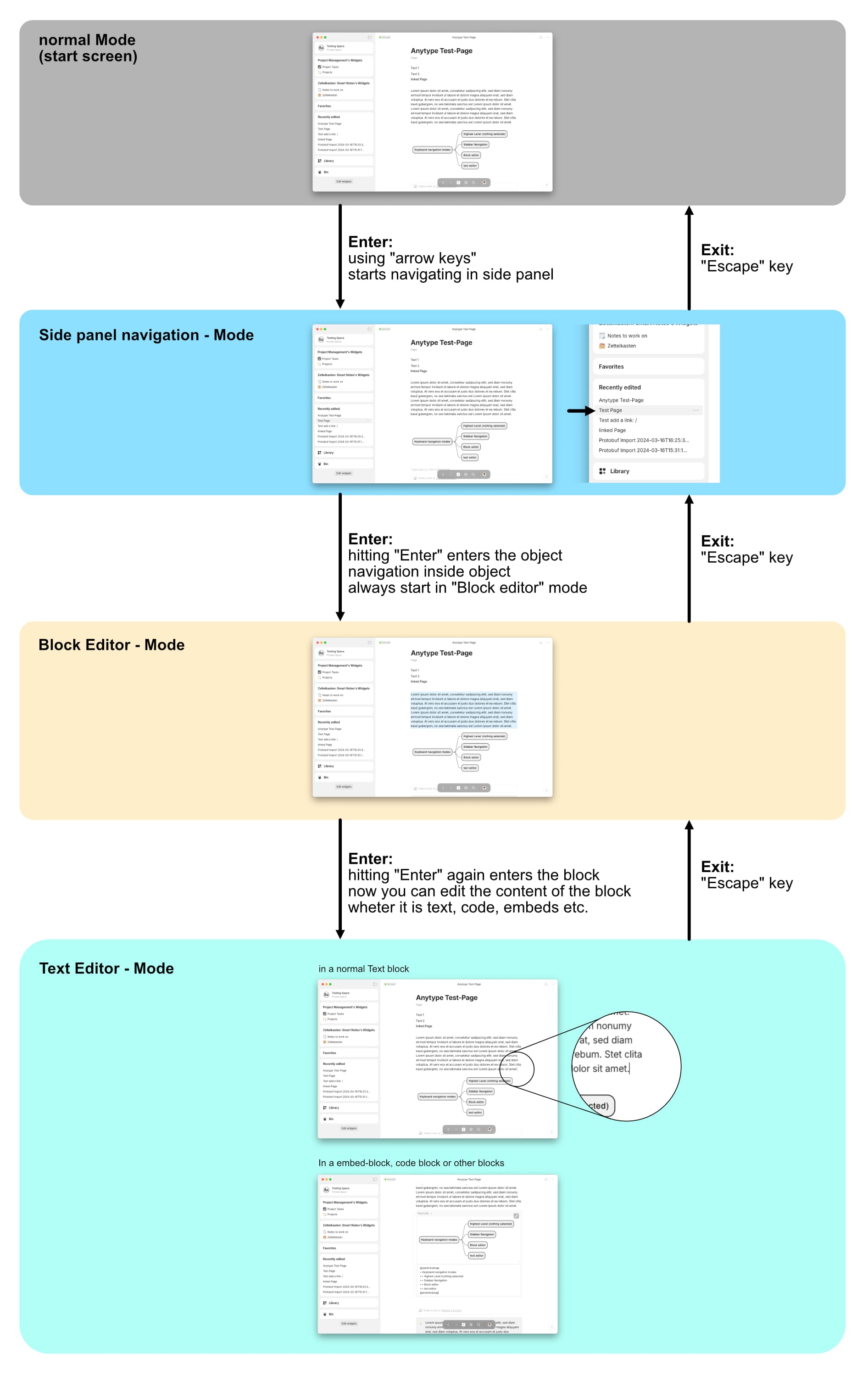
And as PDF:
anytype-edit-modes.pdf (1.4 MB)
In addition there’s also a missing concept using the “tab key”. But this is covered in other requests in the forum like here: Keyboard only navigation with tab
Have a great day Anytypers! 
Update:
While being in block edit mode one additional nice feature could be to use the space-bar to view images, videos and other blocks in full-view mode. (it is done like that in Notion for example)