Here’s the source code with all the above fixes to converter.py of March 14. I give it to you in two chunks to circumvene this forum’s 32000 character limit. The first chunk has line 1–201, the second chunk has lines 623–872:
First chunk, line 1–201:
# import pdb
import argparse
import shutil
from bs4 import BeautifulSoup
import json
import random
import xml.etree.ElementTree as ET
from scipy.spatial import cKDTree
import hashlib
import os
import base64
import re
from datetime import datetime
import time
from typing import List, Type
import logging
import inspect
import cssutils
from models.language_patterns import language_patterns
import models.mime, models.json_model as Model
from models.options import Options
import warnings
# Ignore les avertissements de BeautifulSoup
warnings.filterwarnings("ignore", category=UserWarning, module="bs4")
# Déclarer options en tant que variable globale
my_options = Options()
my_options.is_debug = False
# Configurer le logging
logging.basicConfig(
level=logging.DEBUG,
format='%(asctime)s - %(levelname)-8s - %(funcName)-2s l.%(lineno)d - %(message)s',
handlers=[
logging.FileHandler("debug.log")
]
)
logger = logging.getLogger(__name__)
def log_debug(message: str, level: int = logging.DEBUG):
if my_options.is_debug:
if level >= logging.DEBUG:
caller_frame = inspect.stack()[1]
caller_func = caller_frame[3]
caller_lineno = caller_frame[2]
logger.log(level, f"{caller_func} l.{caller_lineno} - {message}")
elif 'TERM_PROGRAM' in os.environ.keys() and os.environ['TERM_PROGRAM'] == 'vscode': # debug en mode dev
print(message)
pass
# logger.log(level, message)
if level > logging.DEBUG:
print(message)
def sanitize_filename(filename):
invalid_chars = '/\\?%*:|"<>'
for char in invalid_chars:
filename = filename.replace(char, '_')
# otherwise line 811 OSError: [Errno 63] File name too long:
filename = filename[:120]
return filename
def generate_random_id(length = 24):
"""Génère un identifiant aléatoire en hexadécimal de la longueur spécifiée"""
hex_chars = '0123456789abcdef'
id = ''.join(random.choice(hex_chars) for _ in range(length))
return id
def extract_shifting_left(div):
"""Extrait la valeur de margin_left ou padding-left"""
style = div.get('style')
if style:
style_properties = style.split(';')
for prop in style_properties:
if 'margin-left' in prop or 'padding-left' in prop:
value_str = prop.split(':')[1].strip()
if 'em' in value_str:
# deprecated:
# return int(cssutils.css.CSSValue(value_str).value * 16)
return 16
elif 'px' in value_str:
# gives error:
# return int(value_str.replace('px', '').strip())
return 16
else:
return 16
return 0
def extract_tag_info(contenu_div, tags_list):
"""Extract info about tag in this content
Args:
contenu_div (_type_): _description_
tags_list (list): list of tag to treat
Returns:
list: {
'tag_object': tag,
'text': text into this tag,
'start': starting position in contenu_div,
'end': end position in contenu_div
}
"""
# Analyser le contenu HTML
######### Tag avec tout
# On recréé un objet soup à partir de l'objet tag transmis
contenu_str = str(contenu_div)
soup = BeautifulSoup(str(contenu_div), 'html.parser')
# TODO : voir si on peut transmettre un soup plutôt que tag?
# Initialiser une liste pour stocker les informations des balises
tags_info = []
for tag in soup.find_all(tags_list):
text = tag.get_text()
# On compte le nombre de caractères du texte de contenu_div jusqu'à la position de la balise
content_to_count = contenu_str[0:tag.sourcepos]
soup_to_count = BeautifulSoup(content_to_count, 'html.parser')
start = len(soup_to_count.get_text())
end = start + len(text)
log_debug(f"--- 'tag_name': {tag.name}, 'text': {text}, 'start': {start}, 'end': {end}, 'tag position' : {tag.sourcepos}", logging.NOTSET)
# Ajouter les informations de la balise à la liste
tags_info.append({
'tag_object': tag,
'text': text,
'start': start,
'end': end
})
return tags_info
def extract_styles(style_string):
"""Génère un dictionnaire des styles à partir de l'attribut style
Args:
style_string (string): contenu de l'attribut string
Returns:
dic: contient les couples style CSS->valeur
"""
style_dict = {}
if style_string:
# Cas particuliers à gérer :
## href:https://example.com
## et les background:(...) url("data:image/svg+xml;base64,PHN2ZyB3(...)
style_pairs = re.findall(r'([^:]+):([^;]+);', style_string)
for key, value in style_pairs:
style_dict[key.strip()] = value.strip()
return style_dict
# couleur AT suivant le RGB Evernote
def extract_color_from_style(style):
"""Transform RGB or Hexa color from Evernote to a AT color (limited)
Args:
style (string): "rgb()" or "#xxxxxx"
Returns:
string: color name
"""
colors = {
"grey": (182, 182, 182),
"yellow": (236, 217, 27),
"orange": (255, 181, 34),
"red": (245, 85, 34),
"pink": (229, 28, 160),
"purple": (171, 80, 204),
"blue": (62, 88, 235),
"ice": (42, 167, 238),
"teal": (15, 200, 186),
"lime": (93, 212, 0),
}
# For background-color, map 1 to 1
EN_bck_color ={
"yellow": (255, 239, 158),
"orange": (255, 209, 176),
"red": (254, 193, 208),
"purple": (203, 202, 255),
"blue": (176, 236, 244),
"lime": (183, 247, 209),
"black": (51,51,51) # couleur mise automatiquement dans certains cas sous EN (pas de black sur AT mais ça sera ignoré)
}
def rgb_to_tuple(rgb):
# gives error for x='0.000000%'
# return tuple(int(x) for x in rgb.split(","))
# very elegant solution by https://stackoverflow.com/a/69308473
return tuple(int(float(x.replace('%', 'e-2'))) for x in rgb.split(","))
Second chunk, lines 623–end:
def process_div_children(div, page_model: Model.Page, files_dict, cell_id=None):
    """_summary_

    Args:
        div (_type_): _description_
        page_model (Model.Page): _description_
        files_dict (_type_): _description_
        table (bool, optional): Indicate if it's a loop for a table or the default treatment. Defaults to False.
    """
    log_debug(f"- Converting childrens...", logging.DEBUG)
    # Définition des balises block à traiter
    balisesBlock = ['div', 'hr', 'br', 'h1', 'h2', 'h3','en-media','table']
    children = div.find_all(balisesBlock)
    for child in children:
        # élément d'une table, on passe car tous les éléments sont à traiter dans la table (div, media, ...)
        if not cell_id and child.find_parent('td'):
            continue;
        # Traitement d'une cellule, l'ID est déjà défini
        if cell_id:
            div_id = cell_id
        else:
            div_id = generate_random_id()
        shifting_left = extract_shifting_left(child)
        div_text = extract_top_level_text(child)
        div_tag = child.get('id')

        # On commence par les blocs sans texte
        if child.name == 'hr':
            page_model.add_block(div_id, shifting=shifting_left)
            page_model.edit_block_key(div_id, "div",{})
        elif child.name == 'br':
            page_model.add_block(div_id, shifting=shifting_left, text = "")
        # Traitement des fichiers à intégrer
        elif child.name == 'en-media':
            hash = child.get('hash')
            if hash in files_dict:
                sanitized_filename, mime, file_size, file_type = files_dict[hash]
                # Redimensionné? Il faut retourner width="340px" divisé par style="--en-naturalWidth:1280"  style="--en-naturalWidth:1280; --en-naturalHeight:512;" width="340px" />
                text_style = child.get('style')
                styles = extract_styles(text_style) if text_style else {}

                embed_width = child.get('width')
                original_width = int(styles.get("--en-naturalWidth", "0"))

                relative_width = None
                if embed_width is not None and original_width is not None and original_width != 0:
                    # ValueError: could not convert string to float: 'auto'
                    try:
                        relative_width = float(embed_width.replace("px", "")) / original_width
                    except Exception as e:
                        log_debug(f"Error with float(embed_width): {e}", logging.ERROR)
                        relative_width = 1
                        continue
                # Format lien?
                style_attr = child.get('style')
                format = 'link' if style_attr and '--en-viewAs:attachment;' in style_attr else None
                page_model.add_block(div_id, shifting=shifting_left)
                page_model.add_file_to_block(div_id, hash = hash, name = sanitized_filename, file_type = file_type, mime = mime, size = file_size, embed_size = relative_width, format=format )

                # TODO : quand AnyType permettra l'import des fichiers

        # Traitement bloc code (div racine sans texte)
        elif child.name == 'div' and 'style' in child.attrs and '--en-codeblock:true' in child['style']:
                process_codeblock(child, div_id, page_model)
        #Traitement table
        elif child.name == 'table':
            process_table(child, page_model)
        # Traitement des blocs demandant du contenu texte
        elif div_text:
            # les div enfant des blocs codes doivent être exclues du traitement global
            parent_div = child.find_parent('div')
            if child.name == 'div' and parent_div and 'style' in parent_div.attrs and '--en-codeblock:true' in parent_div['style']:
                pass
            # Traitements spécifiques
            elif child.name in ['div', 'h1', 'h2', 'h3']:
                # Traitement spécifique pour les listes!
                parent_list = child.find_parent(['ol', 'ul'])
                if parent_list:
                    #Est-ce dans une liste imbriquée? 1ère étape pouvoir pouvoir placer le childrenIds!
                    # TODO : ajout imbrication à l'imbrication existante? Si padding = 40 et imbrication 40 : traiter comme 80?
                    #        A tester quels cas EN peut générer...
                    nested_level = len(parent_list.find_parents(['ol', 'ul']))
                    if nested_level > 0:
                        # On va traiter comme les blocs décalés...
                        shifting_left = 40 * (nested_level)

                # Puis on créé le bloc
                page_model.add_block(div_id, shifting=shifting_left)

                # Traitement texte
                extract_text_with_formatting(child, div_id, page_model)

                # Traitements styles du bloc
                style = extract_styles(child.get('style'))
                if 'padding-left' in style:
                    # Le traitement est déjà fait, on ne fait rien
                    pass
                elif '--en-codeblock' in style:
                    # Traitement à définir plus tard de tous les sous-blocs
                    pass
                elif 'text-align' in style:
                    if style['text-align'] == 'center':
                        page_model.edit_block_key(div_id,"align","AlignCenter")
                    elif style['text-align'] == 'right':
                        page_model.edit_block_key(div_id,"align","AlignRight")

                # Et style si c'est une liste
                if parent_list:
                    if parent_list.name == 'ol':
                        style_liste = 'Numbered'
                    elif parent_list.name == 'ul' and parent_list.has_attr('style') and '--en-todo:true' in parent_list['style']:
                        style_liste = 'Checkbox'
                        li_parent = child.find_parent('li')
                        if li_parent and li_parent.has_attr('style') and '--en-checked:true' in li_parent['style']:
                            page_model.edit_text_key(div_id,"checked",True)
                    else:
                        style_liste = 'Marked'
                    page_model.edit_text_key(div_id,"style",style_liste)

                # et style des titres
                if  child.name in ['h1', 'h2', 'h3']:
                    page_model.edit_text_key(div_id,"style","Header" + child.name[1:])


def convert_files(enex_files_list: list, options: Type[Options]):
    """Convert enex file from the list into json files

    Args:
        enex_files_list (list): list of enex file to convert

    Returns:
        string: number of notes converted
    """

    log_debug(f"-----CONVERTING-----", logging.DEBUG)
    if not enex_files_list:
        log_debug("No file to convert.", logging.INFO)
        return

    source_folder = os.path.dirname(enex_files_list[0])
    if options.zip_result:
        working_folder = os.path.join(source_folder, "Working_folder")
    else:
        working_folder = os.path.join(source_folder, "Converted_files")
    os.makedirs(working_folder, exist_ok=True)
    files_dest_folder = os.path.join(working_folder, "files")

    # Add Relation "Evernote tag"
    dirname = os.path.dirname(__file__)
    relation_file = os.path.join(dirname, "models/Evernote_Tag_Relation.json")
    shutil.copy(relation_file,working_folder)

    nb_notes = 0
    for enex_file in enex_files_list:
        log_debug(f"Converting {os.path.basename(enex_file)}...", logging.INFO)
        with open(enex_file, 'r', encoding='utf-8') as xhtml_file:
            file_content = xhtml_file.read()
            if not file_content:
                log_debug(f"No content in file", logging.ERROR)
                return

        try:
            root = ET.fromstring(file_content)
        except ET.ParseError as e:
            log_debug(f"XML parsing error : {e}", logging.ERROR)
        except Exception as e:
            log_debug(f"XML treatment error : {e}", logging.ERROR)

        # is unique or multiple note?
        for note_xml in root.iter("note"):
            log_debug(f"Treatment note {nb_notes}...", logging.INFO)
            # Traitement des fichiers (base64 vers fichiers)
            files_dict = get_files(note_xml, files_dest_folder)

            # Utilisation de la classe Model.Page pour créer le JSON
            page_model: Model.Page = Model.Page()

            # Extraction du contenu de la balise <content> et traitement
            content_element = note_xml.find('content')
            if content_element is None or content_element.text is None:
                log_debug(f"Note {nb_notes} has no content!", logging.DEBUG)
                continue

            content: str = content_element.text
            process_content_to_json(content, page_model, files_dict)

            # Processing xml tags (other than <content>)
            process_details_to_json(note_xml, page_model, working_folder)

            # Nettoyer les clés "shifting" si nécessaire
            page_model.cleanup()

            # Générer le nom du fichier JSON en supprimant l'extension .enex
            # json_file_name = os.path.splitext(os.path.basename(enex_file))[0] + '.json'

            note_title = page_model.page_json["snapshot"]["data"]["details"]["name"]
            # Filename with the create date, in case several notes have the same title
            creation_date: str = page_model.get_creation_date()
            filename = f"{sanitize_filename(note_title)}_{creation_date}.json"
            with open(os.path.join(working_folder, filename), 'w', encoding='utf-8') as file:
                json.dump(page_model.to_json(), file, indent=2)
            nb_notes += 1

    # On zip le résultat
    if options.zip_result:
        log_debug(f"Create zip file", logging.DEBUG)
        current_time = datetime.now()
        zip_name = current_time.strftime("ConvertedFiles_%d%m%Y_%H%M%S")
        zip_path = os.path.join(source_folder, zip_name)
        shutil.make_archive(zip_path, 'zip', working_folder)
        shutil.rmtree(working_folder)

    log_debug(f"Conversion completed: {nb_notes} notes converted", logging.INFO)
    return nb_notes

def main():
    # pdb.set_trace()

    # Répertoire contenant les fichiers enex de test
    # enex_directory = 'Tests/Temp/'
    enex_directory = '.'
    # enex_files = [os.path.join(enex_directory, f) for f in os.listdir(enex_directory) if f.endswith('Carnet export test 2.enex')]
    enex_files = [os.path.join(enex_directory, f) for f in os.listdir(enex_directory) if f.endswith('.enex')]

    parser = argparse.ArgumentParser(description="Convert ENEX files.")
    parser.add_argument("--enex_files", nargs="+", help="List of ENEX files to convert", default=enex_files)
    parser.add_argument("--zip", action="store_true", default=True, help="Create a zip file")
    parser.add_argument("--debug", action="store_true", default=False, help="Create a debug file")


    args = parser.parse_args()

    # my_options.tag = "Valeur pour le tag"
    # my_options.import_notebook_name = args.zip
    my_options.is_debug = args.debug #args.debug
    my_options.zip_result = args.zip
    if args.enex_files: # dev mode
        enex_files = args.enex_files
        my_options.is_debug = True
        my_options.zip_result = False

    log_debug(f"Launched with CLI", logging.DEBUG)
    # Liste des fichiers enex dans le répertoire
    convert_files(enex_files, my_options)


if __name__ == "__main__":
    main()
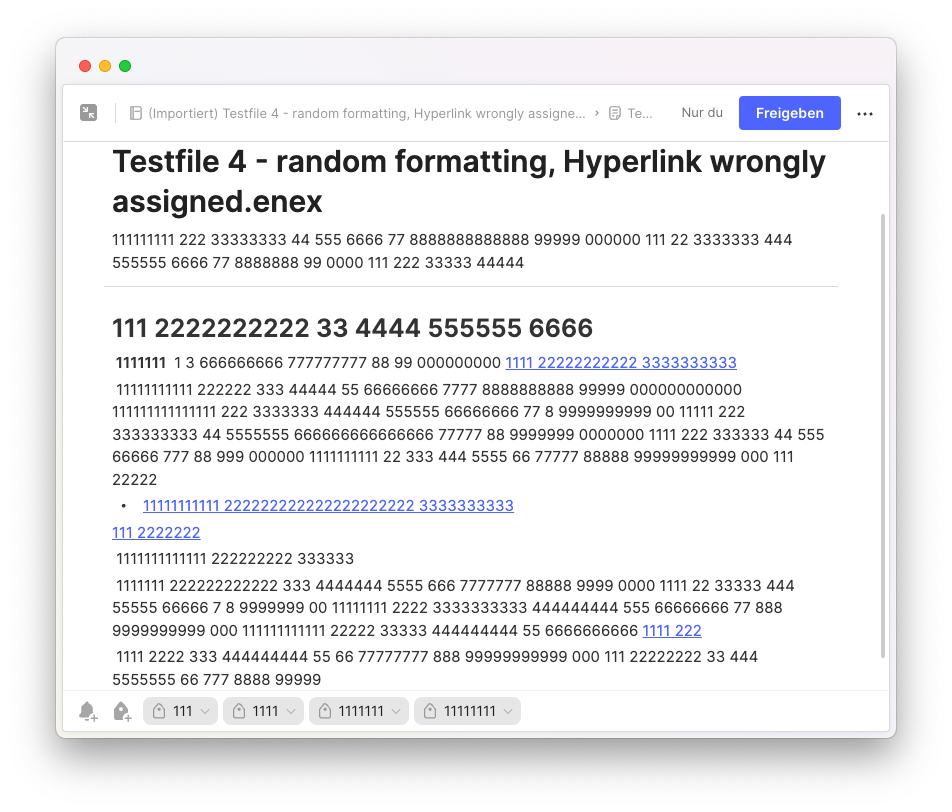
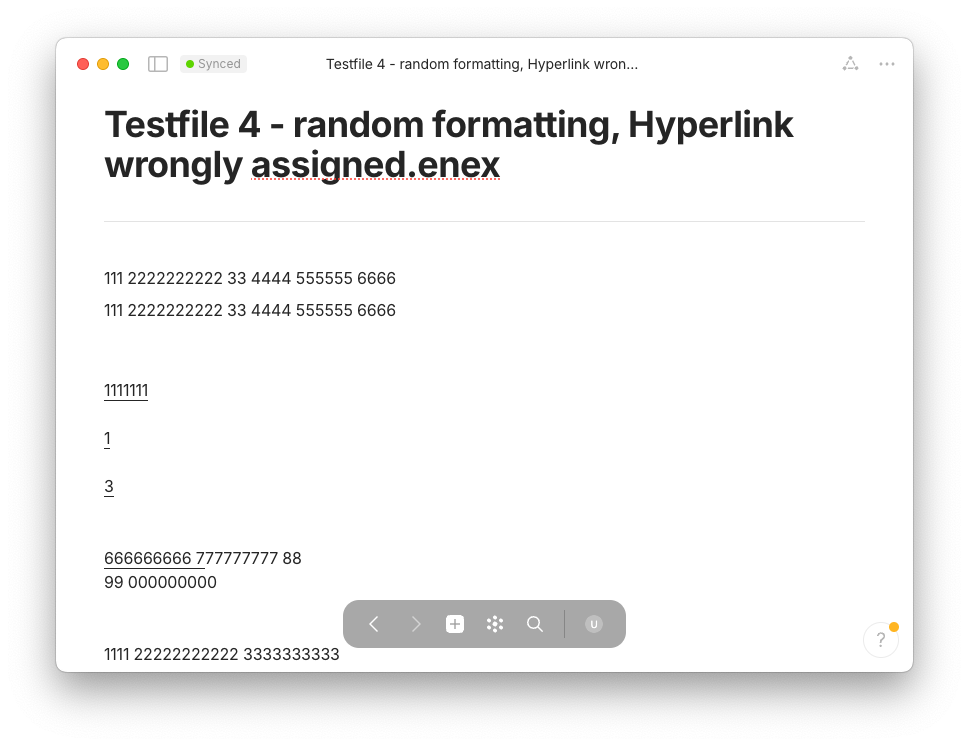
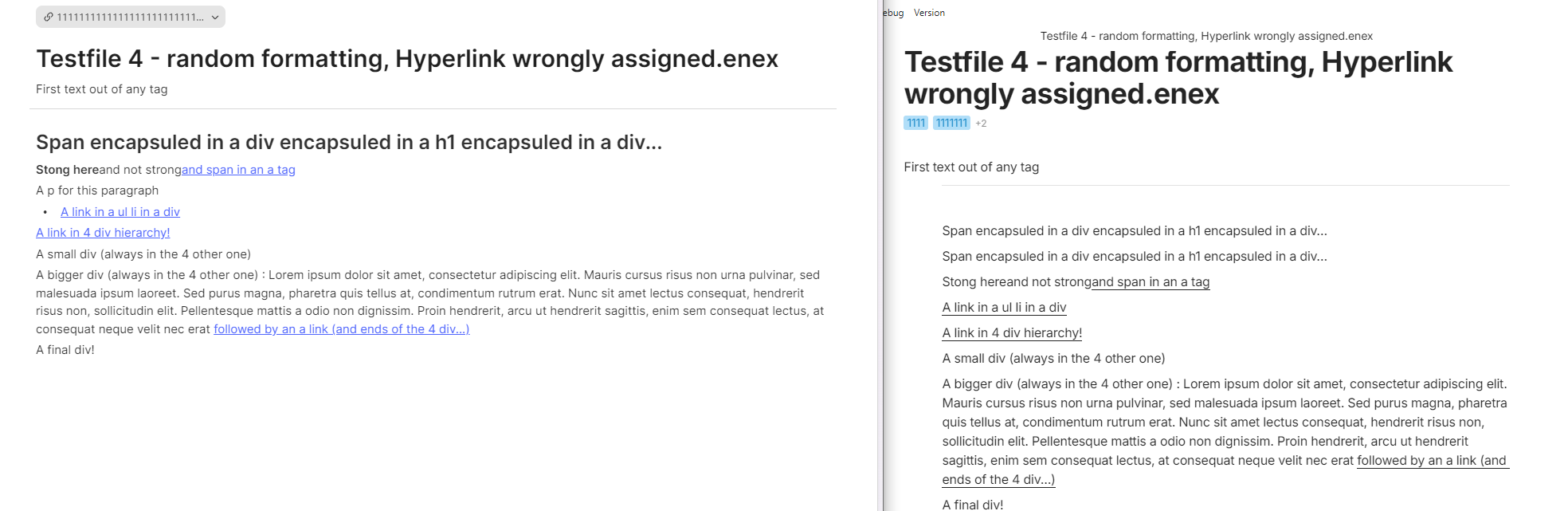
 I am neither a programmer nor familiar with GitHub, therefore I simply downloaded the source code and tried to let it run on my Mac. I had manually compared several hundred imported notes in Anytype with the original ENEX files, and took notes of major findings, in order to share them with you.
 , I’ll take a look and integrate them as soon as I have time.

 .
.
 …
…


 .
.