A Tool to Import Evernote notes to Anytype

Et voilà!

v1.0 is here!
Considered as final and complete version :slight_smile:

  • Converter can now unencrypt your encrypt note!
    Because it can’t be imported in Anytype, you can now unecrypt them.
    If all of them use the same password, type the password (field in the GUI, parameter in the CLI). If you have different password, choose “ask password” option.
    By default (no password provide and option “ask password” unchecked), the converter doesn’t unencrypt password but let a warning in your note (so you can find them easily in Anytype)

  • Converter rebuild all png files
    Because many png in Evernote are some internal error (CRC, …). Often not annoying in other applications, but Anytype doesn’t support them. With a full rebuild, it’s OK.

  • Converter convert SVG files to PNG (because Anytype doesn’t support SVG)

  • Many corrections and improvements

It works fine with the latest version, but I still don’t like Anytype tables!
My merged cells are broken, my to-do lists have become text. Too many things not supported by Anytype tables: I’m using OpenOffice in the meantime, but it’s a pain. I don’t know if I’ll stick with it or try another tool (I guess this isn’t the place to ask for advice on another note-taking tool).

Sorry but how exactly does one make this run on Mac?

I downloaded “<>Code” zip file on Github…

I downloaded Python… I see the Python Launcher app. The .py files seem to open into Python Launcher, but then it leads to a Terminal window and I don’t know what any of it means.

Where’s the GUI?

Do you launch the “run.exe” or “run.py” as explains in Github?

Dowload the last release here.
Unzip.
Execute run.exe : you have a GUI
It should work on Mac too, but as I don’t own a Mac I can’t guarantee it.

If not, you can try to launch the run.py

Run.py ou run.exe is the entry point: with parameters, it runs on the CLI, without parameters, it runs on the GUI

.exe’s do not run on Mac.

I see now when run.py opens into Terminal, the main line is “timothy@MBA Enex_to_json %”

So I assume the Converter is ‘active’? However, none of the commands on GitHub work, like “–enex_sources”. Just says “command not found.”

I understand. Without a package version, it’s more complicated :confused:
And I can’t package for MAC without a MAC (if someone can do this, that would be cool).

So you have to create the Python environment with all the necessary elements.
On Windows, it’s just a matter of using pip to install the dependencies.
I have no knowledge of MAC, so maybe it’s the same, or maybe there are differences… I don’t know.

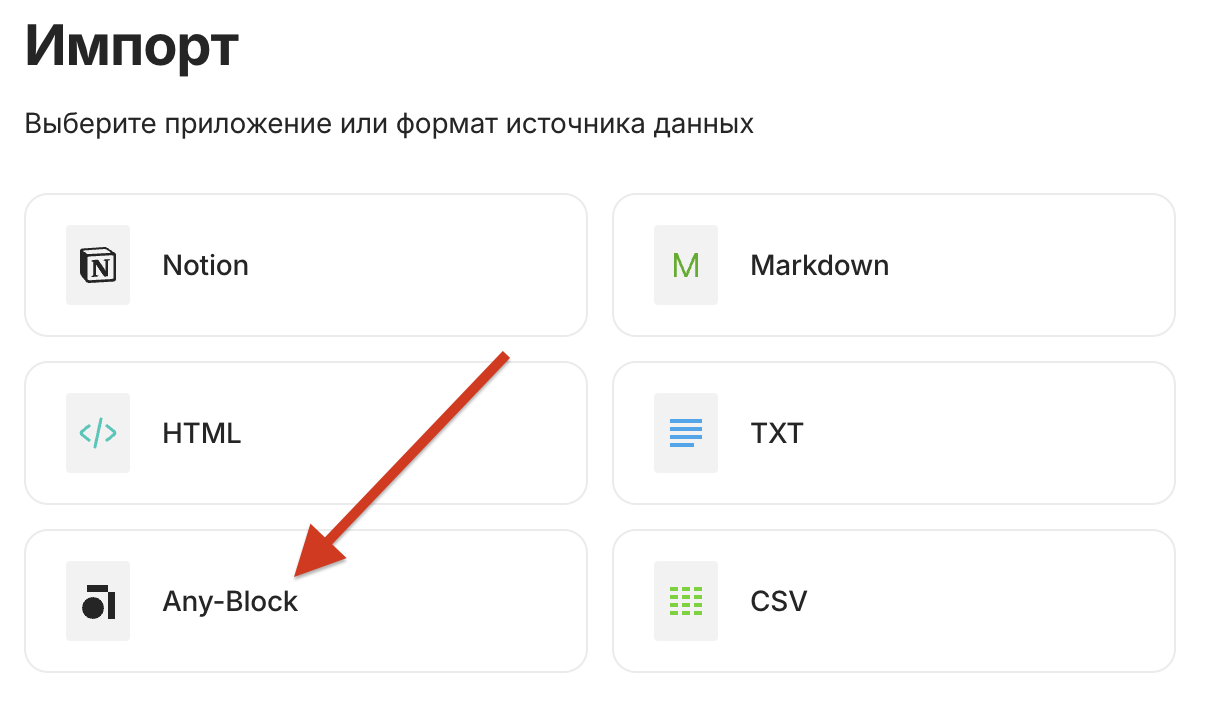
I got Wine installed and was able to run the .exe through that, and it successfully converted .enex to .json, and then I could import the .json by selecting the AnyBlock category.

Thanks for making this script (or whatever it is) so that this conversion is possible.

That said, to the AnyType team: this process has been very cumbersome and should be built into AnyType. Evernote used to be one of the biggest note-taking apps out there, but it’s been going down the drain for years and many people will want to switch to AnyType. This cumbersome process should not have been necessary.

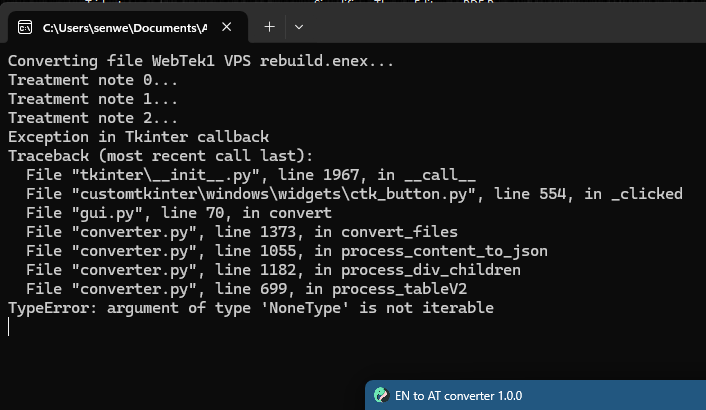
Getting error in command window when trying to convert .enex file; see screenshot

Tables in anytype are very limited, so many things can’t be converted.
But it shouldn’t crash, I’ll have a look.

Can you try with “–debug” (or check “create debug file” in GUI) and send me privately the debug file (after checking that no sensitive data is present)?

I create the ticket on Github.

(edit : ok I have a lead, maybe I don’t need the debug, I’ll publish a new version as soon as possible)

It’s possible with Github actions and and their macOS runners.

Please, try this version

Hi guys,

I’m trying to use Shampra’s tool (thank you), however, I’m a total noob when it comes to running this on MacOS. Could anyone kindly provide a dummies’ guide on how to convert on MacOS (Apple Silicon)?

Would be really grateful for anyones help and I’m sure there are many other Mac users here as well who will benefit. Thank you

Guide: How to Use Shampra’s Tool on Mac (Apple Silicon)

Hi! I’m also a total noob and recently faced the same challenge. But! With the help of GPT, I got everything working.
Here’s a step-by-step guide to get this tool running on Mac (Apple Silicon):

1. Install Python and Homebrew
using only the terminal
• Check if Python is installed:

python3 --version

If Python isn’t installed, install it using Homebrew:

/bin/bash -c "$(curl -fsSL https://raw.githubusercontent.com/Homebrew/install/HEAD/install.sh)"
brew install python

Install Homebrew if you don’t already have it:

/bin/bash -c "$(curl -fsSL https://raw.githubusercontent.com/Homebrew/install/HEAD/install.sh)"

2. Install Cairo
Cairo is necessary for the tool to work. Install it using Homebrew:

brew install cairo

3. Download and Extract the Tool
Download the Source code.zip archive from GitHub

Extract it to a folder, e.g., Downloads. You should end up with the run.py file inside a folder, like: ~/Downloads/EvernoteToAnytype-1.0.1/Enex_to_json.|

4. Install Dependencies
Navigate to the tool’s folder:

cd ~/Downloads/EvernoteToAnytype-1.0.1/Enex_to_json

Install all the dependencies listed in requirements.txt:

python3 -m pip install -r requirements.txt

5. Run the Tool
Launch the script:

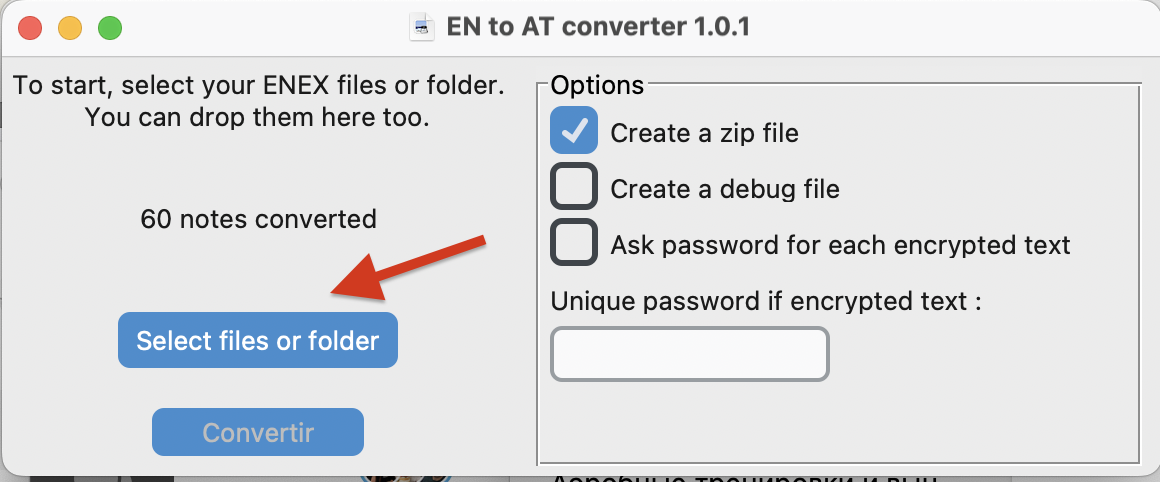
python3 run.py

And you will see

6. Process the Result
Once the conversion is successful, the tool will create .json files.
Unzip the folder and import it into anytype

I did this with the help of ChatGPT (and even this guide was written by it at my request).
It also helped me troubleshoot errors and provided step-by-step explanations. If anything goes wrong, just ask GPT! ))

Hope this helps, and good luck! :blush:

Great work @solomonikvik, thanks!

Do you authorize me to copy this on Github (putting you as the source)? Otherwise I’ll just link to the forum

Yes. of course. The only thing is, I’m not sure that it will work in all cases))
And a big, big thank you for the solution - I transferred 1.5 thousand notes from Evernote to AnyType.

I finally got this to work on Arch (btw) Linux thanks to this comment, and figured I’d share what I did, after som proompting:

  1. I got the following error after running python3 -m pip install -r requirements.txt:

    error: externally-managed-environment
    
    × This environment is externally managed
    ╰─> To install Python packages system-wide, try 'pacman -S
    	python-xyz', where xyz is the package you are trying to
    	install.
    
    	If you wish to install a non-Arch-packaged Python package,
    	create a virtual environment using 'python -m venv path/to/venv'.
    	If you wish to install a non-Arch packaged Python application,
    	it may be easiest to use 'pipx install xyz', which will manage a
    	virtual environment for you. Make sure you have python-pipx
    	installed via pacman.
    
    note: If you believe this is a mistake, please contact your Python installation or OS distribution provider. You can override this, at the risk of breaking your Python installation or OS, by passing --break-system-packages.
    hint: See PEP 668 for the detailed specification.
    

    I don’t know much about Python virtual environments, but this what I did instead:

    python -m venv .venv
    source .venv/bin/activate
    python -m pip install -r requirements.txt
    python Enex_to_json/run.py
    
  2. Next, I got an issue with a package called Tk missing:

    ❯ python Enex_to_json/run.py
    Traceback (most recent call last):
    File "~/code/EvernoteToAnytype/Enex_to_json/run.py", line 2, in <module>
    	import converter
    File "~/code/EvernoteToAnytype/Enex_to_json/converter.py", line 23, in <module>
    	import tkinter as tk
    File "/usr/lib/python3.13/tkinter/__init__.py", line 38, in <module>
    	import _tkinter # If this fails your Python may not be configured for Tk
    	^^^^^^^^^^^^^^^
    ImportError: libtk8.6.so: cannot open shared object file: No such file or directory
    

    The solution was to install it with my package manager:

    yay -S tk
    
  3. Then it complained about not finding the image.ico

    This one I’m not sure what the problem is, because the path that it complains about does exist.

    ❯ python Enex_to_json/run.py
    Traceback (most recent call last):
    File "~/code/EvernoteToAnytype/Enex_to_json/run.py", line 17, in <module>
    	main()
    	~~~~^^
    File "~/code/EvernoteToAnytype/Enex_to_json/run.py", line 14, in main
    	gui.main()  # Appel de la fonction pour ouvrir l'interface utilisateur
    	~~~~~~~~^^
    File "~/code/EvernoteToAnytype/Enex_to_json/gui.py", line 127, in main
    	root.wm_iconbitmap(icon)
    	~~~~~~~~~~~~~~~~~~^^^^^^
    File "~/code/EvernoteToAnytype/.venv/lib/python3.13/site-packages/customtkinter/windows/ctk_tk.py", line 228, in wm_iconbitmap
    	super().wm_iconbitmap(bitmap, default)
    	~~~~~~~~~~~~~~~~~~~~~^^^^^^^^^^^^^^^^^
    File "/usr/lib/python3.13/tkinter/__init__.py", line 2269, in wm_iconbitmap
    	return self.tk.call('wm', 'iconbitmap', self._w, bitmap)
    		~~~~~~~~~~~~^^^^^^^^^^^^^^^^^^^^^^^^^^^^^^^^^^^^^
    _tkinter.TclError: bitmap "~/code/EvernoteToAnytype/Enex_to_json/image.ico" not defined
    

    My solution was just to remove line 127 from Enex_to_json/gui.py.

And then it finally worked for me.

Yay! im looking for evernote (user since 2013) alternative, i import my enex backups to joplin but it breaks html and tables. im gonna try this Anytype and this import tool. i will give feedback after then. Thanks guys!