What’s The Bug?
Hi! I think this is a problem that has been discussed and solved before. I have checked, and this is now only happening with pop-ups from the sidebar.
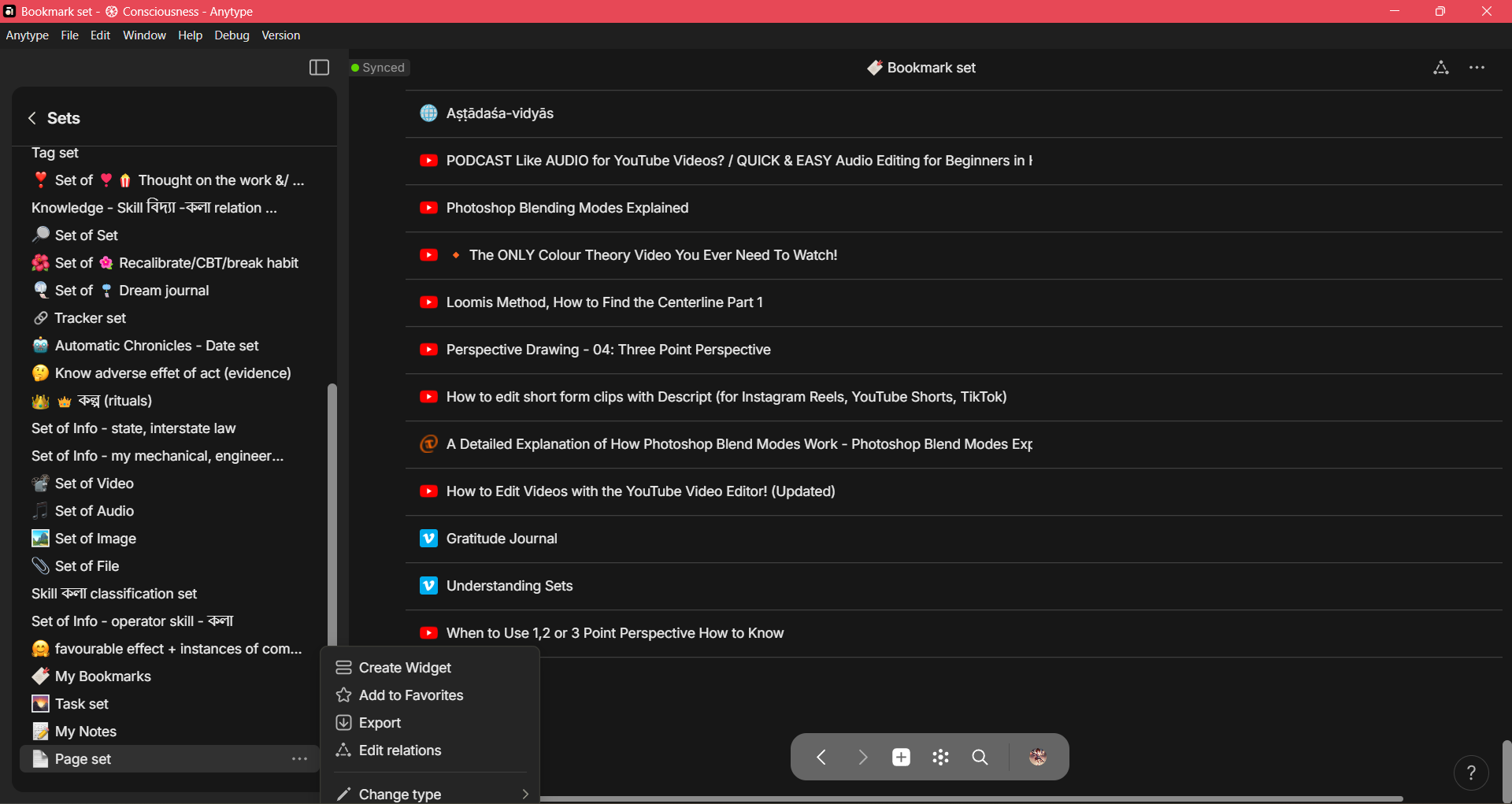
I have a few collections that I can access from the sidebar. And when I click the … beside a collection that is at the bottom of the sidebar, the pop-up appears and the last option “move to bin” is hidden by the loweer border of the app window.
I have a screenshot of the issue with the side bar pop-up.
How To Reproduce It
- go to the side bar
- Create a collection widget or set widget.
- Click the collection or set widget.
- This will bring up a list of all the collection/set in Anytype.
- make sure that whatever object is open beside the side bar in the main app window, is also scrolled down.. If the main window is scrolled up, this will not happen.
- Go to the collection or set at the bottom of the sidebar, the one that is near the app window border.
- Click the … beside it.
- observe the last option of the pop-up "Move to bin is hidden by the app window border.
Image or Video
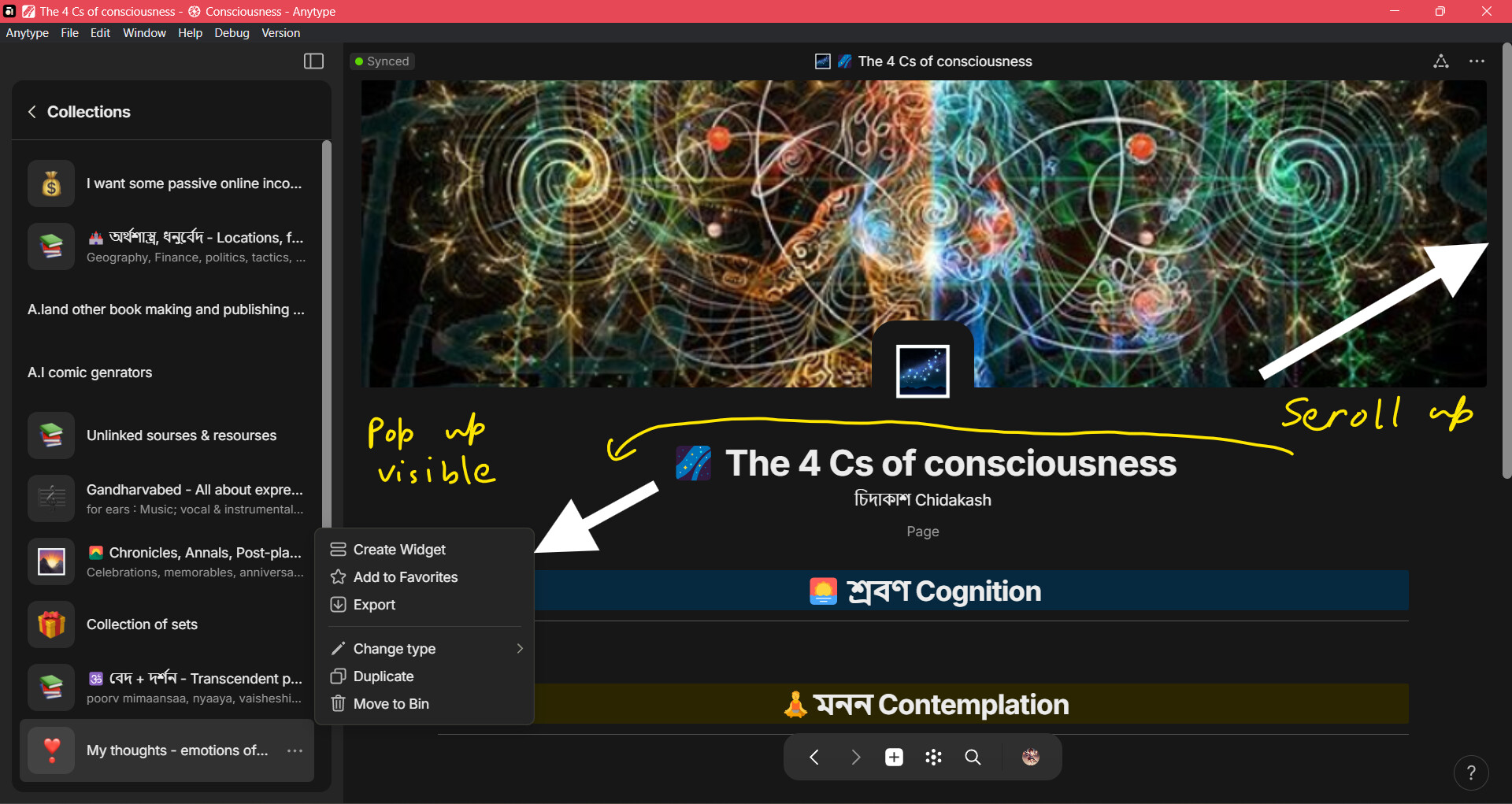
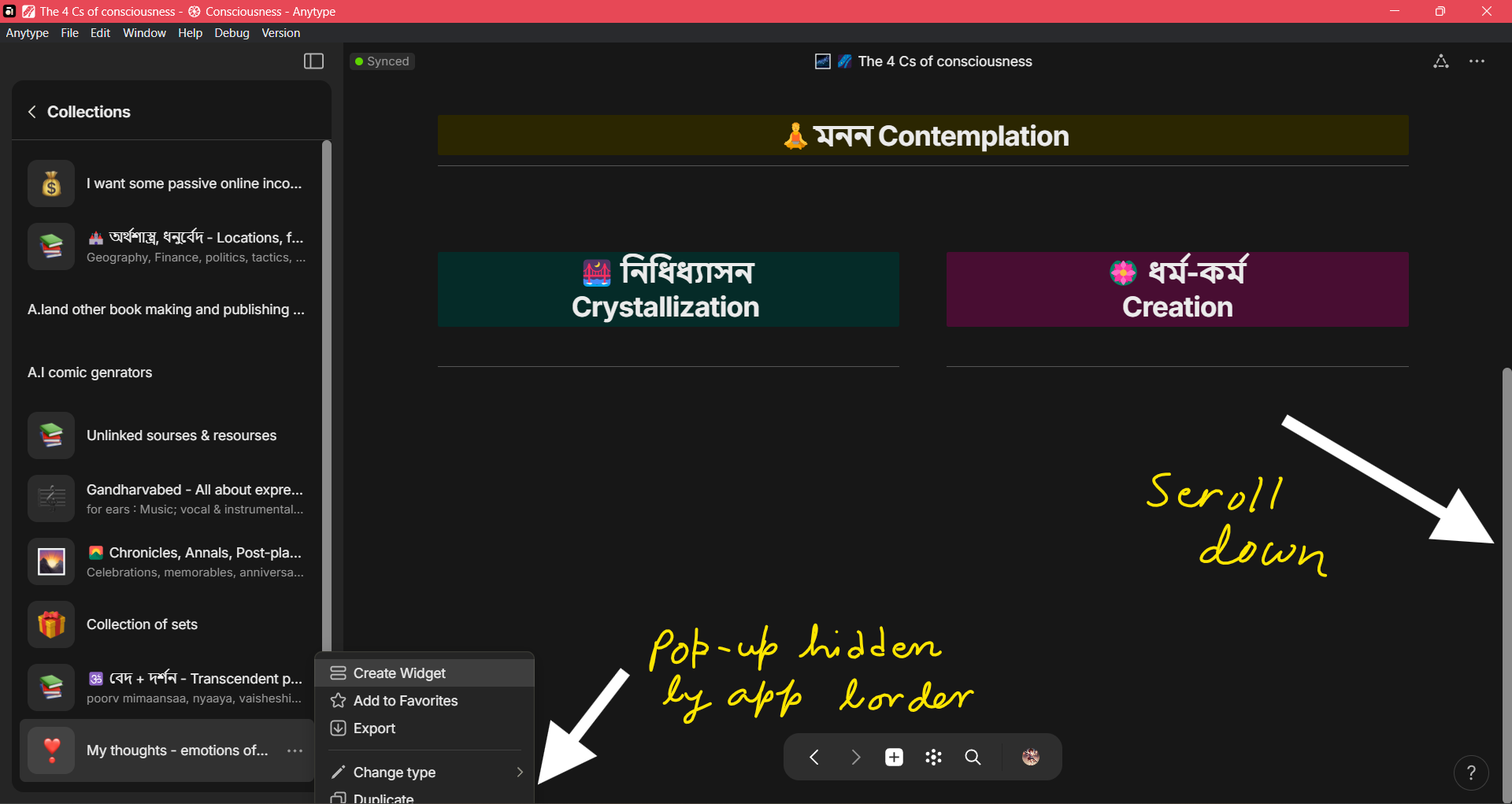
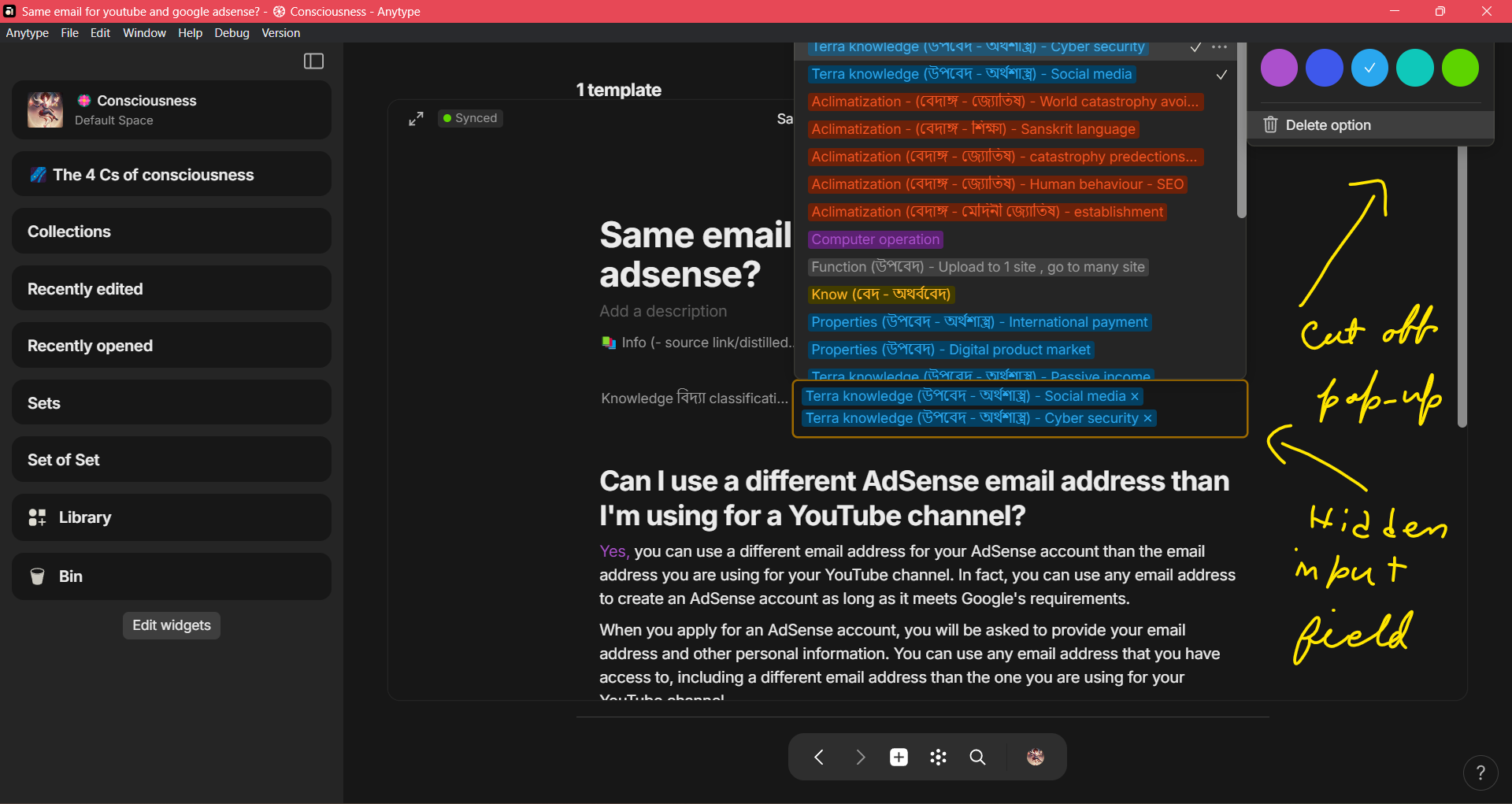
Here is another pic of 2 bugs in one. Both of them have bug reports.
The Expected Behavior
Usually, in other applications, if the pop-up is so close to the bottom or top margin of the app that there is a chance that part of the pop up will go out off the app window and become hidden by the app, then usually a scroll bar would appear on the pop-up. This scroll bar would allow us to scroll and get to the hidden options in the pop-up.
Additional Context
If we open the sidebar pop-up when the main app window is scrolled up, then the pop is fully visible. And if we scroll down with the main window without closing the pop-up, then the pop-up will also remain visible. This only happens if i am opening the pop-up from the sidebar widget that is near the bottom of the app window, while the main window is scrolled down.
This is very weird and specific bug. Please tell me if I can do anything else to make myself clearer.
Thanks and good-day.
Device
Dell laptop intel i5
OS
Windows 11
Anytype Version
0.41.1
Technical Information
OS version: win32 x64 10.0.22631
App version: 0.39.25-beta
Build number: build on 2024-04-16 18:48:47 +0000 UTC at #6727b6156ecd83edc63d3b95177ab5e46d291400 (dirty)
Library version: v0.33.0-rc16
Anytype Identity: A5iRfj7mYrhpmmQKwtV3NYrwhi567Ka99acuxQd86WRXDcRo
Analytics ID: A8hBzwfibRy7fY2tFnwGTCstRy3xqVWDoqc85CNbBYN38dVr
Device ID: 12D3KooWAJuK4dMUjHGxyJs5x5DySHPLFaPYLRbu9wgub8YdLGXs