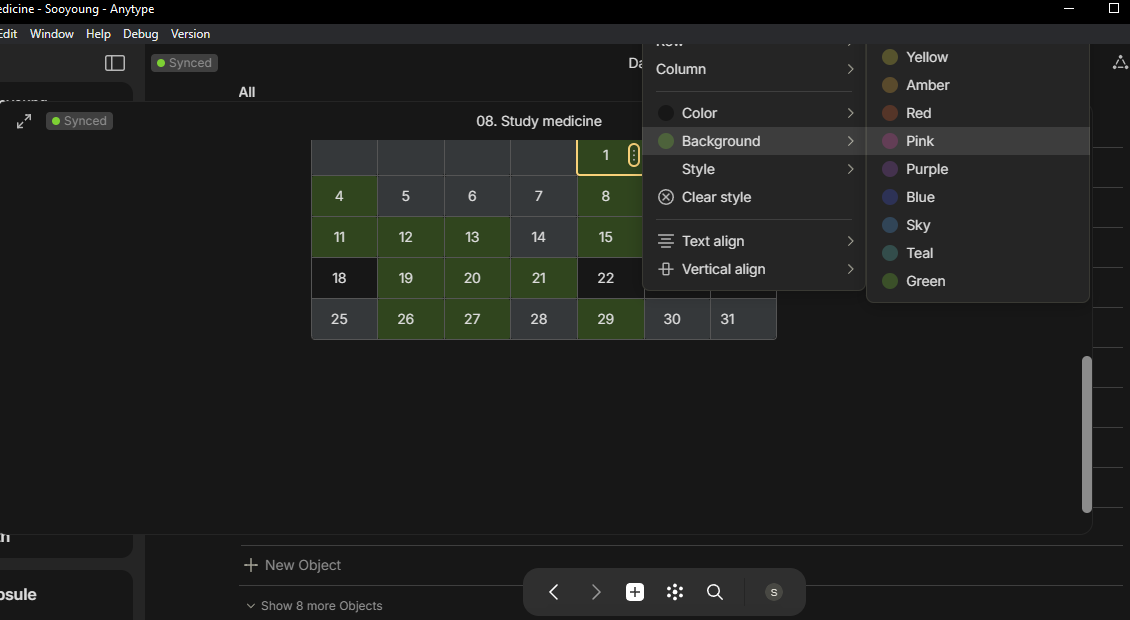
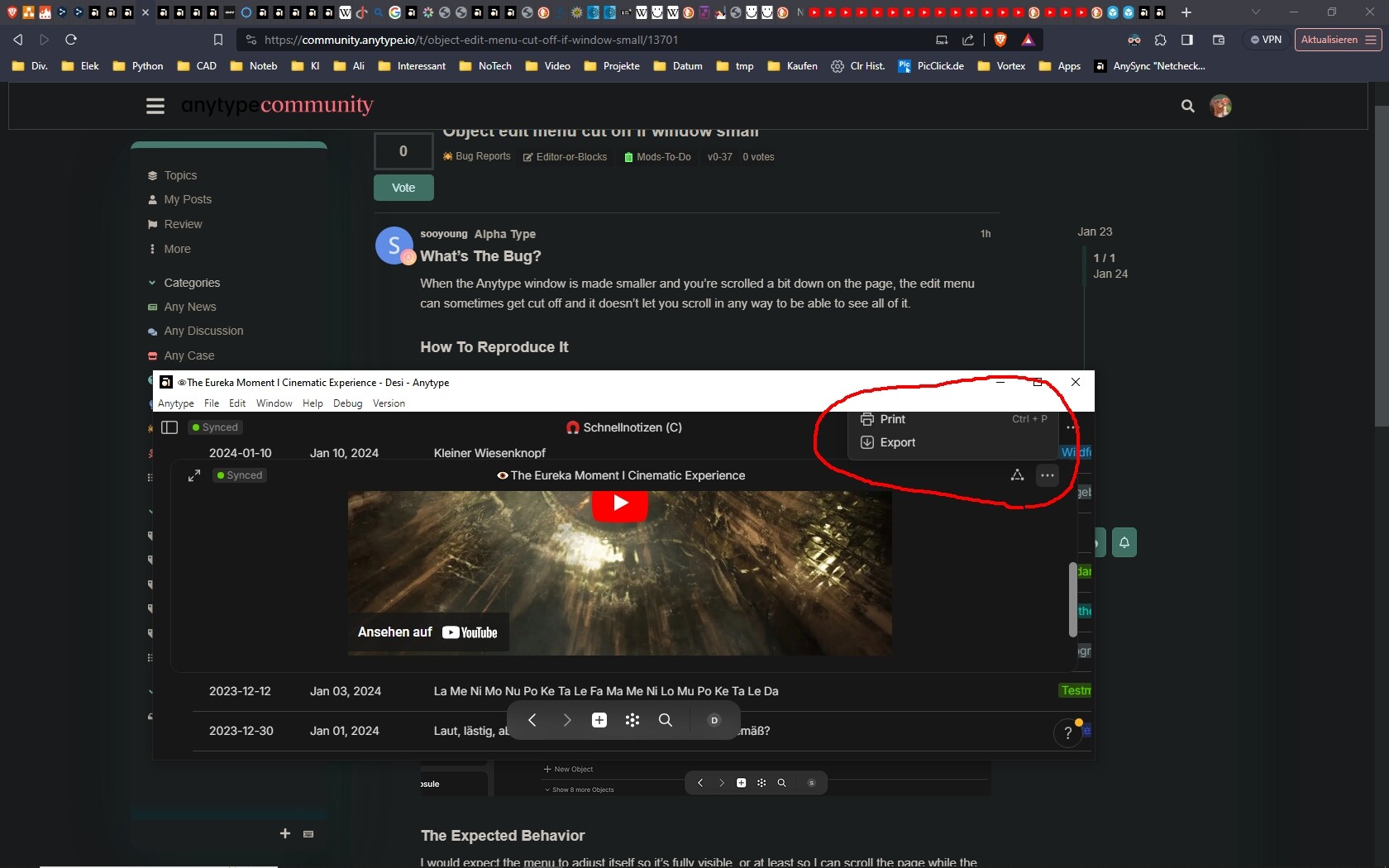
When the Anytype window is made smaller and you’re scrolled a bit down on the page, the edit menu can sometimes get cut off and it doesn’t let you scroll in any way to be able to see all of it.
How To Reproduce It
Make window smaller vertically
Scroll down on a page
Open up the object’s edit menu and see it’s cut off
I would expect the menu to adjust itself so it’s fully visible, or at least so I can scroll the page while the menu’s open to see the rest of it, but the page doesn’t scroll when the menu’s open so the only way is to click out of it and reposition the page to open it again.
Device
PC
OS
Windows 10
Anytype Version
Version: 0.37.3
Technical Information
OS version: win32 x64 10.0.19045
App version: 0.37.3
Build number: build on 2023-12-27 14:14:53 +0000 UTC from at #a6b9e08d3091e8a9c17b0b50e3d591612d609bd5(v0.30.4)
Library version: v0.30.4
Account ID: A9ELU8ShQgaA5Wc8chXXiyrbY9QLPxLRcKbmAeqxiMCXQrXZ
Analytics ID: e0ba7c46-1120-4b91-8621-f2a98b30ab65
Device ID: 12D3KooWR8vGyuRRwUFXZMKznVpoaJB8XPtCfuE2c7Fv4Ya32SsC
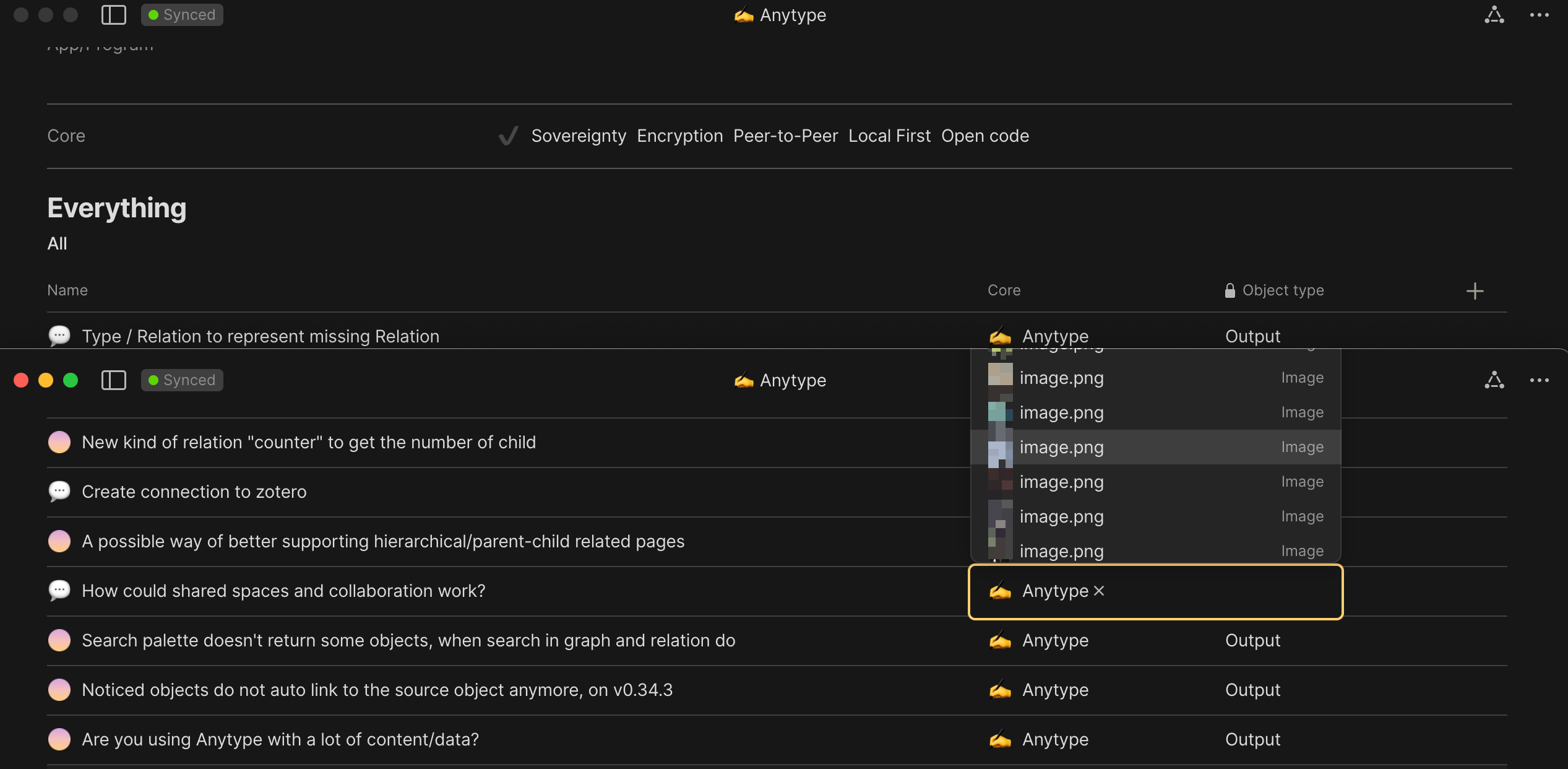
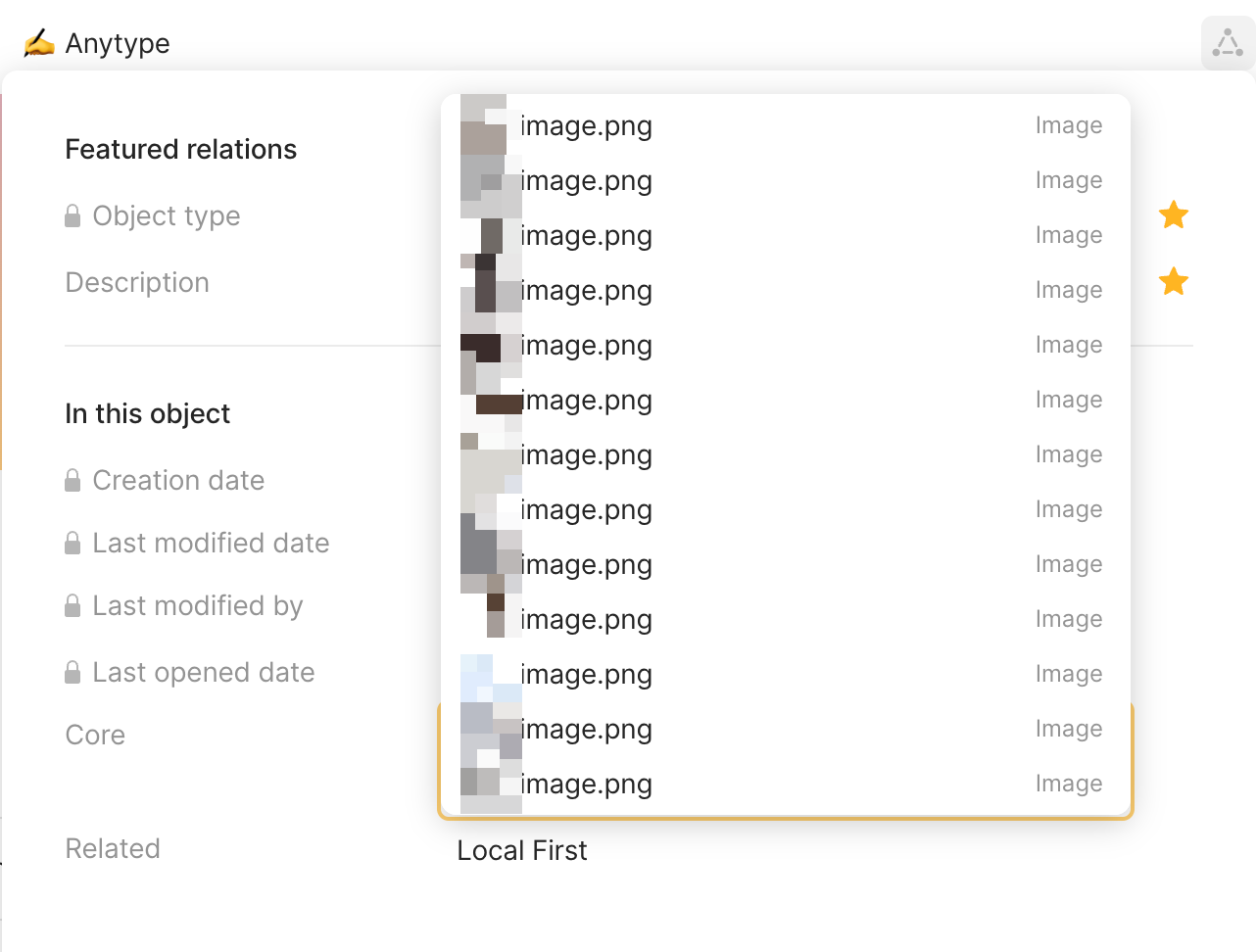
This blockage is not limited to relation pane, but also in block. (Not always though). Most often to me, when the input location is right around the middle of the display.
Also, when running Anytype as half size left/right window, cursoring to ‘move to object’, object selection blocks the view of the option pane which prevent cursoring to the below option of ‘turn into object’
WHAT DO YOU RECOMMEND
First option should always be visible
Adjust location of pop up selection box (Consider scrolling and the input location as well)
Allow adjustment to the number of object displayed to be selected, so it won’t block as much contents. Most of the time, 3-5 is enough for me.
HOW COULD IT BE DONE
Control size of relation selection box, like selection based language input
– a maximum number of display per page (side note: numbered options supports keyboard based select relation
Detect UI size and input location, then adjust selection box size (something like link pane activated by cmd+k)
REAL WORLD USE CASES
Every users who use relation with objects enabled; especially, when users need to reference some parts of block or input,.