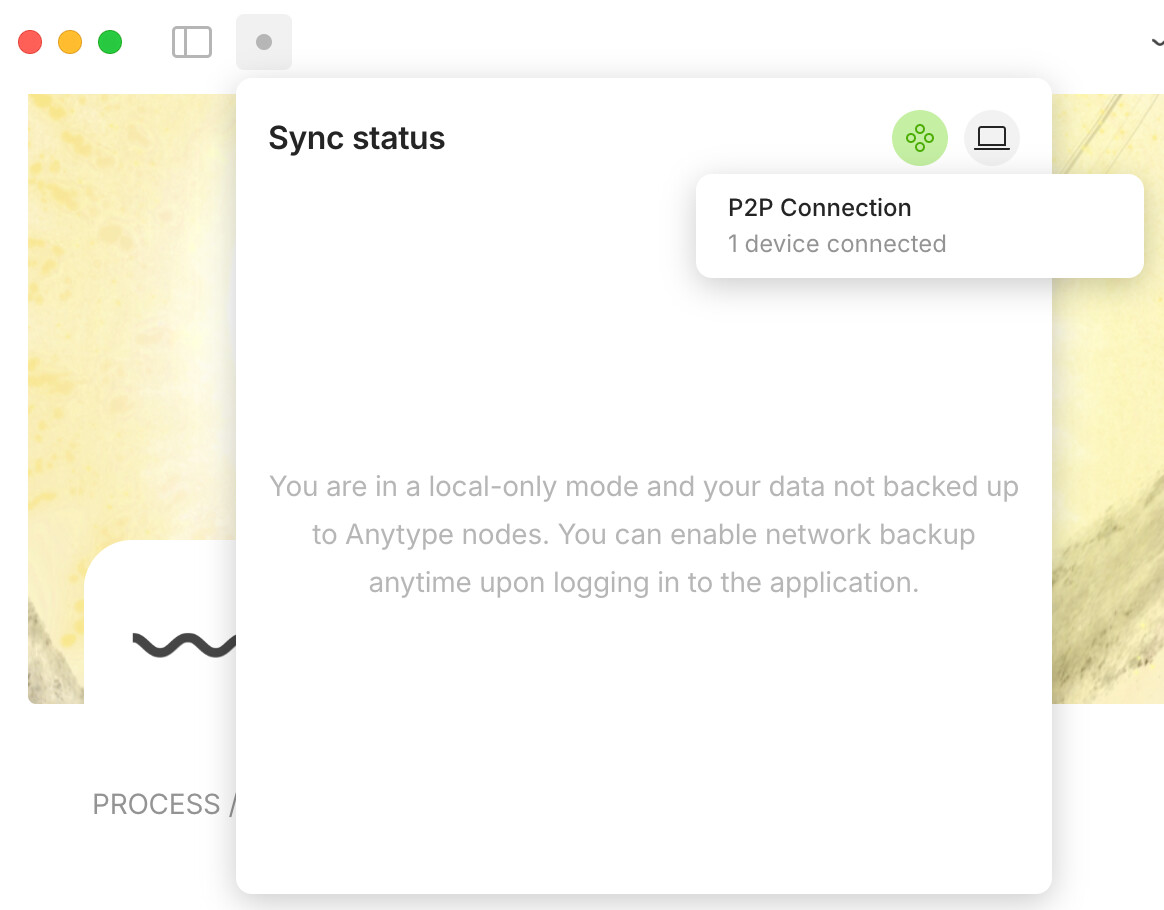
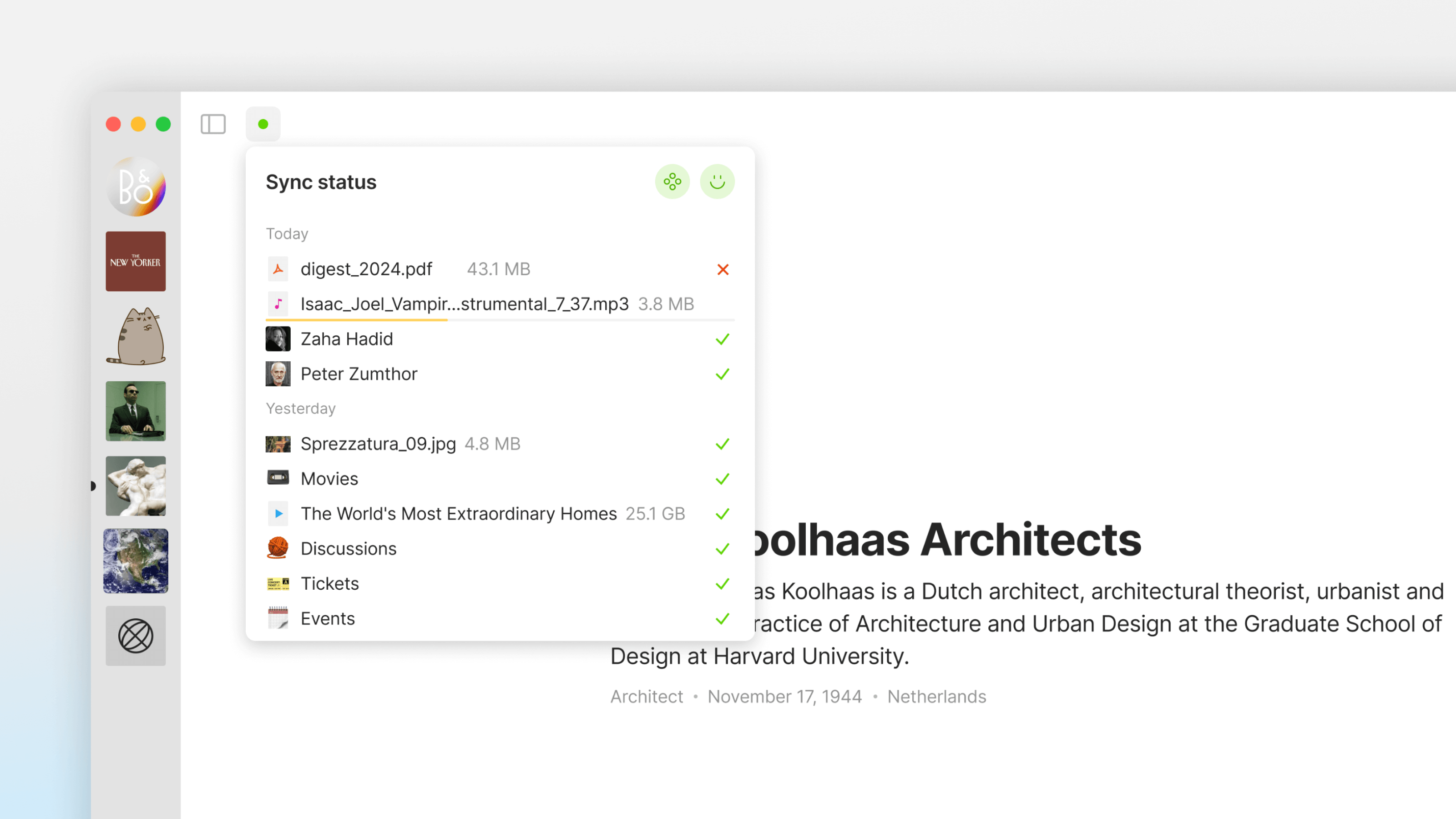
This release brings a redesigned sidebar, brand-new widgets, and the highly anticipated inline LaTeX feature, along with numerous quality-of-life improvements and bug fixes for an even smoother Anytype experience. Don’t miss our new sync status indicator—it’s like having a little tech guru keeping you informed! Enjoy exploring the updates
Highlights
Redesigned Sidebar
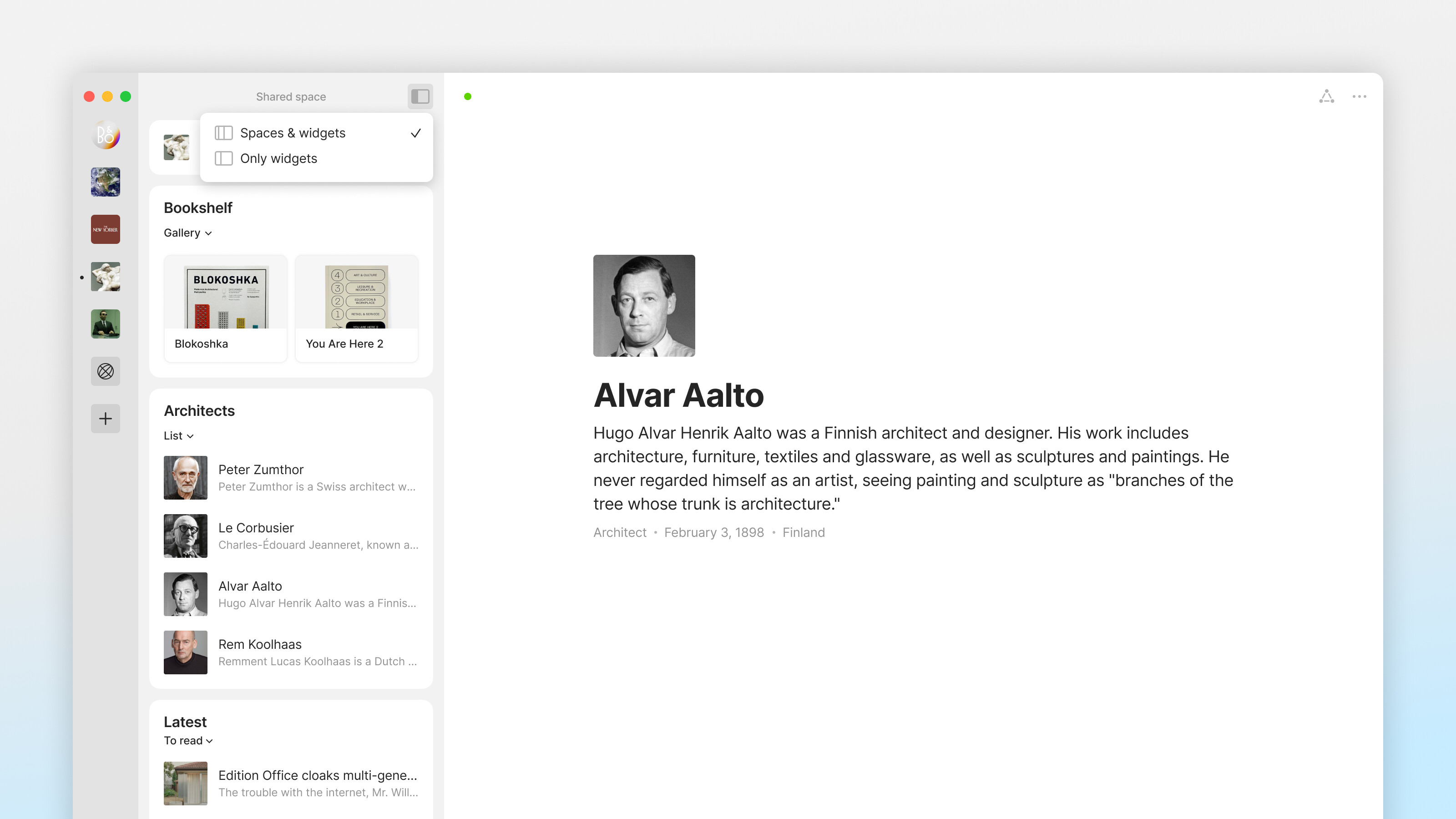
Our sleek new sidebar makes hopping between Spaces a breeze. Think of it as your personal GPS for easier navigation.
Simply click to hide the entire sidebar, or right-click the icon for additional display options.
New Widgets
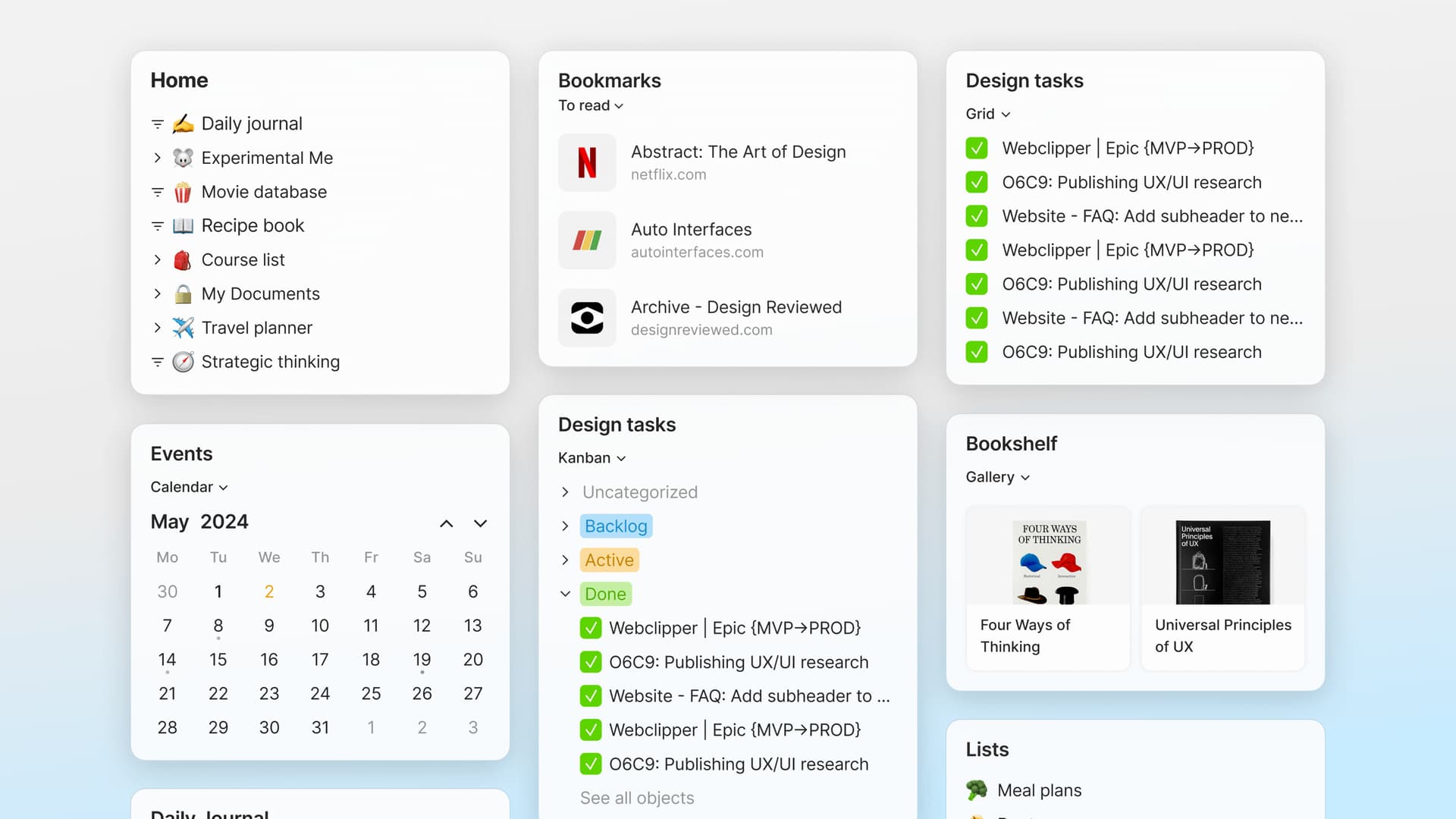
We’re bringing you Widgets that are more flexible than a yoga master. Now, you can display Widgets in three new layouts: Calendar, Kanban, and Gallery.
We’re absolutely geeked to finally deliver this long-awaited feature to the community! You can now easily add mathematical notation right into your text, making it possible to include complex equations and formulas. Thanks everyone who voted for it!
Quality of Life
Menu item was added to Object settings for faster “add to Collection” workflow.
Sharing Anytype with others got simpler—just grab the link from the help menu and share away (Desktop only).
Navigate Tables using only arrow keys to enter, jump cells, & exit to the next block. Thanks@Code-Jack
Added an option to copy the URL from bookmark blocks. Thanks@maxitg
Reduced mouse action needed after creating a new page in Collections. Thanks@Code-Jack!
‘Turn into Object’ adapts to default Templates now. Thanks@LSK
Added Option to disable preview on graph view. Thanks@iamWing
Typed text after a linked object no longer becomes part of the link and can be unlinked. Thanks@floseq
You can now use crypto (BTC, ETH, USDT, USDC, BNB, Dai, etc.) to pay for memberships.
Added a menu for selecting filter/sorting options after clicking “New Sort/Filter.”
Clicking the “Join” button on the Pricing page will now open the app to purchase the subscription if it’s installed, or take you to the download page if it’s not.
Search panel now reopens with previously entered text and selected objects in “Related to” mode.
Technical Update
Electron updated to 31.0.0
Bug Fixes
Mermaid diagrams now display correctly with dark mode backgrounds. Thanks@BoxOfWood
Top menu no longer shows up below the cover in sets when using modal window. Thanks@Elias
Fixed behavior when adding multiple tags in a relation block inside the canvas. Thanks @dzlg
Relations with number type can now have a value of 0. Thanks@gcsapo
Widget pop-ups at the bottom of the sidebar are no longer hidden by app border. Thanks@Tamalika
Deleted media files now appear as non-existent when embedded in an object.
First sentence of an Object no longer appears on title bar when app is locked. Thanks@anon51052162
Search pane now displays correctly on smaller screen sizes. Thanks@C.c.
Search in Relation options now shows results even if options were scrolled.
The carriage no longer disappears after entering the Relation Object type field. Thanks@dzlg
Checkbox sorting in Set has been restored. Thanks@effreyh
The Query of the set now updates correctly in the pop-up.
Just updated and noticed that the “0” gets hidden when you’re not actively inside the table’s cell, but it appears when you click into it/actively in that cell. This is specifically for sets; I didn’t test out collections.
Super excited for this release, especially for the infamous inline latex feature! and big thanks to the team for their effort! Also, the new widgets opened a whole new realm of possibilities which I’m very stoked about!
Is the new sync status supposed to be supported with local-only? Does this sync status represent syncing status to AnySync only? What about syncing to other devices?
Q: with the new sidebar, I noticed that it auto-collapses. Is there any way to get it to stay open, like in the previous release? Is there maybe a setting I missed?
With the sidebar, it’s making me feel more than ever that the difference between “entry space” and “private/public space” should be eliminated… not being able to delete the first space you make seems arbitrary, and it serves more to frustrate me than anything else.
I don’t really understand the concept of space for a one-user utilization : is it thought to separate personal / professional content ?
Also I was wondering how I can use a global library : for example if I’ve created a custom Relation/Object in one space and then I want to move it to a new one, how is it possible ?
Finally, and my question is a bit off topic, but what the Chart embed relates to please ?
While your mileage may vary, my take is that in the future, this may make sense. For example, one might want to have a space for cooking with recipes, home inventory of food, another for your hobby of photographing, another for your day-to-day tasks and so on. But as of now, it is a pain to manage. This is mainly due to nearly non-existent options of interconnecting spaces and linking between spaces, such as sharing objects, relations and more. All of this is being worked on however and will in one form or another come in future releases. My approach for now is to only use spaces for collaboration with colleagues/friends/family, and only use one space for your personal use. But to each to their own. Someone might prefer having objects, and data in general, scattered between spaces. It depends on how one’s brain work, too. I like everything in one space, filtering with sets between all of my data, some might prefer a different approach. I personally do not see myself using spaces even after all the features discussed above are implemented, except for collaboration. Spaces just do not fit my workflow.
I believe it is not possible as of now, but is planned in the future, as this is another one of the fundamental features making spaces viable for a single-user workflow.
As far as I understand, Spaces are built for future collaboration/sharing features :
Pro team
Hiking Club
Best restaurants
But for a personal usage I’m not sure it’s useful.
It’s really important to clarify this because the future of the app will indicate me if I need to put effort on building my PKM on it.
I can clearly see how it might be used as a way to “categorize” areas (recipes, finance, photography), but imho if its that it’s more adding a clustered structure to something which was really open.
I’m not sure of the advantage instead of simply building a Personal page and into it having sub-pages like “Photography” or “Recipes” that are linked.
Can we have more visibility about the vision of Spaces ?
I fully agree with you on everything you have said here. I personally do not see an advantage of using spaces for a single user workflow. Only for collaboration, and even then I would like to be able to, although joining a shared space, manage this shared space and objects within it from my main (and only) single-user space. Basically, I want to have everything in a single space, or at least have links to objects that are shared between others. For example, I can have a single set of tasks, and tasks from all the spaces I joined are visible in this single set in my user space. This would be the ideal for my workflow. Whether it will be possible one day, that remains to be seen. Other than that, I really do not have any use for spaces in my single-user workflow.
I think someone from the Anytype team said in their Town Halls or somewhere that it might be useful to look at spaces as your chat groups in instant messengers, only now with objects, not just a simple chat. This might be a good analogy for how to envision what spaces should be good at. But this gets hard to implement when one thinks about having a group chat with a friend 1 and want to share that one particular task they created for themselves in their single-user space. And later on want to share this task with another person and so on, possibly with all the objects linked from this task. How would one go about implementing these use cases? Not sure. Would be great to have it, though.
Similarly, if one creates a single-user hierarchy of objects pertaining to a specific topic and later on wants to share their objects with others to view (think of a structured blog post), it would make sense to create a new space for specifically this topic. Then the distinction between single-user and multi-user workflow starts to get blurry.
If the options for sharing between spaces are well made, I could envion myself having a personal space, a work space, a hobby space etc. with all of them being linked to my “dashboard” space with sets of tasks from all the spaces, links to related objects in other spaces and so on. This would make it super convenient to quickly jump between various areas of your life while keeping everything neatly separated. If you then have a side job, adding another space for this separate area of your life would be a breeze.
But I am not sure. All of this are just ideas and maybe not entirely suitable for this topic.






 and big thanks to the team for their effort! Also, the new widgets opened a whole new realm of possibilities which I’m very stoked about!