The “Library” widget is now called “All objects”, but Relations, which are Objects, are not included in the widget that’s supposed to list them all… And you’re talking about overwhelming confusion for new users?!
We now have to remember Objects in which we have used specific Relations, each time we need to Delete or Rename one of them… You must have hired a specialist in dark patterns rather than a UX designer to come up with such a massive downgrade that it manages to make lose hours of life to every Anytype users.
You just added 6 types tabs in a widgets but you think that “separate relation tab is overwhelming for new users and create a lot of clutter”… All you had to do was add one more. Especially when the absence of Relations management is going to become so disabling.
Am I the only one who think that this should have been done in one go? From now on, we’ll have to endure the absence of Relation management and hope that your “more convenient way of editing Relations” will be at least as effective as the old one. It clearly doesn’t inspire confidence.
Before this update, I had to make a single click to access my Types list, now I need 6. Words fail me.
I refrain from commenting on the design (and other) decisions, but what I did to restore the relation tab at least partially is the following:
Since Relations are Objects, one can create a Set of Object Types Relation. From there, one can filter relations, rename them, and even move them to bin, but that does not do anything really, at least until they are removed from the bin, and neither then does it do anything. Deleting is possible by navigating to one of the objects which use the relation (from the set with the appropriate filters, presumably), and deleting by right-clicking the relation in the relation’ tab popup window. Of course, a deleted relation remains as a block in all the objects they had the inline block with said relation only with empty field which cannot be modified (after saving, the changes are erased).
Interesting! From our research, we found that many newcomers are confused by how our current type system works. Additionally, new users often struggle to understand what relations are. We’ve decided to make things more straightforward: we’ll refer to some relations as “fields,” while keeping only those that connect objects to other objects as “relations.” These fields will reside within types, which will become strong. So, if you want to add a relation to an object, you’ll need to add it to a type. This change will reduce the current chaos while allowing better control through type settings. Want to change how objects of a certain type appear? No problem—just go to the type and make the change. This will deliver one of the most requested features: apply templates to existing objects.
A significant part of this project is the new field creation and management flow, which will be introduced in the next release. By default, new users will only see system types—Page, List, Media, Bookmark, Files, Types, and Tag—which will be sufficient to start using Anytype. The more advanced templating features for types will only be needed once users are familiar with the system.
On your concerns:
Let me summarize:
The “Library” widget is now called “All objects”, but Relations, which are Objects, are not included in the widget that’s supposed to list them all… And you’re talking about overwhelming confusion for new users?!
Hope what I’ve explained above explains these. Relations would not be objects anymore. We don’t want thousand of new people coming every day to learn something that will dissaper in the next release, so fe folks who learned this way would not complain as you do.
We now have to remember Objects in which we have used specific Relations, each time we need to Delete or Rename one of them… You must have hired a specialist in dark patterns rather than a UX designer to come up with such a massive downgrade that it manages to make lose hours of life to every Anytype users.
This will be solved in the next release. Hours of hours - I don’t think it’s true. If you could elaborate on your real-world use cases would be helpful.
You just added 6 types tabs in a widgets but you think that “separate relation tab is overwhelming for new users and create a lot of clutter”… All you had to do was add one more. Especially when the absence of Relations management is going to become so disabling.
This I explained above.
How often do you need go to library to find types? Would it solve your issue if - you would create your own widget with types and widget with relations? - to emulate current library?
I sense a bit of frustration, or even hostility, in some of the posts in this topic. Please understand that everyone is contributing with good intentions, whether it’s changes made to Anytype or feedback from users.
I understand the point @Morgan1989 made about missing a separate tab or place that shows all relations, and I see the design decisions, as @anton explained—they make a lot of sense!
However, I strongly feel there should be a dedicated place or list that shows all relations in your Anytype space, and I believe this would not confuse users further.
For example, in Obsidian, there are properties (the equivalent of relations), which you add in a template or per note. However, there is also an “All Properties” tab that lists all the properties in your vault (space). You can sort this list by name and frequency of use. You can click on any Propertie to see in which notes it is located.
The use case for this “All Properties” or “All Relations” tab is to provide an overview of what properties have already been created, so you can combine similar ones and clean up your space. It also allows you to quickly identify properties that have only been used once or twice, making it easier to clean them up.
While this feature will not have a daily use in any workflow (I think), it is an important feature to have in order to keep your space clean.
I for one am very glad that relations are having an overhaul and a new treatment as fields. Having two different concepts under the same term was the thing that made my learning curve the steepest in Anytype. Actually, while translating the docs into Spanish, I had a hard time with every passage mentioning relations and had to make an effort to separate direct relations between objects, i.e. links, which in some places I called “connections” (conexiones), from indirect relations via shared properties, which I kept calling “relations” (relaciones, though I call them “campos” , fields, when presenting Anytype to new users). This lead to other issues with the rest of the documentation and is the main reason I have not finished the Spanish translation yet.
As @Jeroen said, a place where we could manage those fields would be very useful and, at the same time, would ease the transition for users that feel more comfortable with the old workflow.
Thank you so much for this clarification. I am so happy to learn that there will be a distinction between “fields” and “relations”. As for others, it was the hardest thing to understand for me (especially coming from Notion).
Regarding Types, do you mean that adding/removing fields and/or relations to the Type will be reflected on all Objets of this type ? If so, that would be fantastic ! For beta users, do you have an Idea on how this would affect existing objects ?
Keep up the great work ! AnyType has become a central piece in my professional and personal life, and I am so grateful to see it evolve.
This sentence worries me a little… this FR is not just about adding relations to all objects of the same type.
I hope it’s just a step and that the subject isn’t suddenly closed “solved” when it’s not.
Can you explains a bit?
I totally agree that “free relation all over Anytype” generate chaos.
But
I’ve been waiting a long time for tags as objet (to get a tag widget),I hope it won’t be called into question?
having a field that applies to different types of object is sometimes useful too.
A tag or a date for both files and pages, pe example.
A bit off-topic, but it’s a shame to impose the “All objects” widget. Not as efficient as the search and if I want an “all objects” list… well, I’ve already got it and I can place it wherever I want at least.
The display, on the other hand, is nice, but it’s a shame you can’t drag objects from it (an image to the page you’re editing, for example).
I agree with what @Jeroen said here. I know some of us are very passionate with how Anytype gets built, and we want it to be it’s best form. We also have to keep in mind that the developers’ best interest is always aligned with the users, since they are building the app mainly for the users. Thanks to the Anytype team for doing what you can in taking out feedbacks. Ultimately I trust the Anyteam to know what they are doing since they have a long term vision for the app (which consist largely of user satisfaction in mind) and they have more data points that we the users do not have, including the feedback from us. Keep up the great work.
I’m excited to see this coming. Particularly want to see what you mean by “These fields will reside within types, which will become strong”, as I do not understand it fully right now.
While we’re here, I just want to take this opportunity to voice that I would appreciate if Anyteam use the term “Properties” instead of “Fields”, especially if the use case of Fields is exactly the same as what Properties are in Notion. There are enough alternate terms Anytype came up with for things that already exist in other bigger platforms that people are familiar with, and naming something differently solely for the sake of being different irks me (and a lot of others too, ehem, the Subreddit). Please take this into consideration. This is my stance from only reading the little about Fields that’s mentioned in @anton’s comment.
Nope, in my opinion is “Fields” the exact best word.
Whatever Notion does is one thing, but every database, on every operating system I know, uses the word “Field”.
It was so in the late 90er years on ATARI. It was so around the year 2000 on the famous Psion organizers. It was so on different Windows programs.
A “Property” may sometimes be the same thing, but often not.
If a mansion brick has a length, a width and a height, then you may call it “properties”.
But you write these properties into the correlating data fields.
A Field can store - for example - properties (or other data).
But the thing in which you write, is a Field - not a property.
Till today we have never had a real “Relation”.
What we have are Fields.
If we finally get real Relations, it makes sense for me to distinguish between normal Fields (that store simple properties) and such Field that store real Relations.
I dislike some of the terms Anytype uses. But “Field” is a term were I have nothing to complain.
It’s a well established term. Strange is that Notion uses a different one.
.
What I very dislike is the new term “List”.
The combination from Collection and Set should be called “Collectbox”.
– This term is unique (important for example if we use the search in the forum).
– And it is not even one single character longer then “Collection”.
– And is describes precisely what the thing does.
Whereas “List” provokes misunderstandings in many cases.
A “List” can show a “list” of items … or a Gallery or a Canban … :-/
It will often need some longer explanations what someone means to avoid misunderstandings.
I foresee also a lot trouble for the guys that translate everything in other languages.
There would be no problem with a unique term like “Collectbox”.
That’s a name, no need to translate it.
Whereas “List” makes trouble. How to translate such a non unique term without causing confusion?
After reading your explanation and doing some research into this myself, I can see where you’re coming from.
Adding this 10 days later:
@Code-Jack I was watching this YouTube video diving into object oriented programing, which I’m guessing is where the main idea of object oriented approach to note taking came about. It is what @lester1027 used to help someone else understand relations in Anytype, and I think it’s quite a good video.
There are some terms touched on in the video that are familiar because it’s the same terms that are being used in Anytype, e.g. Class.
And then there are “Attributes”, which are what we are referring to here. Sometimes referred to as “Fields” (aligns with your point), but most programmers know them as “Properties” (and using the term Properties aligns with my point).
So it’s the same, can be called both “Field” and “Property”. “Fields” is what it’s sometimes referred to, and “Properties” is what most programmers would call it (his words, not mine). I’ll go one step further to say say: though most programmers call it Property, non programmers (not computer/software/data junkies, just normal layperson) would also know this more commonly as “Property”.
I’m not going to hide that I personally, as a layperson myself, like the term “Property” more than “Field” (and I think it shows from my comment lol); but if Anyteam have already decided on “Field”, sure, they’re the ones building this software and it’s not too big of a deal. However, I still think “Property” is going to appeal to the masses more, and considering majority of the everyday notetakers that Anytype would cater to are going to be non-programmers; calling it “Properties” is going to benefit Anytype. Also keeping in mind that this is something that stays for the remaining of Anytype’s life moving forward, I think going with the safer, more recognized term, is better.
And yet the graveyard of discontinued apps is full of examples of misalignment with users’ interests…
There are tons of changes that have demonstrated the inconsistency of their decisions since the beginning of development that I have trouble understanding how you can assume such a statement.
I can understand that they have a long term wish, but question the long term “vision”.
This major change to the Relations (which I can’t imagine going trouble-free, given what some users have already done with it.) is a further admission of adaptation, not vision.
Adaptation is very well, but it goes against a clear vision of UX.
I’m waiting to see what all this reworking will bring, but instinctively, I have the impression that we’ll have fewer possibilities. Wait and see.
I understand things sometimes do not go our (personal) way. A good example is: am I going to get “Properties” instead of “Fields” as mentioned above? Maybe, maybe not. But other than sharing my feedback - I’m willing to try to see the others’ perspective to understand it, continue supporting the app I want, and see where it leads to.
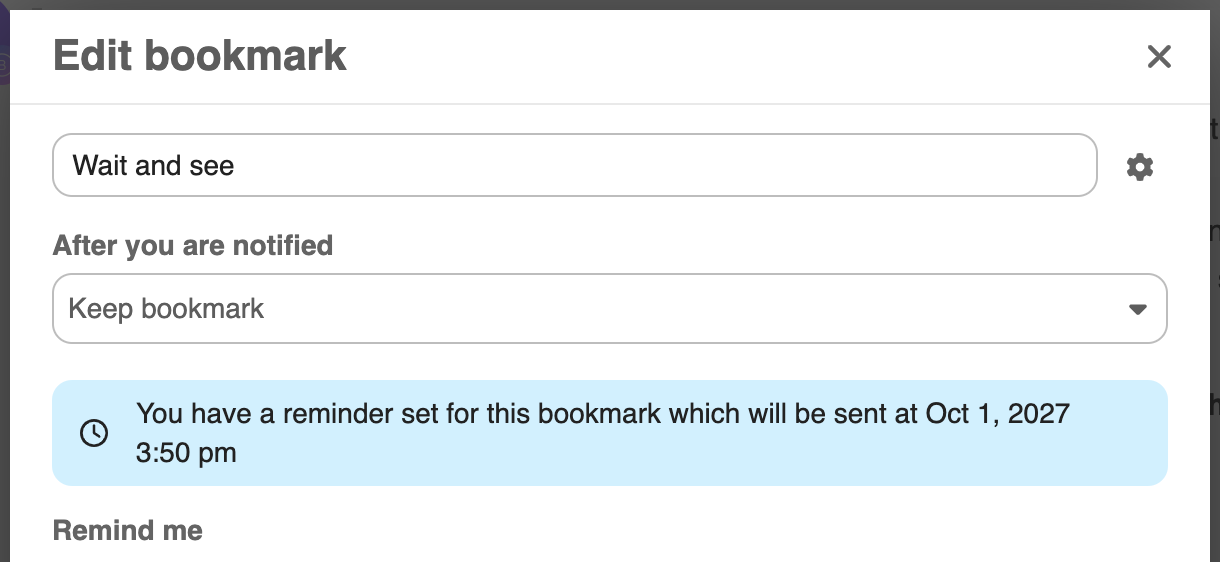
It’s nice that you ended on this. We can definitely come back to this comment in a few years time (yes I’m betting that Anytype will last waaay longer than just a few years). I’ve made a bookmark and reminder for this comment so we can really wait and see.
For now, let’s continue to give constructive feedback in a cordial manner while remembering that the app is still in beta and changes are going to happen.
You may have misinterpreted my words, I don’t see Anytype necessarily failing, but although I remain hopeful of a positive evolution, serious worries are beginning to emerge on my side
Thank you for this detailed explanation. This is a very exciting project and I believe a change that will make Anytype far more accessible to newcomers.
With this change, it seems that you are, all at once, addressing:
The first part of Apply Template to an Existing Object about streamlining relations (the second part, which is about applying a template to an existing object’s canvas / content, is far more complex and a much lower priority in my opinion)
Very excited to see what it looks like in practice!
Each time I create a new type, because the Templates are not necessarily done in one go. There is back and forth trial and error, you can even adjust your type relation weeks after it was created. They can always evolve, and this the way to access them. I won’t use the newly created Template Object Relation - even if it will be very usefull for other case - because I need to visualise the Type and it’s Templates to manage them, not just manage a list of Templates outside this bounds.
Each time I need to rename a type.
Each time I create a new Space because there is a lot of Types Settings to do.
I may be wrong about this one, but to my knowledge and tests, it’s impossible to do it without a lot of manual work, and even then, it would not update itself for each Relation created afterward.
Did you bring this workaround as a temporary solution before the whole Relation revamp, or as a new exclusive way to accessing Relations? Because I don’t think cluterring the sidebar with new widget as a workaround would be wise in the long run.
I think it makes a lot of sense; we’ll show it in the tab next to types. Even though it might be a bit overwhelming for new users, we’ll be able to clean up the list of pre-installed relations only in the next release after this. However, I think that’s okay, and we’ll address it then.