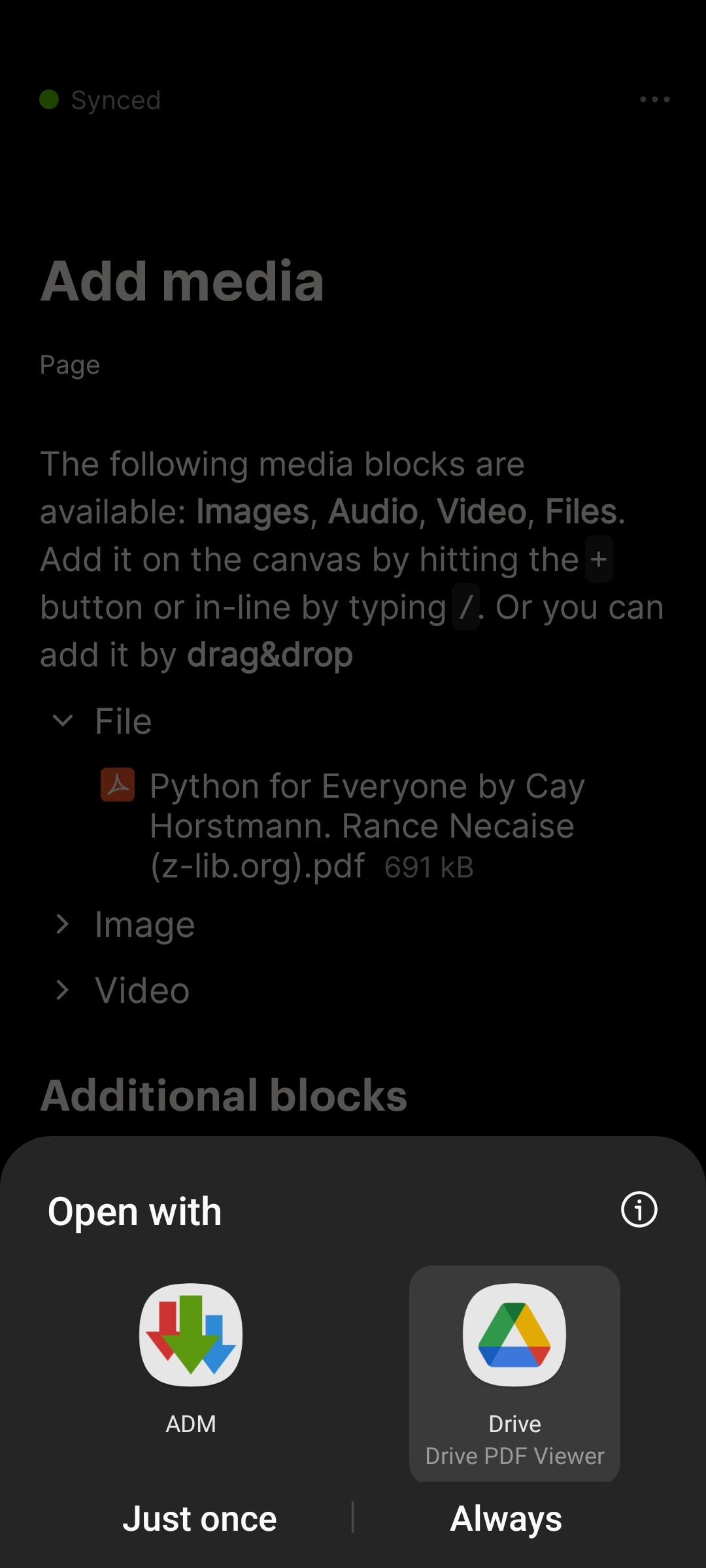
Describe the bug
When trying to open an epub file on Android I get a message that there are no apps to open the file with although there are a few that can.
To Reproduce
Steps to reproduce the behavior:
Upload a file.
Open the file object.
Click on it to open it.
Error. The file doesn’t open.
Expected behavior
I expected the file to be opened in one of the apps that can open epub files.
This has been quite an recurring issue with the Android version.
The fundamental issue seems to be that many applications that register for being able to open a file with intent-filter in manifest cannot accept an android:scheme value of “http”, which is what Anytype sends the intent as, along with a local HTTP URL. For example, the EPUB reader (Librera Reader) only registers to handle scheme values of “content” and “file”, not “http”, explaining why it’s unable to open it from Anytype.
It looks like one solution to this would be for the Android app to download the file, make it available via a file provider and URI, then share that with the intent.
@AndroidTeam Would the proposed solution be feasible?
Is it possible somehow to download the file from the file object itself? There’s no download option anywhere there. Unless you link the file somewhere else, you can’t seem to download it.
For anyone with this problem, Moon+ Reader seems to download the files correctly. I’d still leave the thread open in case the team want’s to try and implement @edwards idea for better compatibility with other readers.
Describe the bug
Not all PDF viewer apps are available to choose from when opening a PDF. (I use XODO pdf viewer to view and edit PDF files but when i open pdf from Anytype it’s not available to choose it to open the file)
For pdf files this is not yet working: no default app set for pdf files. I have Google Drive and MS Office, but pdf files are always opening in Google Drive.
Pdf seem to be messed up a bit for me too. Adobe can’t seem to open them, but I’m sure it was able to open them before.
Audio seems to work now, epbu worked fine with MoonReader before and .azw3 files seem to first be downloaded using the browser.
.docx and .odt still show the no application found.
Video doesn’t work at all. The inline one.
I also have the new “Open with” menu with Anytype Android 0.11.0, and it fixes the issue with most of the PDF-compatible apps on the phone. Not having to download PDFs makes my Downloads folder much less cluttered and makes the app just that much more better to use; thank you for the improvement!
I’m able to confirm it’s opening with:
Samsung PDF viewer
Xodo PDF
Librera Fdroid
However, GrapheneOS PDF reader (on the Play Store) complains that “cannot open file of an invalid MIME type”. Looking at the intent that is sent with an intent interceptor app, it looks like the MIME type is left blank, and resending it with MIME of application/pdf makes it work with the GrapheneOS PDF reader.
I suspect @Filip’s problem is also related to the blank MIME type - those applications might not have registered to open blank ones.