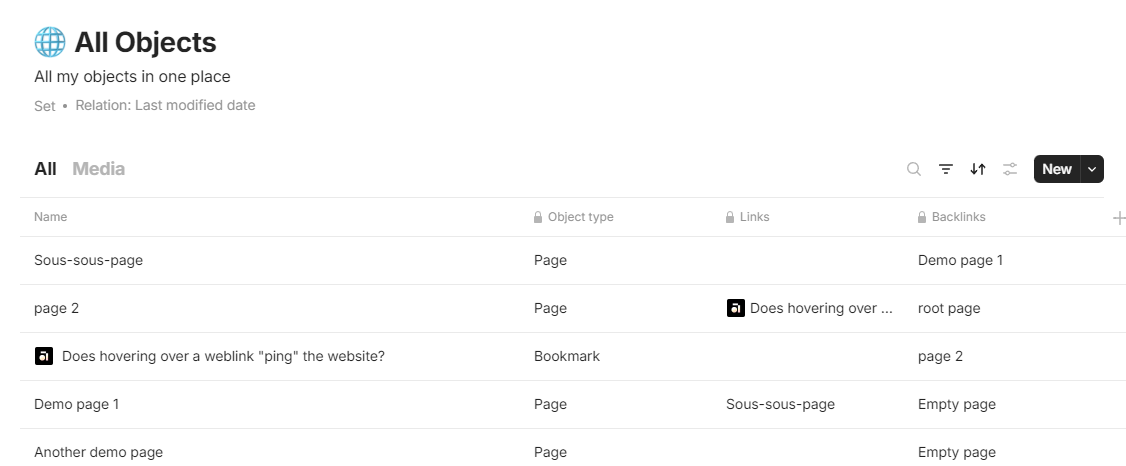
Image object backlink is empty, not showing a link on a page its located on

What’s The Bug?

Backlink property of Images is empty after import from Notion

How To Reproduce It

  1. Import from Notion
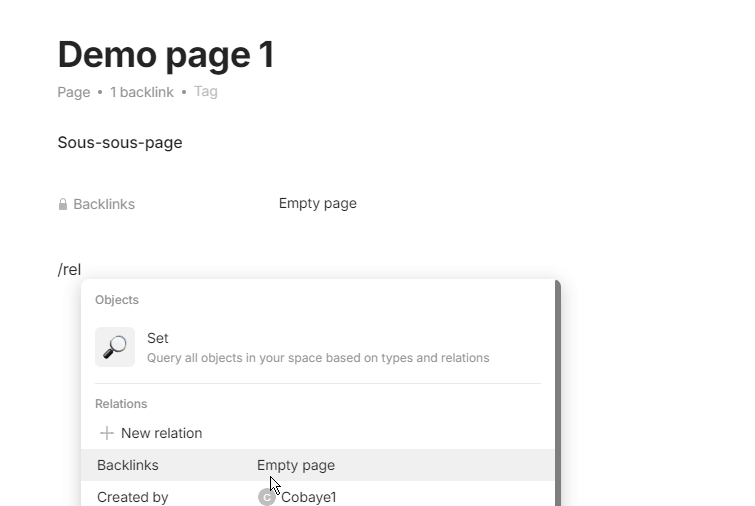
  2. in all Objects set add a relation backlink
  3. Look for properties of the image

The Expected Behavior

It sounds reasonable to me to expect backlink property of images to point to a page where its used.

Device

Macbook Pro 2021

OS

macOS 13.6.6

Anytype Version

0.40.8

Technical Information

OS version: darwin x64 13.6.6
App version: 0.40.8
Build number: build on 2024-04-25 13:28:54 +0000 UTC at #4ec64b016e2be3a5229dc865452c066f653e209c
Library version: v0.33.2
Anytype Identity: A7Hq1sNq6piXqeW1aFqaaHEf6dJ1T7fbWR5y1VehCgCL5oUi
Analytics ID: 53947e4f-3dbf-4b6c-8ece-53750f224472
Device ID: 12D3KooWHmY6CoC6qRsAZa3zkP9cjEHCZ2n67ectDQ1LyARaCeMP

This report has been added to our issue tracker and received by the Development Team.

it turns out my situation is full match to this one. Deleting orphan files & objects

I think it would be really nice:

  1. fill backlinks to image object so we can find orphan ones
  2. add a shortcut maybe to delete image block on a page as well as object itself, like shift + delete.

The other alternative make image not as an object and be embedded into page, like text. Like that image would be always part of another object and never left alone.

Either way, I am just a newbie here and trying to find my way around!

Thanks!
Constantine

For what it’s worth, reproducing this problem does not require importing from Notion. Creating images using /picture will result in the image object not having a backlink to the page that contains the image. This makes it very difficult or impossible to find and remove orphaned images.

agreed.

I prefer to think about this situation as a bug in the design that allows such situation to occur in a first place and on top backlinks feature would be a good way for us to mitigate, but it’s not working either.

What’s The Bug?

Wwhen you create a link to an image on a object, “Links” and “Backlinks” relation of the image remain empty.

It’s a problem because :

How To Reproduce It

Open a page.
Drop an image.
Or /image and link to an image already in Anytype.

The Expected Behavior

An image into a object must be link to this object.

Device

PC

OS

Windows 10

Anytype Version

v0.42.0

Network Mode

AnySync

Technical Information

NA

Unfortunately, Backlink is not really a relation, if so it would be available in the library or within sets… :expressionless:

EDIT : I am wrong

It’s a default hidden relation :wink:

If I cannot do anything with it, no Set, no filtering, no sorting, it’s not a relation to me. It’s an hidden attribute.

The same goes for many others, and that’s sad and very limited. Why limiting the whole power of Anytype. Creating many powerfull core function, but not allowing us to use them. I don’t get it.

But you can filter set or collection with it.
And you can sort but it seems buggy too…

And you can set it as featured relation. Or display it in a page.

You right, my bad. I was wrong all along :sweat_smile:

You can find the FR for this here: