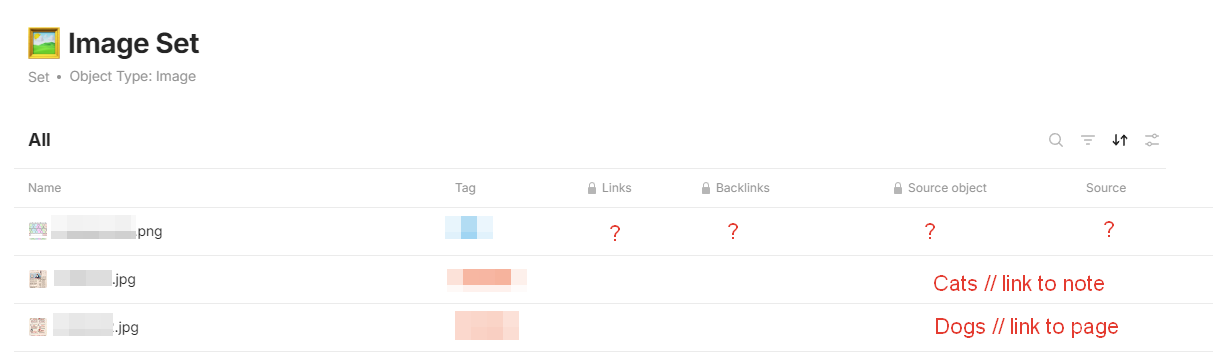
I think images in database should have links to source object, where they were inserted.
E.g. I have note Cats and page Dogs. I’ve attached one picture inside Cats and two inside Dogs.
In image set grid I want to see links to Cats and Dogs.
When you add a file to a page in Anytype, it becomes part of the system. If you delete the file from the page, it still exists and occupies space in Anytype. It would be useful to identify which files are unlinked (i.e., those that are likely no longer in use) so you can delete them and free up space.
HOW COULD IT BE DONE?
Include a toggle in the graph for this categories of types: files, images, audio and video. When this are active in combination with Unlinked Object, we will be able to see which of them arent linked to anything so we can evaluate if we should eliminate them.
yes, sorry for not being clear.
When I clip a page with the web clipper also the images get saved in anytype and those don’t seem to have a relation to the bookmark with the clipped content.
Yeah, no need for a separate FR for that. It’s all connected, and I also added a note for this specific case just in case it doesn’t get fixed by this FR.
I’ve been cleaning up images recently and this is a pain point that often comes up.
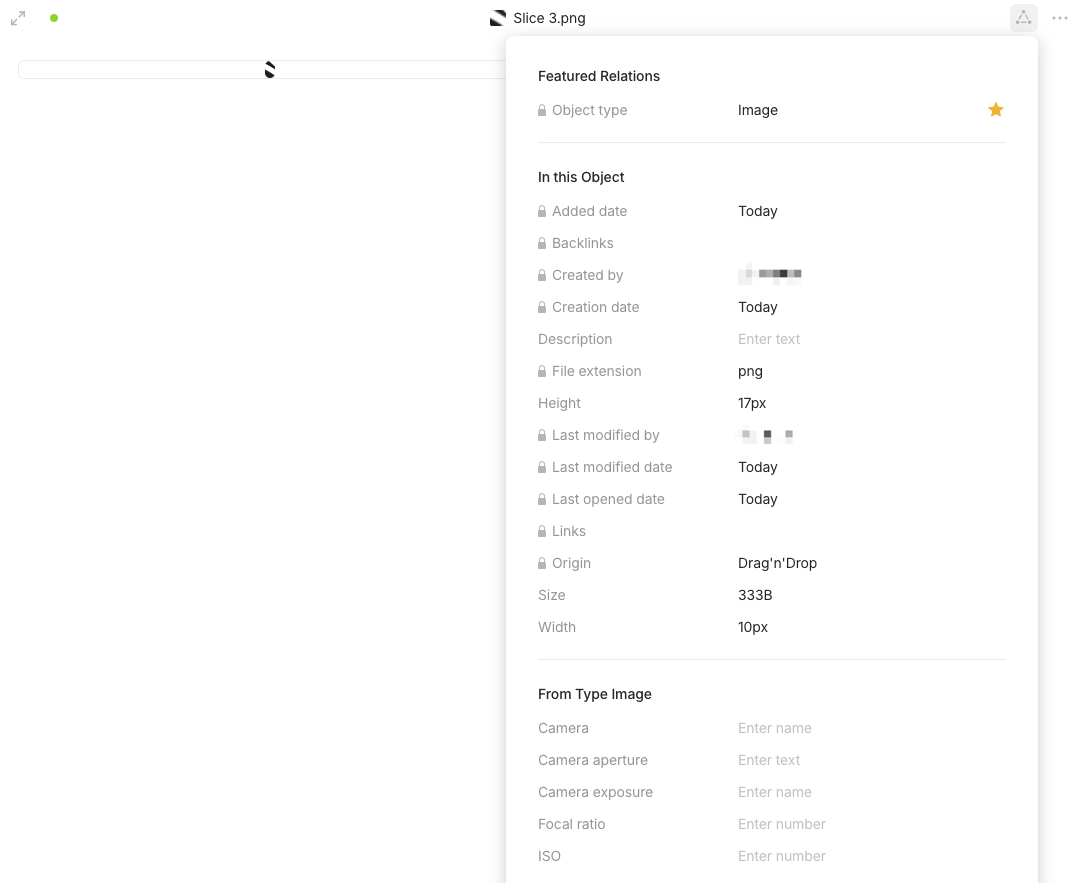
Example 1: I’ve uploaded images in the past when my usage on Anytype was more on testing. Occasionally I will encounter one of these images, but because there are no backlinks in the relations panel, I cannot be 100% sure that it’s an orphaned image.
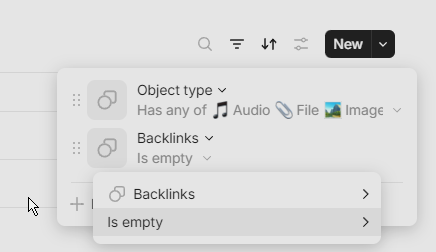
@Shampra mentioned a filter above that I had no idea existed, but it will only be useful if linked images actually have backlinks.
Example 2: When uploading icons, it’s not unusual to try out multiple icons until you decide what’s best for the object. The problem is every replaced/unused icon isn’t deleted automatically, and deleting it will require me to go outside the object I’m working on, breaking my workflow. By the time I’m able to view my everything Set, I’ve collected a number of icons with no indication which ones are in use.
Currently images don’t seem to have a backlink relation and I’m not able to see via the file itself where it is used.
After gathering a lot of images because of the webclipper I wanted to do a little clean up session but I have no clue where a file or an image is still used (if at all).
HOW COULD IT BE DONE?
add a backlink relation to images / video / audio so we are able to see where it is used or embedded
let the user then be able to filter for files that are not embedded anywhere (no backlink relation)
REAL WORLD USE CASES
My Anytype seems to get filled more and more with unneeded files (also because of the webclipper, with all the little svg’s and images). I have no chance to clean my vault properly to gain back a bit of the precious space.
Because our appreciated team seems at the moment to be mostly interested in multiplayer/collaboration features, I allow myself to point out that this long and painful missed feature is really highly relevant for study and teamwork!
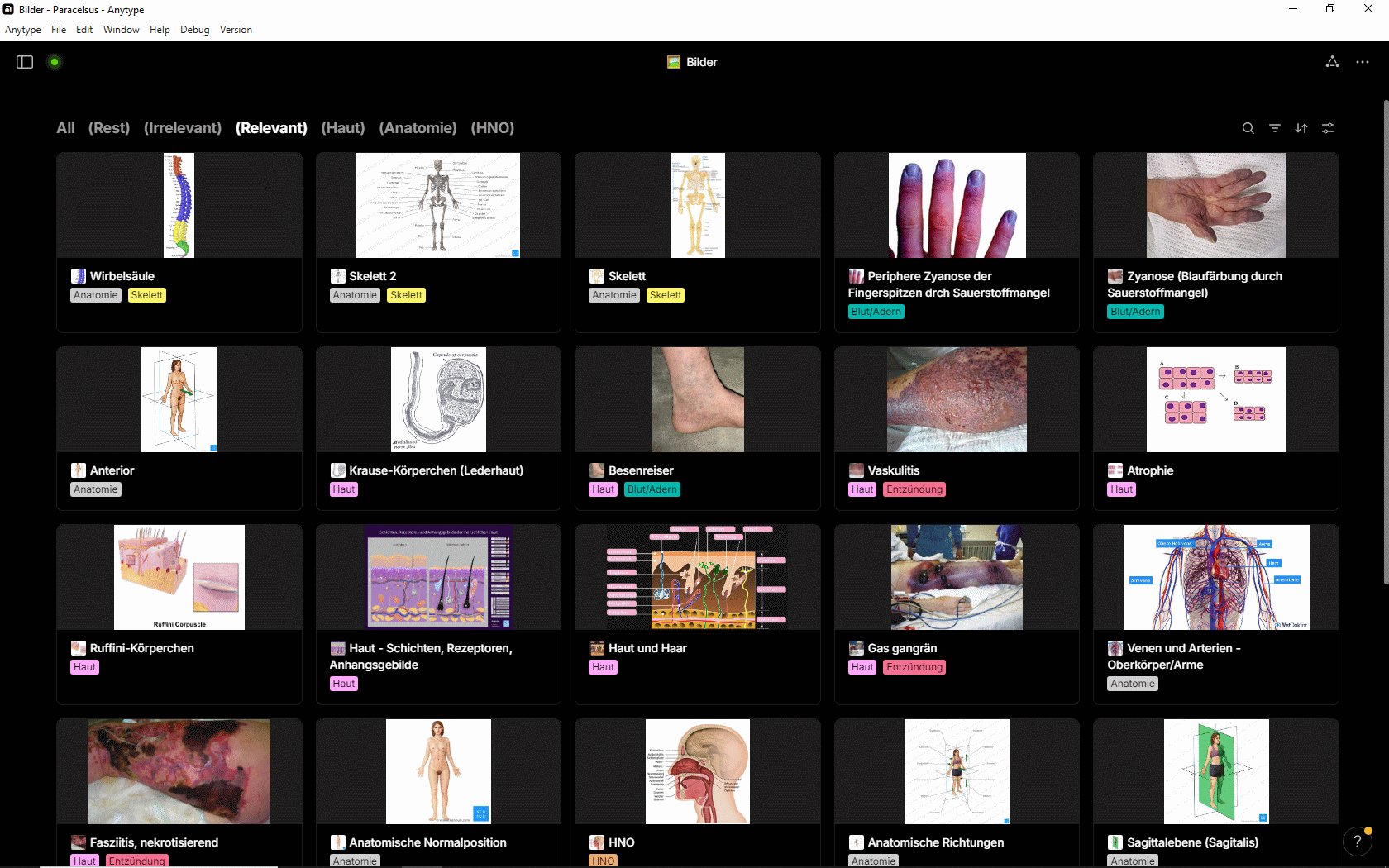
See my example:
The image Set could in principle be wonderful useful for learning all kind of stuff.
But to see an image that shows this or that illness is useless if there’s no way to find the source Page in that it is included.
If someone from my study group writes some new Pages, the pictures Set gets lots of new images (normally with a meaningless filename), and no other person in the group has any benefit from it.
– What’s to learn from a bunch of pictures that show this and that unknown illnesses AND have meaningless filenames?
In the screenshot I already did the hard job to give each pic a meaningful name.
But normally there is only a garbage name. Together with the missing backlink-feature it makes no sense to put more and more images into the Space.
I expect that it should be fast to implement feature that would make Anytype sooo much worthy!
– I have a solution in mind where hovering the mouse over a pic pops up a box with all (clickable) backlinks.
I export whant I want to keep before.
A bit laborious (but that’s okay, I avoid investing too much space until the product is more functional).
An image that is not linked and therefore not present in the exported elements; logically, I don’t need it (the same goes for properties, objects, etc.).





 Hope this will arrive soon.