Is your feature request related to a problem? Please describe.
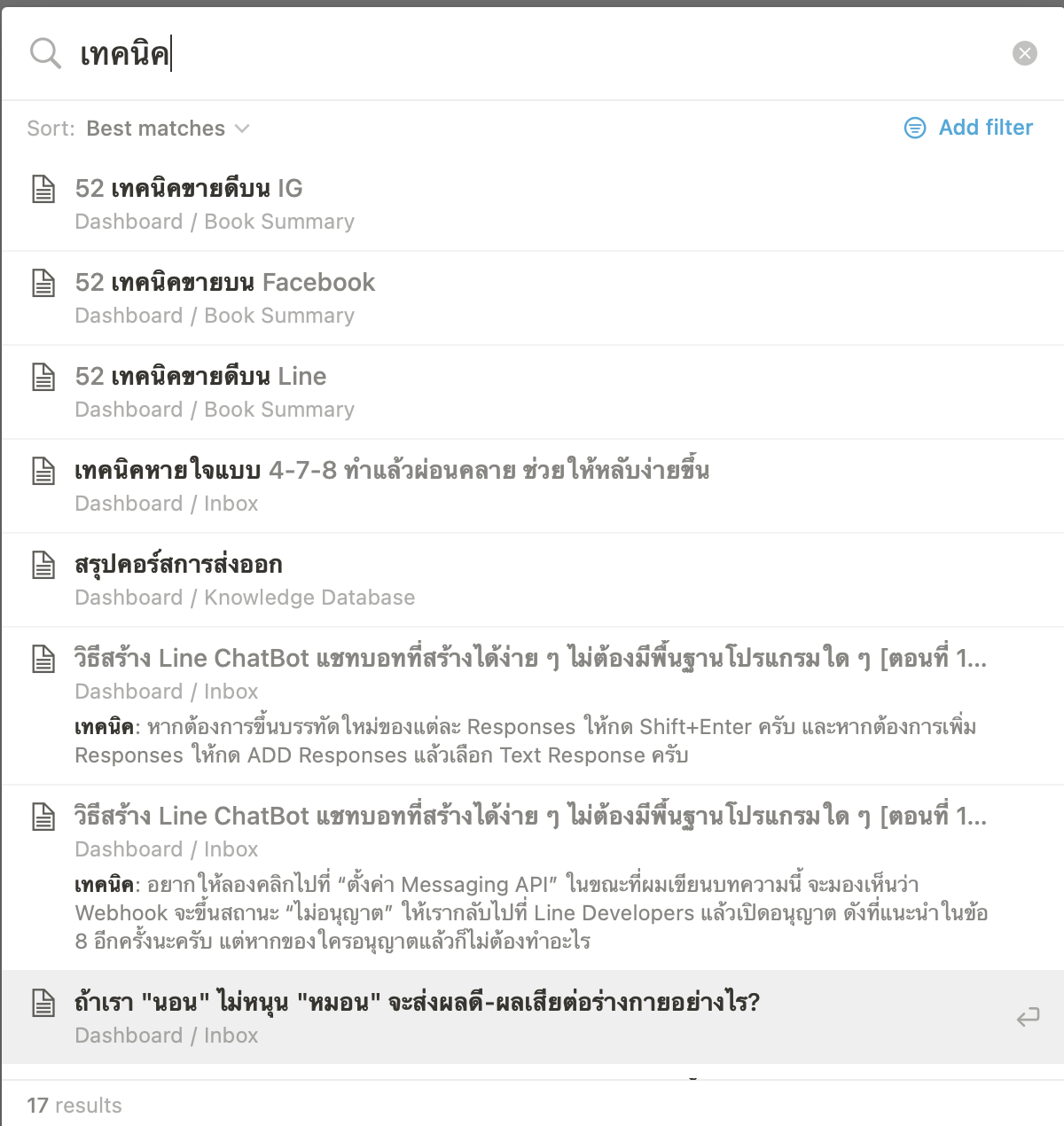
Many times we need to search information that is not at Title of object. If the search result can show result from content. This will help us a lot to find the information.
Is your feature request related to a problem? Please describe.
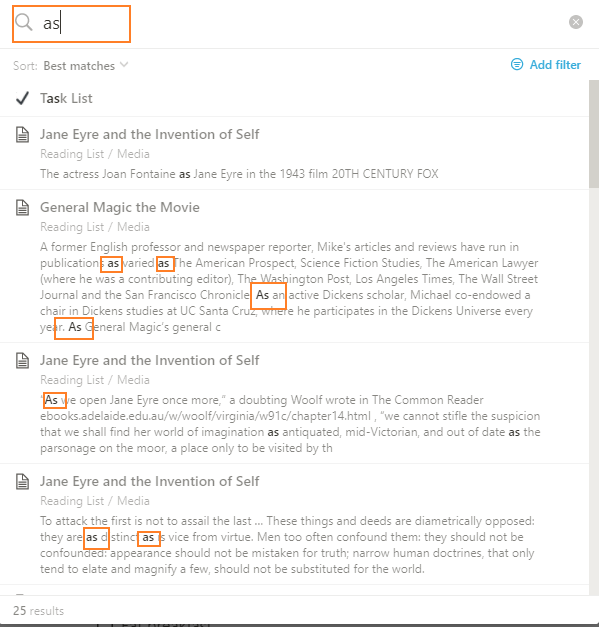
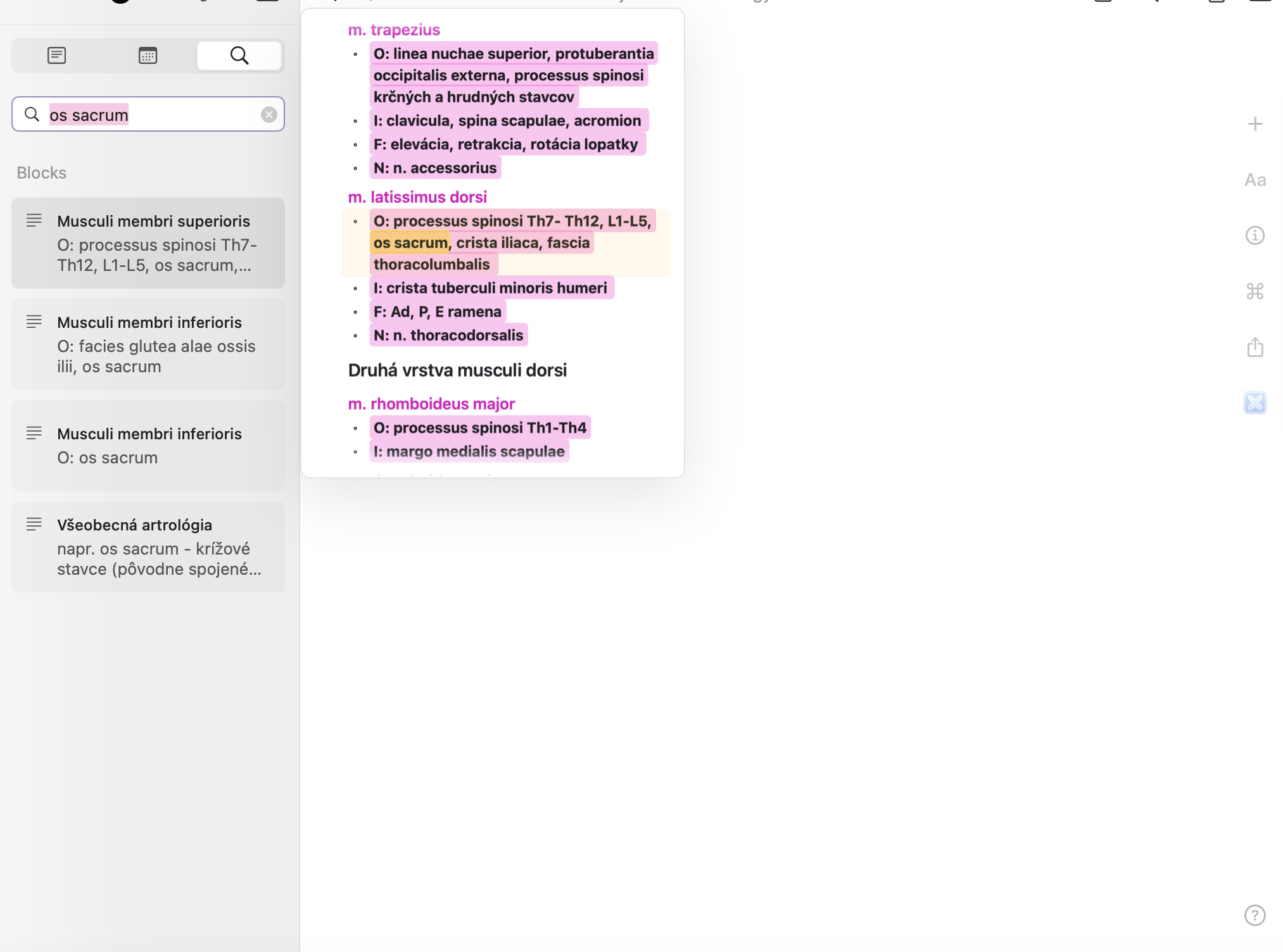
Currently the search is visually less informational. Trying to search a keyword in the search bar doesn’t show the keyword where it located by highlighting it and along with the sentences it is located.
Describe the solution you’d like
Evernote like search. Highlight the text and show them in the search area with the keyword highlighted.
Describe alternatives you’ve considered
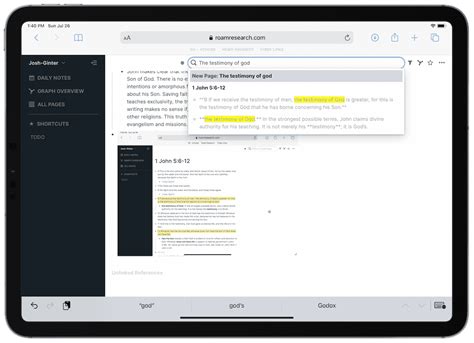
Roam research like search with keyword down in the search like a description in which keyword with highlighting.
Once that is fixed, part of these requests will be resolved. I’ve merged these and am keeping them separate here to track the idea of better display/highlighting of in-page search results vs. page title results.
Would also be nice to have the ability to limit searches and results by appending certain keywords/symbols to the beginning!
e.g.
Adding “###” to the beginning of a search will only search/return relevant titles
Adding “%%%” to the beginning of a search will only search/return relevant descriptions
etc.
Microsoft PowerToys Run implements this well:
In the video above, “#” is used to show only system commands; “.” is used to show only applications; and “?” is used to show only files/folders.
AnyType seems capable to search in the body of objects; but I think that what is described here is that the search function of AnyType should give information about the context of the words you’re looking for.
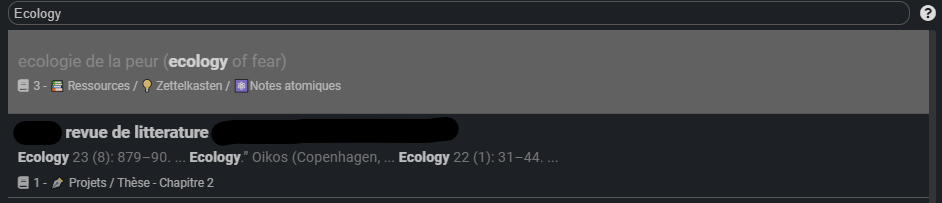
Joplin does that great. For example, when looking for the word “ecology” in my notes on Joplin, I can quickly see that the second search item mentions ecology as the name of a scientific journal; and since the three extracts of context show the same thing, I can be pretty sure that it won’t mention it in another context.
Having such context in Anytype’s search could be very, very useful; especially when one start having many objects.
In general, like is currently done in Joplin, I would increase the size of each item in the return of the search in AnyType and display less of them. It’s just my personal view, but I find it easier to focus my gaze on each item the search returns if they are not displayed in a list of 10 like it’s currently the case in AnyType. With fiewer things to focus my gaze on, I can more quickly read them and decide if they’re what I’m looking for. Currently, I feel like Anytype’s search return too many items, and not enough information about them so that I can decide if they’re the one I’m looking for.
I personally think in document search is a very essential feature, I especially would make use of it as a student and second brain implementer. I like this functionality in Craft. When searching a key word, it will not only find all the results in your documents, but there is also the ability to see it highlighted in the document preview. Also, it will automatically go to the location of the word when opening the document, which I think is very useful. This function is something I miss significantly when you have a lot of documents and long documents such as notes especially.
Is your feature request related to a problem? Please describe.
When you search for a keyword, Anytype returns a list of pages that contain it. Though, you do not get to see in what context the keyword is being used within the page, so you have to rely on page titles to decide on which one to open.
Describe the solution you’d like
In search results, include the context (the line where it’s used) under each page title.
Additional context
You can find screenshots for comparison linked below.
Previously, you were able to open the graph / flow views in a modal window and then click on an button to open them in full screen similarly how it works with objects.
This is something that could be used with the search function as well. Keep the current quick switcher behavior in the command bar, but allow users to open the search in an independent full screen window where full context would be shown and maybe even some extra information.
I recommend adding a new more advanced search window or replacing the current search with those one.
HOW COULD IT BE DONE
This more advanced search would open in a normal window, just how the graph or flow windows do, and you would also be able to full screen it. The current search already searches trough the object canvas, but this is currently not shown in the UI whatsoever. This search should show you exactly where and which words it’s looking up bellow the object title.
REAL WORLD USE CASES
The current search is great for quick searches, but if I want to search my whole vault for some keywords, a more permanent window is preferable since the current search just disappears whenever you click outside it.
ADDITIONAL CONTEXT
Obsidian Omnisearch
This is a Obsidian plugin that looks similar to the current Anytype search, but has more advanced features.
@Filip we want to make search as powerful as our sets and even considering to merge them in singular entity. For now if you want advanced search consider using sets. Also we will add more sets query capabilities on a couple of product releases.
The Anytype search bar is really confusing. The term “recent objects” should be removed once a query has been entered, and the results should show a sample of where the desired text is.
HOW COULD IT BE DONE
Remove “recent objects.” This makes it seem like no results were found, and the default is to show recent objects. On the right of each result, have in quotations the words surrounding the desired term. For objects that don’t have explicit text (sets, files, etc), maybe put a “(result) found in note” statement - something to show that the notes displayed are relevant.
REAL WORLD USE CASES
This would make search much more intuitive. I didn’t even know you could search for the content of a note until I tested by trial and error.
RECOMMENDED ALTERNATIVES
Just know that the search bar does work; you can search for text inside of notes.
I think the desired feature is still not implemented
I think it has to be in the sidebar to be powerfule enough
and when clicking it navigates to the exac context
like vscode search
This would be amazing
however I want the side panel also to stay open
for fast navigation
so it is not only about highlighting, also about fast navigation from result to result