What do you need help with?
How can I escape the dollar sign or other auto replacement while typing ?
I need to type – and $ very often, but seems all of them cannot be escaped by type a reverse slash before them, even wrap with backticks.
Also there is no options to disable replacement list in markdown → while typing
Additional Context
Searched
- Escape dollar sign
- Inline code escape
- Stop replace while typing
I tried
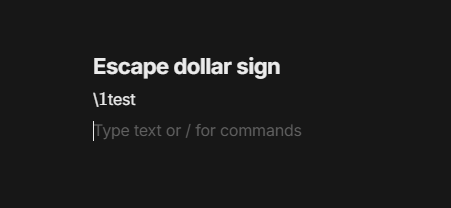
- \$123$ → Failed to escape
- \$123\$ → \$123\$
- \-- → \—
--→—
Expect :
- \$123\$ → $123$
$123$→ $123$ in a format of inline code- \-- → -- not — (Maybe there should be an option for auto replacement ?)
—→--- Like in Telegram, backspace will return back origin markdown.
Image or Video

OS
Windows 10 Pro 22H2
Anytype Version
0.42.8
Network Mode
Anysync
Technical Information
OS version: win32 x64 10.0.19045
App version: 0.42.8
Build number: build on 2024-09-06 10:41:02 +0000 UTC at #c583602e975eaf2e525ef7f22e4700f8825a6420 (dirty)
Library version: v0.35.7
Anytype Identity: A7X93RmKBZcBGkkswkvVxZdc7FYZCZJnRzCYDiP8LXy224GR
Analytics ID: 5d1b491b-d915-4280-b6e2-53ec23541d03
Device ID: 12D3KooWRCPoZbkv42N9ay1E7jmT7aAh2mb35P6jV5ygvWWpANer