I have a problem with not being able to access everything using keyboard. I think it is a good UX principle to be able to do that. For example, when I use the “/” sign to open up the commands pop-up menu, I can select everything using keyboard, but when I choose ‘Picture’ the message (placeholder) that comes up (“Paste a link or Upload a picture”) is no longer accessible via keyboard. I don’t understand why. I should be able to use the standard Tab key to jump to the “Upload a picture” link.
ToggledHeaders: H1, H2, H3. For me, this is essential for properly formatting a page or a document. Right now we can only use unformatted toggles. The best we can do is bold them but putting them in header format would be great too.
Hello Anton,
I don’t know if your message applies to the android app also.
I’m unable to edit the time of a date relation in the app. I can set the date but not the time.
I would like to be able to chose if I want the label to be displayed OR NOT & I would LOOOVE to be able to modify the look of the field text. () Example :
Display Collections & Sets like real tables
Only then, together with the request above, would we be able to really make interesting content with pages that have relations & recap tables on another page within a Set !
So, there are a looot of comments here. I didn’t read them all, but the things I would like to see improved, seem to have been covered.
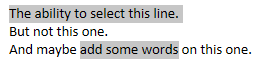
The only thing I didn’t see, and it surprises me a lot is a multiple selection for text.
Something like this:
That way, we could format text more quickly.
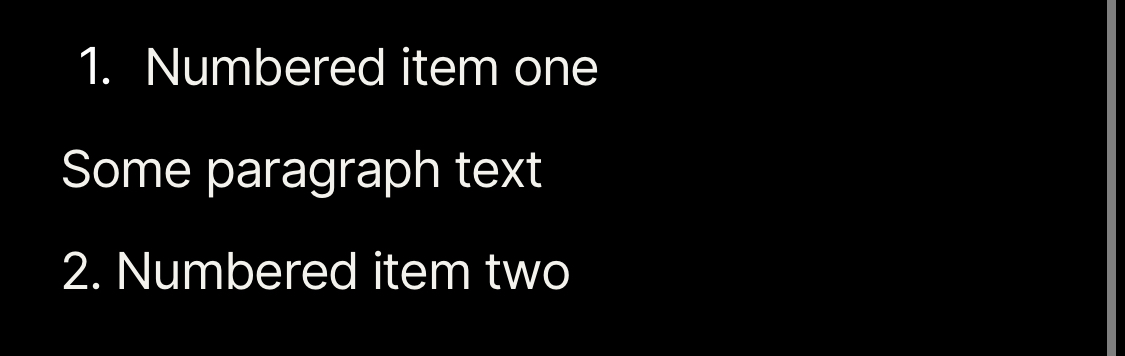
I don’t want to repeat requests, but I’d like to emphasize something that was previously mentioned: The ability to apply text formatting, and then write with it, instead of having to go back to apply that formatting. This is what most text editors do, and I would guess this is the expected behaviour for most users.
I know there’s markdown, and that (as an example,) adding “**” at the start and end of the text I want to bold achieves the same result, but I’m used to using CTRL+B for that, as that’s what works with pretty much every software that works with text.
Easily modifying the padding & margin values : going through the current css stylesheets with devtools is a nightmare for non developers ( sometimes, it just doesn’t look right, the space between blocks on a same line is too big ) ( I don’t understand why the space between separating a line with 2 ‘inline’ blocks is bigger than the space separating lines that have only 1 block )
Make it easy to keep inline blocks width constant so that it stays coherent along the page … (Either by being able to define the width value of a block in px or by being able to “snap” blocks width… dunno how you would do it…)
The integration of a Table of content / outline navigation on the side would be very helpful. I have linked the feature request from @cmdaltctr , he initiated the whole thing and has already thought about it a lot more. There you will also find a video on possible implementation.
After selecting some lines by drawing a rectangle frame around them, I would like to convert them in a list or to perform other modifications (background color etc.) by using the right mouse key.
 )
)
 )
)