I noticed the problem when I was searching in a collection of a Type, too.

The searched term did not find the object in the collection neither in the global search.
I really hope there’s a fix coming along. I can’t work with a PKM I don’t trust the search feature of and can’t find my documents into.
Yeah 3 months without a working search function is a pretty clear dealbreaker for me 
Three months?
Sorry to say that, but the search function was NEVER correct working.
It also lacks A LOT features, but that’s not the point (Queries partially substitute that). No, the function simply doesn’t work as expected, and it never did.
@requilence Did you gain any insights from our tests?
What is the current status of this issue here?
Pretty sure I had a document that was accessible, edited it (its body), and could not find it afterwards.
Could anyone with this problem try to delete the underlying data storage on the device, or uninstall the application, and resynchronize?
Note that I don’t mean deleting the contents of the Vault or the Spaces from within the app but the storage on your specific device on which the search doesn’t work. Installing the app from scratch, or rather synchronizing from scratch on that particular device, and assuming a clean and successful sync, would index all the contents and the search should work afterwards.
In addition to the completely-missing hits, the index is kinda weird in the sense that typing an additional letter in a word can make a difference between finding a match or not. I hope this improves in the future.
For example, I have a page titled AnyType. If I type “anyty” the search will not find it. If I type any other part of the title, it will (i.e. “an”, “any”…).
I think that an option to reindex a space, in the settings, would go a long way towards helping with this in the short term (or maybe also the long).
I tried to resync my data folder, and it has been tried before. No dice.
This issue still exits in the latest version 0.51.0
Thank you for the tool to check the index.
Unfortunately there is no data folder under C:\Users\eeyi\AppData\Roaming\anytype. 
Did anyone who is facing this issue used the AnyType MCP connector before?
I have played with it a bit.
Isn’t the MCP connector enabled by default when running AnyType? 
I did not and I face the issue
I tried it when it was released and played around with it a bit, just to see how good it works.
I had my suspicions, that this caused the problem as the MCP did weird things.
Although it was another space I tested it I thought it may could have been the cause, but it seems to be not.
Thanks for your feedback.
I hope any Dev will come back here and response as right now it feels lile sitting alone in the dark…
The indexing / search are behaving really weird (in reverted v0.50.5. I can’t update to a newer version as many pages won’t even open).
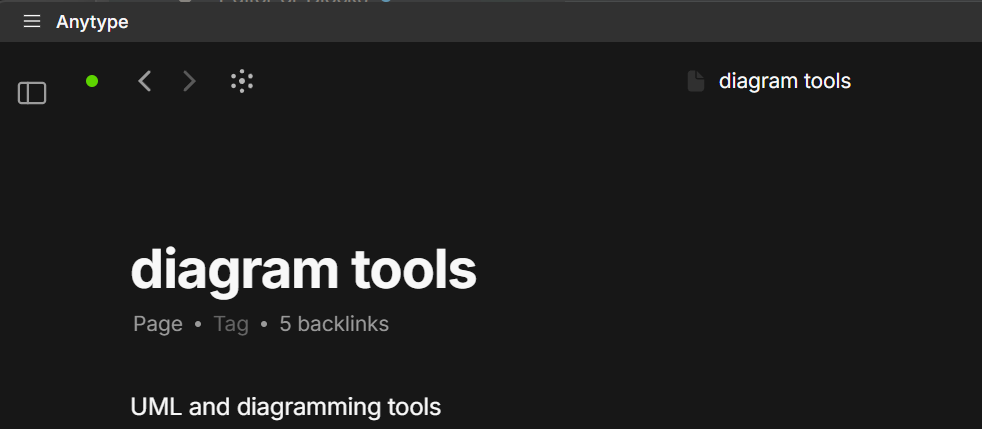
Here I am in a page Diagram Tools
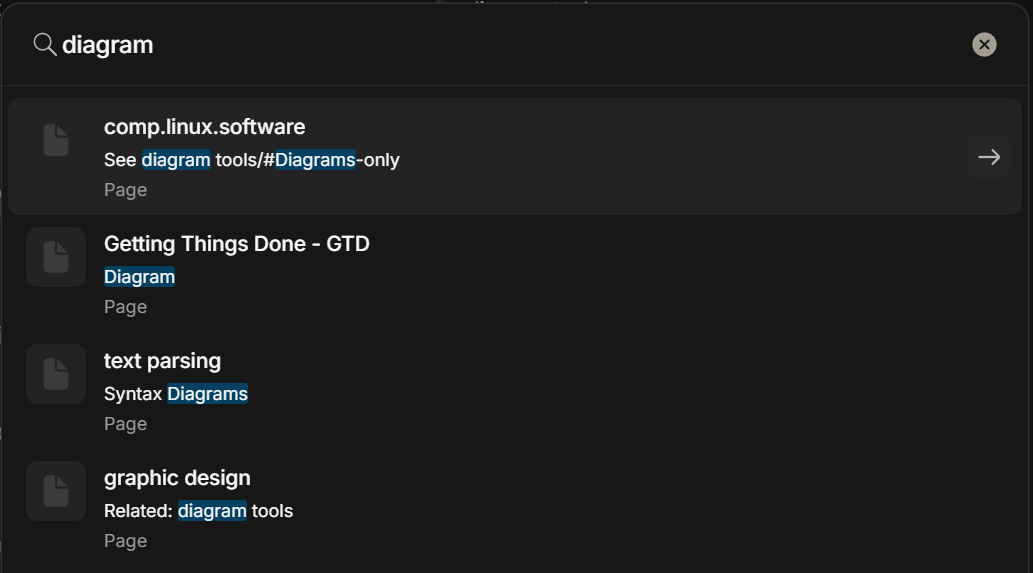
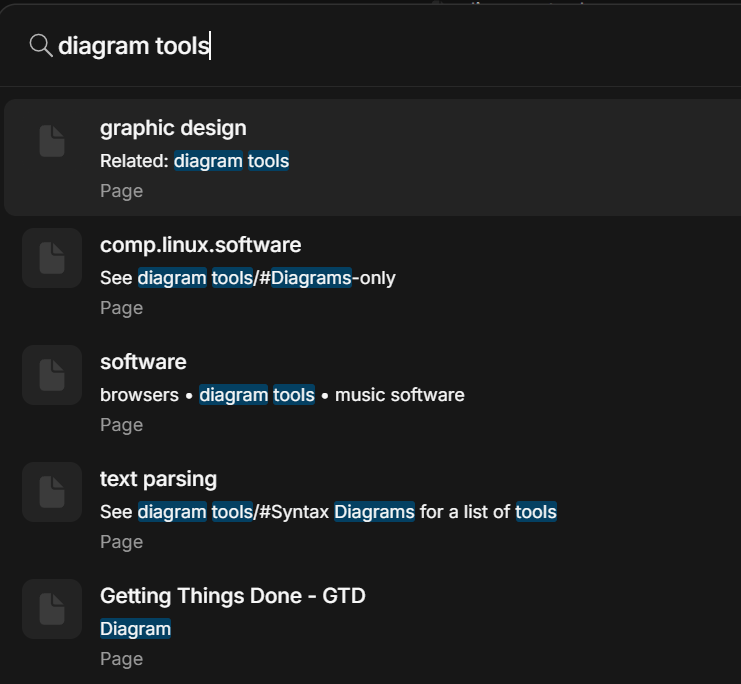
If I am (Ctrl + K) looking for “C4” or even “diagram” or “diagram tools”…
it correctly finds the references to it but not the actual page. The page is nowhere to be found in the search result list.
It is strange that the search was finding this page earlier today but then has simply stopped.
Edit: Search still works fairly reliably on Android (v.0.41.5) and I hope that the next release won’t break it.
Edit 2: After creating a new page, it will not show when making a reference to it, using “@” and typing text. Fortunately, it shows right after @, since the list of recently modified items shows by default.
Hi Team,
so there is already some time passed since this bug occured. In my opinion, this is a really sever issue, beacause the whole anytype solution relies on indexing: whether i search for object or I want to set some properties, which cant be find…
I integrated Anytype quite extensive into my daily routines, but this issue becomes more and more a show stopper.
At this point a feedback from Dev would be highly appreciated
in the last December Town Hall 2025 they said they are aware of the situation and want to improve it.
It is exactly here → https://youtu.be/zFe2WGQ9d_U?t=2677
It was my question.
Thanks again to the team for the town hall meeting and for allowing us to ask our questions.
Just to report that my particular case was resolved. I’m not 100% sure what exactly the findings were. Apparently, my notes had some strange characters that did not fit into UTF-8 standard, which was enforced by the latest Google’s Protobuf library. That issue was resolved by the team and I can open and find most of my pages with the latest beta. It still happens that I can’t find a page that has the word I’m looking for in the title, or opened in front of me (reached by links).
But this also implies that “bad indexing” represents multiple different issues, probably.
What I’ve learned in the process, is that “indexing” here is not exactly the same as it happens with Obsidian, which reads the Markdown files and creates an index for searching. It would be quite interesting to go through the code and learn how the protobuf search is working but, unfortunately, not much time left for that right now.
I still don’t find 37c3 when I search with c3