Bad indexing of pages since the update

What’s The Bug?

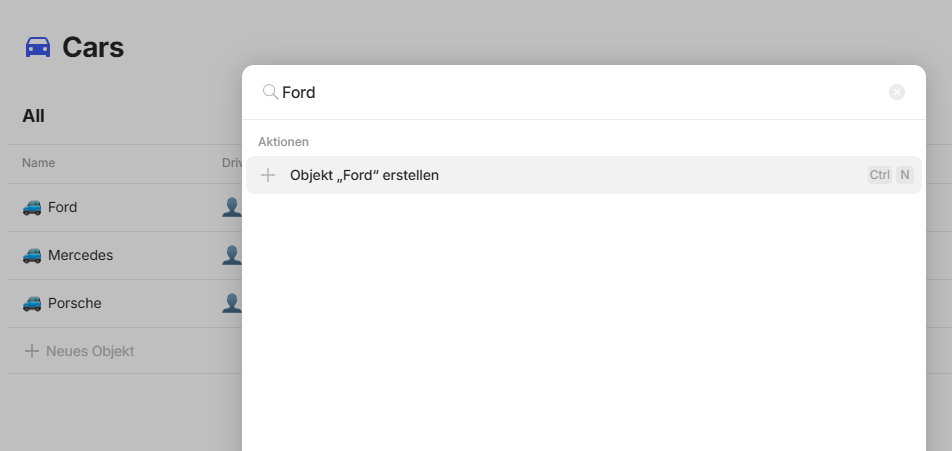
Since update to 0.48.2, some pages/objects do not show up even when typing an exact word from title (Ctrl + K or using mentions @…)

If the page is accessed, then it becomes available.

I could not determine a criteria for a page to show or not

How To Reproduce It

  1. try to search for a page that has not been accessed in a while?
  2. it does not appear in search popup

The Expected Behavior

Pages should always appear when searching for an exact word in title

Device

Desktop

OS

Win 11

Anytype Version

0.48.2

Network Mode

AnySync

Technical Information

OS version: win32 x64 10.0.22631
App version: 0.48.2
Build number: build on 2025-08-12 12:14:52 +0000 UTC at #90e5c92e5b937fb256e0312ea753d62e4b4d6e15
Library version: v0.42.3
Anytype Identity: A9bnUQCzKFrckVYhfuPH1qdijaMk6WdVEaGtJAShthKDyXzb
Analytics ID: a03dcce7-6e83-44b4-8ac1-67048d9a2350
Device ID: 12D3KooWQmjEADkczVf3eic7dnLpZ5aN1TJ8k2HBF92ZPN2w2xMe
Ethereum Address: 0x3D92e0A64A1E16c3bA7bA627789de4fa130073C9

Are you still having this issue in 0.48.5?

I have experienced the same issue with the search on my personal computer.

It works on my work laptop which has the following technical information:

OS version: win32 x64 10.0.26100
App version: 0.48.5
Build number: build on 2025-08-14 14:26:54 +0000 UTC at #349da9ee9b99abcc6566b66c746d8d80b74e9870
Library version: v0.42.4
Anytype Identity: AAQQjLAk6uMDN9b2UAd1Wj4S563H4ksx3U1wbZQGS14WBV1x
Analytics ID: MbQkoDwNtya5KsENYy3ucG93ookqxXeQkSrAqEDBD27Gf3g6
Device ID: 12D3KooWPzRjQG4Xz7HgriBVEqUpeqb3YGM3GSFVp2e4Ap5QE4fB
Ethereum Address: 0x30fd61F4694c5B239aa9de1486E497257C410876

For more technical information from my personal computer, I will get to it later today if possible and I will update my answer.

This report has been added to our issue tracker and received by the Development Team.

I’m on the latest version right now and some object are not brought up. Other objects of the same type have no problem getting fetch.

Currently on one of those objects. If I press Ctrl+K, I can see it (since it’s the latest accessed object). But if I type the exact title of the object, it’s nowhere to be found.

Really weird. I don’t see any logic as to why some would appear and work while some will not.

Okay, I checked it now on my personal computer and this is the technical information:

OS version: win32 x64 10.0.26100
App version: 0.48.5
Build number: build on 2025-08-14 14:26:54 +0000 UTC at #349da9ee9b99abcc6566b66c746d8d80b74e9870
Library version: v0.42.4
Anytype Identity: AAQQjLAk6uMDN9b2UAd1Wj4S563H4ksx3U1wbZQGS14WBV1x
Analytics ID: MbQkoDwNtya5KsENYy3ucG93ookqxXeQkSrAqEDBD27Gf3g6
Device ID: 12D3KooWRg5pShgUF3uyd2E9cfYRf37mVRHuk5sox1ECpUiZqEyh
Ethereum Address: 0x30fd61F4694c5B239aa9de1486E497257C410876

Here is a GIF for more context:

Anytype

I’m facing the same situation. I just wanted to add:

  • This is a new computer, I just installed 0.49 3 days ago. Today, I received 0.49.1. Still the same situation. Windows 11 , BTW.
  • It doesn’t happen only with old objects not accessed in a while. My vault is not new, but my space is.
  • Mobile seems to be working fine with this new space. (Android, 0.39.32)

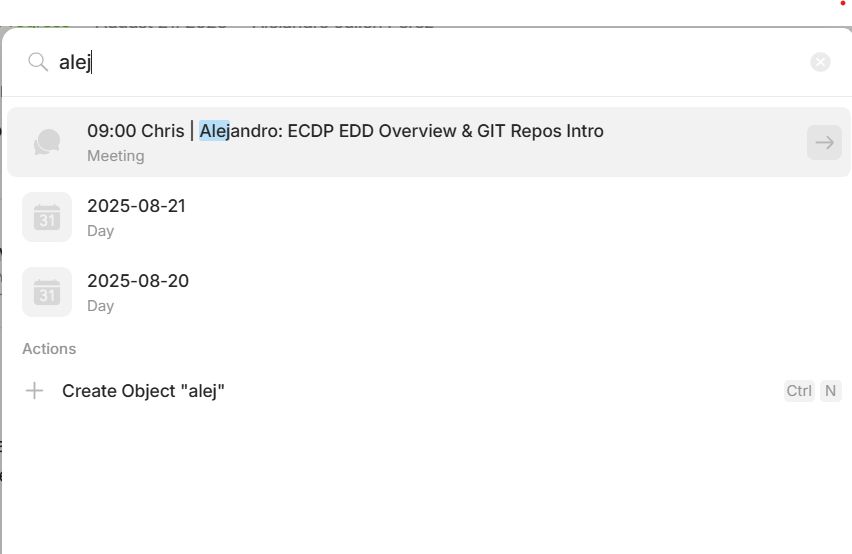
Just a couple of screen caps.

When trying to link to an existing object:

When searching:

I have the same issue since 0.48.?

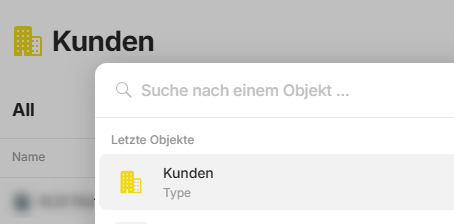
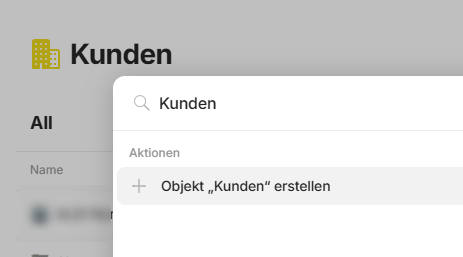
I have created a Type with the name “Kunde”.
I can find it on Mac and Iphone with the latest version 0.49.2 but not on Windows.
Meanwhile I can find the Objects with type “Kunde” again since 0.49.2 - this did not work on 0.49.0/1.

I can see it on latest objects, but not from search.


Result when search is empty


Result when searching for the type

Quick update.

Today, I decided to reinstall. So, this is what I did.

  1. Closed my session, closed Anytype and uninstallled it.
  2. Renamed the data folder of Anytype (I guess I could have deleted it, too; I kept it just in case). It’s located at C:\Users\<YOUR_USER_NAME>\AppData\Roaming
  3. Reinstalled using the 0.48.4 installer I still kept on my computer.
  4. Logged in.
  5. Waited for some minutes. Left it alone to sync. Last time, I just jumped to update as soon as I finished installing. Now, I refused it.
  6. Now, search works again!
  7. Check for updates > Accept the update
  8. Search still works!

So, there.

By the way, before I succeeded, I tried reinstalling without removing the data folder. It didn’t work.

Thank you for this lifesaving tip. Removing the data folder did the trick. I can finally find things again normally!

I want to note that it’s still not 100% for me (some things still don’t appear in search results), but I can find far more objects than I could before. I followed the same steps, but reinstalled using the latest installer from the AnyType website.

Adding a similar bug report created here that is related to the search/indexing, for future reference: Unable to link objects, objects not appearing when searching

I am facing the same issue. Unfortunately the renaming/deletion of the data folder and reinstallation of 0.49.2 has not fixed the issue for me :confused:

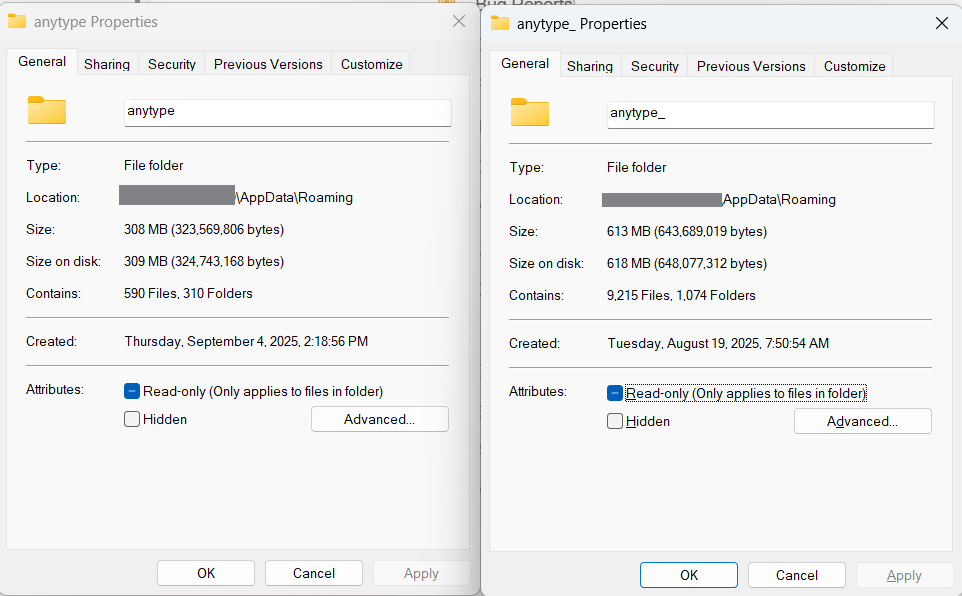
I don’t know if this means anything, but I noticed something: here is a screenshot of both folders, the new one to the left, and the old - renamed - one, to the right. See how the old one is twice the size, and 15x the number of files?

I can’t submit the contents, but I’ll be happy to answer questions around this to the dev team.

Tried that too and it did not work.

This is pretty problematic, not being able to search, find and link documents in a note-taking app.

Yes, I also hope this will get fixed soon, as it is almost impossible to work with it.

I actually had to modify my notes organization so I can work without using the search, but it is becoming reaaaaally tedious. Could we have a timeframe on the fix ? It’s a core feature for any note taking app or PKM…

I should note that newly created pages/objects aren’t always searchable either.

This is a frustrating bug. I create references to my notes from the prior day a lot and on 0.49.2 the issue persists for me. It was a very nice feature while it worked. Hoping to see a fix soon.
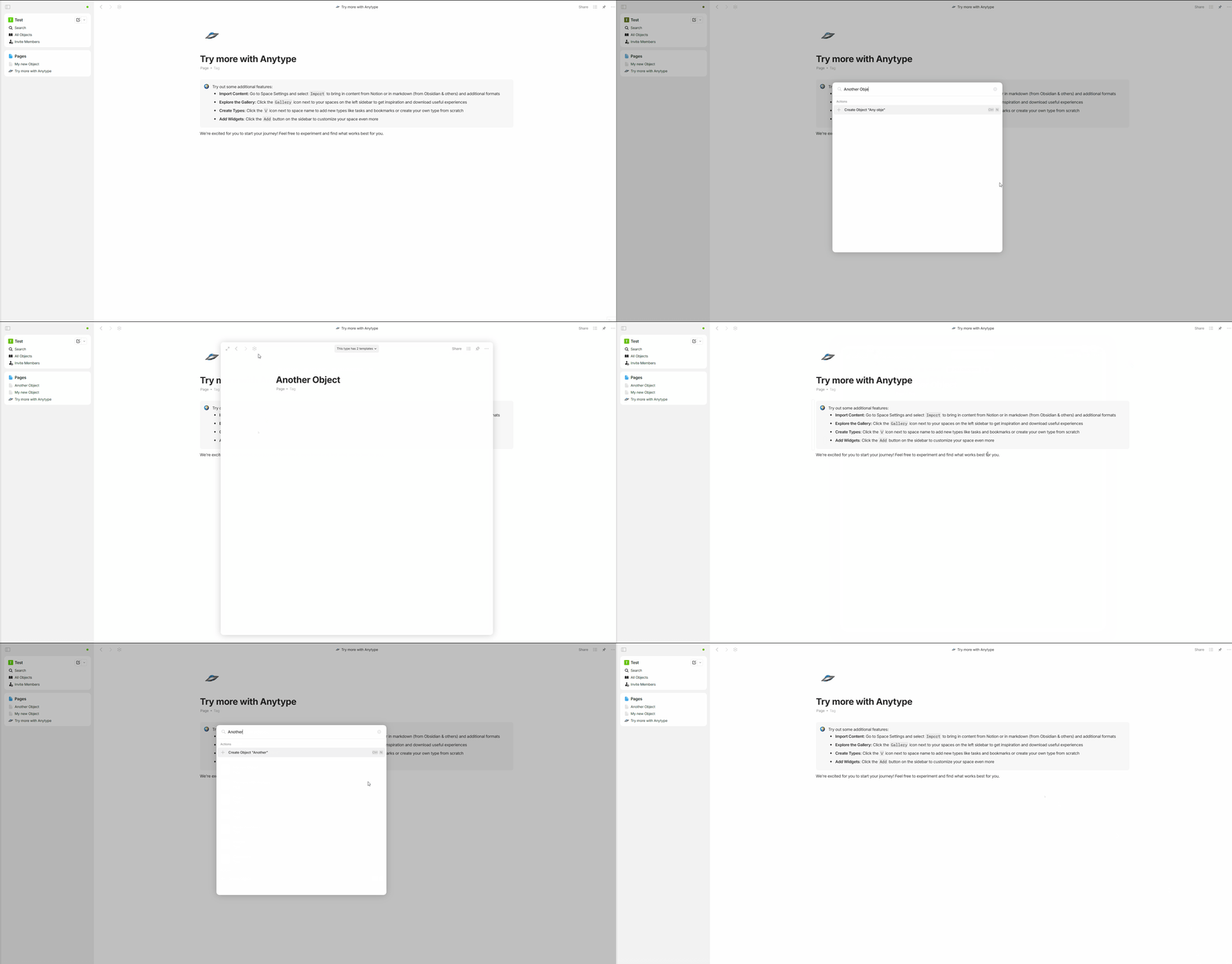
I still see this behaviour in 0.50.3 :frowning:

I don’t have it as much since 0.50.3, yet there still are weird inconsistencies. Hard to tell why or on what condition.

Things that could not be found before the update can now be found, but newly created objects can now not be found.