Anytype Desktop 0.56.0 — It's Fast

This release is all about speed and polish, expect general improvements to the usability of the app. Chat is dramatically faster with scroll smoothly no matter how long they get — and you can now write real code blocks right inside a message. We taught the Bin to suggest objects to delete to tidy up your space, reworked the invites and membership system to be clearer and safer to use, made the whole app start faster and open Objects instantly, right where you left off.

Highlights

Faster startup & instant open :high_voltage:

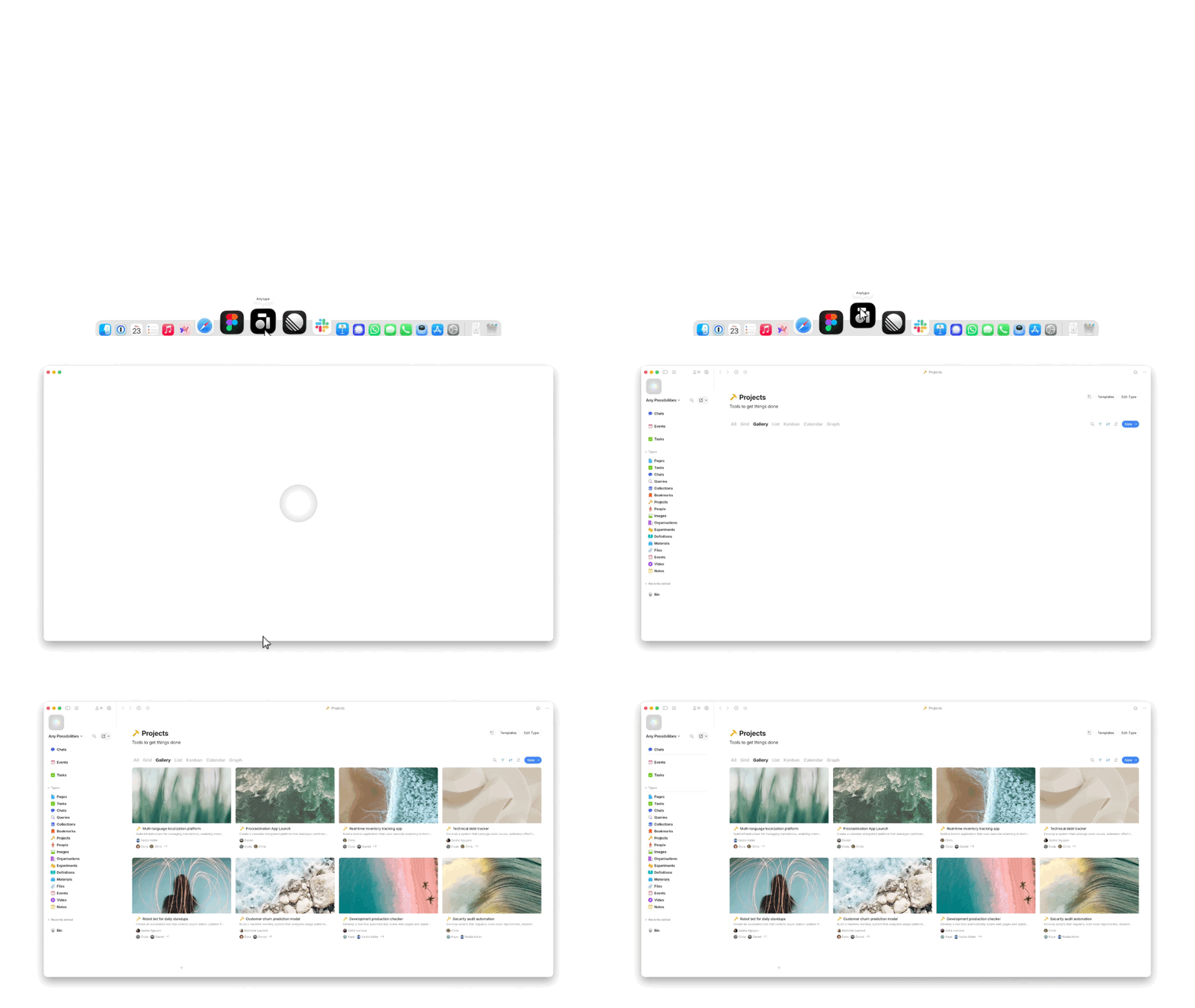
The app and engine now boot in parallel, your last space loads first, and opening an Object is instant — no flash, and it remembers your scroll position.
image

Chat is way faster :high_voltage:

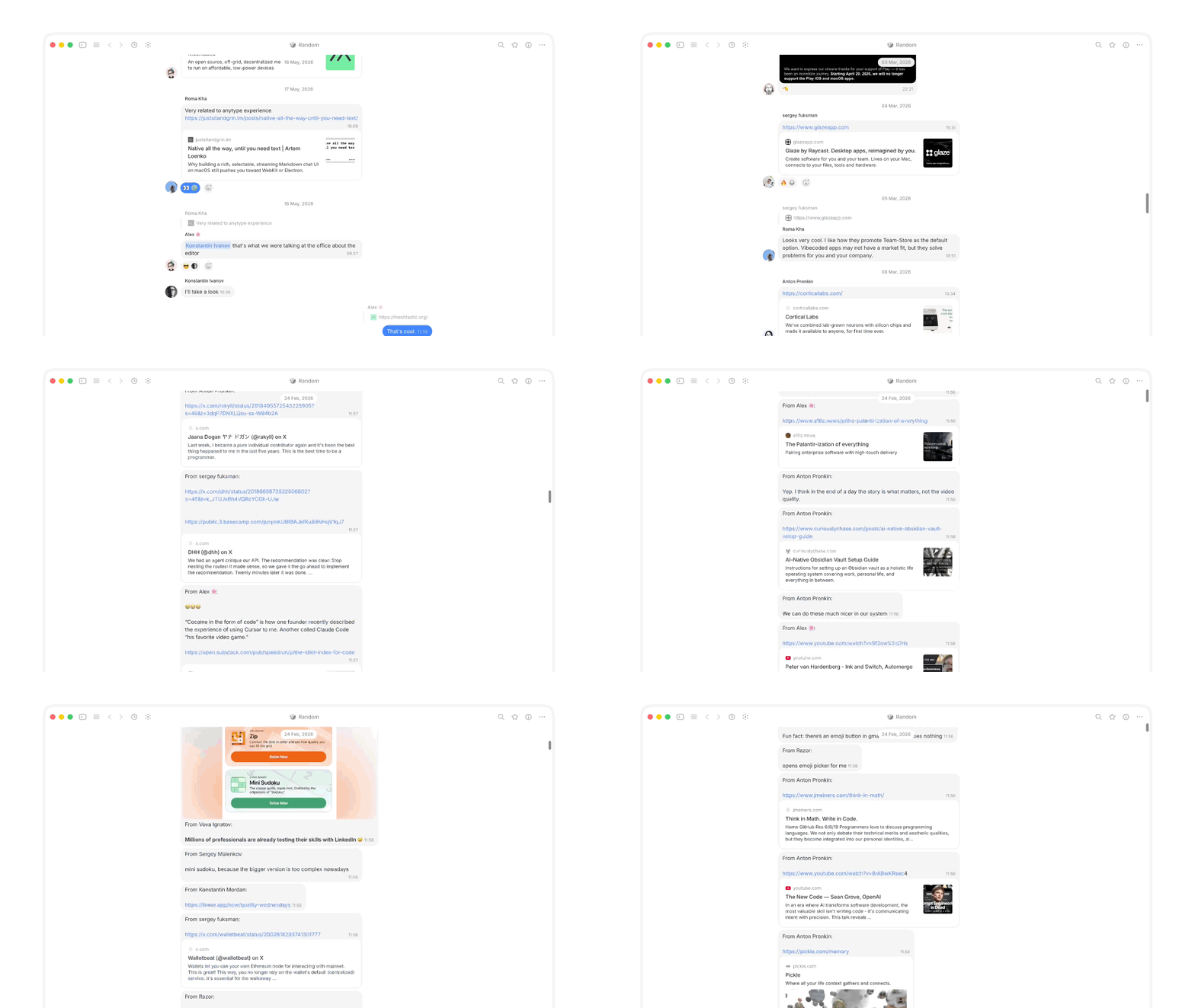
Big chats now open ~8 seconds quicker, scrolling stays buttery smooth no matter how long the conversation gets, and messages load seamlessly in both directions without jumping around. Read counters, sync status, and uploads all stay accurate even under load.
image

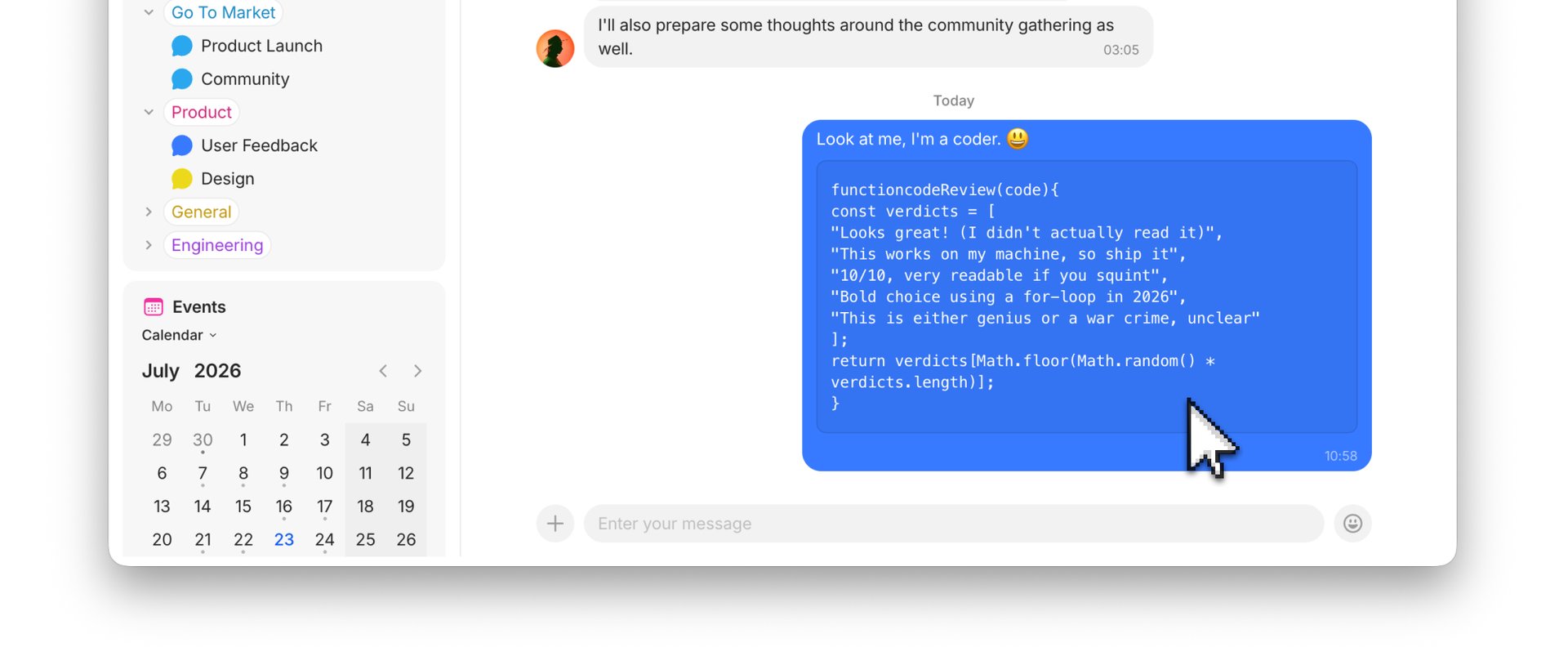
Code blocks in chat :laptop:

You can now write multi-line code blocks right in a message using triple backticks. Or simply highlight the text and click on the </> code button.
Safer invites & membership :link:

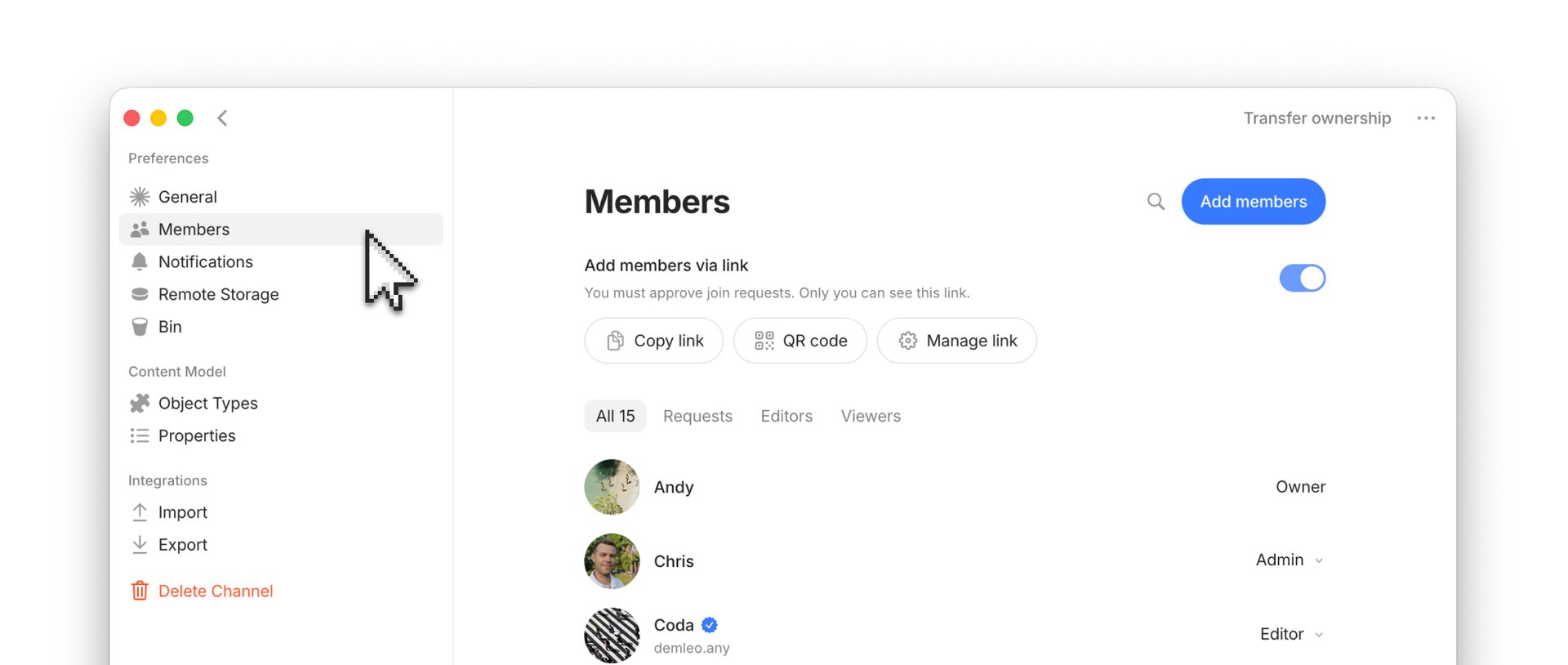
Invitation links are now managed by space owners. By default, joining a space requires approval and creating an auto-approval invitation link is now an explicit, opt-in step. If you suspect your invitation link has been compromised, you can reset it at any time. We’ve also cleaned up the Members section, adding a dedicated area for reviewing and approving new joiner requests.
Cleanup suggestions :broom:

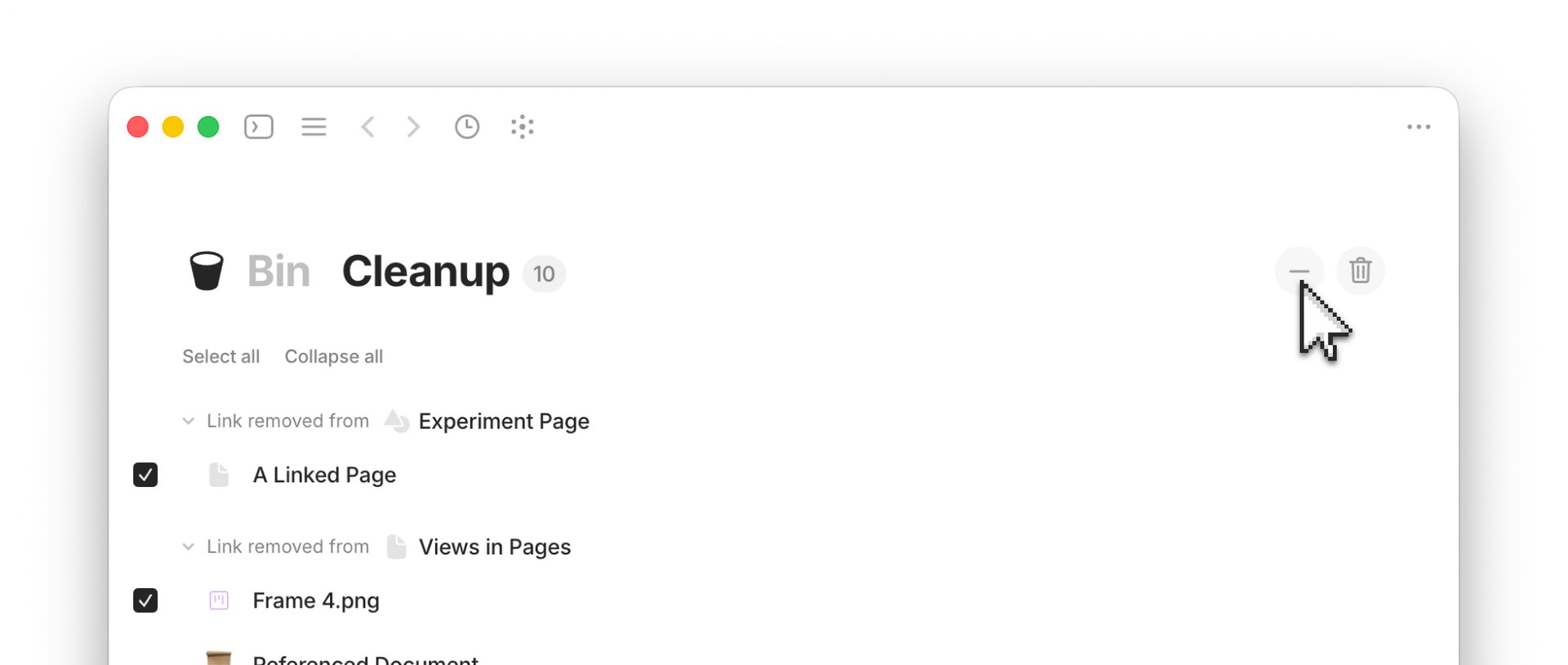
A new Cleanup section can be found alongside your Bin that will suggest objects that can be deleted to tidy up your space. Objects in this list are not in your Bin — they still exist in your space just like any other object that hasn’t been deleted. These are merely suggestions which you can dismiss.
Select text across blocks :pencil:

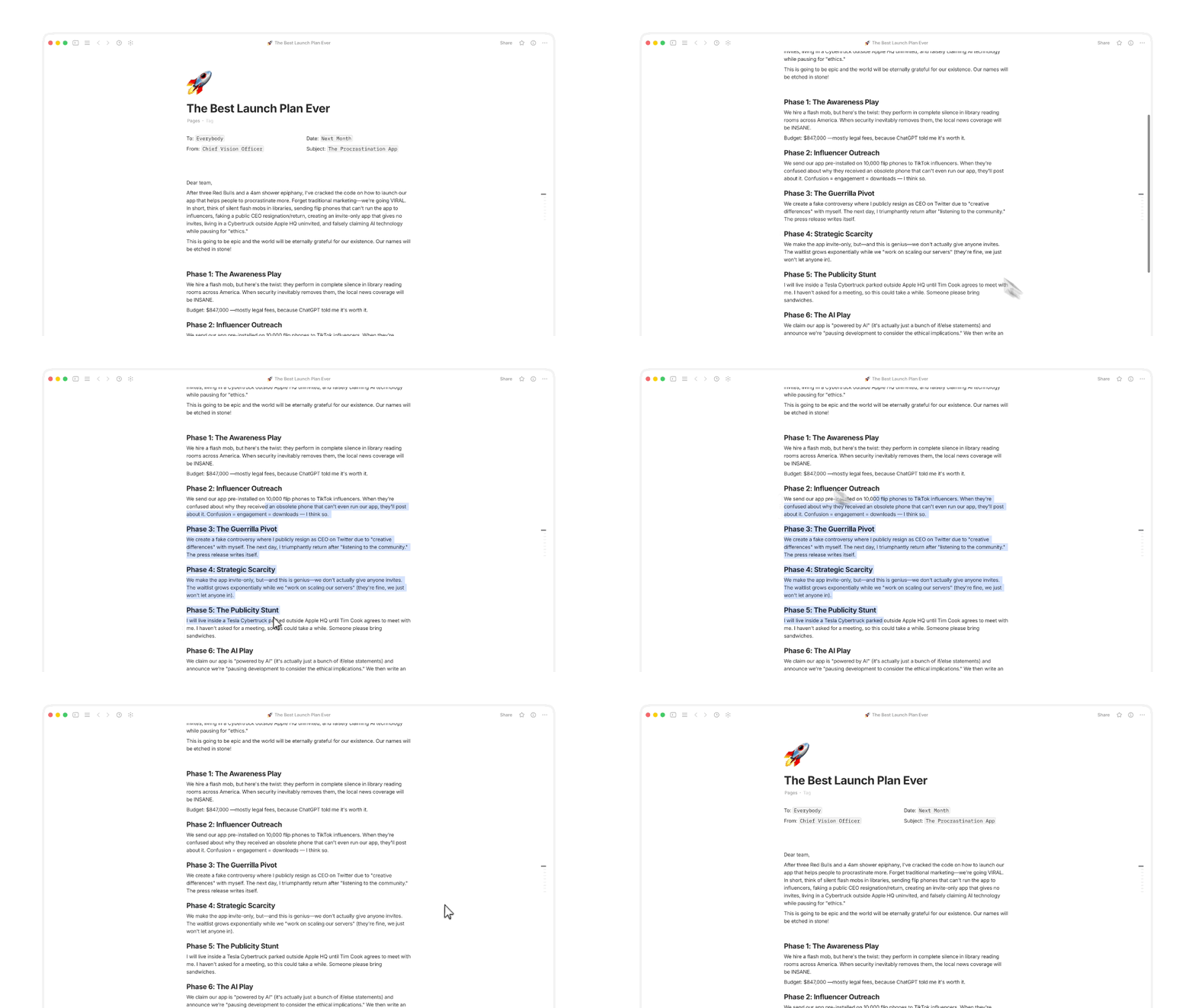
You can now select, copy, cut, or quote text that spans multiple blocks at once — no more doing it one block at a time. Yes, we know it’s crazy that you couldn’t do this in Anytype before. But here we are! Progress.
image

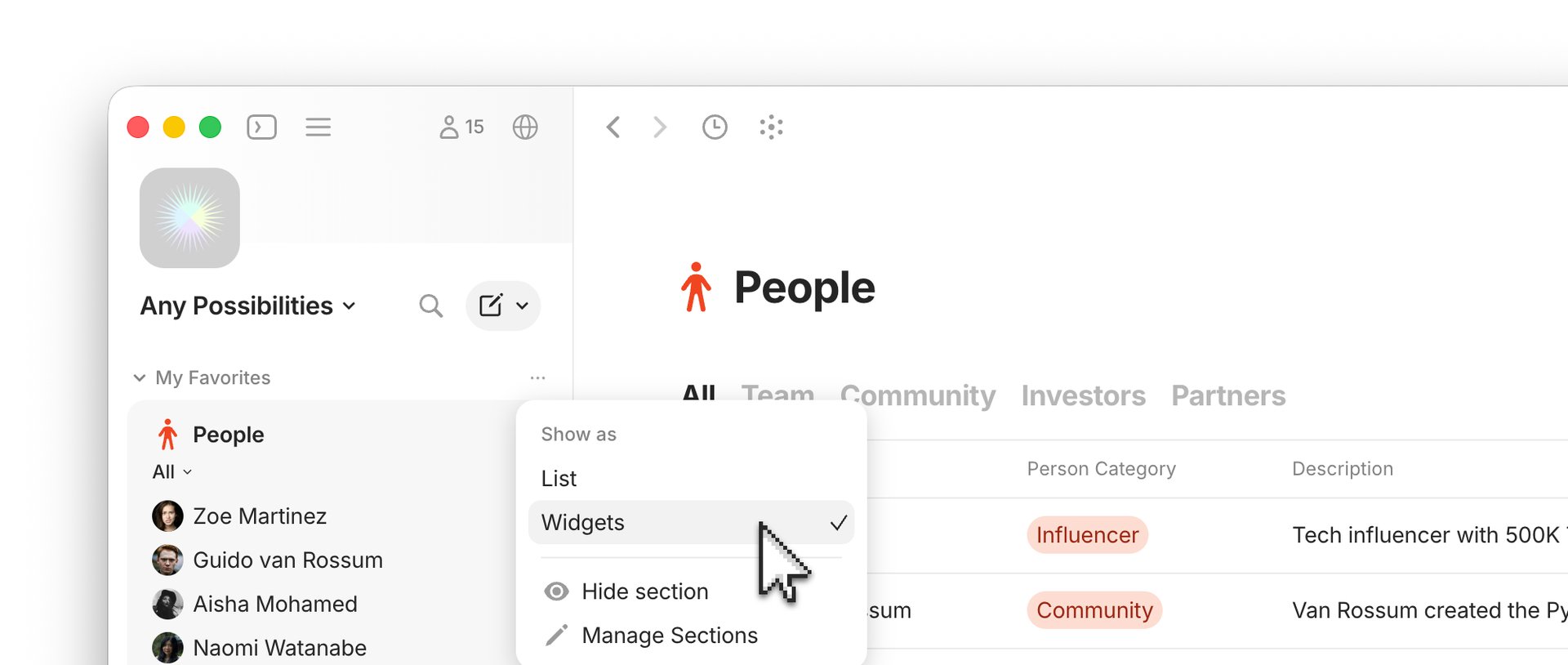
Favorites can now be set as Widgets

Just like Shared Pins, your personal Favorites can now be set as Widgets in your Sidebar. This is especially helpful in one-to-one channels where there is no owner to set Pins.

Quality of Life Improvements

  • Full-text search is dramatically quicker on large accounts and returns more consistent results.
  • Admins can now do more space-level things that used to be owner-only.
  • Download files from a chat message — grab one file or all of them at once.
  • Copying a message link vs. a link in a message are now separated in the menu, so you get the one you actually meant.
  • Smarter link detection in chat — only real web addresses turn into links now.

Bug fixes

Thanks as always for testing and reporting — and a big shoutout to everyone in the community who filed and fixed bugs this round!

Editor & blocks

  • Enter finally behaves like Enter instead of Shift+Enter (thanks @Tim-Luca)
  • Code blocks keep their <> text (@V_Cassel) and no longer lose values on blur (@nozense)
  • Fixed a stuck Backspace/Delete state
  • Fixed a dead-key backtick spacing issue (@manu81031)
  • Stopped emphasis formatting from leaking (@JulienKaspar)
  • Fixed markdown breaking past a length limit (@tatumon)
  • Cleaned up a leftover inline-code remnant (@Nupky)
  • Fixed the keyboard jumping around on empty toggles (@Code-Jack)
  • Toggle cut/copy now keeps its children (@Code-Jack)
  • Paste now targets the block you actually selected (@Code-Jack)
  • Fixed text loss when editing an empty block at the same time as someone else
  • Fixed IME typing issues (@Qusay)
  • ChartJS embeds are now editable inside columns (@e1sordo)

Objects & views

  • Kanban/Board cards now show up instantly (@bodo_freutlin)
  • Fixed a stray horizontal scrollbar in grid view (@Astro-L)
  • Property-field objects keep their title, pasting into a new record name works correctly (@Hexara)
  • Fixed property-field click behavior

Navigation & window

  • No more stale objects showing after switching spaces
  • Tab names update properly on switch
  • Fixed column dragging on Linux
  • Fixed a sidebar auto-hide getting stuck

Chat & messaging

  • timestamps no longer get selected on double-click
  • the active chat won’t blink “unread” anymore
  • Last Edited widget stops reloading icons every time someone reacts

Miscellaneous

  • fixed dark-mode toast buttons, and trimmed a trailing space bug in the login phrase (@jmpnopjmpnopjmpnopjmpnop, GitHub #2268)

Please see the Anytype Heart release notes for other improvements that improve the experience on desktop and mobile.

Finally, the QoL update that was lacking, feels a lot snappier now
Would still appreciate the space switch load time regression getting fixed, which I believe was introduced around 0.54; on mobile or macOS, switching spaces is essentially instant, but on Windows I always notice a delay

Video summary What’s New in Anytype v0.56

Hey @Curie! That’s a really detailed and well-explained video. I appreciate the effort you put into it!

Thanks! Happy to do my little part in the Anytype community :slightly_smiling_face:

I was watching this video and saw the part about cleaning up objects in the bin. I went to look at my own bin because I thought, “wow that seems really cool!”

I just spent 20 minutes trying to find it, only to realize that it wasn’t showing because I had no objects in my bin :sweat_smile:

I actually find it a bit confusing to only display elements such as object types and the bin when they contain content, but that’s just the way it’s designed.

Can you elaborate on this a bit more? I don’t follow.

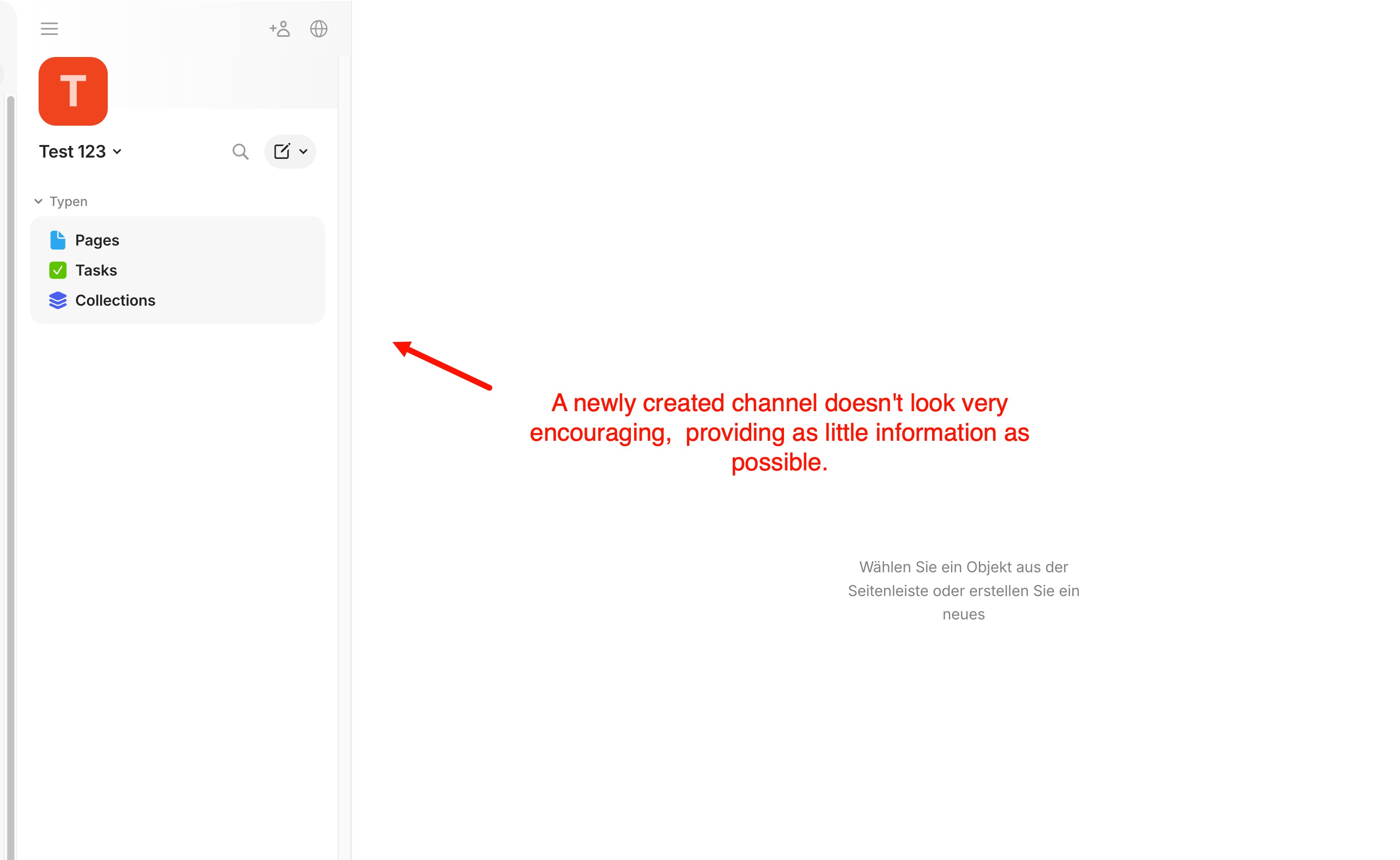
Well, when you create a new space/channel, you’re only seeing “Types → Pages | Tasks | Collections”. That’s all. No other system object types, not other sections, no bin. Even if you enable the view of available sections in the section management, you will only see them, if they contain any content.
Why not displaying all available system object types by default, no matter if there is content or not, simply for orientation purposes?
Why not displaying all available sections by default?

The onboarding view might be different, but you do that only once, when starting with Anytype.
Every time you create a new channel, you’re faced with the same poor situation.

Providing as little information as possible is neither cool nor stylish nor unobtrusive - it’s simply a lack of information.
I don’t think this stagegy makes Anytype any easier to understand or more accessible - quite the opposite, in fact. You need as much as - useful - information possible, not as little as possible.

For example, if I create a new channel with five custom object types, none of them will appear in the “Types” section (as long as no object of that custom object type has been created yet). This isn’t unobstruisive - it’s counterproductive.

Yes, this is true. The onboarding experience has a lot to be improved.

However, I don’t think showing all possible Types (all system ones) is the best approach either. There are many that the user may never want or need, and would have to make the decision to remove it (rather than not having it at all). Chat being a type is the most obvious contender.

Regardless, the feedback is taken and we need to (generally) pay better care on onboarding. Much of collections 2.0 (on the whole) was taken in this spirit.

I actually agree with this. A new user would probably overwhelmed if they see a bunch of types just starting out.

My original comment was just confusion because I was looking for the updates made to the bin, but I couldn’t see them because I had no object in the bin. Take this feedback with a grain of salt, but maybe consider always displaying the bin, regardless if there are any items in it or not (assuming that section is set to showing under “manage sections”)?

@kaye I also agree with fewer types, and that showing the Bin in a new space is better than it only showing up the first time you put something in the Bin.

To me the Clean Up recommendations feels like a passive-agressive Batman’s butler Alfred.

How can AI strengthen Anytype’s mission to safely organize our knowledge, in ways that immediately convince even first-time users?

One approach — to have AI build a “wiki” layer on top of our “raw” objectsearned Andrej Karpathy 44k stars on GitHub in just 3 months.

Today, with on-device AI, this can be implemented entirely locally and privately, without any byte leaving the computer, on 16GB laptops (and even smaller ones), simply running tiny modern LLMs like Gemma-4-E2B.

With such a setup, we can keep adding objects to Anytype as usual, and our own on-device AI takes connects it to our existing objects, flagging where information is related, new, duplicate, or contradictory to existing concepts and objects.

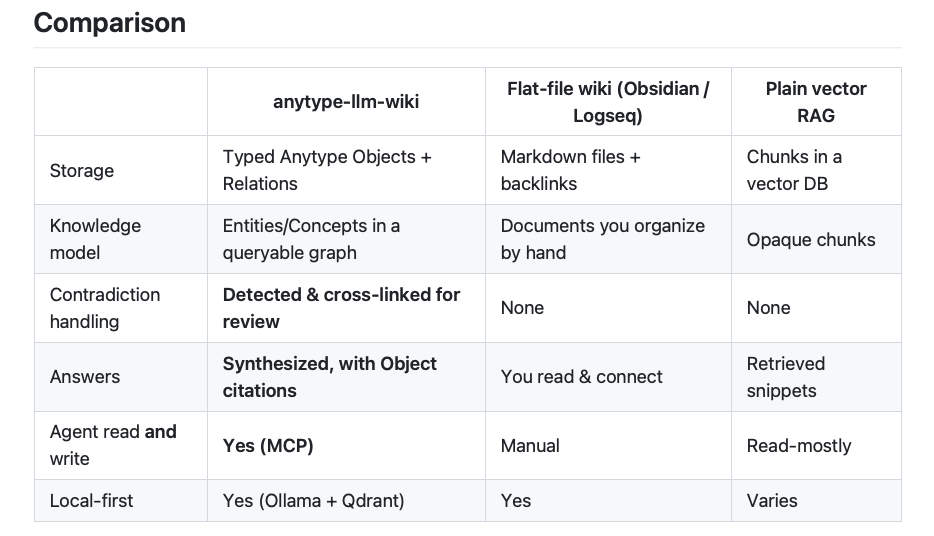
Most users of this approach apparently build this on Obsidian, logseq, and Joplin, but Anytype’s technology is much better positioned. Integrations like Anytype-LLM-Wiki already demonstrate its usefulness, with a smart comparison of Anytype, Obsidian, and plain RAG:

And just as with Bobrik, also the instructions can get stored, versioned and protected in Anytype, so that these automated processes can run transparently and safely within Anytype.

This way, integrations like LLM-Wiki perfectly strengthens Anytype’s mission. As more and more people discover that their computers can run their own powerful LLMs without any cloud connection, there will be growing demand — and Anytype’s infrastructure is far ahead of its competition.

What’s needed now is an integration of Anytype with on-device LLMs, and shipping Anytype fully configured.

Imagine this first-user experience:

  1. download Anytype
  2. while a local LLM is downloading (~2GB), let the user throw a few of their notes and documents into Anytype
  3. impress the user with an auto-generated Wiki layer on top of their first documents, showing lists of related concepts, duplications, or contradictions — all based on their own contents, fully local
  4. show the user how they can fine-tune the auto-generated wiki to their needs, buy customizing the plain-language Wiki-generation instructions.

How different is this onboarding experience from today’s lessons about types, queries, and collections, as well as they’re designed (praise to @kaye!) , when all the user wants is to organize and make sense of their stuff.

In the current debate if Anytype should invest into AI, I believe Anytype should invest more into local AI. Anytype would immediately become the leading infrastructure in a growingly influential scene. And I’m sure many would invest at least 10€ per month into a safe container for their local data and their local AI.

Any updates on Editor bug fixes? Performance Improvements? Editor 2.0?

I’m so sad you guys still care the "chat " so much…but the user experience likes one, even two years ago…

I think that is not really fair, since they are revamping the whole “Editor 2.0” and “Collections 2.0”.
Just have to give time!

That is true. I felt down seeing what this release has after waiting for ~3 months since 0.55.0.

Nothing fancy, a bunch of Chat-related and some other low priority improvements.

I have reported tons of bugs and glitches everywhere in the app in the last 6 months, a very small fraction of them got fixed. Losing hope, I stopped reporting bugs, what’s the point of reporting them when you wait for months and still nothing gets fixed.

Also, I’m done with unmet promises and neglected roadmaps (again), a town hall was postponed for months now, and the results of the survey were never released yet.

It’s time for me to think of going back to Obsidian, at least I won’t have to deal with bugs.

Seriously, an app in development for 8 years now I believe, with a large number of developers working on it and still some bugs or really small features are still not fixed or added, there must be something wrong going on with its development, this is not normal in any possible way.