I did it in a branch, but need discussion with product team.
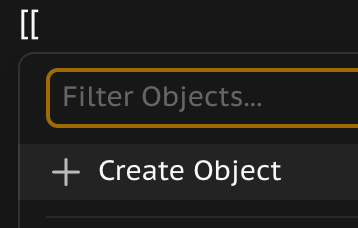
If I type [[ and do backspace if filter field is already empty, I’d like for it to actually remove the [, right now u’re stuck in this view, which is not a very nice writing experience.
What also really doesn’t make a lot of sense:
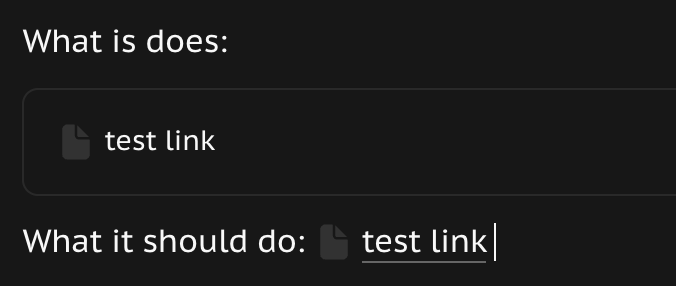
This is one of the things one should just take as they are known for and how the other major apps do it. I don’t understand why anytype wants to be different here..
Thanks for sharing this screenshot. I went to try it today but as @Maira correctly points out, it is not possible to create Local properties from the template’s property panel itself. While it is possible to work around this by creating properties for objects and setting the objects to templates, I’m hoping local properties can be added back to templates instead of this being a bug that you’ll fix and make it impossible outright. This way we are losing flexibility and the program is less powerful than it was before. Just my 2 cents 
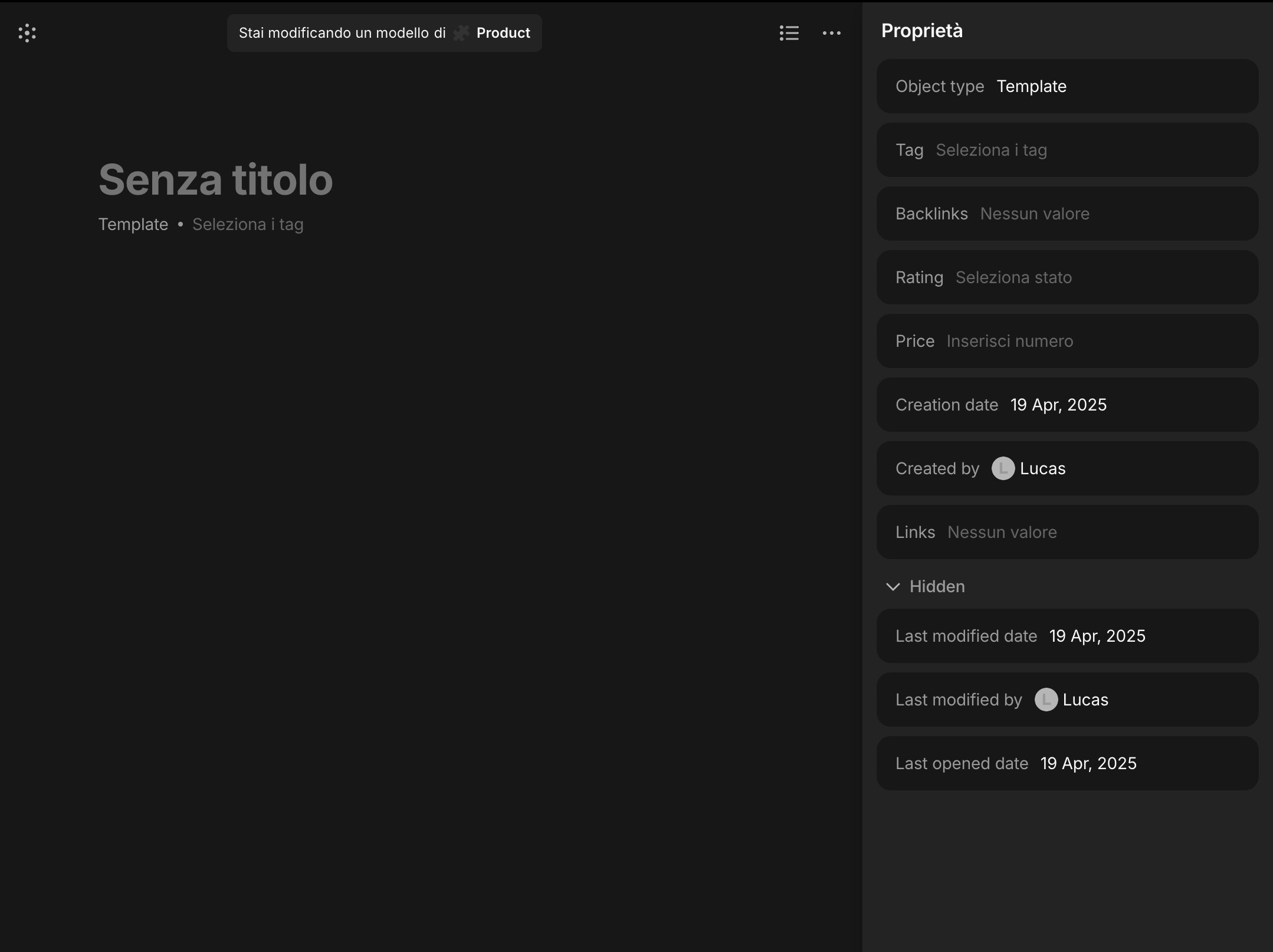
Is it intended behaviour that the properties in the header section also show up in the right sidebar? It’s kinda redundant and they’re taking up valuable sidebar space.
Hi, I’m not sure if this has already been brought up, but could we bring back the ability to modify the layout of notes? I remember that you used to be able to select the page layout even if it was a note type. Basically, I would like the ability to actually create a legit title for a note, not just use the first couple sentences as the title. I take a lot of notes on concepts and it is helpful to label them by a proper name “Subject of Note” than “ladfafdfdodf adsfdaf asdf a asdfas adf asdfasfd and so forth”
Bugs are so bad. It has become unusable.
Looking for an alternative. I must change if the major bugs are not resolved quickly. I can’t use the program any longer.
Text backspaces and deletes several previous letters as I type. I can’t past links any longer as text and when I insert the link as a bookmark it won’t save it until I go to another page and come back. I can’t ctrl+right click to paste. I can’t move lines of text to a new location.
I really like Anytype and I love the changes in this new version 0.46.1 But it is unusable. I can’t even just type in the program. It deletes letters and goes backwards and other strange text behavior.
Please, fix these bugs.
Could you please share your OS/hardware?
Win 10
Dell G3 15 a reasonably modern system.
I love the simplification. But I can’t type. The cursor keeps going backwards, especially between words, and erasing part of the text. I can’t move a line of text to a new location. Stuck. I can’t right click and past URL. Can only control+v and then can’t past URL as text or…? Can only past so it incerts a graphic representation of the webpage.
Basic functionality is now broken.
This is a very annoying bug - can imagine. You could help us investigate why it’s happening. It seems somehow related to windows. Do you use SSD?
I appreciate this release, but I believe there is an issue with the collection templates.
I have a Travel Item type with several templates, such as Flight, Hotel, and Restaurant.
I also have a Travel Itinerary type, which is a list of Travel Items. I intended to add several views to make them available for every new Travel Itinerary object, but this appears to be unsuccessful.
I have attempted to add them on the Travel Itinerary type level and also on its Template level, but whenever I create a new object, I only see one “All” view.
I use MacOS version 0.46.1
[edit] It has been started working after the app restart; now I’m able to use views predefined on the template level which is awesome!
Another question I observe is that I can create a template directly in the Collection Type. Does this imply that I can omit the Travel Itinerary type, which appears to be a wrapper for collection templates?
The linux version is pretty bad. I type decently fast (60+ wpm) so any deletion of spaces or letters really messes me up.
Unlike @Michael100, I am gonna give it a few releases to see if this continues or if I need to migrate my personal knowledge base + daily journal … again.
I don’t seem to be affected by this issue, and am on Linux also.
Important notice, I am running latest git commit, not latest version!
I can’t seem to trigger it manually, so I thought on doing a test:
I repeated this test several times, with no issue, as long as the enter key has a 5 seconds wait.
If I make the enter key delay lower, it mistypes.
Using 1 second delay for enter key:
As you can see in the video, the enter only takes affect after some words (“Lorem ip”) are already typed.
EDIT: There is some issue with headers also (#) that needs some delays. Maybe I can create a test suite.
Yes, I was reporting it back in 2023:
Really loving this update so far, both on Mac and Android! 

0.46 is a step in the right direction, congrats to the team!
What’s weird is that chat has been released, which is a major feature. Yet, it’s not in the release notes. Was the experimental flag unintentionally removed?
Where exactly do you see chats and do you perhaps have Flags > Hidden objects enabled?
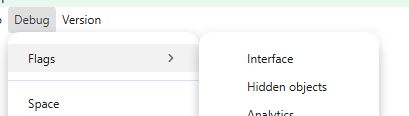
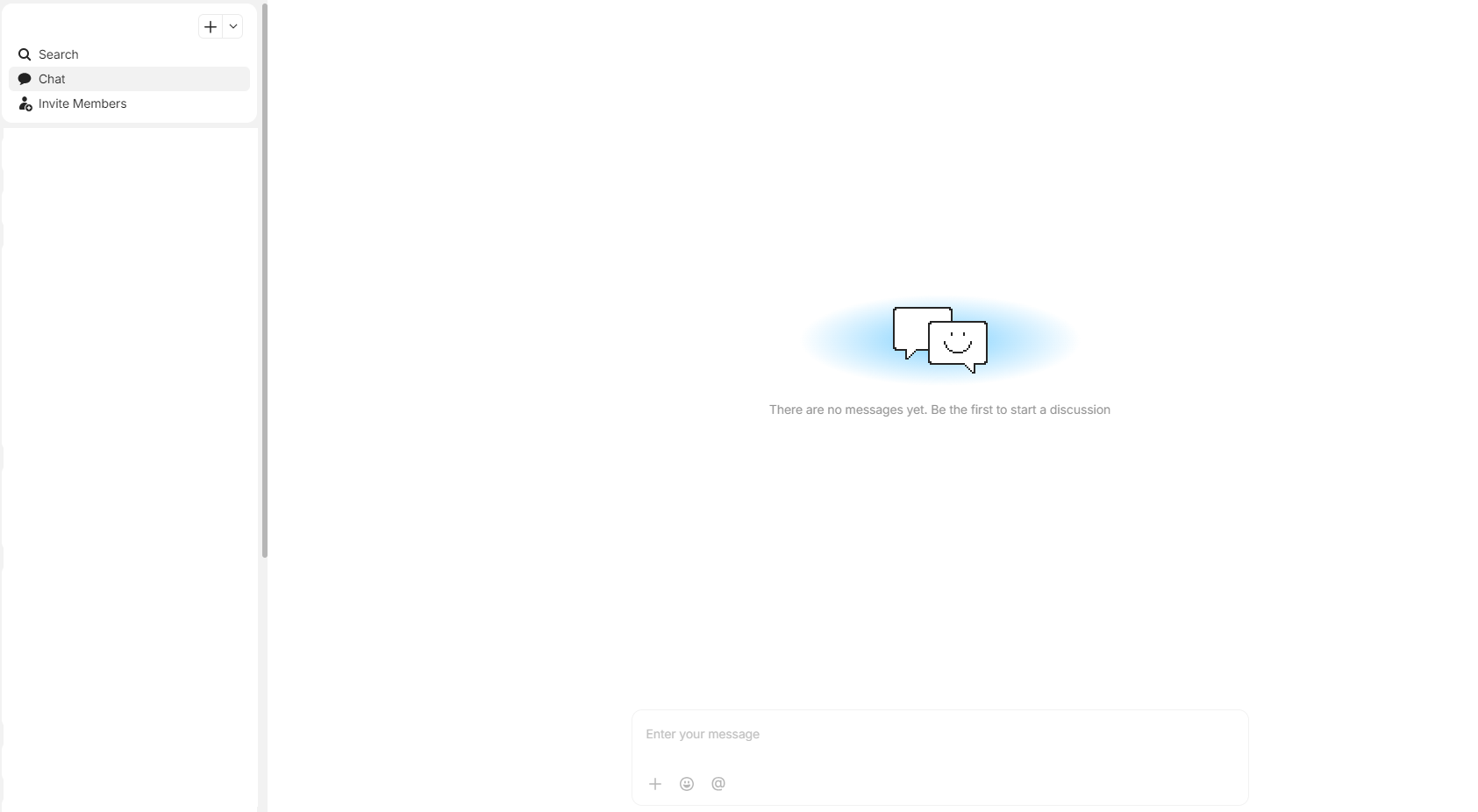
I confirm, I have “chat” in each space (even those not shared, really useful… I hope it will be corrected).
Nothing checked, release channel.