Buckle up, Anytypers! This month’s release presents a power lineup of features designed to level up your space game. It’s so big in fact, that it requires you to install the updated version on all devices before you begin using it, because backwards compatibility is not guaranteed between versions. Kindly remember to take this step before playing with the new feature set, and as always - we hope you enjoy!
Download latest platform versions here.
 HIGHLIGHTS OF THIS RELEASE
- Multi-Spaces are Here!
Spaces were first introduced in June of this year as a container for your graph of objects. From today’s release onwards, you’ll be able to level up your space game by creating separate spaces, each with their own graph of objects, widget sidebar, and eventually - privacy settings.
Simply click your profile picture to create new spaces, or navigate between existing ones. Use the space management menu at the top of your sidebar to customize your space settings or delete your space. For now, your account is limited to 10 spaces.
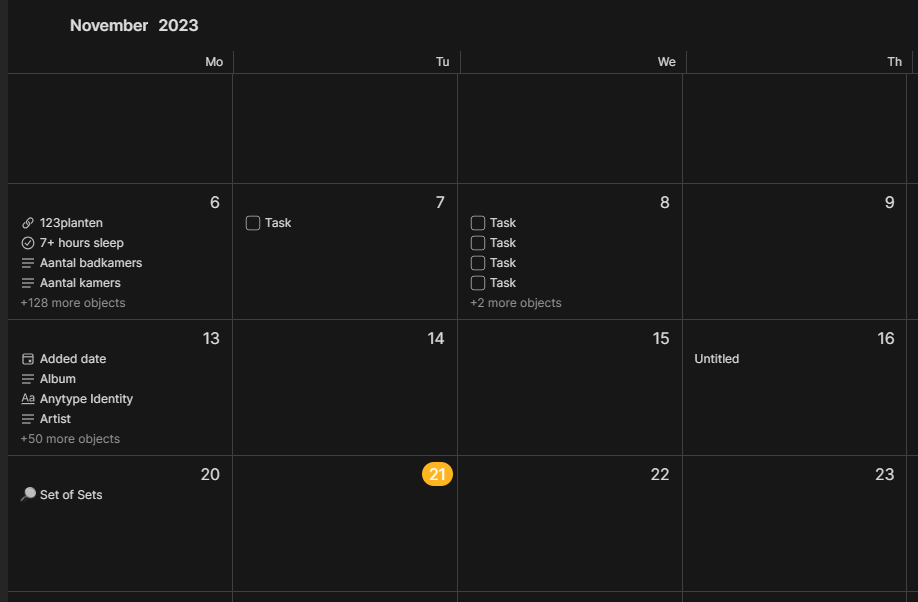
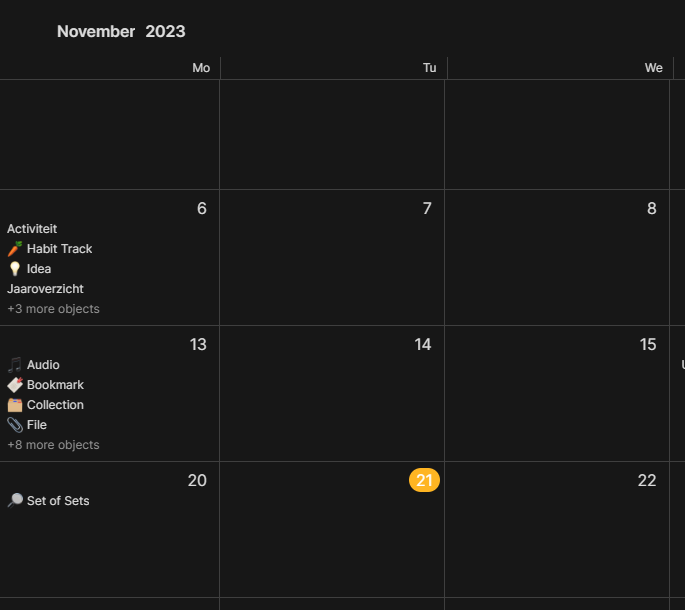
- Calendar View for Sets & Collections
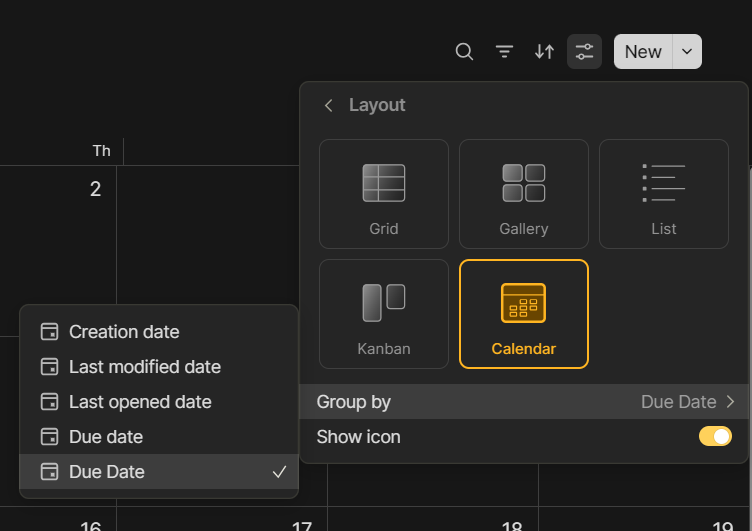
You asked, we listened - the most popular feature request from our forums is now live! Calendar view has been added as a new view option to sets and collections. To display objects in your calendar, you must select a Date relation to group your objects such as: Creation Date, Due Date, or any custom date relation.
 QUALITY-OF-LIFE IMRPOVEMENTS
- Widget Creation via Drag n’ Drop
As a quick solution for creating new widgets, you can now drag & drop linked and mentioned objects from your editor, or objects displayed in sets and collections, directly into the sidebar.
- New Template Picker in Object Creation Flow
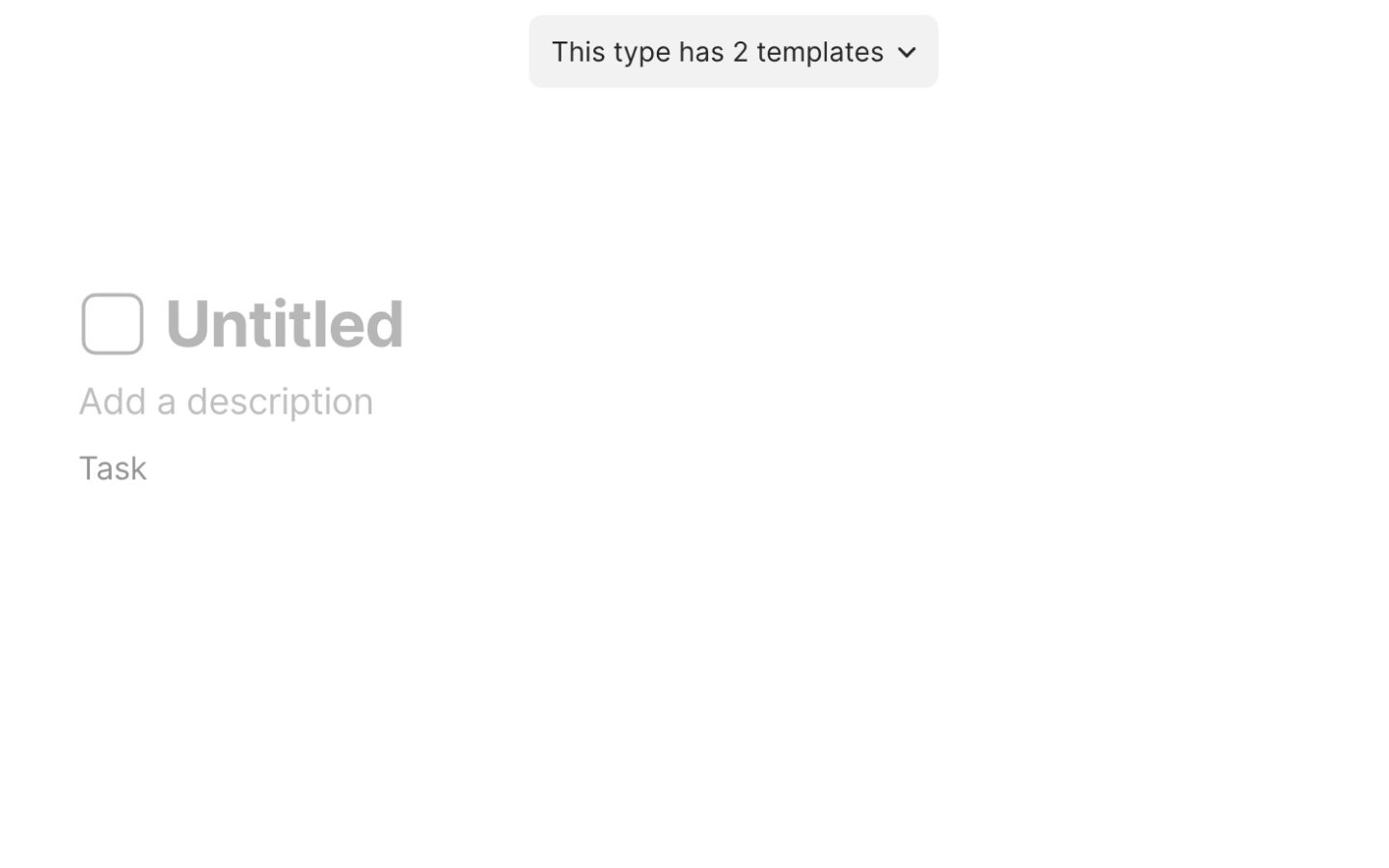
Upon creating any new object, you’ll no longer see a popup window to prompt template selection. Rather, your default template will be applied. If you wish to change it, you can use the template picker on the top of the editor, which will disappear once you begin adding content to the body of the object.
- Search function added to Sets & Collections
Using the new search button in sets and collections (the magnifying glass next to the filter menu), you can now search for objects whose names match your search terms.
- Updated Default Template Selection Flow for Sets & Collections

The selection menu for default templates according to set & collection views has been moved from the view settings menu. To select your default template, click the down caret arrow next to the ‘New’ button and choose the template you’d like to apply to the view using the three-dots menu.
- Onboarding Updates
We’ve simplified the sequencing, copy, and text explainers for the new-user onboarding flow.
- Import Improvements
We’ve made several important improvements to the Notion import via API, including: import of tags, database views, custom icons, and video and audio files.
 TECH
TECH
- Electron updated to 0.25.0
 BUG FIXES
- Fixed: Value in the last cell of a row no longer disappears when using right arrow key. Thanks, sambouwer!