Although all my PCs are unable to enter the void because of the bug mentioned at the second, I found the same bug existed in new account the space was imported to.
Hi @Angelo As I said above, this issue happens not only on Android devices, but also on desktop and laptop. So I deleted the tag “Android” you added.
Besides, is there anything I can try to recovery my data?
It’s too hard for me to accept that I need to re-create all 40+ relations and apply them to 900+ existed pages, especially after all my windows devices are stuck in “Entering the void”, which means I am unable to revovery data even through exporting space to a new account.
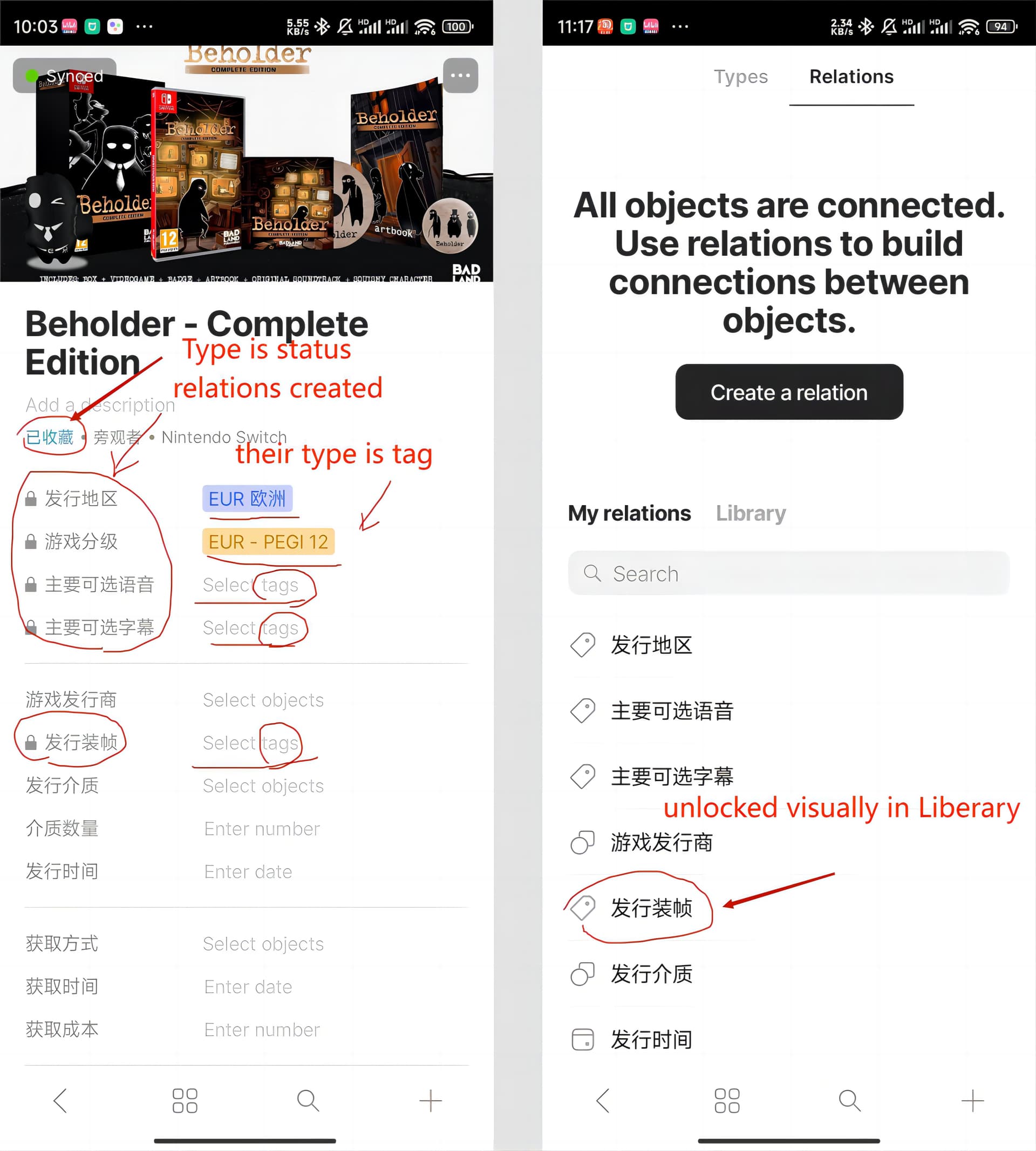
I couldn’t create any new type with the tag… and quickly realised that the tags are now locked even on pre-existing notes… can’t edit tags anymore.
THAT is a real bummer ! All my system relies heavily on tags… hope that will be fixed soon
(v 0.35.4, on Mac OS)
But it looks like a bigger issue with all meta-data / relations.
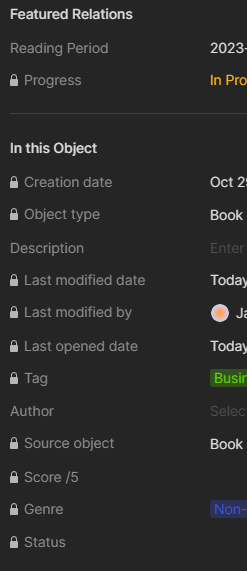
I created a new type to feed a collection and when creating the first template, I realised it was filled with so many relations which were not there before (and that I don’t need really… yet can’t remove) :
According to all problem happened to my account recently, I am guessing:
First, there is a problem with the timestamp, causing the data loss or incomplete sync through encrypted backup node.
(Many timestamps are wrong, such as my space creation time, which might support the guess)
Then, all Relations with tag and status were locked, caused by the data loss.
At last, more and more incomplete data such as locked Relations prevent the log-in.
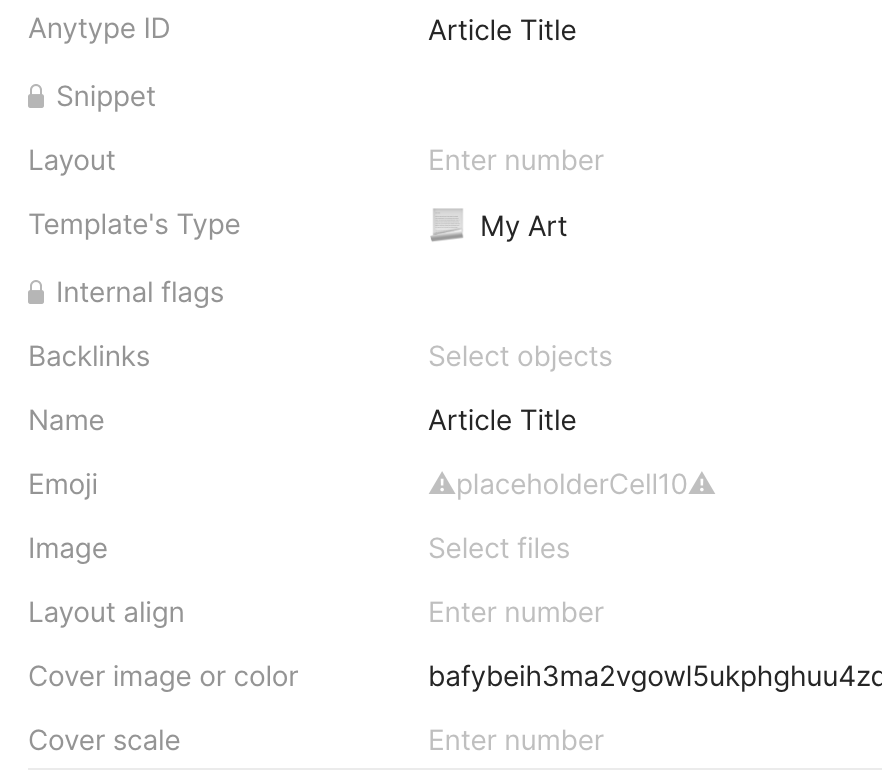
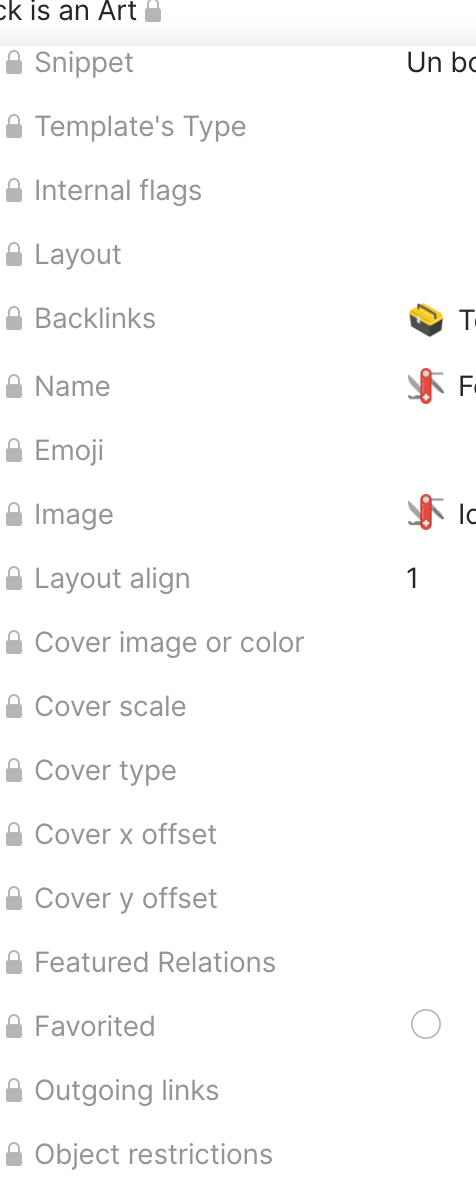
What I find weird is that when I create a new template, there are tons of relations that started to be added to it - which did not happen a few days ago.
In the note below, I have a ton of relations that I was not seeing before & never added to the template (cover offset, cover scale, emoji, internal flags…)
And remembered that I also had the " spaceType1 " issue. Putting in question the version downgrade as a possible cause for the locked tags issue. And for me, it indeed was. As moving up to 0.35.17-beta fixed it.
Started on Pre-release - 0.35.15
Downgraded to Release - 0.35.4I believe
The issue appeared
Upgraded to Pre-release - 0.35.17
The issue fixed itself
It seems that some types created in pre-release version are not compatible with the current stable release version. Hope this helps.
Of course, this only works on Desktop unfortunately. As far as I know, it is not possible to chose RC/Beta/Nightly on Mobile.
Hi, I have the same problem :frowning
Locked yesterday over night.
I used pre-released version.
Happend after I got message that there is a new version, clicked it but nothing installed.
The same message hapend on my laptop and desktop computer.
Moved to release, but didn’t help.
I believe that having a system you can actually work with is more important than the risk of working in a pre-release version, risk that will go away as soon as they update their release build anyway. But this only a decision you can make.
I have the same problem. The relation appears on iOS (and is able to be edited), but on Mac it is locked. Furthermore, certain relations (especially the ones that are featured, do not show at all on iOS. This all happened after the iOS update this week. Everything was fine before that. It has made using Anytype impossible for any object that has relations.
On desktop, it is release version 0.35.4. All relations of type tag are locked.
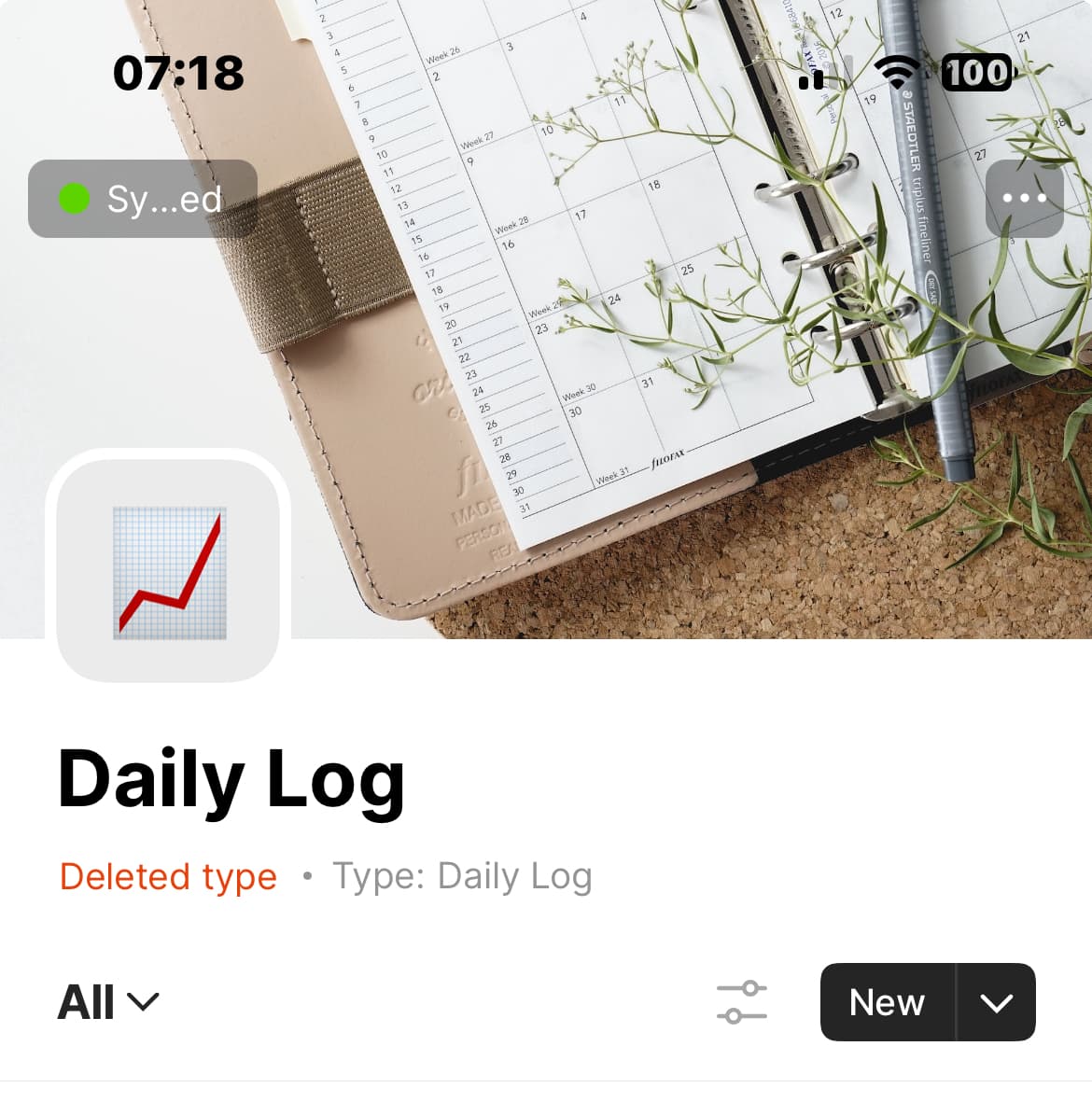
On iOS, it is the testflight version (is there another one?) 0.25.1 (1) For this version, not only are the relations locked, but the sets only show the objects created after this bug appeared, and says “Deleted type.” All the objects in the set that existed before the bug appeared are gone:





 spaceType1