About 400+ of my old objects show up as modified today after installing the latest update.
A lot of them are objects that I haven’t edited in weeks/months. Now they show up in my Recently Edited in mobile. My collections also lost their sorting because everything inside is now edited “Today”. (But the bug is not exclusive to objects inside a collection. It looks random.)
HOW TO REPRODUCE IT
Update desktop
Update mobile
Create two new spaces in desktop and delete a few pre-installed objects
Check out calendar view in original space using the everything set, relation: last modified date (I noticed there were too many objects in today’s date, the rest of the month empty.)
Close desktop app and open mobile app hours later
THE EXPECTED BEHAVIOR
The order of objects in collections, sets, and widgets should be based on the assigned last modified date.
The date relation should show actual modified date, not Today.
ADDITIONAL CONTEXT
Objects modified by the bug are a mix of relations, images, templates, types, humans, and custom types.
I am also experiencing similar issues across MacBook, iPad and iPhone. Looks to me it is an issue that behaves like ‘re-importing’ everything thus all objects was assigned a new ‘last modified date’ when no modification has been done.
Matched experience. Not all objects were given a new modified date and I don’t observe any pattern in affected objects. The number of affected objects for me is beyond countable (about 100+ scrolls to reach the end of the full-page list/set )
Same here. Windows 11, Android 11 and 13. Now all my journaling notes (a custom type) appear as created/modified on Nov 21th
This affects most of my content except for images and bookmarks.
Edit: Creation date is not affected, just Last modified date. Apparently, the Calendar view can only show objects on their modified dates, and the view does not change when you choose to sort them by “Creation date”.
Edit 2: Calendar does support creation dates, I just needed to choose it in the View settings > Layout > Group by section, just like in Kanban view. Too many places to remember, sorry for the confusion.
Did any of you have this issue in the pre-release version? I remember this happening to me then. It’s probably because the way relations were store was changed.
On the contrary, some of my last modified date updated object got a creation date change to Nov 21, 2023 as well - definitely the date for v.0.36.0’s release. Around +5528 objects had a last modified date change and +1489 objects had a creation date change. Both minuses around 30 objects actually created/modified on 21st.
P.S. Didn’t try pre-release this time.
P.S.2. So you can use calendar view to get Anytype to count the number of objects for you
Similar issue here. I just imported a full backup of my personal space (export included all files) - and went to see which objects were most recent, however it’s showing even the oldest objects as having been edited on March 5th, when I did the import.
OS version: darwin arm64 14.4.0
App version: 0.38.36-beta
Build number: build on 2024-03-05 15:37:42 +0000 UTC at #a7986fffadcc2031b1eb3372265db5dda05f4c6d
Library version: v0.32.1
Anytype Identity: A9C8QjrX3qg48xgpxEPdNWEinvPthsZZ8oufR8RzEuRVmAF8
Analytics ID: 20235cb9-746d-4d0f-9382-a483c5f96145
Device ID: 12D3KooWS91nwVLMTCLiCNEZJ3gSArLiWXourMDVduWn6TXxiLyz
Happened again in 0.41.24-beta. It’s making me dread updates. Hundreds of objects (but not all) changed to modified today. And then the wrong dates sync from desktop to mobile where I often use the app, so my recent sorting is all over the place.
All types affected: objects, images, relations, bookmarks
 )
)


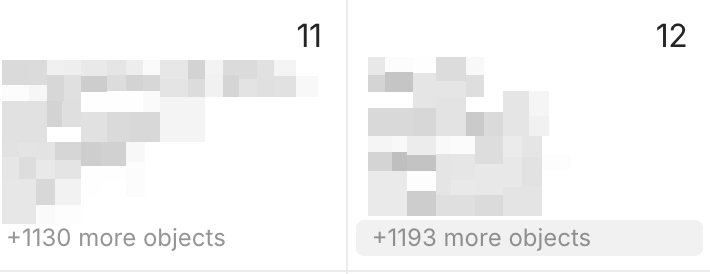
 Hundreds of objects (but not all) changed to modified today. And then the wrong dates sync from desktop to mobile where I often use the app, so my recent sorting is all over the place.