I don’t understand the purpose of adding properties to types as hidden… or removing them as hidden? is it purely a question of UX, so that if you had 1,000 properties, you wouldn’t be sorting through them constantly?
As someone with let’s say 50 properties, I could imagine a world where they are all included by default within all types, but perhaps I’m missing something.
Haven’t tried primitive yet… but I guess there is no change in the logic: relation/property is not first-class citizen in Anytype… (which I sincerely hope it would be…)
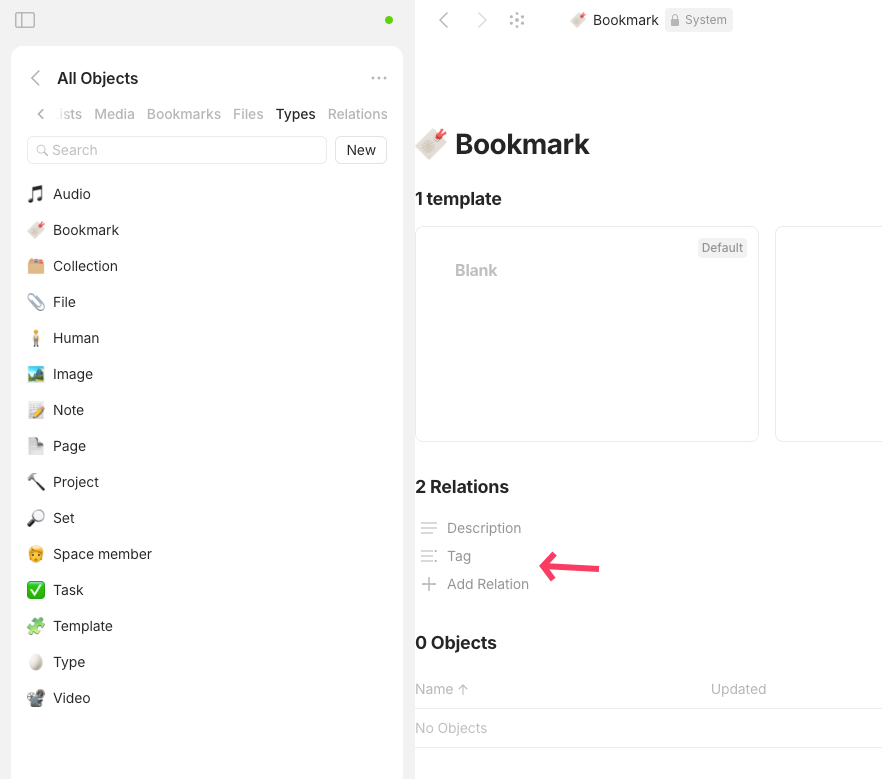
Just like how we used to need to add relation into either the type or the template, in order to /relationName to show the relation in canvas… Or else we need to /addRelation then search for the relationName to add onto object first…
Before primitive, we have to add relation to either type/template to let Anytype know that relation is in scope of this type/object… relation/property is not universal to all objects…
I believe this is because team thinks that property is generally exclusive to type and object. e.g. Movie ratings is supposed to be on movie, not everywhere…
However, for some use cases, a general rating could be the enough scope for all publications (books, movie, series etc.)
If there is no change in all objects (or library) in primitive, this is where relations needed to be added to type, before it could be shown in property pane.
Side note: If we have 1000 properties/relation, we might need a search in property/relation panel as well, or an improvement in search pane (as command palette to assist this)… This is a required UI/UX consideration, for long-term and large data.
If this is indeed the question, the answer would be in my opinion, fortunately not!
If I have 200 properties in my space (or if I have 50 properties in my type, depending on the question), I don’t want to have the 50 displayed by default! I don’t care about some of the pre-existing ones (object type, modification date, creator, …) and even some of mine don’t have to be displayed systematically.
The point is to have the most useful properties to have a clear list and not a river list. And if you want to see everything, it’s just a click away.
Personally, I approve.
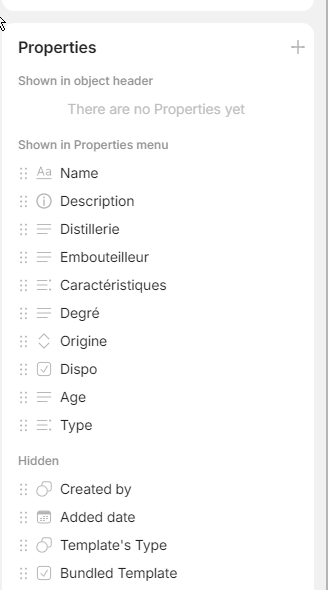
In this screenshot, I’ve only displayed what’s interesting (in this case, anything related to a bottle) and it’s already filling the sidebar. The rest is hidden, I’ll only display it if I need to.
… and in reality, I’ve already got almost all these properties displayed in the inline object, so I’d have to remove them from the display to keep only those that aren’t in the object (to avoid unnecessary duplication). So almost everything is hidden by default for this usercase .
I don’t grasp the underlying need to be honest as the Properties panel is hidden by default, so if you need to see it, it’s to look at properties. In this case, it just need to be ordered, so categorization is indeed useful for that, but no need for “show more” button.
Here is what it should roughly be in my opinion:
Type Header properties
:: Object type
:: Tag
:: Backlinks
Type panel properties
:: Links
:: Creation date
:: Created by
:: Last modified date
:: last modified by
:: last opened date
Object Local properties
:: Specific case property 1
:: Specific case property 2
:: Specific case property 3
Everything should be collapsable directly from the Propertie panel, and everything should be reorderable.
In case I understood your question correctly: there are some system properties or relations that aren’t frequently needed—like “last opened date,” or specific ones like “origin.” Adding these to all objects by default can overload the panel with system properties that are rarely used. However, if we hide them completely, how would you add them to “Featured,” for example, if you want to include “last modified” or “opened”? That’s why we created sections. We’re not sure it’s the best possible solution, but it’s the best one we have for now.
Cool - this is precisely what I had assumed for the most part. I just wasn’t sure if there was something else I was missing or misunderstanding – or perhaps even some other functionality which was the cause for the properties “hierarchy” in the right side panel. Thanks for the insight @anton
 .
.
 Type Header properties
 Type Header properties