Nope, but have you found this to be such a problem?
Once in a while a link breaks and you change it.
It’s easier than managing ballooning storage issues. I’m not saying this should replace having all your images stored locally if that’s what you want but if you are making a database and linking to websites anyways, it’s just simpler and much more space efficient to grab the URL. I’ll happily trade in some broken links once and a while if it helps me with the storage problems having a large database can entail.
I wonder if a balance/compromise, of a url entry service that downloads the image from the URL, converts it to a reasonable cover size and webp or jpeg xl format, making it offline and as small as possible.
It still adds up quickly when considering potentially hundreds of images and it clutters your space (the graph and lists) It’s the same with video but at least for a video you can add a youtube embed but i’d be nice to be able to embed videos from elsewhere on the web. Just have it so linking a URL is an embed rather than a download, plus as I’ve stated before, it allows you to see where you’ve gotten the image from.
@sturdily man, you are a life saver!
I didn’t know about the JXL format till now. Looked in Wikipedia, then tried it, now I’m excited!
I have a big archive with thousands of AI generated images. The container was already as good as restless full. Now I can convert them all in a batch to JXL and the show can go on, without need for creating a new container.
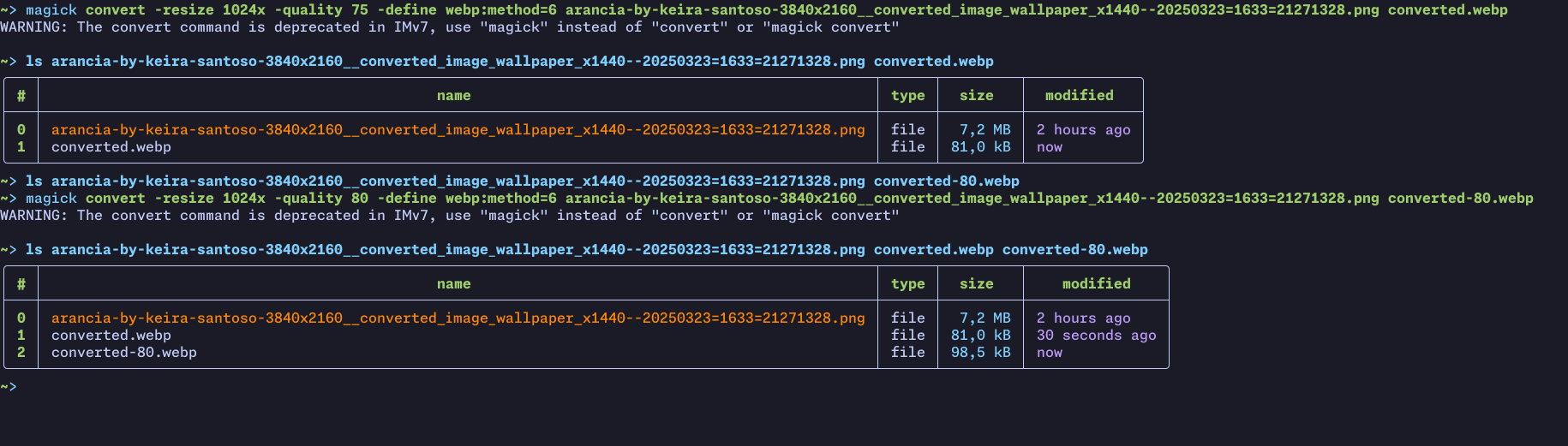
The trick here, webp manages to get a smaller size than jxl due to the -define webp:method=6 param. Without it, it creates a bigger filesize (but really not much bigger).
I don’t use WEBP, because IrfanView on my Win XP PC can’t handle it.
– Oh, now on the second view I just see that it also doesn’t support JXL, I’ve confused it with one of the other formats IrfanView supports. <:-(
Maybe I can install a plugin to solve that for both formats. But I fear that there is not such a plugin that runs under Win XP. :-/
(And yes, I have my good very reasons why I still use a XP machine for some things, but I don’t want to speak about that.)
I agree with the thread’s author. If it were possible to use an image URL to insert into an object’s cover, it could easily be implemented in the Web Clipper extension: