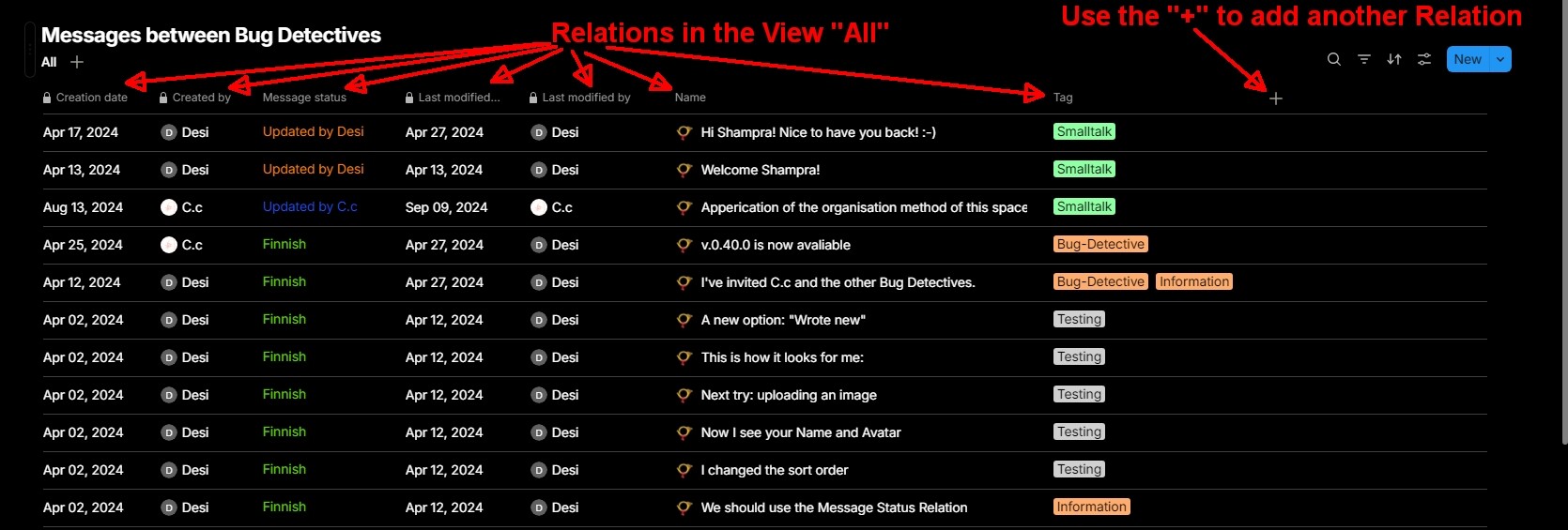
I started using Atytype not long ago. I can see it is quite powerful, but the learning curve is a bit steep at the beginning.
I feel lost with “Relations” which seems to be a core feature of Anytype. Could you please suggest any good tutorial explaining step by step the concept and the way it works?
Additional Context
I have a lot of data in the app and I think I could organise them in a much more convenient way.
OS
Win10
Anytype Version
0.42.8
Network Mode
local app
Technical Information
OS version: win32 x64 10.0.19045
App version: 0.42.8
Build number: build on 2024-09-06 10:41:02 +0000 UTC at #c583602e975eaf2e525ef7f22e4700f8825a6420 (dirty)
Library version: v0.35.7
Anytype Identity: A7cpqpMFc5Vui1Tkq7Rn3SP2muEQWsnfQPcGumhu4D9HaEJZ
The most important thing you need to know about relations is that they aren’t relations. They are attributes of the object they belong to. “Relation” is a misnomer, probably resulting from the internal implementation of attributes.
See this discussion that runs for three years already, which shows that the name isn’t going to change, unfortunately.
Hi Christoph,
Yes, the name “attributes” would fit better IMO. Regardless of the name, I think understanding how it works is the key to use Anytype efficiently. I am more interested in tutorial rather than getting into discussions about the name.
Yes, sure, it’s good to know and I agree, the name is confusing.
The documentation if fine and on a theoretical level I understand the concept. However, I’m struggling with using it. I would need a few different step-by-step examples of using “relations” (explaining why and how in each particular case). This is why I asked about a tutorial
I am not aware of any tutorial on using relations. Maybe if you share some specific questions you have about relations, the community might be able to answer them.
This may be a little long-winded but here are my 2 cents: I have grown to rather like the concept of “Relations” over the last year or so of using Anytype. I view Relations as how a specific Object (created or instantiated from a Type) “relates” to other things such as objects or values. For me Relations have 2 components: a label (i.e. the Relations name) and a value. The label describes HOW the value relates to the Object. For example, I create an Object “Sam” from the Human Type and want to add a BirthDate Relation. If I just create a Relation using a generic label of “Date” with the value of 08/01/1960 it gives me little information as to what the date means, but if I label it “BirthDate” then I now show how the date “08/01/1960” is related to the Object “Sam”.
The power of Anytype is that I can add Relations to any Object at will without having to predesignate it. I can also add them to a Types Template to be used in creating new Objects. I hope in the future that we have the ability to apply Templates to existing objects which will difinately make things easier. There can be valuable information in the Relations name as well as in the value associated.
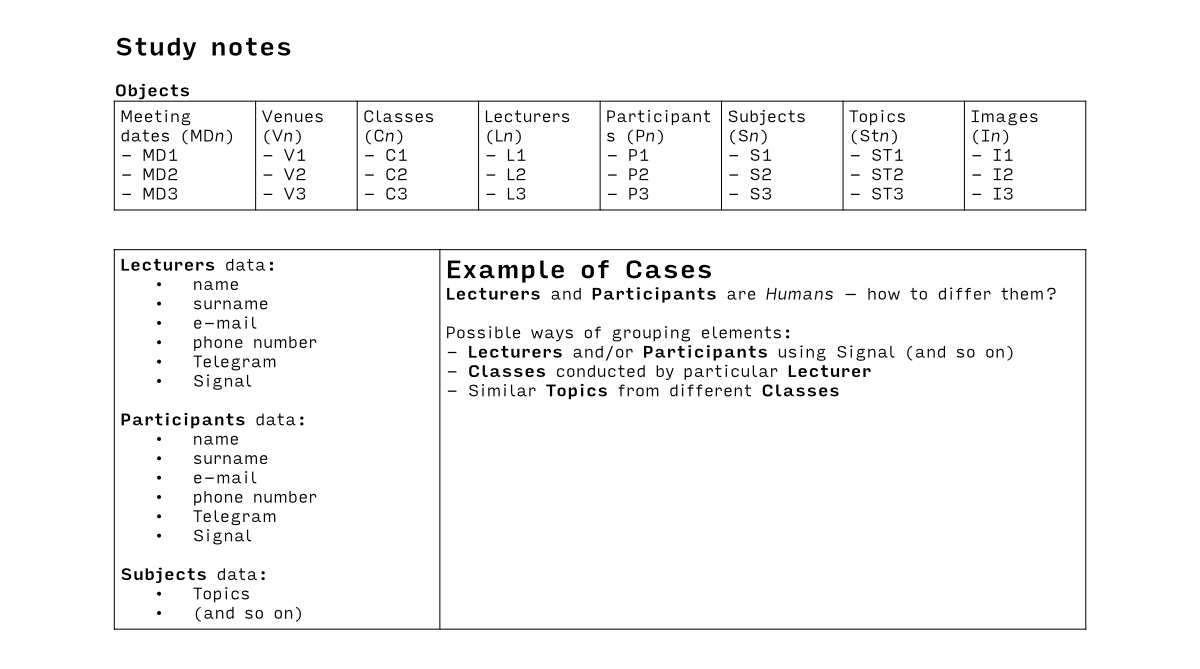
Hello there, here is an example of what I want to achieve in Anytype. My understanding is, that relations could help me, but please, keep me right. Anyway, I would be happy for explanation, how to do the thing described on an attached image.
Once I understand the logic on those examples, I’ll be able to implement the logic anywhere else. Thanks a lot
This is a good example to how we address data from foreign objects. Lecturer, participant, subject are their respective individual objects where we ask system to pull data from, using relation.
I understand (more or less) the concept of relation. I just don’t know, how to use it in Anytype. @Filip I’ve seen this “Learn how relations work in Anytype” tutorial and I have 2 alternative conclusions:
I’m disabled, as I do not understand what he was doing, or
explanation was not clear or the way how it is impemented in Anytype is not clear
@Wim Based on the question in the image, you could differentiate between lecturers and participants by giving each a tag. Then you can, for example, collect lecturers in a set by filtering for “Tag is any of: lecturer”.
I have a slight distaste regarding Anytype. It seems to be a software designed for power users. For example, the video posted on YT: Course notes — There is a lot of cut out scenes that would be very useful from a beginner’s point of view.*
You see @christoph, it’s not a big deal to make workarounds using tags or adapting the framework to my skills. I’d like to be able to use Anytype well enough that the tool makes my life easier, rather than being a hostage of my skills.
Anytype, please take it as a constructive criticism from your target user.
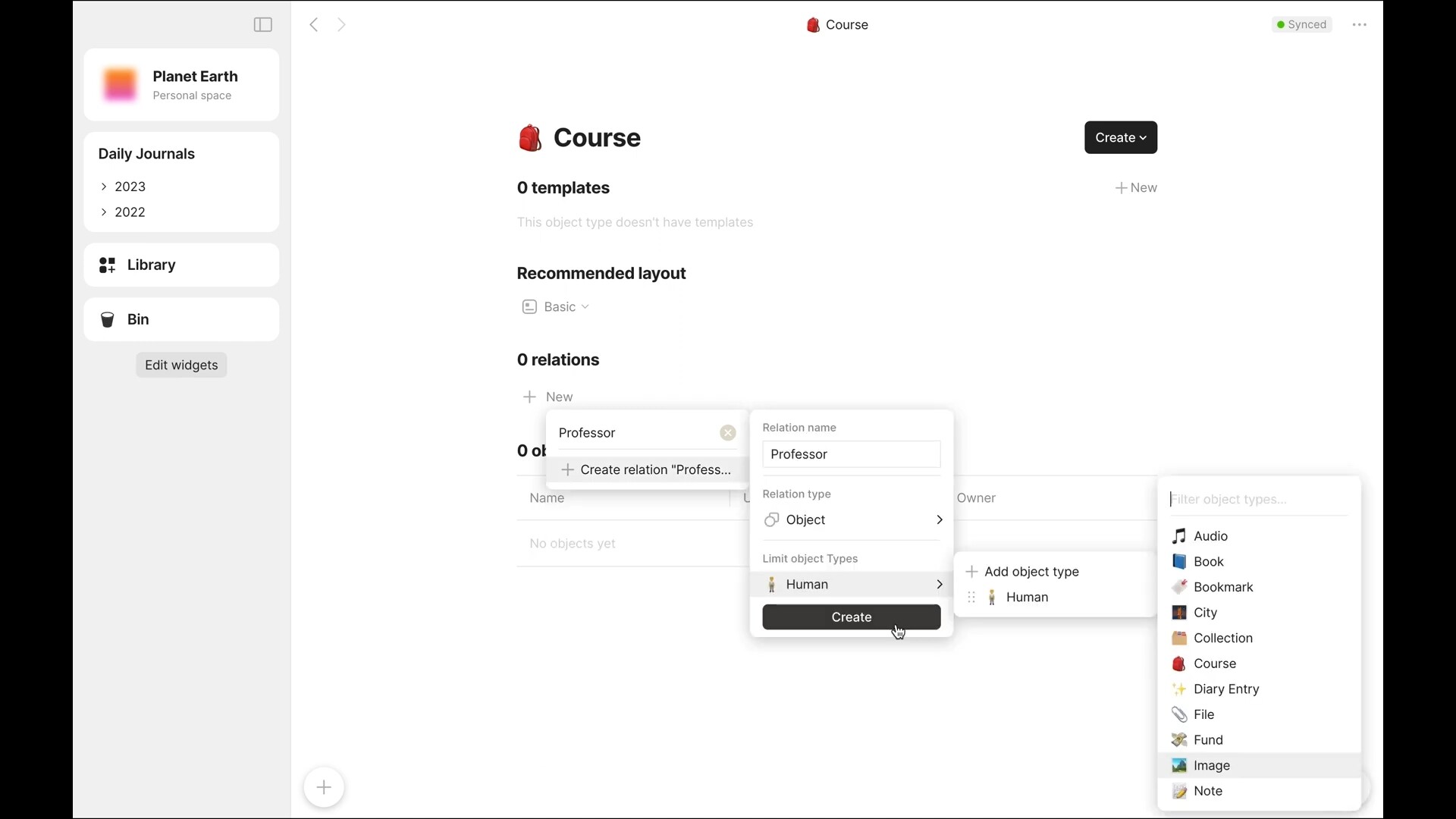
(just an user here) Apparently, you still have a version that has Library. In Library, click on the Relations tab and on the search box, write the name of the relation. The option to create a new relation wil appear. Or… when entering an object template, add a relation (in a similar windows to your picture), type the name and the option to create a new relation will appear. I also thought Anytype was a bit confusing, but relations are very easy and intuitive to understand. And it’s not the type of thing you forget how to use, if you stop using it for a couple of months.
I agree, the concepts are unusual: block-oriented editing, relations that sometimes aren’t relations but just attributes, sets versus collections, types that aren’t defined by their structure,…
It took a while until I got used to the design and the idea behind it. Yes, it’s a tool for power users. Rather than just starting to write, you have to think about the structure, types, relations between objects, the use of sets and collections, or else everything ends up in a big mess.
I found some of the gallery examples to be of great help for wrapping my brains around Anytype. I imported them into throwaway spaces and played with each of them to see how things work (and break).
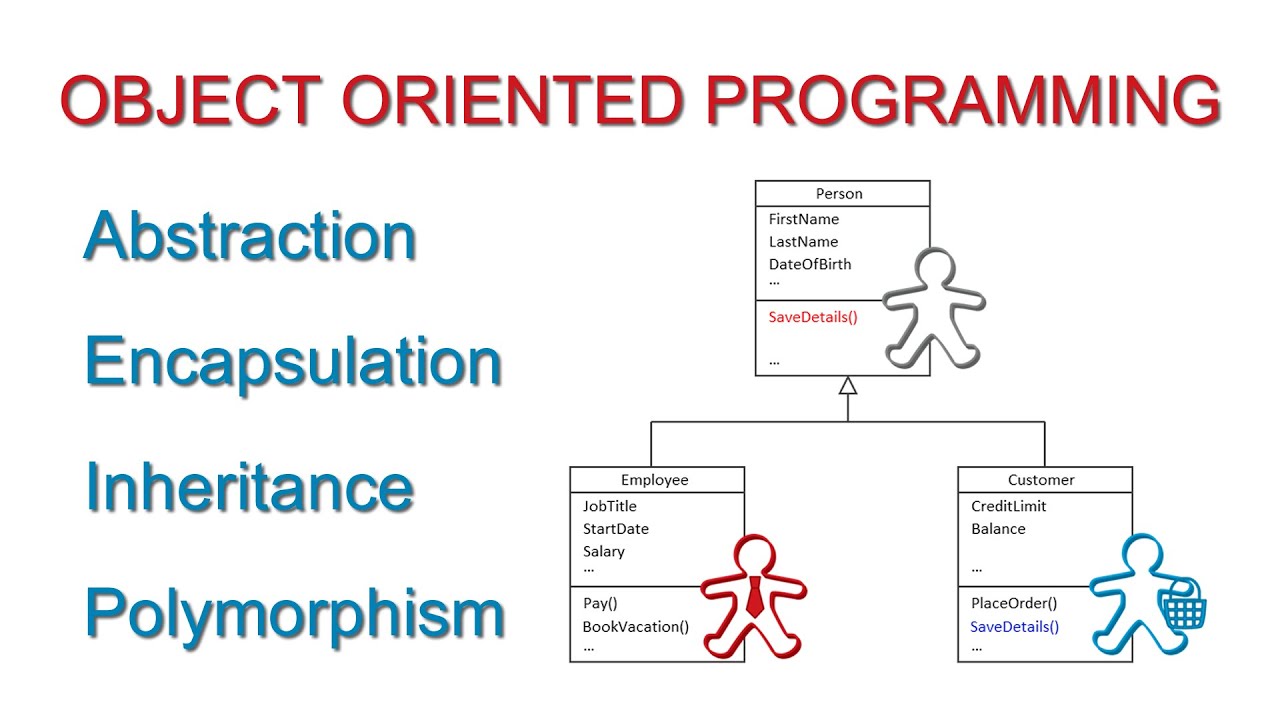
If your scenario is creating a flexible template for the Type which is prone to modification afterwards, I guess a simple class inheritance is a suitable analogy.
If your scenario is forcing a type to follow a template (instead of using the template as just a default starting point), in OOP, there is a design pattern called template method (yeah the same name). In template method, a template class is first developed as a blueprint for other classes.
For example,
from abc import ABC, abstractmethod

class AbstractClass(ABC):
    """
    A template for a general workflow, with specific steps left to be defined by subclasses.
    """

    def template_method(self):
        """Template method that defines the algorithm's skeleton."""
        self.step_one()
        self.step_two()
        self.step_three()


    def step_one(self):
        """Concrete step."""

        print("Step 1: Common behavior")

    @abstractmethod
    def step_two(self):
        """Abstract step that must be implemented by subclasses."""
        pass

    def step_three(self):
        """Concrete step."""
        print("Step 3: Common behavior")


class ConcreteClass(AbstractClass):
    """Subclass implementing the abstract method."""

    def step_two(self):
        """Implementation of the abstract step."""
        print("Step 2: Subclass-specific behavior")


# Example usage:
obj = ConcreteClass()
obj.template_method()
In this pattern:
The template_method() provides the overall structure of the process.
Some steps, like step_two(), are abstract and must be provided by subclasses.
Other steps, like step_one() and step_three(), have default implementations but can still be overridden if needed.