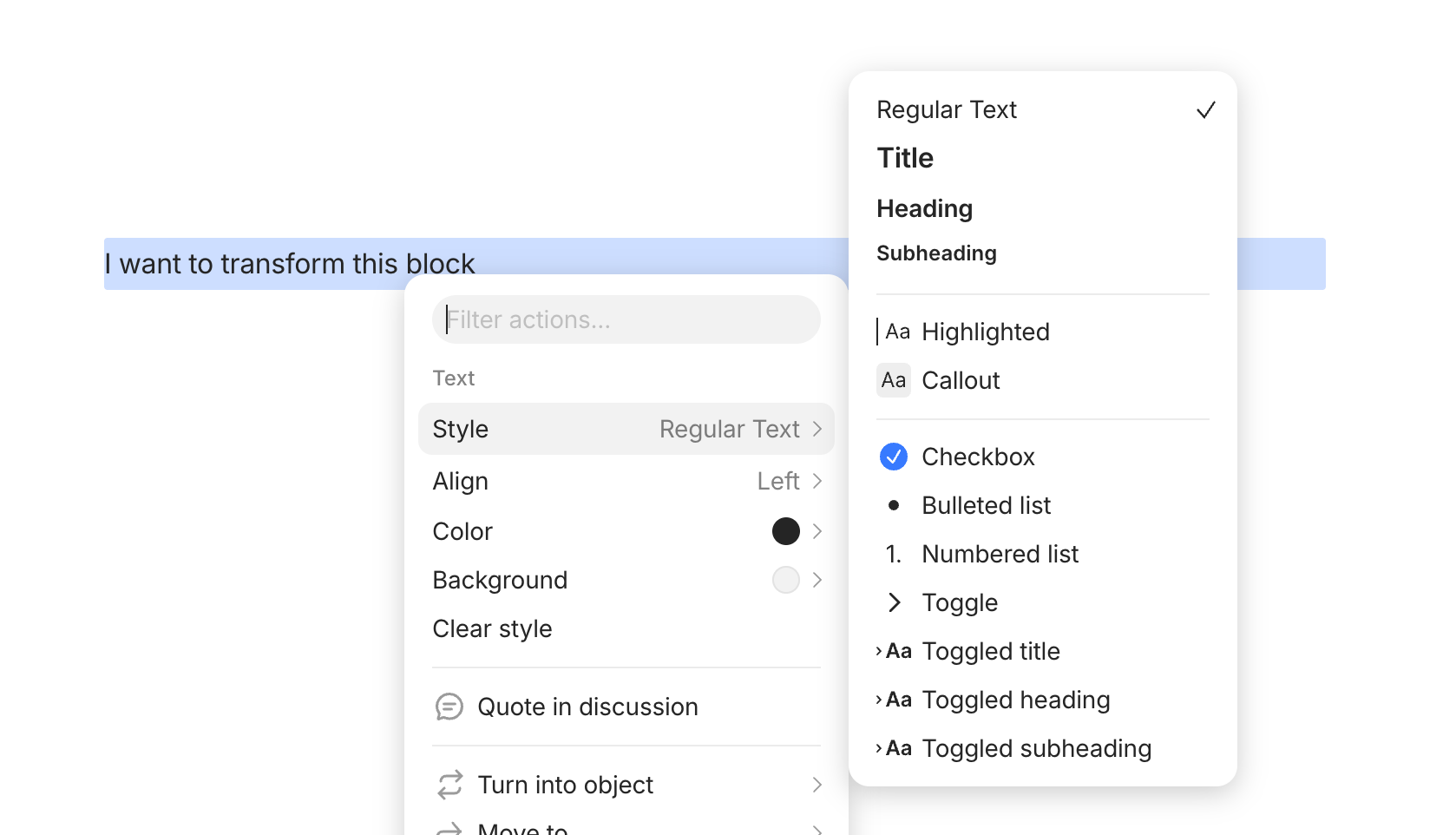
I’ve searched a bit and still unsure if Anytype is settling with its implementation of Callout and Highlight blocks, or if the direction will still change and how. If it has been answered elsewhere please comment with a link.
I am a bit frustrated with the current workings of Callout and Highlights, as I expected them to be a container with no hard attachment to any content blocks. This is indeed something I got used to from working with Notion previously, so it might just be biased preference, but in Anytype, these two containers always come with a content block that is locked in regular content style. The first line in Callout and Highlight cannot be changed to another style (like headings) besides using some inline formatting, because that means the Callout block itself will be changed to a non-Callout content block. This have messed with many of my formatting decisions, especially for Callout.
I regularly use Callouts for “highlighted” sections of content requiring extra attention, and that means I usually have a need to put a heading for that section (because it’s an important section). Now, with the way Anytype work, I have to make do with a bold, all-caps normal text block, or leave the first line with a black space and start nesting other content blocks into the Callout, which looks a tad awkward.
My personal preference is that Callout and Highlights should be treated as container styles only, and not content/text style. I am not sure if this works with how the editor is developed, and what sort of decisions have been made around this. If Anytype decides to still go on with this direction of implementation, then I will have to live with workarounds but it definitely reduces my experience with it. Would love to hear any thoughts or clarifications about this.
OS
win32 x64 10.0.26200
Anytype Version
v0.56.1
Network Mode
AnySync
Technical Information
OS version: win32 x64 10.0.26200
App version: 0.56.1
Build number: build on 2026-07-28 12:37:12 +0000 UTC at #1aa303c7d30a70dfb951b05a18b6888512e157c2
Library version: v0.50.18
Anytype Identity: AABjkstxmBxQmX7pmRC3WzWBTwJrJDgxVnWTZ4WUYUMwYQY5
Analytics ID: MdPdFQC4iT1EbN8LAsmCGvPmHUneP5eMN4fDRTXiA5F6Tkdi
Device ID: 12D3KooWPjcxNQWVWes3WBFTLViM7wYZAFuZ7uDTBJNyCiGrwGVf
Ethereum Address: 0x7e864031718a77719e8A51a24Bad95582064bE42
Thanks for bringing this up. Yes, we’ve had a lot of discussions around this already. We’ve also tried various apps and have noticed that they often treat callouts/highlights differently.
If you’ve experienced a block editor’s callout/highlight behaviour that you like, then please share it here. We can take a deeper look to make sure we’re creating the best type.
Thanks for the reply. Admittedly I havent used a lot of note taking apps in general because I have a tendency to just stick to something lol. As mentioned previously, behaviour-wise I’m definitely leaning towards something like Notion, where callout/highlight acts more like container.
That said, I think @UBr 's suggestions bring clarity and also great flexibility/customisation. It also highlights one thing I don’t like about the way Notion’s UX doesnt really tell us much about the behaviours of the “block styles” - everything is treated as the same. I think Anytype’s current UX for this is somewhat similar, though it at least somewhat reflects the “similar” behaviours of the block, even though this “similarity” is not what I/we expected. Here is where I guess I’m a bit influenced by the tool bars of some WYSIWYG editors, where “components” to be laid out on the page are categorised more reasonably - layout - container types - content types/styles, which can be nested.
I cant say that the way is to replicate that WYSIWIG menu, but perhaps adding a bit more “organisation” to the block insert menu, and/or adding “toggle control” to switch between types (e.g. an action that can turn normal block to toggle block suggested by UBr) may help?
While most people would agree on all the basics for an editor, it’s usually also a very opinionated when it comes to other aspects. We’ll certainly reference Notion (among many others) on how they do things. In my research so far, I’m actually surprised at how different editors behave across block-based apps.