Let’s have a right mouse click on the block “gripper” menu toggle block collapse/expansion — like today’s Toggle block type, but for all block types, and more intuitive than the new toggled H1/H2/H3 Headlines that came with the last release.
-
Right mouse click on the block settings menu is an unused event.
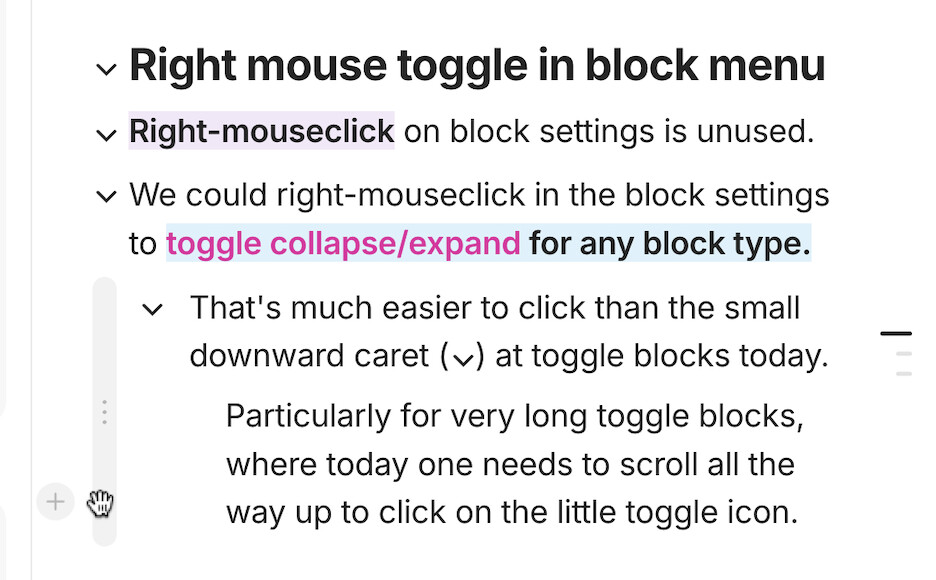
To toggle a toggle, it is much easier to click than on the small downward caret at the beginning of the toggle block.
Also, if we can toggle collapse/expansion of blocks with a right click on the block’s menu, we can move the caret outside of the text body, and thus have a more elegant appearance of H1, H2 H3 and possibly also bulleted and numbered and even callout, highlighted, and checkout block types.
WHAT DO YOU RECOMMEND?
Use the right-mouse click event on the “gripper” block menu to toggle collapse/expand for all block types, not only Toggle text/H1/H2/H3, but also e.g. indented bullets etc.
HOW COULD IT BE DONE?
Like in above screenshot: simply have the right-click mouse event on a block’s menu trigger collapse/expand for indented blocks belonging to this block, and consistently position the downward caret outside of the text body, like e.g. in Apple Notes today.
REAL WORLD USE CASES
-
To toggle long blocks, or blocks with many indented sub-blocks, it’s much easier to right-click anywhere in the block menu than to scroll all the way up to the top of the topmost text line and click the tiny downward caret icon => good to use AnyType much easier as an outline editor.
-
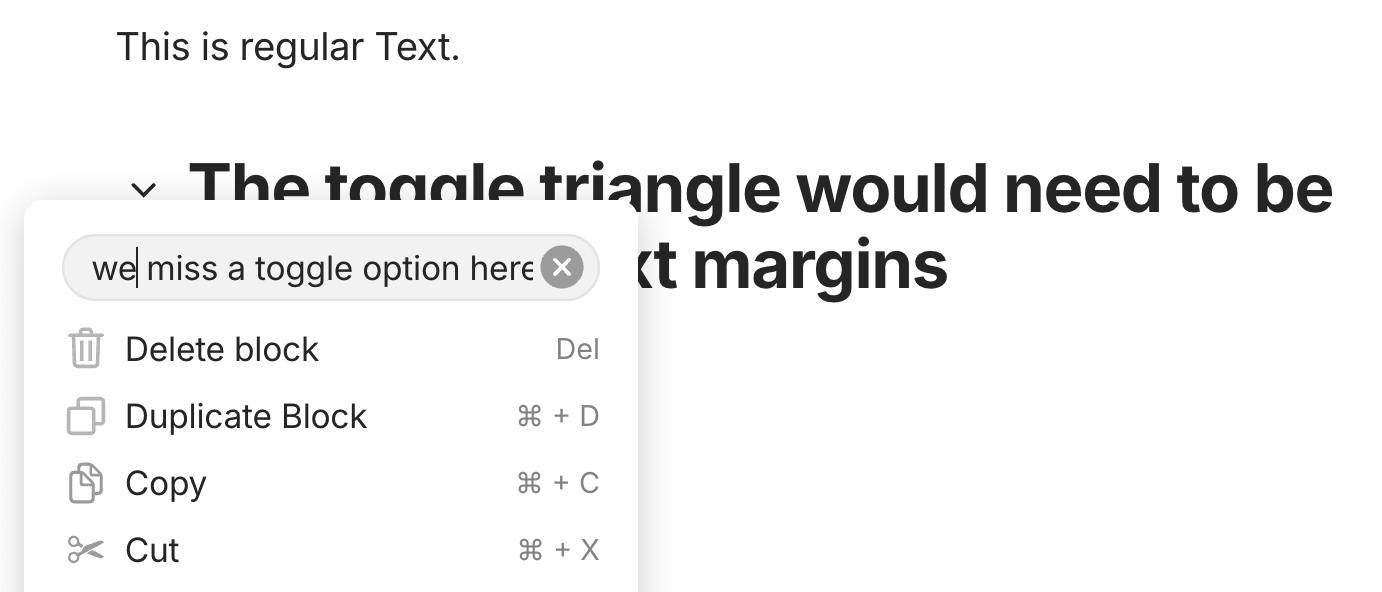
The new toggled H1/H2/H3 headlines have their toggle caret inside the text body, but that’s inconsistent with the margins of the untoggled H1/H2/H3 headlines. Placing the toggle caret outside the text body in addition to the “gripper” block menu would be very consistent with the previous page layout, easier to print, and more intuitive if the caret turned into the block menu upon hovering, with the right-click option. In addition, there could be a toggle menu position in the “gripper” block menu for those users who prefer this:
-
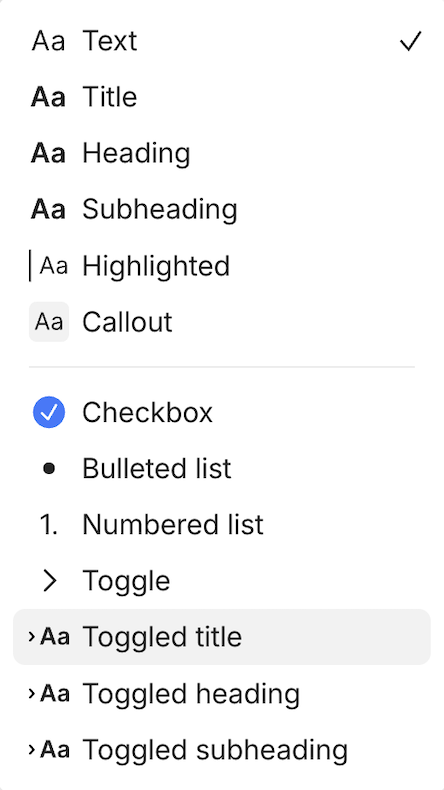
The new toggled H1/H2/H3 headlines are super useful for outlining work in Anytype, such as writing blog posts or articles, or reviewing and highlighting others’ articles and scientific literature, etc. But also indented bullets would deserve toggles, and even Highlights and Callouts. However, duplicating even more Block Types as toggled and untoggled types would feel awkward; not doing it feels unnecessarily limiting.
-
The old H1/H2/H3 headlines could not have indented sub-blocks, but the new toggled headlines can. That’s kind of duplicate and creates unnecessary UI complexity.
-
The introduction of additional toggled H1/H2/H3 headlines feels a bit like a bolt-on to the beauty and consistency of AnyType’s previous block type architecture. Also by keyboard or by Markdown it’s very consistent to choose block types by ⌘1, ⌘2, ⌘3 resp. #, ##, ### and so on — the new block types don’t fit in here, and somehow duplicate it.
RECOMMENDED ALTERNATIVES
It works today. This FR appears just a little more consistent, less limiting, and more intuitive.