What’s The Bug?
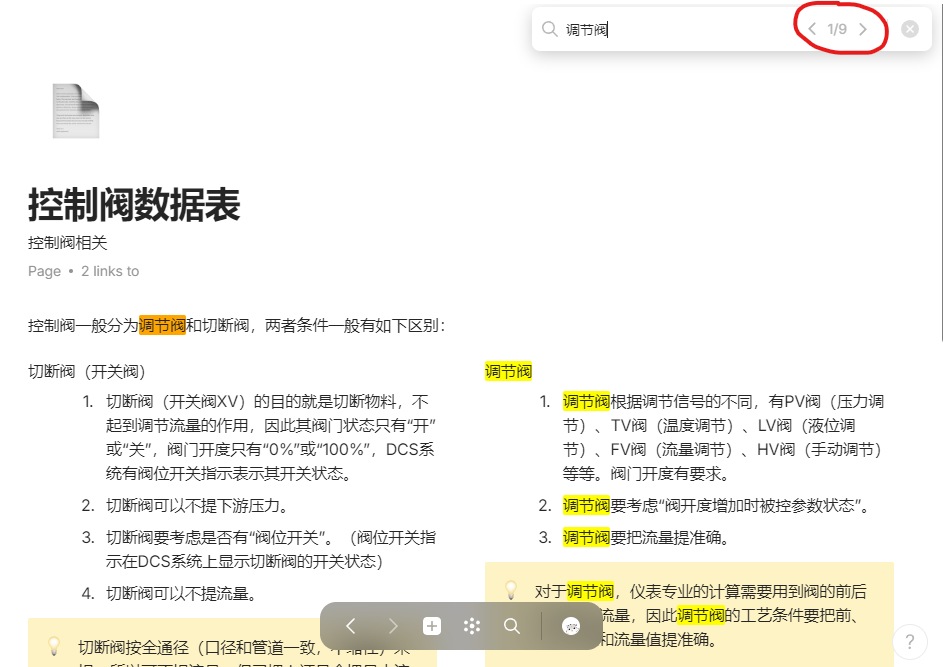
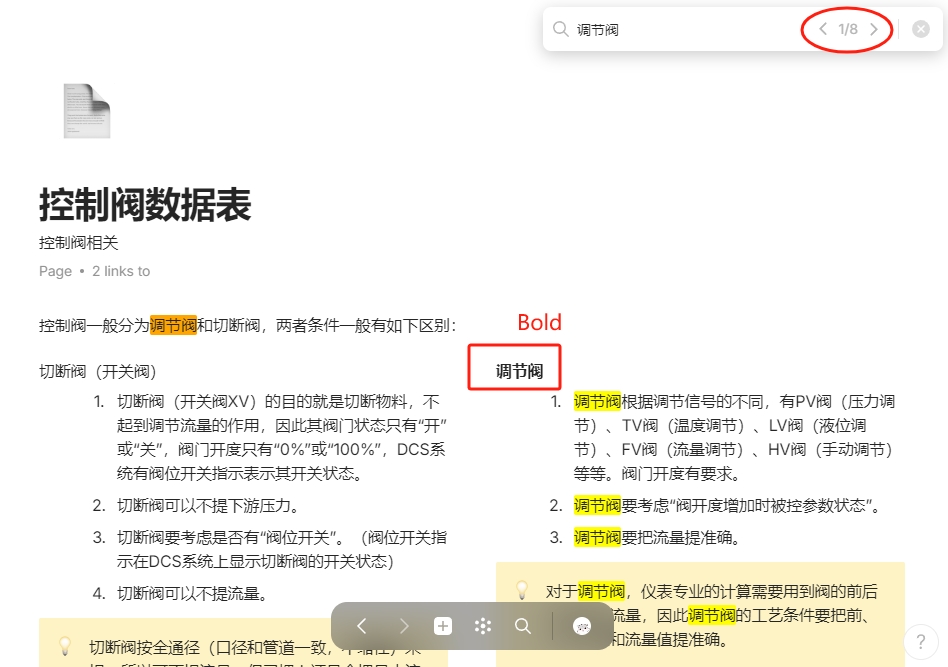
When the text is formatted as default it can be found with the search tool, but after its formatting is changed (bolded, italicized, color changed, etc.), it cannot be found with the search tool.
How To Reproduce It
- Change the text format (Bold)
- Search on page (Ctrl + F)
- The text whose format changed is not been found. The number of text searched by search tool decrease.
Image or Video
The Expected Behavior
The text whose format changed can be found by search tool.
Device
PC
OS
Windows 10
Anytype Version
v.0.38.0
Technical Information
OS version: win32 x64 10.0.19045
App version: 0.38.0
Build number: build on 2024-01-23 17:45:05 +0000 UTC at #c71c64146c6e721ac39e01d450f38db5e6963f2e (dirty)
Library version: v0.30.12
Anytype Identity: AA1CTvwKv3K9r743Gua7RSCSqP2pxpGU7BA1M9RDWQJT58e3
Analytics ID: d2e63a5c-5db8-4b1b-afad-596dbf80960e
Device ID: 12D3KooWS5wiuqvKuZS6mNrkvooRNYRwUhCFhfwGmgiQMXhcsZ9r


