What’s The Bug?
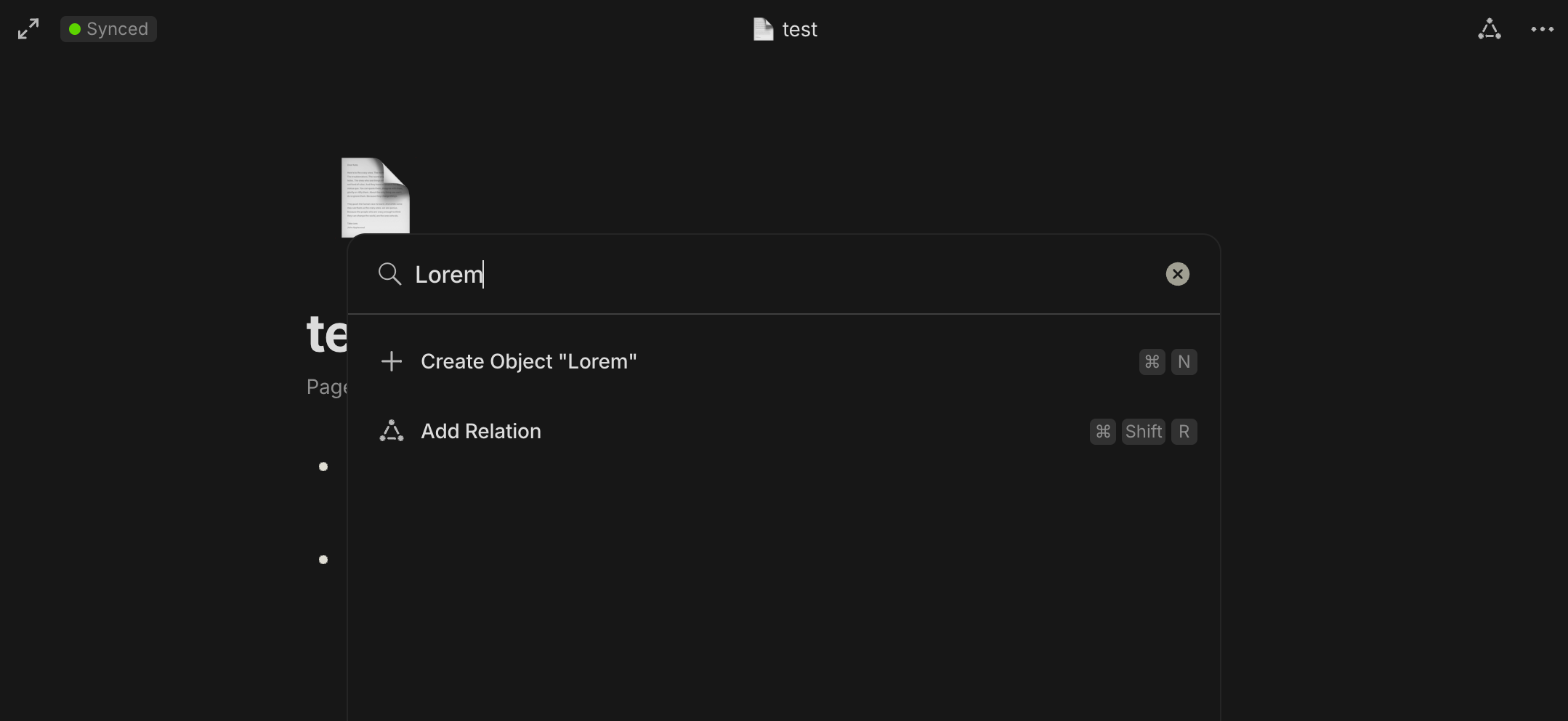
I’m trying to move from Logseq to Anytype. I export all my notes to md files and successfully import them into Anytype. But when I try to use global search, my notes are not found. I’ve tried the stable release and 0.39.13-beta as well.
How To Reproduce It
- Export notes from Logseq as markdown (md) files.
- Import the exported md files into Anytype using the standard import process.
- Attempt to use the global search function in Anytype to find content from the imported notes.
- The global search fails to find or display any results from the imported notes, despite their successful import and visibility within Anytype.
Image or Video
The Expected Behavior
The global search should find and display results from the recently imported notes.
Additional Context
This issue persists across both the stable release and version 0.39.13-beta of Anytype.
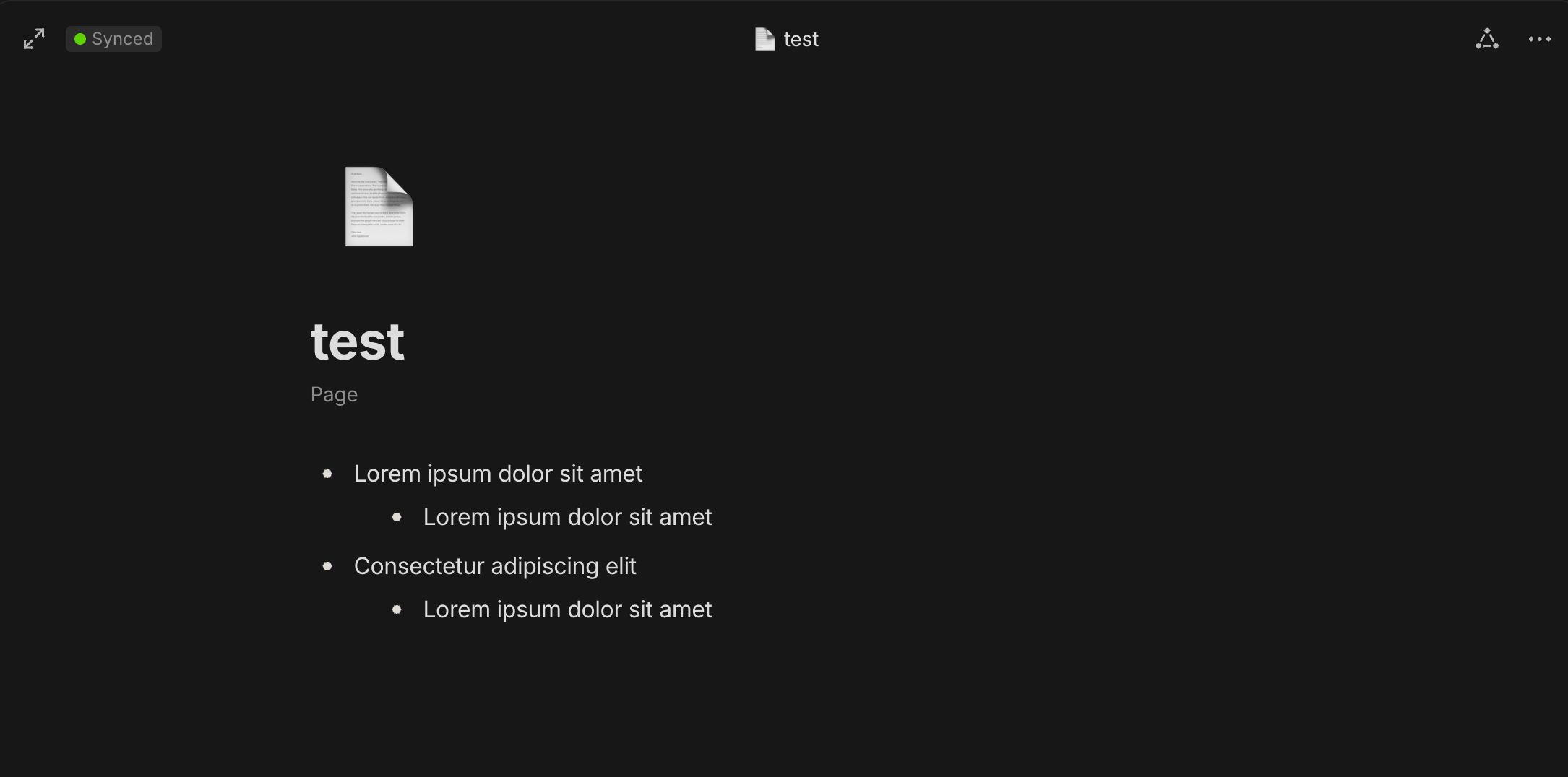
The imported notes are visible and accessible manually within Anytype, indicating a successful import.
No error messages are displayed during or after the import process, nor during the search attempts.
It is very close to Text with changed formatting cannot be searched but with global search.
Example md file:
- Lorem ipsum dolor sit amet
	- Lorem ipsum dolor sit amet
- Consectetur adipiscing elit
	- Lorem ipsum dolor sit amet
Device
Macbook Pro M2 2022
OS
Sonoma 14.4.1
Anytype Version
0.39.13-beta
Technical Information
OS version: darwin arm64 14.4.1
App version: 0.39.13-beta
Build number: build on 2024-03-28 14:23:29 +0000 UTC at #f06837e41d50bb3e6c6f852eb008de2ca54c43eb
Library version: v0.33.0-rc5
Anytype Identity: AAMpiYTkLh2Ax2fnnu3aqoEReV9rqiLcyUk1R4b6eLAtfpkR
Analytics ID: 9ce96439-b023-4b24-8b37-5105898bd9f6
Device ID: 12D3KooWLGtsbCTq1PQaatrGgwd3HVucEc6ebGato7PHArvbgoJX