raph
1
WHAT IS THE BUG
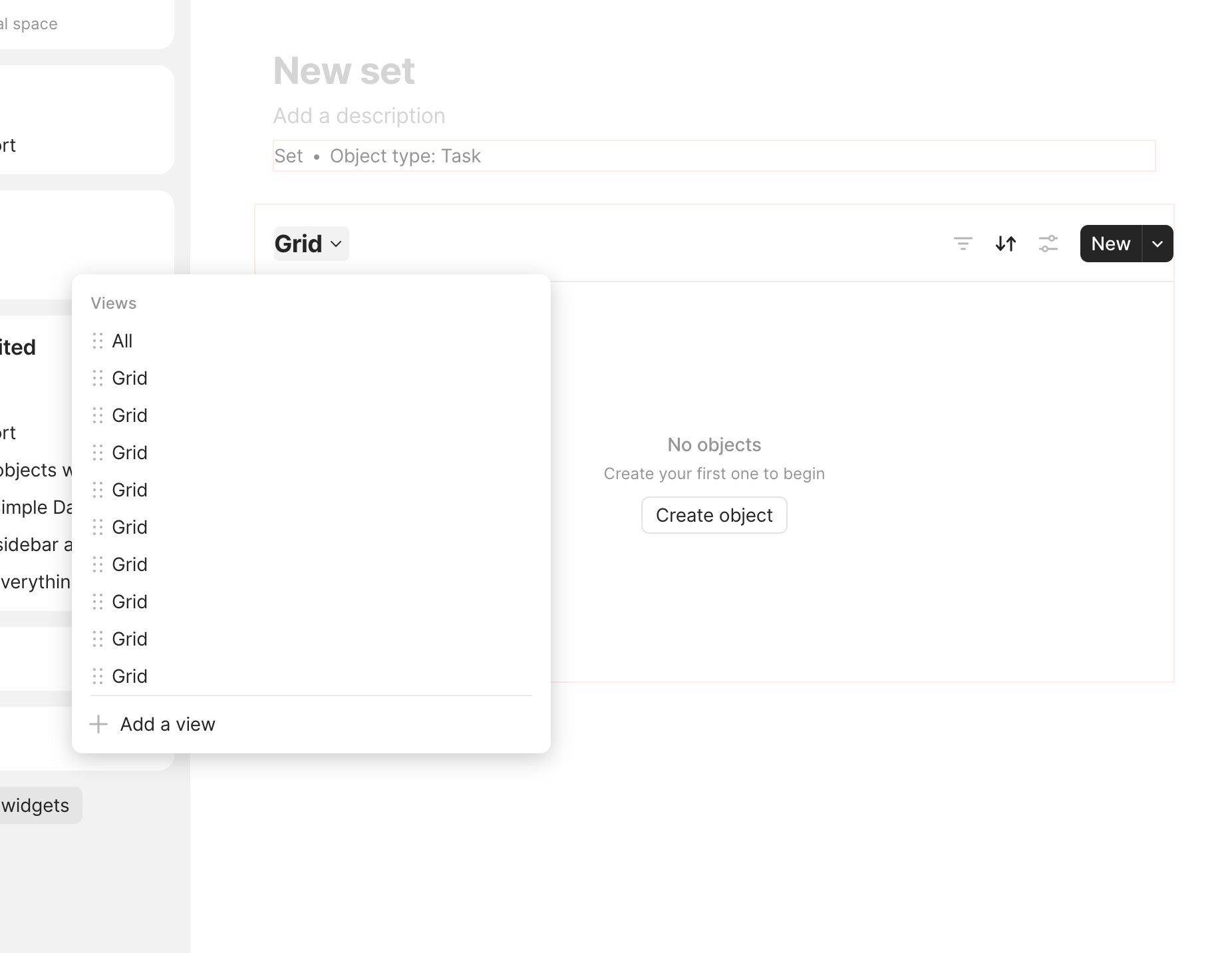
In a set or collection, adding more than a few views hides the view controllers on the right side.
HOW TO REPRODUCE IT
- Resize your window to anywhere between 1100 and 1400 pixels of width
- Create a set or collection
- Create 10 views
- ᅟSee that the view controllers (the filter, sort, and settings buttons)
- ᅟI was able to provide a video capture (or screen-shot) of the bug, here it is:
THE EXPECTED BEHAVIOR
The list of views should collapse into a dropdown, as it is for smaller screen width
SYSTEM INFORMATION
- Device: Framework 11
- OS: Windows 11
- Anytype Version: 0.34.3
Razor
2
Could you make the whole screenshot? Hard to understand what’s happening.
raph
3
raph
4
Any update here? I’m forced to zoom out each time I need to work on a set or collection with many views
Angelo
5
This report has been added to our issue tracker and received by the Development Team.
Razor
6
Does it switch to selector mode when you resize the window? Like this:
Razor
8
I see, we will try to reproduce this.
Angelo
9
This issue has been fixed by the Development Team and will be implemented in an upcoming release.