If you want to select a file from the library whose name contains an umlaut (like ä, ö, ü), that file will be disappear from the search result list as soon as the umlaut has been entered.
Two examples:
A file such as “Löffel.jpg” appears in the result list as long as you have entered “L”, but it disappears as soon as you enter “Lö”.
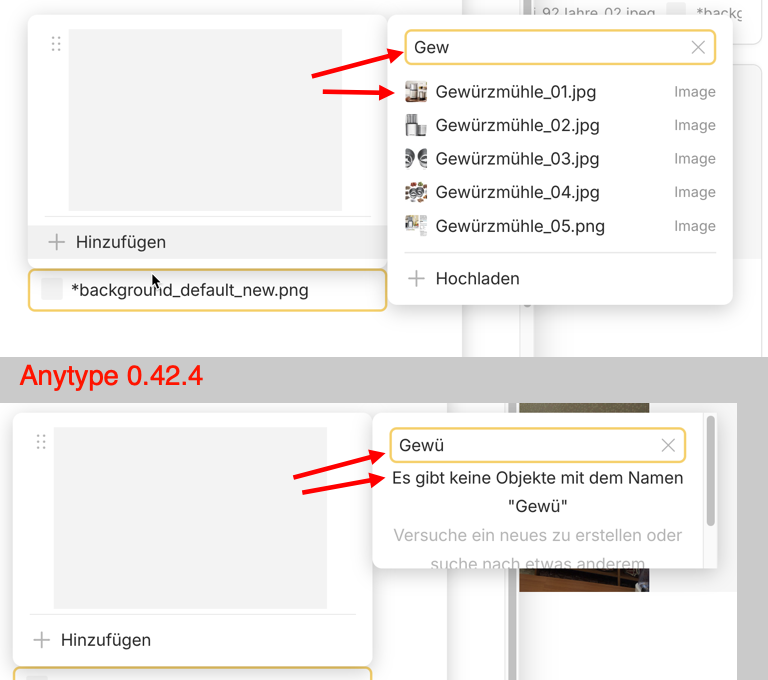
A file such as “Gewürz.jpg” is suggested in the list if you enter “Gew”, but as soon as you enter “Gewü”, the file no longer appears in the list as if it did not exist.
With few images uploaded, the problem might not be noticeable because the desired image will already appear in the search result list after entering the first letters and can therefore be quickly selected in the list without having to enter the entire file name. But if the library contains a large number of files, you would have to monitor the resulting suggestions in the result list for each letter entered, because as soon as the umlaut of the file name is entered, the file in question will disappear and can no longer be selected.
If I search for an uploaded image named “Löffel.jpg”, I will normally not pause after entering the “L”, but enter the whole word in the search field. However, I will never be able to find that image this way because the “ö” I have entered prevents this.
An existing image with the file name “Österreich.pdf” for example, can not be searched for at all, as the umlaut is already the first letter.
How To Reproduce It
Upload a file with a German umlaut in its filename, for example an image with the filename: “Gewürz.jpg”.
On a page, try to insert that image as cover image by searching for it in the library.
Enter “Gew” in the search field.
Most likely the image named “Gewürz.jpg” will appear in the result list
Don’t select the image from the list, but enter the next letter “Gewü”
The file that was just listed has disappeared from the list.
If you enter a file name of an uploaded file with a German umlaut in the search field for files, it should be found as if the file name did not contain an umlaut.
Device
iMac
OS
macOS Sonoma 14.6.1
Anytype Version
0.42.4
Network Mode
AnySync
Technical Information
OS-Version: darwin x64 14.6.1
App-Version: 0.42.4
Versionsnummer: build on 2024-08-14 14:52:25 +0000 UTC at #926fe517a6a07b59730087ca356da38292556697 (dirty)
Bibliotheksversion: v0.35.3
Anytype-Identität: A6nu7vz891FKvFggksu3HdNpVmvcKrURYW3236JYBzSxZ5w5
Analytics-ID: db6eb2b8-aecb-4e0e-aa76-e4bcdcbdae6e
Geräte-ID: 12D3KooWAx5L5ySAiYvTjpxFNyRN14hVL1jv6yKLTEg8qVUyyAFP
Every file (for example an image) that I have used once on a page, is saved in the library. If I want to reuse such a file, e.g. as a cover image, I search for this file using the search function.
Strangely enough, I suddenly couldn’t reproduce the problem with the word “Gewürz”, but I could with “Österreich” and “Löffel”. That’s strange, because it was a file named “Gewürzmühle.jpg” that made me recognize the problem in the first place.
I was surprised that I couldn’t find a file in the library that I had already used, even though it existed.
Please see the video.
I have the vague impression that brand new Objects sometime not appear in the search results.
What about “Österreich” and “Löffel” today? Can you find them now?
– If yes then I suppose that the indexing simply works a bit slow.
I have tried different variations of file names. But same as before, every image with German umlauts in the file name disappears from the search results list as soon as the entered string reaches the umlaut. New images with umlauts also behave this way as soon as they have been used somewhere on a page and are therefore available in the library. A file named “Eichhörnchen.jpg” disappears as soon as I enter “Eichhö”.
I have deleted the file with the name “Gewürz.jpg”, which was previously an exception to that behavior and uploaded it again. Now it also disappears from the search results as soon as “Gewü” is entered.
The video shows how I try to insert an image into a page, but the same is true for a cover image.
However, the problem arises not only when searching for an existing file in the library that I want to insert as a block into a page, but also when I search for a file with umlauts in a set (e.g. a set as a query for all image files) or on a page, etc.
So yes, the problem exists in all the cases you mentioned.
I just remember something:
If someone sends me an email from a Mac, the umlauts are wrong.
I need to change the code page in Thunderbird to display them correctly.
Resume:
Apple uses another code page for German special characters then Windows.
Anytype’s search function must take this into account.
The issue with the German umlauts still exists, in the form last described.
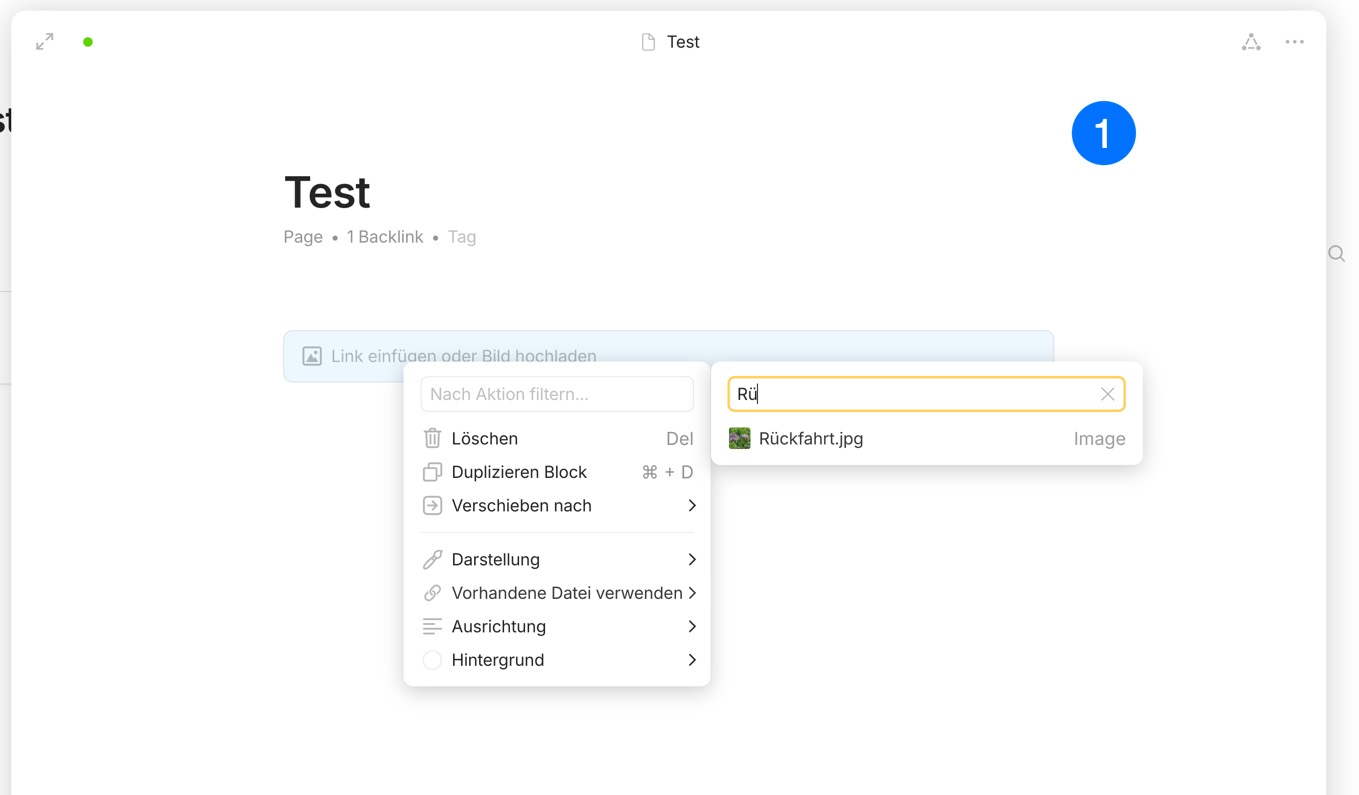
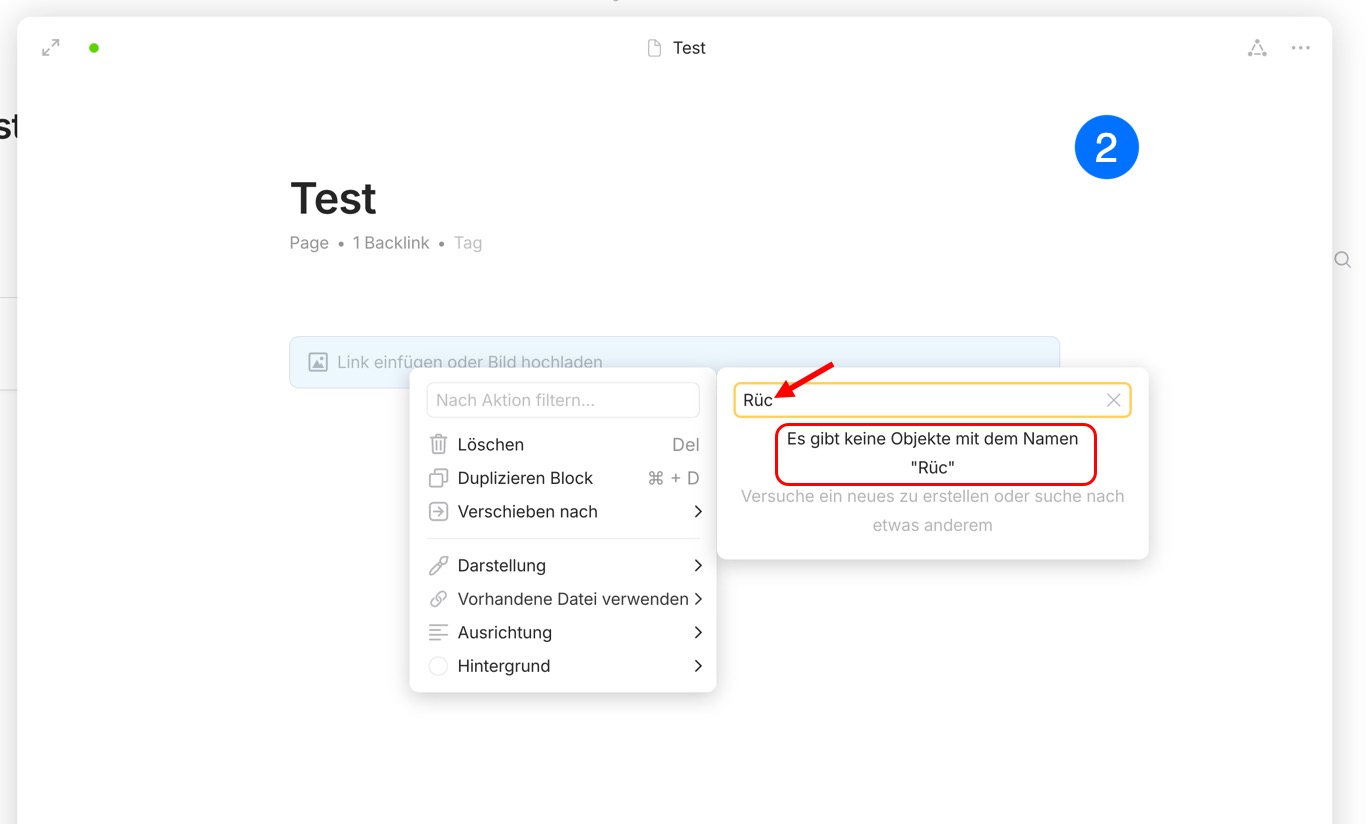
An image with the name “Rückfahrt.jpg” is suggested in the search when “R” or “Rü” is entered, but no longer when “Rüc” is entered - the image then disappears from the list of suggested media.
The expected behavior would be that an image with the name “Rückfahrt.jpg” is also displayed in the selection when “Rüc”, “Rück”, “Rückf”, “Rückfa” etc. are entered.