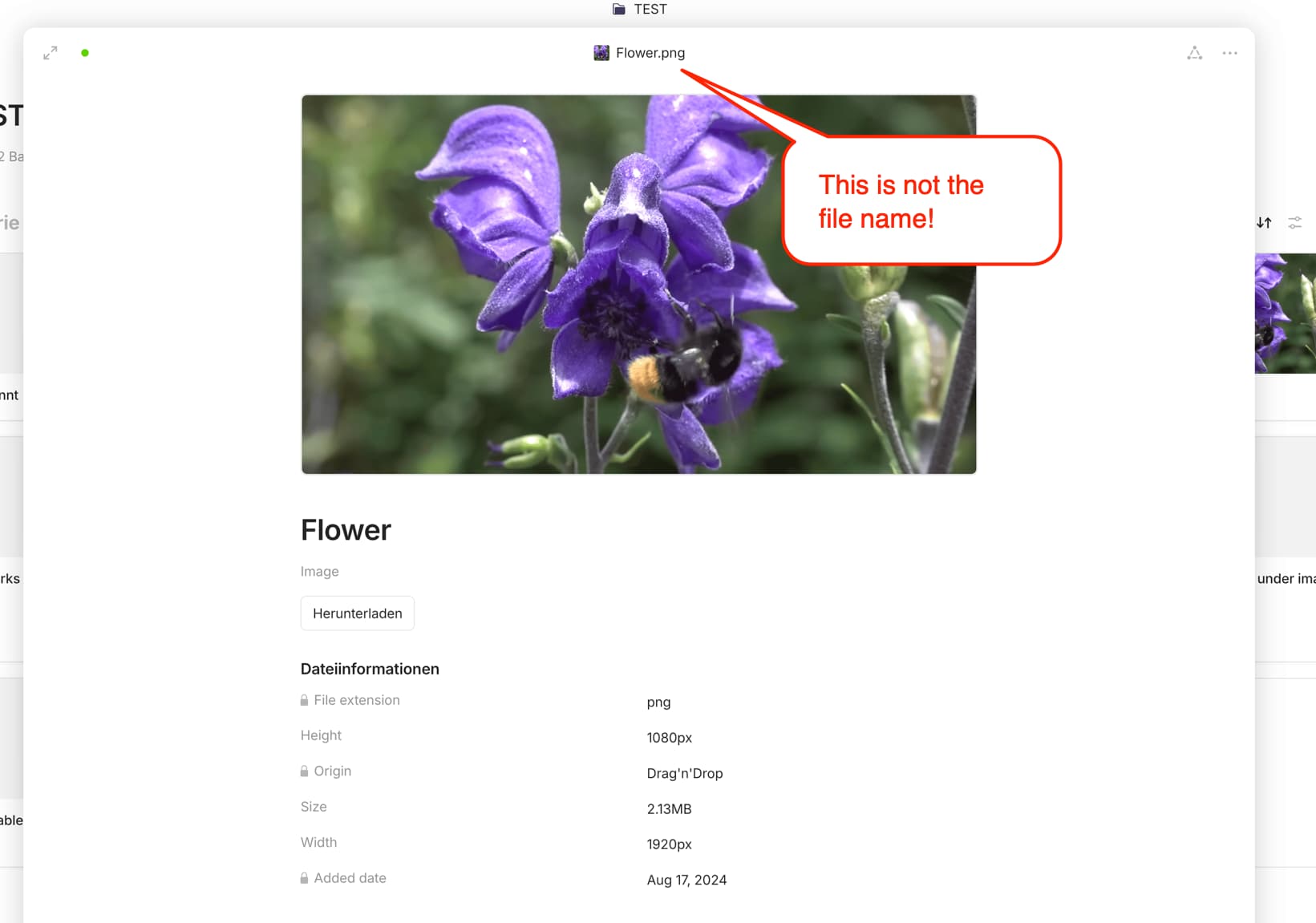
It’s not possible to edit, append, or otherwise modify actual files with Anytype. The Object you’re interacting with is essentially a preview of the File.
If you are new to Anytype, it will take you some time to understand it. I didn’t realize that these “filenames” are actually just file titles/names (?) of the preview file, until you mentioned “The object you’re interacting with is essentially a preview of the file.”
So, is this now the preview file title - then why the mandatory, uneditable file extension?
Or is it the file name of the preview file of the original file - why would I want to edit a preview file?
What sense does it make to allow the user to edit the names of system-internal preview images, but offer to download/open the original file with its original names?
UPDATE: Ok, I’m beginning to understand… The name and the extension of the preview file are required to search for and recognize the type of file (object).
Could you or someone else from the team share a little on why it’s difficult to implement this feature in a way that actually renames the file, not just the file object in Anytype? It’s a big issue for me that files in Anytype have a different name than files on the computer.
The files always keep the same file name as they were uploaded. You can only rename their title (object name), the file name (unfortunately) does not change. You will notice this when you download the file - it always has the original file name.
Misleadingly, the title of the file object is displayed together with the file extension, giving the impression that the file has actually been renamed.
I think this should be changed. Either the file can actually be renamed, or the file object should not append the file extension to the object name (see screenshot).
For me when exporting my space, some files have their names corresponding to their preview title (after changing them, not their original ones) and others just don’t.
Also when exporting images originally uploaded with the same name “image.png”, an extra character _x is appendend but it’s different everytime I export, making impossible for me to keep a local version control of my media files.