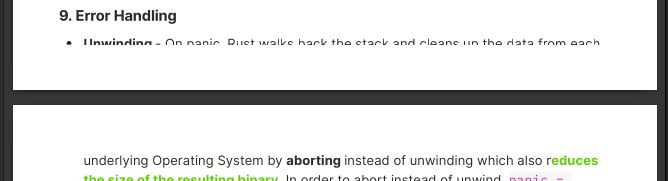
When you want to print an Anytype page, you typically do not want that is part of the UI printed. Though, if you select ‘Print’ while you have the pop-up menu (where you can make text bold etc.) open, the menu shows up in the print as well.
It also automatically adds “anytype” on the top left corner and this cannot be disabled.
One more thing, since Anytype does not currently have PDF export functions, I printed the page using “Print to PDF” but I was not able to select the text (to copy and paste) in the pdf.
To Reproduce
Steps to reproduce the behavior:
Open a page that has some text in it.
Select a word to open up the pop-up menu.
Click the three dots on the top right corner.
Select ‘Print’ and print the page.
Desktop
OS: Windows 10
Version: 0.17.8
Additional Context
You can find an example output printed to a pdf file in the attachments. ipsum.pdf
Maybe not exactly in this topic but I have a few suggestions regarding the Print option
Have the option of hiding “Anytype” text in the top left - I don’t know if this is intended, but it is a bit weird to have “Anytype” printed on each page.
Have the option to show the Cover Picture
For the “Bookmark” block, the image in the prettylink is not shown in the final print
There are no margins on the top of the document, but a huge one on the bottom of the page.
I’m having this same issue of text being cropped; sometimes, you can notice that it’s being cropped; but sometimes, it’s just invisibly cropped. Makes it hard to spot !
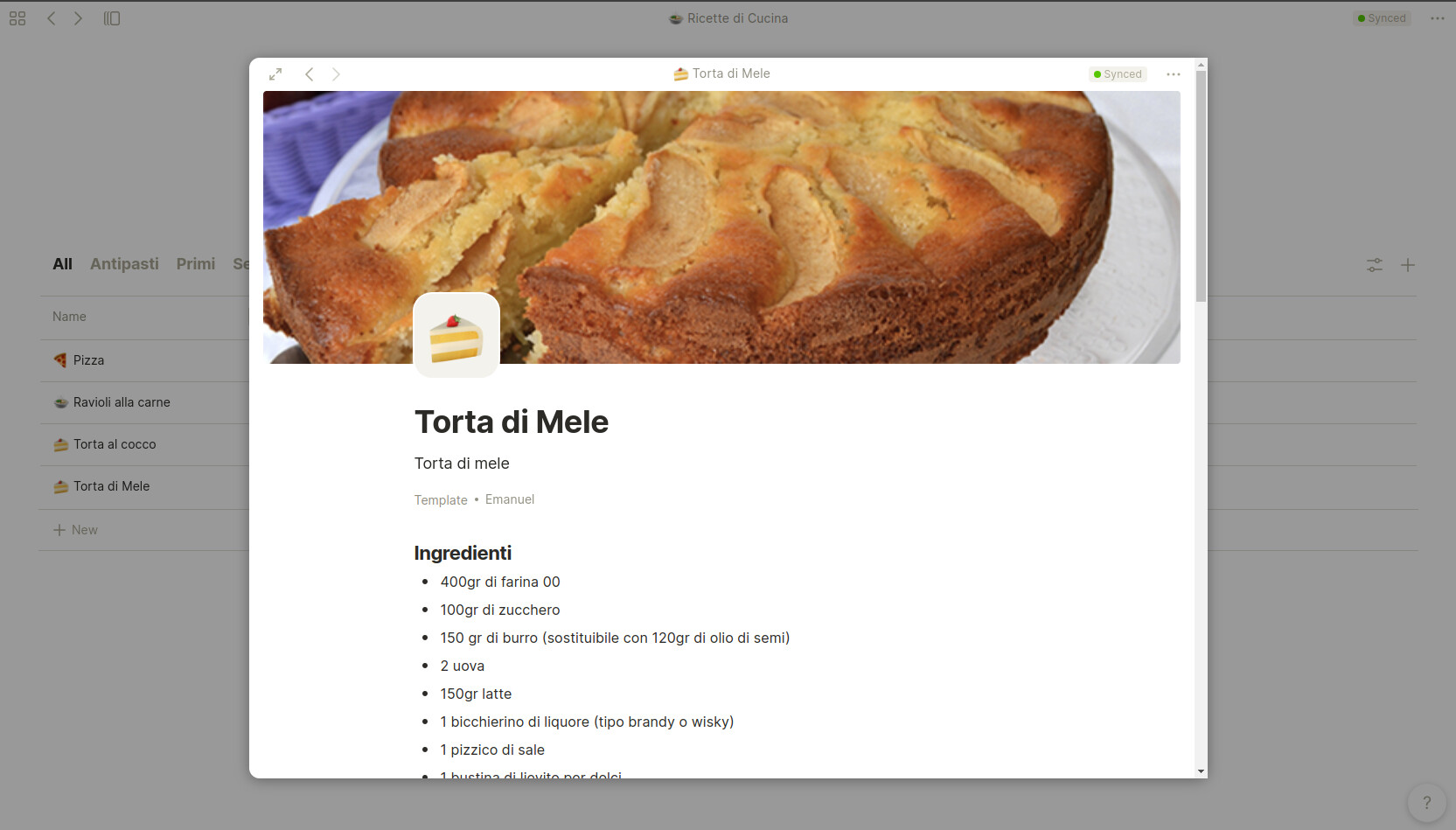
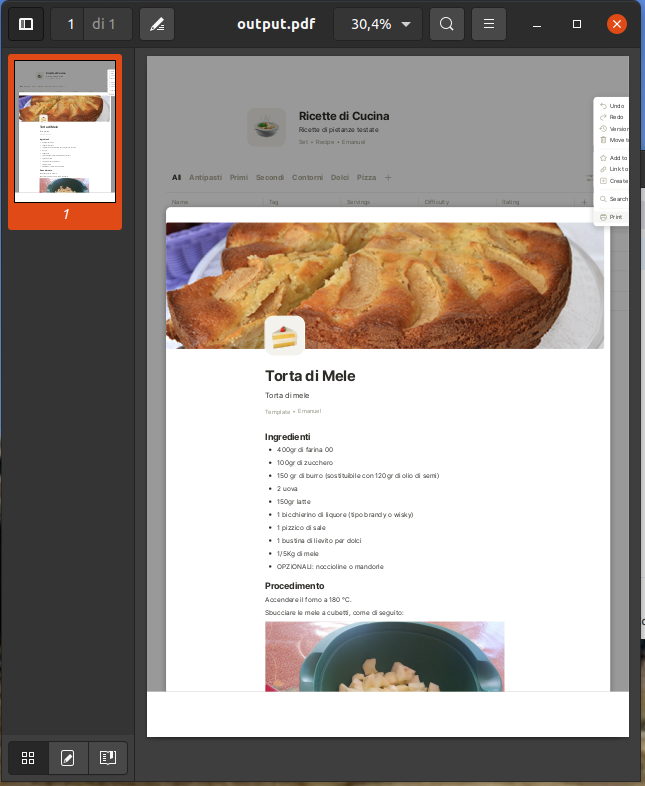
If you try to print a page that it’s opened in cropped view (not in full screen), the result of the print is buggy because it prints only a page with the background of the cropped page.
Just for a better understanding, this is an example of the page I want to print, opened in a cropped view:
Open a page from Set (or any other type which allow you to display the page not in full-screen)
Click on the ‘…’ symbol in the top right of the page
Click on ‘Print’ and print the file in a PDF file
See the result: a one page PDF file with an weird content which display just a portion of the file you wanted to print and also the background of the set you used to open that page.
Expected behavior
The PDF file generated by the ‘Print’ function should works also in cropped views, not only when the page is opened in full-screen
Desktop (please complete the following information):
OS: Ubuntu 20.04.1
Device: Dell
Version: 0.18.57
Additional context
If you print the page while in full screen, the problem doesn’t happen
This topic was closed because there is no reply. Feel free to flag the topic to be reopened, or to submit a new bug report if the issue is not yet resolved for you.