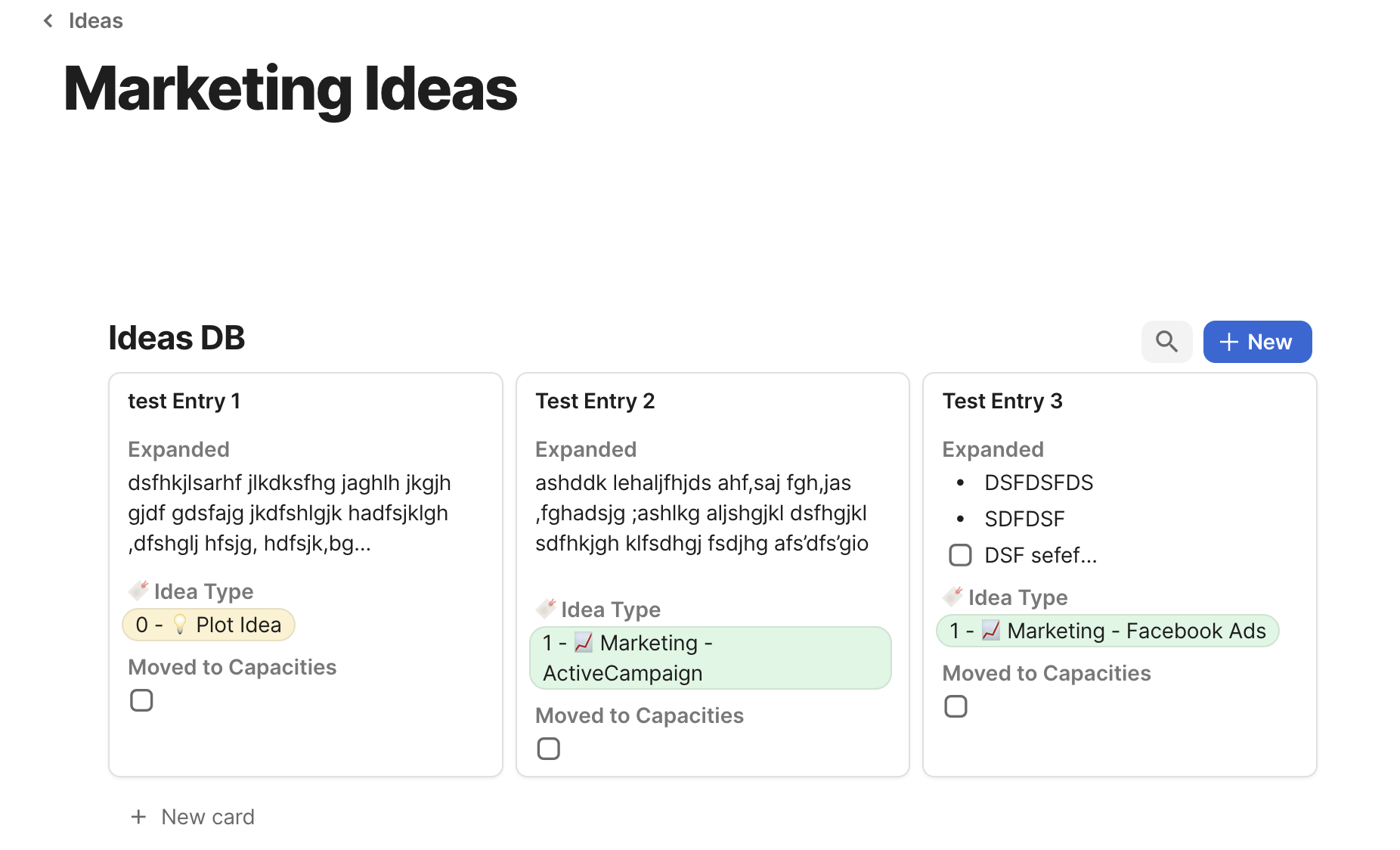
Currently, the app allows you to choose an image to be displayed on the object’s card in gallery/kanban view based on the object cover or one of the multimedia Relations. I think that showing a short preview of an image and some text from within the object would improve QoL by being able to see what is inside at a glance without actually opening the object every time.
HOW COULD IT BE DONE
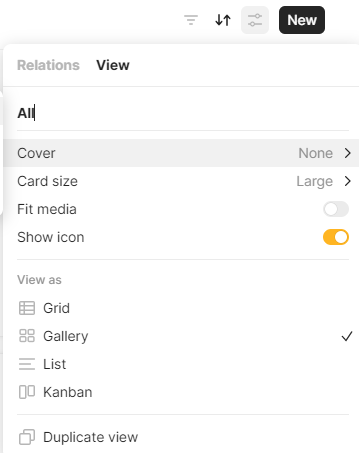
This should be added as an option to display a preview of the Object’s contents in the Set settings > View > Cover > possibly “Page preview” (or as a toggle switch separately in the View menu).
I use a Set to compile a database of scanned pages from a physical notebook. Being able to see a preview of the scanned page from the notebook would be great so that I don’t have to open the Object to find what I’m looking for.
RECOMMENDED ALTERNATIVES
I’ve tried adding the scan of the page twice, once in the body of the Object (as a block) and once in the Attachments relation. It’s a bit of a faff and doesn’t provide a way to preview other blocks like text from within the Object.
ADDITIONAL CONTEXT
Extended request similar to this one:
And this one which I have recently found that has been acknowledged:
am looking for this exactly. It is too difficult to find the content I want when all I can see is the Title (and some other properties). I need to be able to see a “preview” of the contents of the note or page. I know people don’t like Evernote, but they do this perfectly. But I am trying to move off of Evernote.
I don’t know how others can find what they are searching for without this feature.
thanks
cynthia
It would make the gallery experience so much easier and a joy tu use. It’s much faster to add an image to the text content than to manually add it to the cover of the object. The first image in the text could be used directly as the gallery thumbnail.
I really need this. It takes way too many clicks to set a page cover for a galery/kanban cover after I have already uploaded the image. Also, I might not want to see the image twice, once as a page cover and once in the page.
I also really like the idea of using relations to point to the galery preview image. I would like to add another idea to this:
I have some pages, that have a page cover, that I might want to use as the preview image, but most pages don’t have one. I also have some objects, that have been created using the “source” relation and they have a preview image build in. Now I stand before the choice for one of the options and either one leaves half of the tiles blank. I could obviously add page covers by hand to all pages, but that takes a long time.
I would instead prever to have a list, that I could add multiple sources for the cover image like this:
Cover:
Page Cover
Picture
Relation: Attachment
First Image Block in Page
The would be chosen in the order of the list. Number four would only be chosen after the first three failed. Think of it in a similar way to how the sortings are done in Anytype.
Yes, I would very much like this too. When you can see a preview of the content, it feels much more immediate and you feel closer to the information. It’s also great for quickly understanding what each object is without having to click inside the object. This is useful because the title of the object might not always clearly explain what something is
Having to click into an object to see the data puts a distance / barrier between the user and the data
Also, when you have Untitled objects, if you knew for sure they were empty you could just delete them without clicking inside to check.
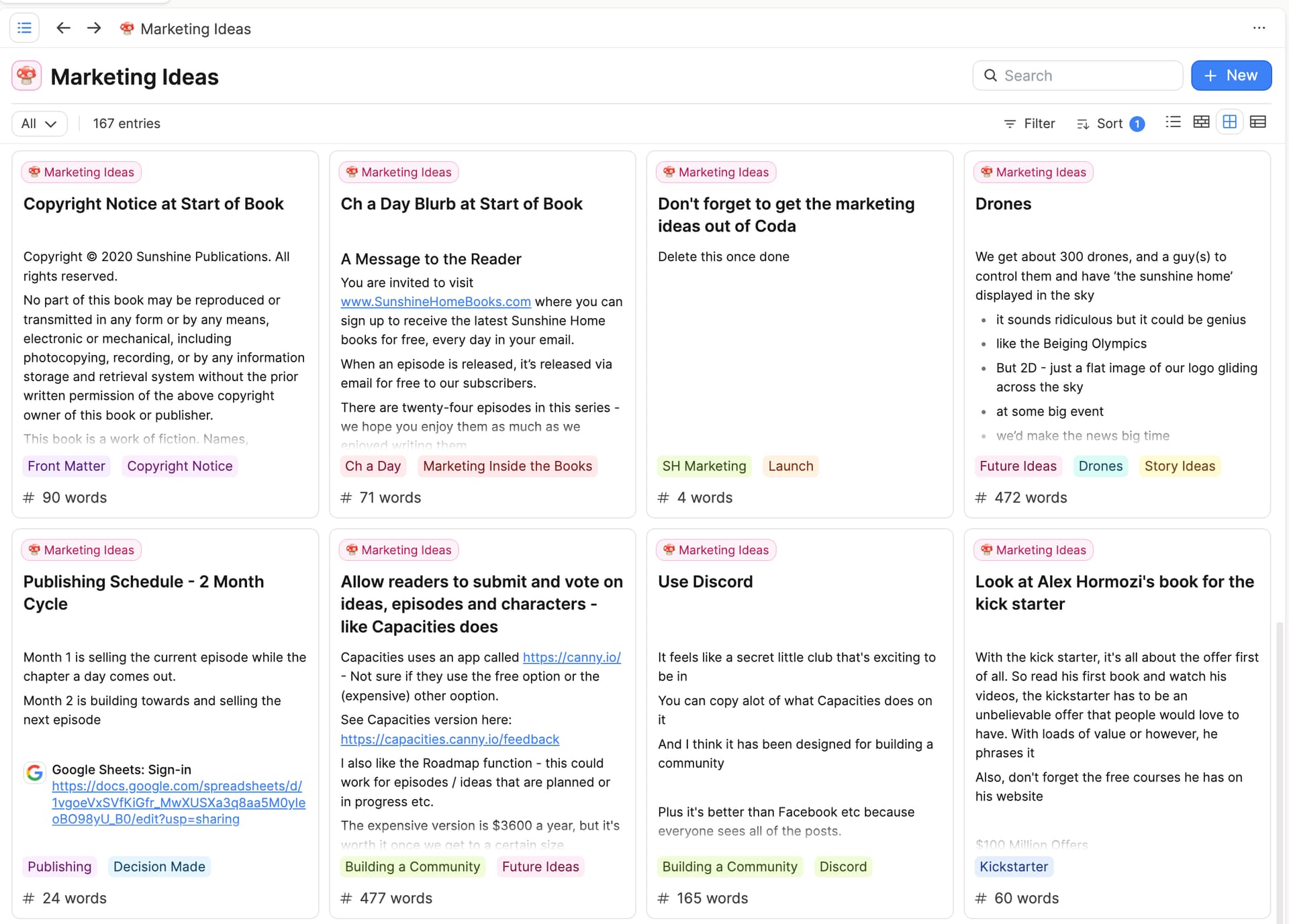
Capacities does a great job of this. And Coda does it too.
There could be one more option in Layout, clicking it will switch to such view. It will look exactly as Google Keep does it, every note has title and text visible including images and urls
REAL WORLD USE CASES
Sometimes it takes lots of clicks to explore or review notes. this will help see multiple notes at once.
One of my uses of Anytype is to collect my book highlights. I create a Book object. Then from within that object I create a Book Highlight object so that the book highlight is linked to the book it came from. I’m looking for a way to gather up relevant notes from various books so they can be repurposed. The most straightforward way of doing this I can think of is to browse the notes and add relevant ones to a collection. But then, when viewing the collection, I would have to go into each Book Highlight see what the note is about.
Having content preview for Gallery view (ideally with a few choices of number of lines) would make this work.
Display the preview of your note content, not only the image. In Types, Queries, Collections
HOW COULD IT BE DONE?
when you select gallery view, you can also select cover>object cover, in there you should be able to select content preview or None
REAL WORLD USE CASES
the way google keep shows you the preview of the note, if you implement this then Google keep becomes obsolete, and i use it everyday, even more than anytype
Yes.
In gallery view, you may want to have previews on cards without having to manually select images as a dedicated property, or select cover images, when you actually don’t want to have them on a page, just eating up space for illustrative purposes.
This is when the claim of content preview comes in. If this option would be selected in gallery view, the first content of the page - text, images etc. would be displayed as preview on the gallery card.
This is very useful for text-heavy or text-only pages or if you just don’t want to use cover images.
This feature is anything but new (please see → Notion) and it’s at the top of my personal wish list for Anytype (which is getting smaller and smaller each week).
this would be awesome!!! image and text content in gallery view would be huge, especially because on the android app, if an object doesn’t have a title (which is how i prefer to use it), it only shows like the first 30ish characters of the object content - so having more of the object content would make gallery view much much more useable on android.
I want to promote content preview on gallery cards because I want it so badly for Anytype! I use the Gallery Cards layout intensively, and it always takes a lot of work to create meaningful covers for cards. A content-related preview is the logical solution.
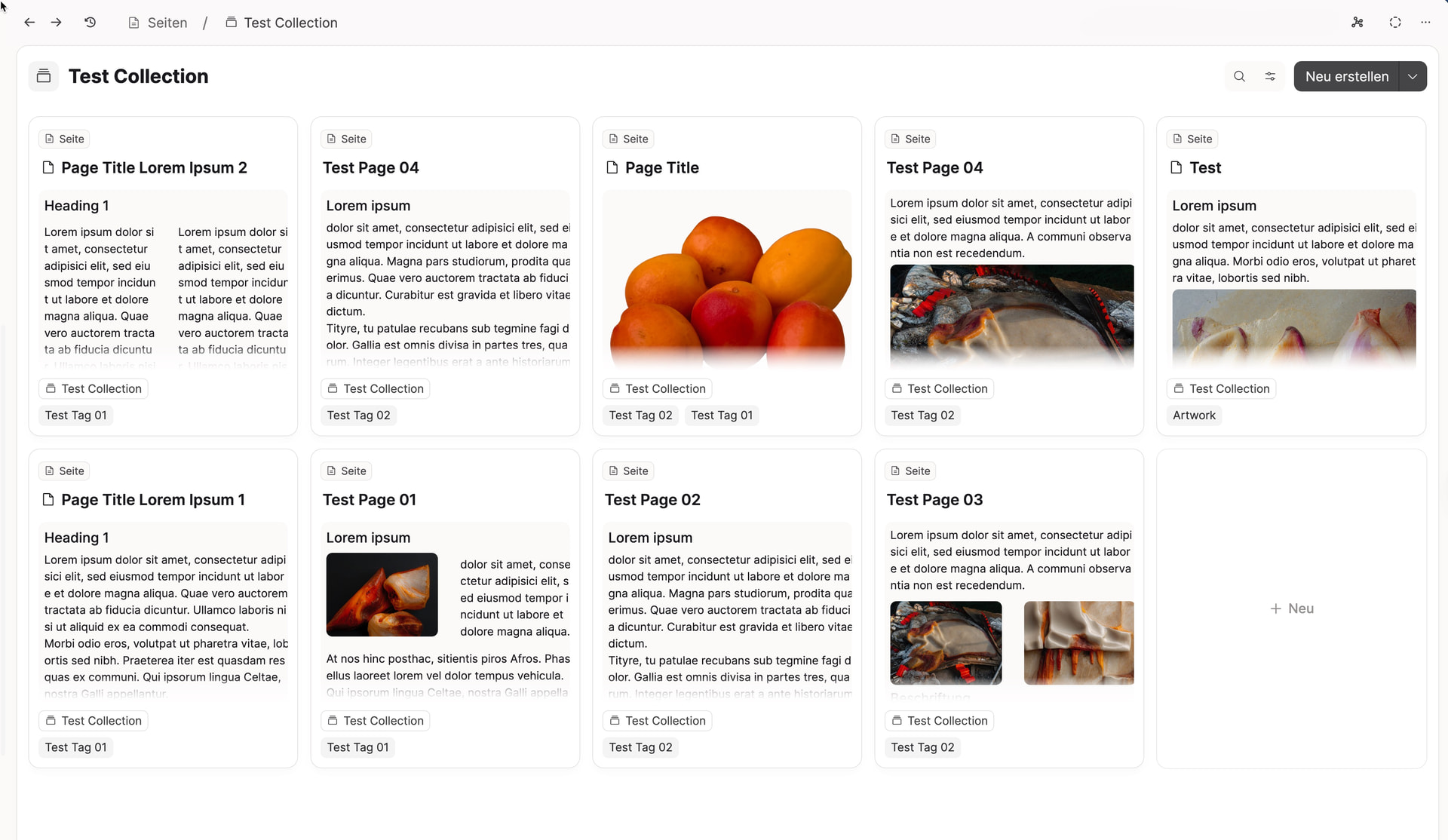
Notion has it, as we know, and so does Capacities - take a look at how beautifully and cleverly they’ve implemented headings, paragraphs and images as content preview for gallery cards (Capacities screenshot). In my opinion, this is the best solution in every aspect.
The cards are slightly portrait-oriented, allowing more cards to fit in a row.
The page titles are located at the top of the cards, making them perfectly legible.
The same applies to the content - you know immediately what it’s about.
Headings are neither too large nor too small.
Layout columns and content are also displayed.
Hey Anytype Team - is there any chance to see this feature in Anytype?