What’s The Bug?
If you have created a widget from a page and create new (sub)pages within this page, these subpages are inserted into the hierarchy below the main page as expected.
-
However, if a subpage is deleted inside or outside the widget, it remains in the widget even though it is already in the recycle bin. On the main page, the page link is then grayed out and marked as ‘deleted’. So apparently this is the intended behavior (although one would actually expect deleted pages to disappear from the widget as well).
-
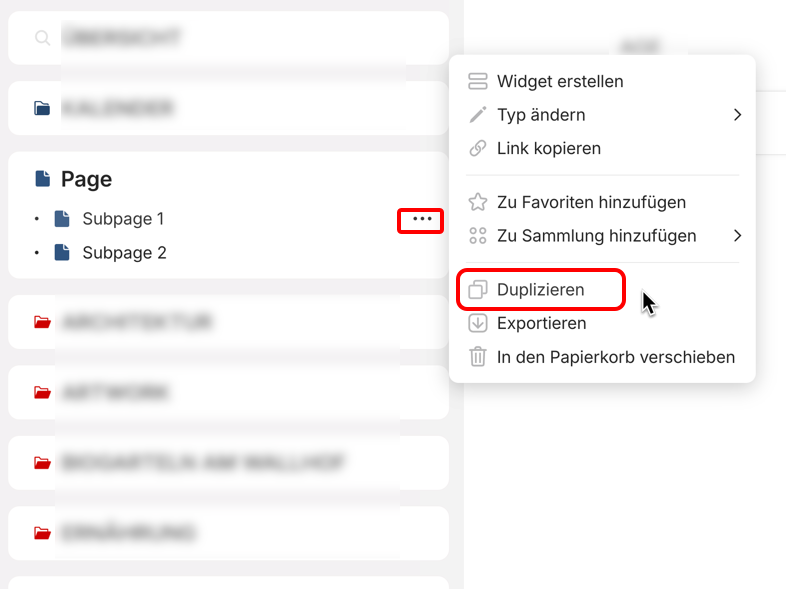
If one of the subpages of the widget is duplicated inside the widget or on the main page, then this copied page is not inserted into the hierarchy. It would be expected that every change is synchronized on the main page and the widget.
-
In addition, a page duplicated within the widget or on the main page is not an independent copy at all, but a synchronized copy that dynamically reflects every change to the original file. A synchronized copy of a subpage makes no sense in this context. This might be the reason for issue 2).
How To Reproduce It
- Create a page, make a widget of that page
- Create subpages by clicking the + in the widget
- Create new subpages on the page itself
- Delete subpages inside and outside the widget
- Duplicate subpages, rename one of the duplicates, see what happens
Image or Video
The Expected Behavior
- One would expect a synchronization in the display of subpages on the widget and on the page.
- The fact that deleted pages are still displayed in the widget is probably intentional, but the meaning is not recognizable.
- Duplicated pages are not expected to be synchronized pages, but that independent copies are created by duplication.
Device
iMac
OS
macOS Sequoia 15.3.2
Anytype Version
0.45.10-beta
Network Mode
AnySync
Technical Information
OS-Version: darwin x64 15.3.2
App-Version: 0.45.10-beta
Versionsnummer: build on 2025-03-12 15:48:51 +0000 UTC at #4987f5f7fd0c514426cbdca6626299d2989b1d21
Bibliotheksversion: v0.40.0-rc7
Anytype-Identität: A6nu7vz891FKvFggksu3HdNpVmvcKrURYW3236JYBzSxZ5w5
Analytics-ID: db6eb2b8-aecb-4e0e-aa76-e4bcdcbdae6e
Geräte-ID: 12D3KooWEtm7fJXkeHGQ18GrVVmHqwYyueL8nNjjA1QnckR1DSQA