What’s The Bug?
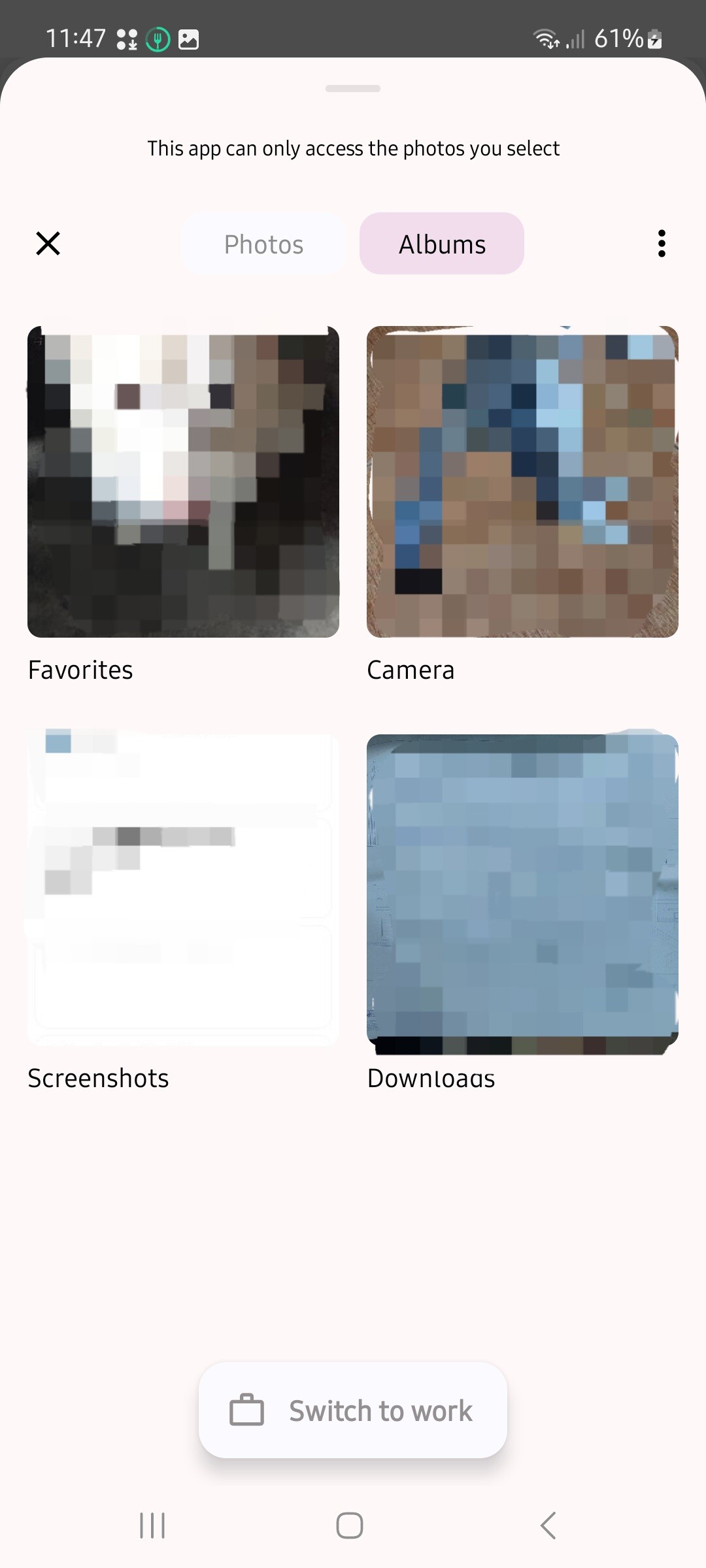
When uploading an image in mobile, I can no longer see the option to view all the custom albums in my phone’s gallery. There are only two tabs:
- Photos — show recent images
- Albums — show non-custom Gallery albums: “Favorites”, “Camera”, “Screenshots”, and “Downloads”
Let’s say I have a custom album that I named “Icons”. This folder is no longer showing up, along with the rest of the albums/folders that I’ve created to keep my phone’s Gallery organized.
I currently have over 47,000 images on my phone, I can’t scroll forever to find what I need. (Especially since my icons aren’t recent downloads) 
How To Reproduce It
- Open an object
- Open settings menu and select “Icon” or “Cover”
- Select “Upload” and see the lack of options
Image or Video
The Expected Behavior
There’s supposed to be an option to select via phone’s gallery.
Additional Context
I also mentioned it here in the past when inserting via /media.
I don’t know if it’s a bug or intended for Media, but I’m positive the feature I need used to be available for uploading custom icons because that’s how I upload icons for all my objects in Anytype.
Device
Samsung Galaxy A52
OS
Android 14
Anytype Version
O.35.31
Network Mode
AnySync
Technical Information
Device: SM-A525F samsung
Android version: 34
App version: 0.35.31
Build number: 3531
Library version: 0.39.11
Account ID: A8jhTo5aU7N5gVABr23C7AMS3J3MuhUuNrpCvYrsWtpgniNZ
Device ID: 12D3KooWNFLrnVqFd38VRAajpb7vVnJe23xTPR5bgGtBbgmZiZaE
Analytics ID: AAKWWprBw6fswfsKgKA5SPRdaRoS1hckeBfHk844rYbYWReG
 It’s now version 0.43.5 and it’s still a reoccurring pain point for me.