WHAT DO YOU RECOMMEND?
Option to choose where to share/insert when sharing an image from mobile phone’s gallery, so we can attach the image/s on an existing object.
Current setup: When you “share” from gallery, it creates a new object in Anytype.
HOW COULD IT BE DONE?
There’s an option to choose the Space where you want to save the image, an option to choose the Object can be added below it. Not selecting anything creates a new object by default.
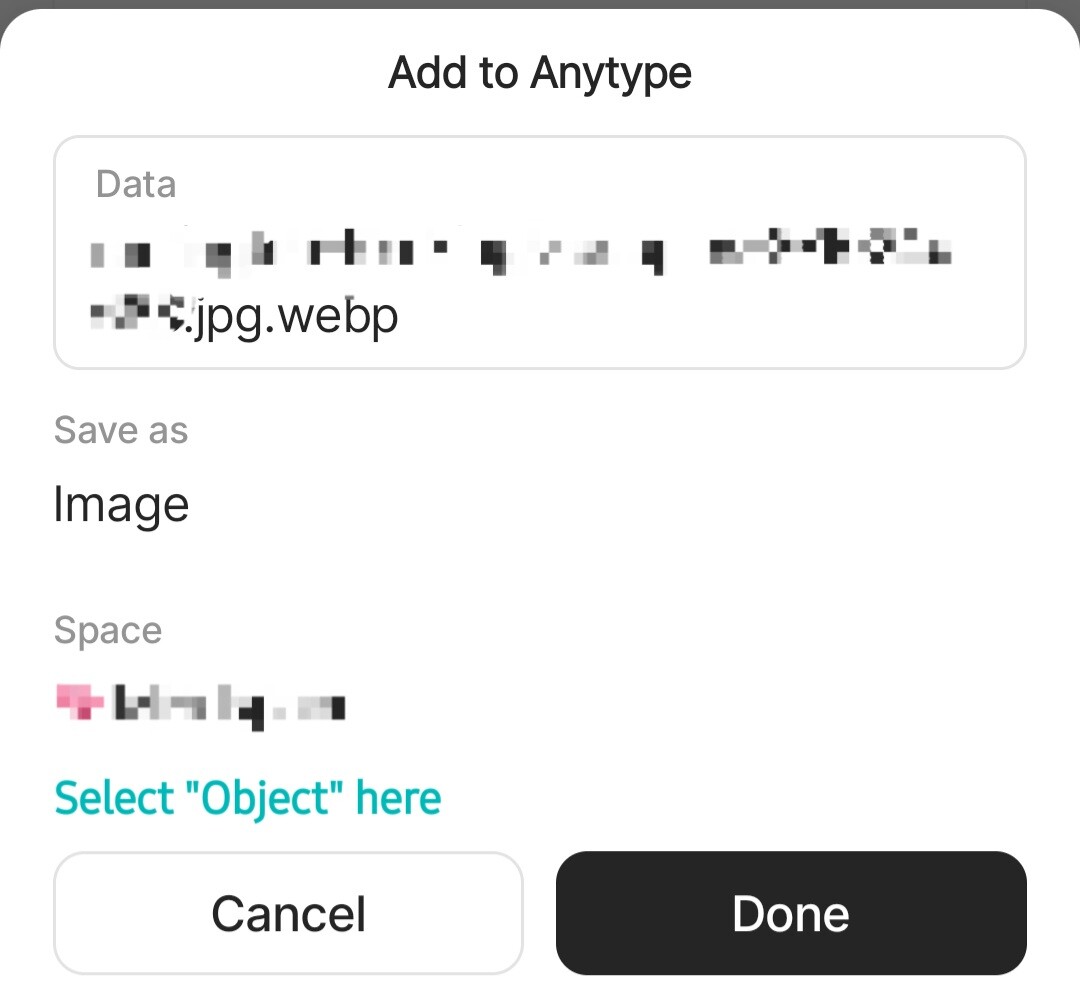
The image is then added as an uploaded image on the selected object.
REAL WORLD USE CASES
I have thousands of images on my phone’s gallery, it’s very difficult to find the one that I want when trying to add an image via /media > picture. Meanwhile, I can easily find that photo on the gallery itself, if I haven’t opened it already. (I often edit before attaching) It makes more sense to “share” from there than try to locate it by uploading within the canvas.
I also don’t like the idea of creating orphan objects in mobile because I might forget to sort it later if I can’t see it contained anywhere. I tried it a couple of times and it didn’t even show up in my Recently Edited widget.
RECOMMENDED ALTERNATIVES
I can share it on a new object (default behavior), then copy the image file to be pasted on my preferred location. But the problem is it’s a filename, not the object displayed like an uploaded photo. And there’s no option to upload from files that are already within Anytype.
I can also just try my luck by uploading photo. Might take forever to locate what I need, but it’s possible.
ADDITIONAL CONTEXT
Please, it’s important to add it as an uploaded photo and not a link/filename attachment.