Object syncs forever

What’s The Bug?

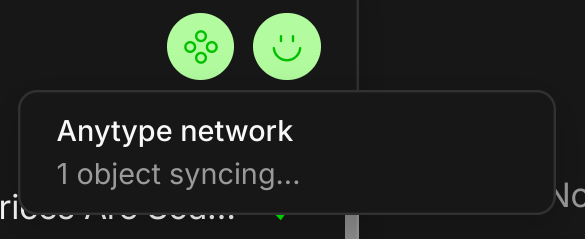
An object is reported as syncing … forever.

How To Reproduce It

unknown

Image or Video

The Expected Behavior

Object completes syncing eventually.

Additional Context

As it happens I also experience the “constant high CPU usage” issue, which could be related, but I don’t know.

Device

PC

OS

Pop!_OS 22.04 LTS

Anytype Version

0.45.3

Network Mode

anysync

Technical Information

OS version: linux x64 6.9.3-76060903-generic
App version: 0.45.3
Build number: build on 2025-02-17 15:22:27 +0000 UTC at #f1ceda0a1457dbf982d8b3fd8479ccdcb95df6d3 (dirty)
Library version: v0.39.11
Anytype Identity: AAJyMtcBgnuQoaPWZW72o2usxs6BDDQb6gvyhkLNwucANb3U
Analytics ID: 6c5e54fa-5743-4bf6-b272-46180c4d2ef1
Device ID: 12D3KooWJm3NaUkZNdVfppstLU57zKkg4JLQxca1PKbrdw3P7s2W

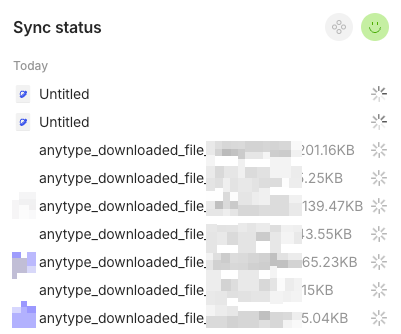
Do you know which object is being stuck syncing forever?

This report has been added to our issue tracker and received by the Development Team.

I wish I did know which object it is. Then I would probably just try to delete it. I looked around for a way to identify it but couldn’t find one.

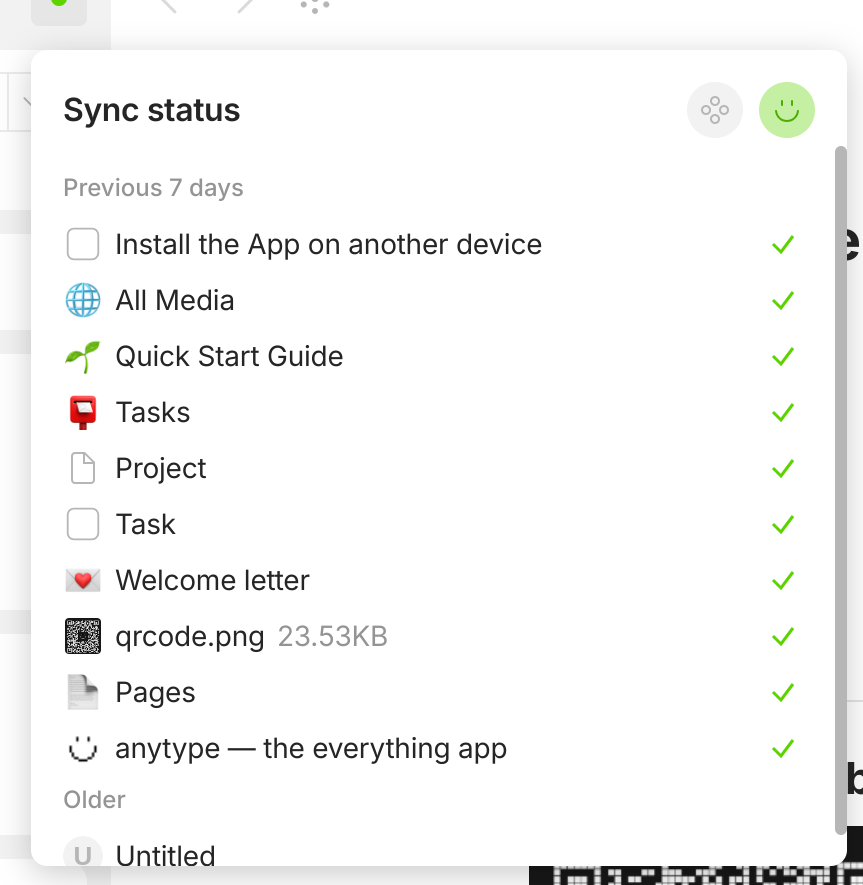
You should be able to find it in the same menu:

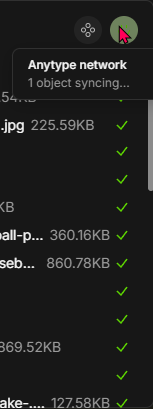
I’m also having this problem that there is always 1 object still syncing… this happens on desktop (Windows 11 - 0.45.3 (beta)) and the android app (0.35.33 (also beta)).

All items that are shown in the sync menu are checked. I have this with 2 of my 6 spaces, which have a real lot of objects, so I can’t really check them one by one, but there doesn’t seem to be a broken or “Untitled” ghost object.
At least as far as I can see and it seems to be the problem in this post: Unsyncable object and battery drain. But unfortunately doesn’t work for me.

Here is an image how it looks on Windows:

Thanks for your help!

Yes, I see objects syncing or syncd in that menu; but, no, I do not see any object which appears to be the offender.

I imagine the forever-syncing object could simply be too old to list there. Or, it could be an “undefined” object (or whatever we’ve seen before).

Yes, exactly the same for me. At least the possibility to check which object can’t be synced, so that I can delete it, would be nice.

Hello! Thanks for the issue. Does it work the same if you quit the app or restart the account? Is it personal or shared space?

Hi. Thank you for the reply. Yes, it’s there even on a restart of Anytype and on different devices even (Windows and Android). Its on two of my Personal Spaces.

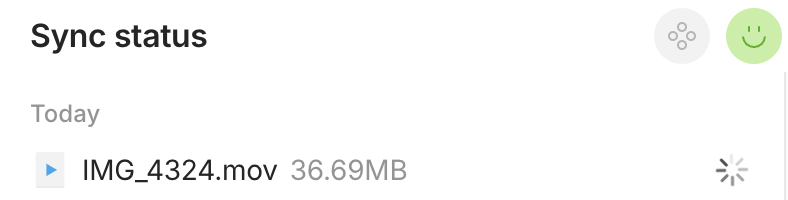
In one of my spaces I have such an object as well. It’s syncing since yesterday. In my case it’s a .mov file:

At least you know which object is the problem^^

I can confirm this issue on MacOS 15.1.1 with v.0.45.3.


These untitled and Anytype_downloaded_file.xxx objects cannot complete sync.

  • No information on Untitled objects.
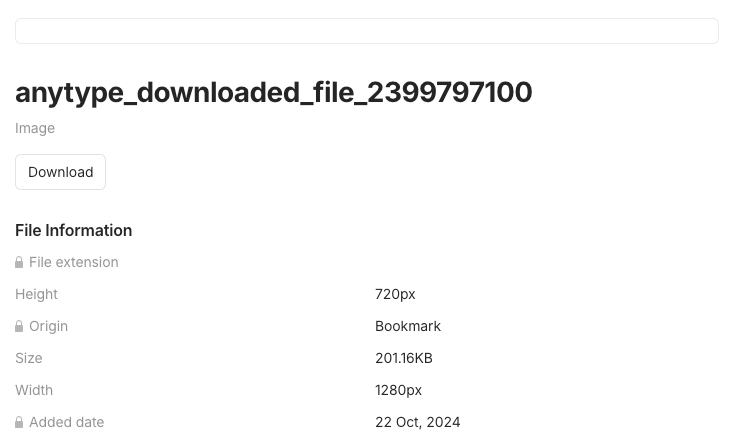
  • Anytype_downloaded_file.xxx are likely to be images retrieved via the capture during creation of bookmarks (either reload from source or web-clipper). All dated around Oct 2024 to Nov 2024.

I have the same issue on iOS and therefor filed a separate bug report:

Hello! Is it shared space or personal space?

Thanks for asking. It’s personal space.

Could you please share technical information?

Oh right. I forgot about that.

OS version: darwin arm64 15.1.1
App version: 0.45.3
Build number: build on 2025-02-17 15:22:27 +0000 UTC at #f1ceda0a1457dbf982d8b3fd8479ccdcb95df6d3 (dirty)
Library version: v0.39.11
Anytype Identity: A5jA2FX8ngih9H82mW5Rbd2TR8R5v145wM7fx1nWGjdVaEHc
Analytics ID: A6yNde8rpYjMf5qCAoxPrz6TZpsWJz49FAc8w8rTweAU24kY
Device ID: 12D3KooWBDKKa9cv8yceLFgowiPduK7NLsSUKCzZUtUXdxWc3XFX

Having this issue now. It has started since I imported my Notion workspace and it filled out the 1 Gb storage. So now I have my “main” personal space and a separated personal space with Notion import. When I look at Sync status of my main space, it seems like app is ramming sync querries to the cloud, failing to sync same files again and again, so the app is trying to upload them infinitely. Task manager shows high CPU usage by Anytype processes AND high usage of upload bandwidth. Restarting Anytype doesn’t help.

OS version: win32 x64 10.0.19045
App version: 0.53.1
Build number: build on 2025-12-19 12:23:54 +0000 UTC at #e63221baedd2e83396d1390bac9b46703e6b4157
Library version: v0.44.0-nightly.20251220.1
Anytype Identity: A6gfz9ff6ovRRBEmLFWTMXxwsQtWeV92c6cpfYQriB2Edz5i
Analytics ID: 8ffd3179-66b8-404f-82da-d0c736930a46
Device ID: 12D3KooWEzoeYV487xgCVE2EnKzQWSofUmU1GtewSEuAVStxzKqg
Ethereum Address: 0xAAB625809faAB0995C7aBf6D4629584968fD439c

Upd.
Okay, I had to delete my space with Notion import to free up cloud storage. After that my main space synced normally and app finally calmed down. However I’d like to have as large spaces as I want without the weird uncontrollable behaviour from the app, yeah.