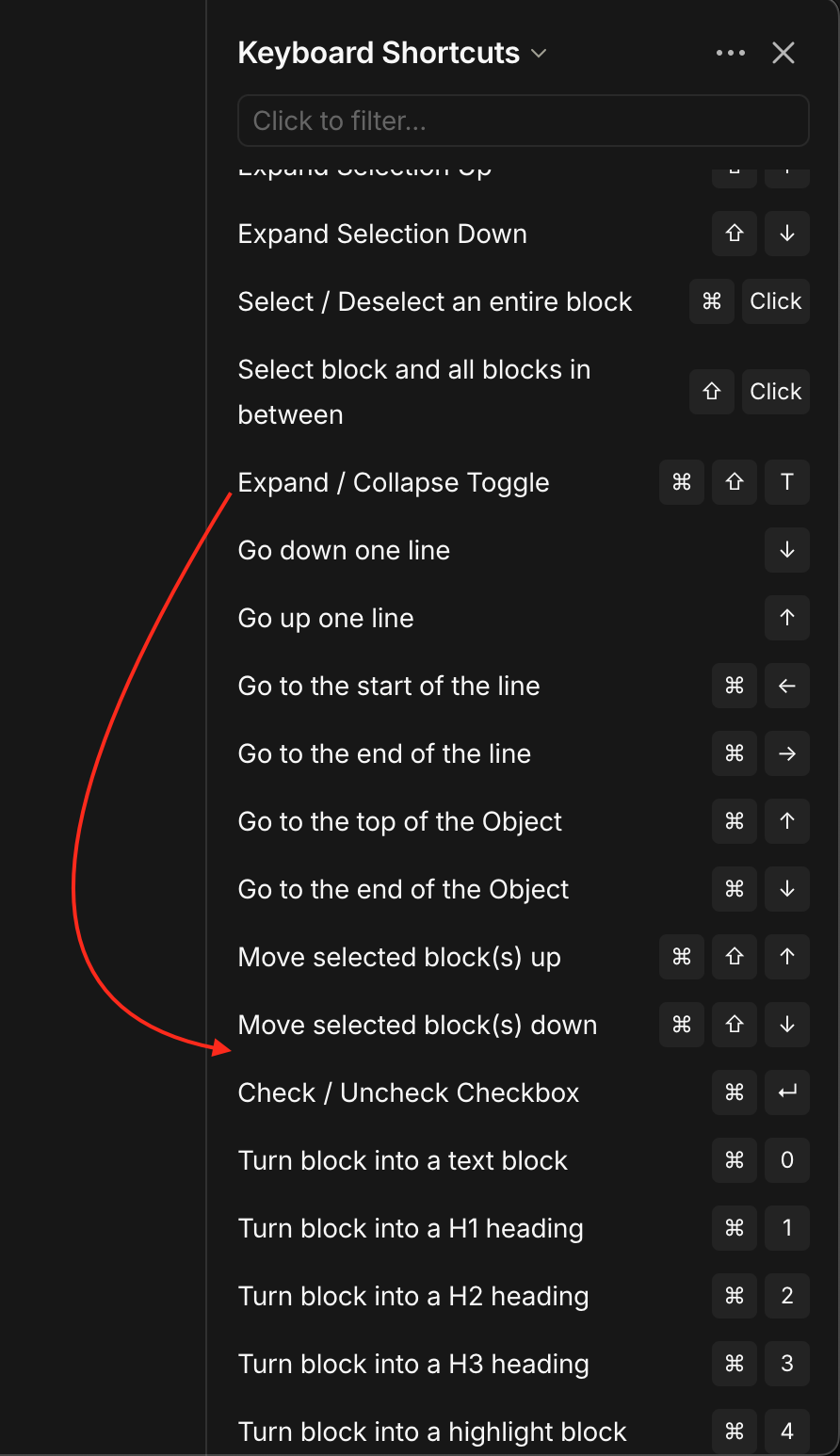
Additional shortcut (Ctrl+Enter) option to Expand/Collapse Toggle.
HOW COULD IT BE DONE
Make the shortcut Ctrl+Enter function the same as Ctrl+Shift+T.
REAL WORLD USE CASES
I know there is already Ctrl+Shift+T but this additional option shortcut seems to be in line with most editors that have toggles. But more importantly Ctrl+Enter is so much easier to press than Ctrl+Shift+T. Seriously try pressing Ctrl+Shift+T.
Ctrl+Enter is much easier and prevents hand cramping for Expanding/Collapsing Toggles which is something that is used quite frequently and very important if you do not want to use your mouse and just use your keyboard.
RECOMMENDED ALTERNATIVES
Maybe the shortcut Ctrl+T? But I would still much prefer Ctrl+Enter because it is not only similar to most other editors but you can easily press it as your two pinky fingers are almost always close to the “ctrl” and “enter” keys.
I too think this is a very useful change. I suggest replacing the current keyboard shortcut with Ctrl+Enter altogether.
Developers, make these changes please!
I was about to say that we are able to change the shortcut keys to out liking as of the latest update, then I tried it out and notice that we are unable to change the shortcut for expanding/collapsing a dropdown for some reason. Huge bummer.
I do agree with this post, there is really no reason why the drop down toggle shortcut needs to be different than the check/uncheck checklist shortcut key. This is the case for all other apps that I’ve used, they use the same hotkey for both and it’s the cmd + enter hotkey. Also, a block can either be a checklist or a dropdown, not both; so using the same cmd + Enter shortcut key to toggle both of those blocks won’t have any problems.
To make it easy for the developers to implement this, here are the things to do. Here are three ways to go about this:
Use a shortcut name “Toggle block”, which would work for both Expand / Collapse dropdown and Check / Uncheck Checkbox, with the shortcut key being cmd + enter (recommended)
Keep the Expand / Collapse Toggle shortcut key the same but allow the users to change it to be similar to the Check / Uncheck Checkbox shortcut key.
Keep both shortcuts and move the “Expand / Collapse Toggle” shortcut next to the “Check / Uncheck Checkbox” shortcut and use the same shortcut keys cmd + enter for both. (not recommended, because suggestion 1 is better)
As far as I know the devs plan to make every Block collapsible like a Toggle.
– Imagine a Toggle that can also be checked like a Checkbox.
What should that shortcut Ctrl+Enter do in such a case?
Thanks for these, spent a while reading through everything in the two topics you gave. From what I gather out of those request, majority of the users want to be able to add a dropdown together with other block types (e.g. headings, checklist) in the same block, and that this would not be turned on by default to single every block like an outliner.
I would love if they allow using a dropdown together with a checkbox on the same block, to make subtasks. If that’s going to happen then yes my suggestions would be obsolete. However, suggestion number 2 would still make sense to let people change the toggle shortcut key for dropdown to something that the individual prefers.