What do you need help with?
This is a desktop only issue.
There is a Type called “Project” (system generated) in a new Workspace I created.
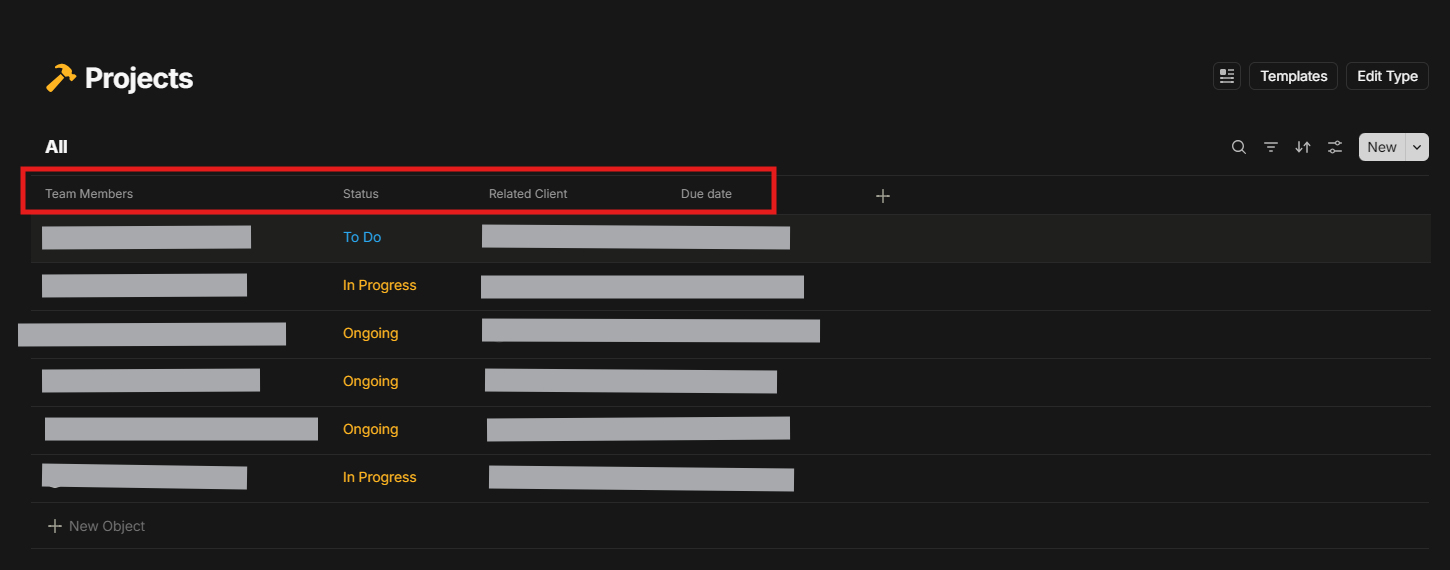
When I add that to the Widget (I believe it creates a set) and the table for that set is missing the “Name” column.
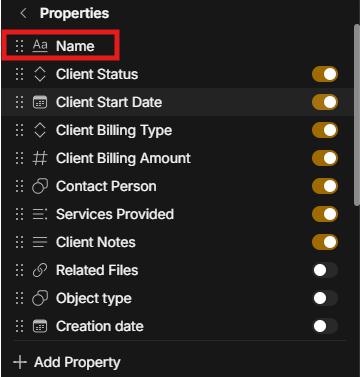
I can find the “Name” column for all other Type sets. But it is not visible for “Project” only.
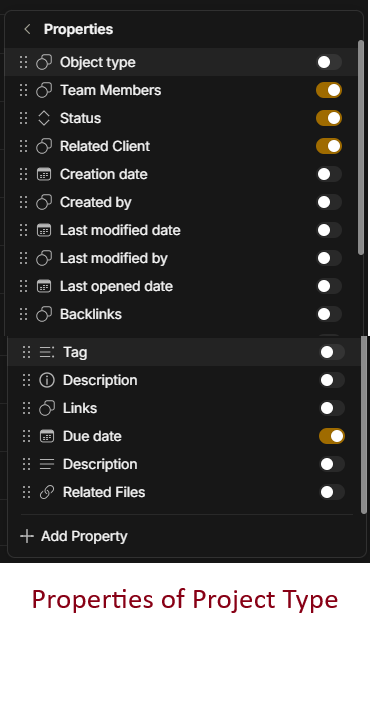
Note: I cannot find the “Name” property to add it in in the Project type either.
Additional Context
A different workspace does not have issue of “Name” in “Project” type set. Also, in mobile app, for the same Workspace, I can see the Name seen in the set. Hence, this is a Desktop only issue for this “Project” type in this specific workspace.
Image or Video

OS
Windows 11
Anytype Version
0.46.1
Network Mode
Anysync
Technical Information
OS version: win32 x64 10.0.26100
App version: 0.46.1
Build number: build on 2025-04-17 20:22:50 +0000 UTC at #de38863027eb064b5b0ec258ce088fc45cb213cb
Library version: v0.40.16
Anytype Identity: A7rn4N5e1qcoG1ZEHZTHNSTcEiVz66sppAbNMEceXZCPM1SL
Analytics ID: McwqzxqQomhadEvAvNXj1AKmS2ejdJKkA1DAF2gjz2kFyxty
Device ID: 12D3KooWKSSY5rFC2WRDqnAPVvF48VWG8BPhCVTkN9571rpzc5KX
Ethereum Address: 0xf27AE8DBc263Be44E4D5FF861cfFcd499fFf8113