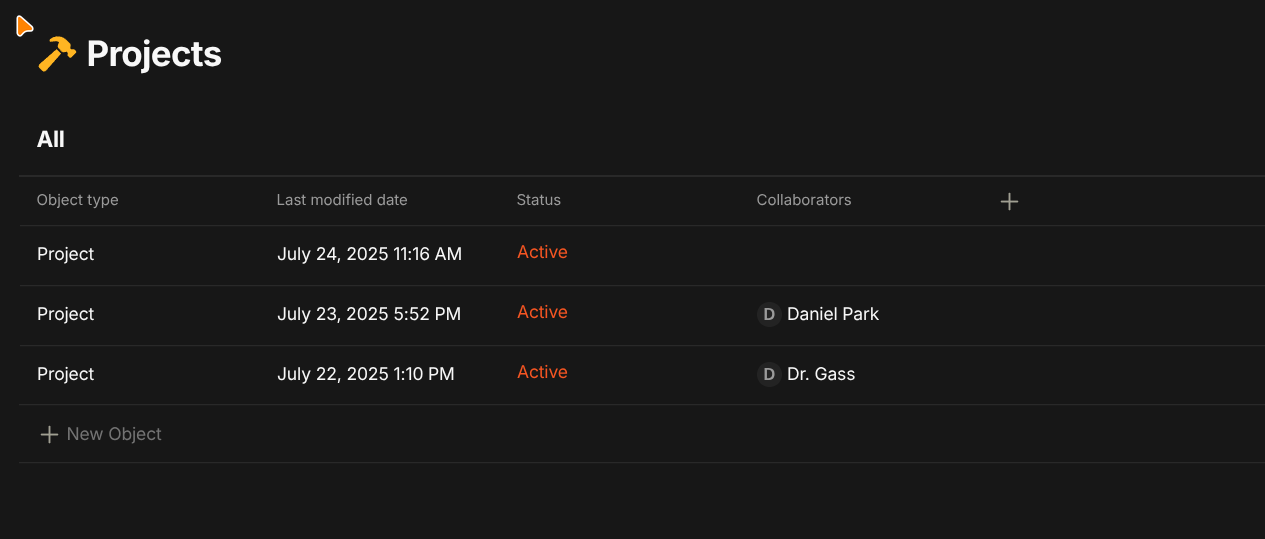
The name property is displayed correctly in the List view but does not appear in the Grid and Gallery views, while other properties are shown normally.
How To Reproduce It
Unable to reproduce the issue. In other spaces (including newly created spaces), the name property is displayed correctly across all views.
Image or Video
The Expected Behavior
The name property should be properly displayed in all views, including Grid and Gallery.
Device
Windows11 Acer
OS
Windows11
Anytype Version
v0.46.7
Network Mode
AnySync
Technical Information
OS version: win32 x64 10.0.26100
App version: 0.46.7
Build number: build on 2025-05-26 18:51:18 +0000 UTC at #0123ea06008441bae1f8bdaefed17d26965cb879
Library version: v0.41.0-rc14
Anytype Identity: AAUhuU5DgDiAqrSeZvwPvFdsghWJ8ZnTLUD4v7DZdUYxsQbY
Analytics ID: bab3a8af-019f-479e-bc1e-6bfcfcdf2fd2
Device ID: 12D3KooWQpAYQQPxBw9KvTnhU5TzTZvysWSSpknpHwTFkUteGYX7
Ethereum Address: 0xDc3419Ae89832E0F55429e24017B69bF5b5e40f9
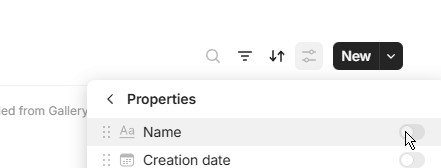
In the video 0:09 section can see that the name property has no switch and is always on.
When switching to a List view, the name property is displayed properly, and there is no name property when switching to Grid and Gallery views.
Thanks.
After a few tests, the type-based queries do not allow you to uncheck the name in the Grid and Gallery views.
In my opinion, this is a problem, another trick that doesn’t work the same everywhere! And if I want a query with my types = images, a gallery without the name would be relevant… but that’s not possible, so I’ll have to fiddle with that too, which isn’t very user-friendly…
Anyway.
Concerning this bug, I couldn’t reproduce the problem on my side, the name is well displayed (test on two different spaces and several queries)
I had the same issue with one of my objects. It seems to be some sort of unfortunate glitch that is hard to track why it happened. My only solution was to create a brand new object to replicate the old object and delete the one missing the name. I’m lucky it was just created so it wasn’t much of an issue for me.
Hi anytype- just want to report that I’m still having this issue with the built in queries for types on the linux version 0.47.5 Here’s a screenshot of the default query associated with the type
I’ve had the same issue. What worked for me is editing the type and then changing the type’s Layout type to something else and then back again. Then pressing save. (Just before doing that, I’ve deleted all instances of the type with properties that are not part of the type. Not sure if this was needed or not.)
Sorry for the hold up- om on nixos and could only bump to 47.6 now. Unfortunately it seems like the issue still persists. What @asdfasdjfljlkj suggests also works for me. All i need to do is change the layout and the titles appear.
I also think the problem appears on online queries as well and interestingly, changing the layout of the type doesn’t seem to update those.
Unfortunately my workaround stopped working for me. I think this issue has something to do with doing edits on the mobile app (unfortunately, I cannot pin it down to something specific, but I think it could have to do with editing the type on the mobile Android app). I’m on 47.6 on Arch Linux.