Closing an object when media is playing won’t stop the media. This bug happens with both video and audio files.
Possible reason: Anytype of the object is still running in the background
How To Reproduce It
Open an object with media
Play the media and let it continue to play
Close the window
Media still plays
The Expected Behavior
Killing the window would end all relevant running of the opened object
Additional Context
The reason causing this bug might also be reason of this other bug.
Device
Macbook Air M1
OS
Sonoma 14.5
Anytype Version
v.0.41.1
Network Mode
Local-only (should be irrevelant)
Technical Information
OS version: darwin arm64 14.5.0
App version: 0.41.1
Build number: build on 2024-06-13 12:23:20 +0000 UTC at #48d85bd5470c4a6aaa6f38c2f37b04e7ce2fb637
Library version: v0.34.3
@Angelo I observed this bug with files, not embeds.
.mp4 and .mp3 are the file formats in the following demonstration. I have also observed this bug with m4a file.
You aren’t actually “closing” the page though, right? So, I don’t think this is a bug. I’d personally be kind of bummed, and even slightly annoyed if it didn’t work like this.
Depends on the type of media though, so there should probably be an option in the A/V player to continuously play (or not) when moving out of the app. I’d prefer music to keep playing, but maybe not with film because I wouldn’t want to miss anything. Seems like an FR!
… It doesn’t bother me a lot, if this would be a feature request, I personally would not put time into it.
But then I have a question, if clicking the red cross button and cmd+w are not closing the object, what is? Does that mean quitting Anytype is closing an object ?!
As cross and cmd+w are the used methods for ‘closing object’ in the above video
On mac, clicking x just removes the app from view. It’s not the same as quitting the app, you can see in the app dock that Anytype (and thus the Object) remains open. In my demo above, if you actually close the Object, or navigate to another one, the player stops.
I understand cmd+w is not closing the application, but I also wouldn’t say cmd+w is for hiding… since we also have cmd+h for hiding the application.
I expect cmd+w to behave like closing tab on browser; media wouldn’t still be playing when tab is closed. However, since tab is not implemented yet. This will be the reasonable explanation for me that this is a feature.
Edit: The reason why this is a problem is that it is possible to instantly open back the ‘closed tab’ if closed by cmd+h; but with cmd+w, it is not easy to open the object again for it is no longer there in Mission Control.
Although it is possible with my other bug report on closed window reopen itself, if users lean towards using menu bar, they wouldn’t be able to reopen the ‘closed window’. And it is not consistent anyway.
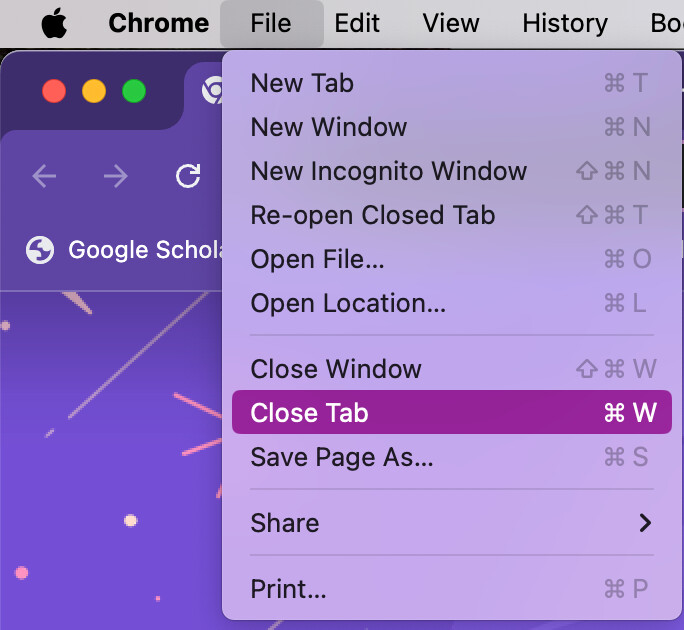
On chrome, cmd+w and cmd+shift+w are indeed worded as ‘close’.
With the youtube app, you actually have to pay for the pro plan to get this feature
I still think having customizable settings for the media player would be a sensible feature request. Although we might be getting ahead of ourselves since it’s the most bare-bones player ever, and it’s begging for proper design. We just aren’t there yet, but I’m counting my lucky stars that we’ll get rolling on it within the next year
While this issue is not a priority, I want to raise attention the issue of this behaviour again. With the implementation with tab, we can see why media should stop playing upon closing. This is done right with tabs because there is no way to reopen closed tab.
This behaviour can be observed when it is not the first instance of Anytype that is playing media and its window is being closed. If it is the first instance that is playing media, then all good; the first instance can be reopened by reopening the on-going running of the application. However, there is no way to reopen the second or later instance of Anytype.
How to reproduce it
Open two instances of Anytype (First instance: open the application; second instance: open new Anytype window)
Play any media (media 1) on second instance
Close the window of second instance
Hear media still playing
(Want to stop the media) No way to stop or reopen second instance to access the playing media.
If user play a different media (media 2) at the same time, OS system will override the current media with media 2, now user can’t even pause the playing of media 1. The only thing user can do is to wait the media to finish playing or to quit Anytype
I suspect this issue won’t be treated, because this workflow is too particular and it is even more less likely for users to play media in second window since we have tabs. However, if when background playing media is implemented, media playing in every instance/window needs to be considered, or background playing has to be managed by first instance.
 Media still plays
 ?!
?!


 because there is no way to reopen closed tab.